
MiniMax H3 Max Turbo AI Video Generator

MiniMax H3 Max Turbo is the budget Hailuo 3 tier: the same 5–15 second clips from text or a first-and-last frame pair, at about half the per-second price, without the reference-asset mode.

0 / 2,000
~150 cr

What is MiniMax H3 Max Turbo?

MiniMax H3 Max Turbo is the low-cost tier of the Hailuo 3 family, integrated here on 28 September 2026 together with H3 Max. Two endpoints sit behind one picker — text-to-video and image-to-video — with the same 5–15 second range, 480p and 768p tiers and native audio as H3 Max, at 20 or 30 credits per second.

What it does not do: there is no reference-to-video mode, so images, video clips and audio tracks cannot be supplied as references (use H3 Max or MiniMax H3 for that); there is no 2K tier; audio has no off switch; submitted tasks cannot be cancelled; and we have not timed this model yet.

H3 Max Turbo generates the same 5–15 second clips with native audio at 480p or 768p, from text or a first-and-last frame pair, at about half the per-second price of H3 Max — no API key, no separate account.

MiniMax H3 Max Turbo clip generated from a text prompt

From 20 credits per second

A 5-second 480p clip is 100 credits and a 5-second 768p clip is 150 — roughly half of H3 Max and a third of MiniMax H3 at 2K. Per-second pricing is shown before you generate, and a 15-second 768p take never exceeds 450 credits.

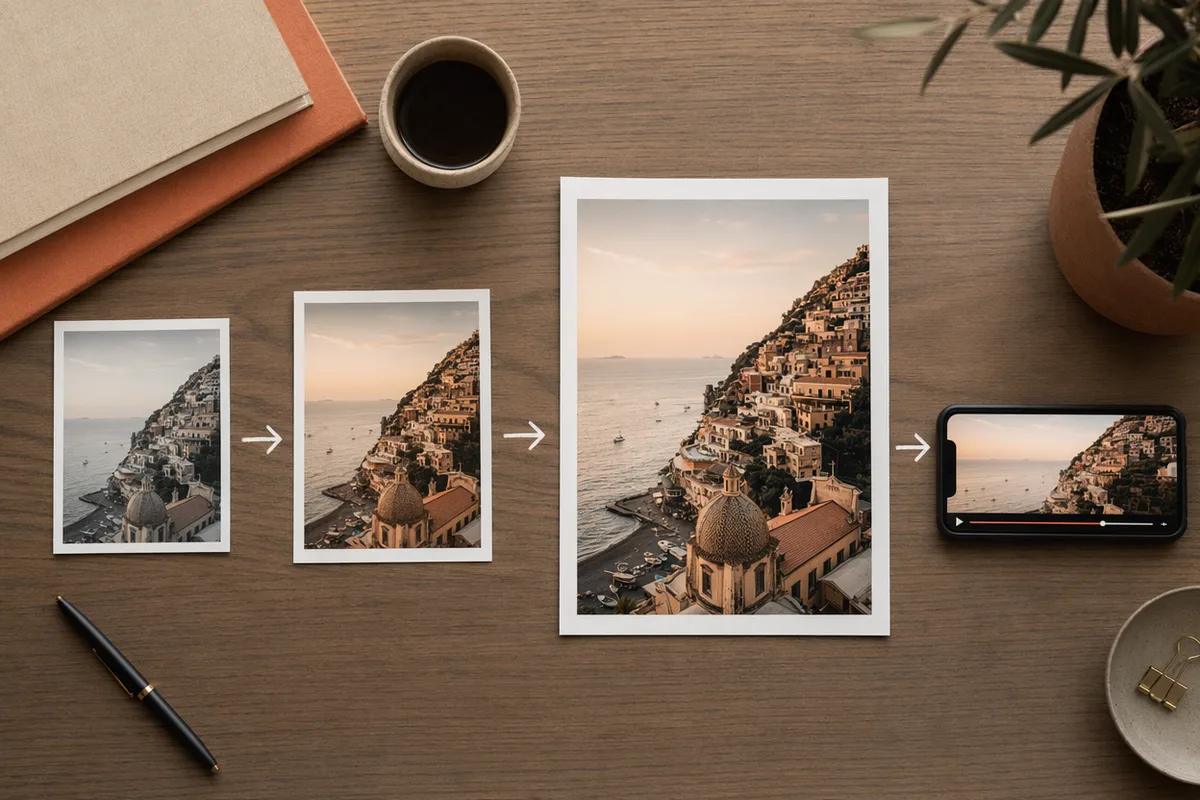
First frame and last frame inputs for image-to-video

Text, or a first and last frame

Two input modes: text-to-video with six aspect ratios, and image-to-video from a first frame with an optional last frame. It follows the ratio of your first frame, so a vertical still gives a vertical clip. There is no reference-asset mode on Turbo — for images, video and audio references use H3 Max or MiniMax H3.

Clip with generated ambient sound

Native audio, every run

Like the rest of the Hailuo 3 family, Turbo outputs native audio on every clip and there is no toggle for it. The rate you see is the only rate.

Generation history with full prompts and parameters preserved

Five to fifteen seconds, any whole second

Pick any whole second from 5 to 15 at a flat per-second rate. Prompts up to 7,000 characters are kept with every generation in history, so a shot that works can be rerun.

Real MiniMax H3 Max Turbo clips from this workspace

Generated here on 28 September 2026, first take, exact prompts and settings shown.

Prompt768p · 16:9 · 5s

A paper boat drifting down a rain-swollen gutter past autumn leaves, low camera tracking alongside, soft rain on the water.

Prompt768p · 16:9 · 5s

A barista pouring latte art in a sunlit café, steam rising, slow push-in on the cup, quiet morning ambience.

Who MiniMax H3 Max Turbo is for

It is the volume tier: the cheapest Hailuo 3 clips when the brief fits in a prompt or a pair of frames.

  • Iterating on a brief before spending on the keeper

    Run the motion at 20 credits per second until it works, then rerun the identical prompt on H3 Max or MiniMax H3 for delivery.

  • Short social clips in volume

    Ten 5-second 480p clips cost 1,000 credits. Text in, clip with sound out, six aspect ratios including 9:16.

  • Animating a still with a known ending

    First frame plus optional last frame is the one image feature Turbo keeps — and it keeps your aspect ratio.

  • Not for: reference-driven shots, 2K masters, or silent plates

    No reference mode, no 2K, no audio toggle. Step up to H3 Max for references and to MiniMax H3 for 2K.

The three Hailuo 3 tiers side by side

Same workspace, same credit pool — switching between any of these is one click.

MiniMax H3 Max TurboMiniMax H3 MaxMiniMax H3
Resolutions480p · 768p480p · 768p768p · 2K
Clip length5–15s, any whole second5–15s, any whole second4–15s, any whole second
Image-to-video inputsFirst frame + optional last frameFirst frame + optional last frameFirst frame only
Reference assets per requestNot offeredUp to 9 images, 3 videos and 3 audio tracksUp to 9 images, 3 videos and 3 audio tracks
Credits per second, 480p2035Not offered
Credits per second, 768p305555
Credits per second, 2KNot offeredNot offered90
Credits for one clip, floor to ceiling100–450175–825 for output alone; 2,675 fully loaded220–1,350 for output alone; 2,820 fully loaded
SoundNative and always onNative and always onNative and always on

Every figure in this table is read from our own model registry on 28 September 2026 — the same per-second rate tables that price your generations. Rates are per second of output. A tier a model does not sell is marked "Not offered".

More Video Models Like MiniMax H3 Max Turbo

Compare MiniMax H3 Max Turbo with other video models — same workspace, one click to switch.

MiniMax H3 Max Turbo specs on CreateVision AI

Modelminimax-h3-max-turbo (MiniMax H3 Max Turbo, the budget tier of Hailuo 3) — integrated here on 28 September 2026
ModesText-to-video and image-to-video from a first frame with an optional last frame — no reference-to-video mode
Resolution480p and 768p — no 2K tier
Duration5 to 15 seconds, any whole second (5 by default)
Aspect ratios16:9, 9:16, 1:1, 4:3, 3:4 and 21:9 in text mode; image-to-video follows the first frame
Reference assetsNot supported on Turbo — use MiniMax H3 Max or MiniMax H3
Prompt lengthUp to 7,000 characters
AudioNative and always on — there is no audio toggle
CreditsPer second: 20 at 480p, 30 at 768p, the same rate in both modes; no surcharges
Credit range per clip100 for a 5-second 480p clip, 450 for a 15-second 768p clip
CancellationSubmitted tasks cannot be cancelled
Measured speedNot measured — we have not run a timed benchmark on this model

How to Use MiniMax H3 Max Turbo

Three steps from a blank prompt box to a finished clip.

  1. 1

    Select MiniMax H3 Max Turbo

    Open the model picker and choose MiniMax H3 Max Turbo. The panel shows its credit cost, resolution options, and duration limits before you spend anything.

  2. 2

    Describe what you want

    Write the subject, the action, and how the camera behaves. Attach a first frame if you want the clip to start from a specific image.

  3. 3

    Generate, then keep going

    Download the clip, extend it, or send it through further editing. Prompt, model, and settings stay attached in your history.

Beyond MiniMax H3 Max Turbo

One account, the full image and video generation workflow.

MiniMax H3 Max Turbo Pricing and Free Daily Credits

Run MiniMax H3 Max Turbo on the free tier's daily credits, or upgrade for premium models, faster generation, and 4K output.

Free

$0

Perfect for getting started

  • 200 welcome credits, up to 80/day
  • Z Image Turbo drafts at 0 credits
  • Standard generation speed
  • Generation history included
Get Started

Premium

Most popular
$29/month

Billed annually · $240/year

  • 8,000 credits/month, no daily limits
  • All premium models — GPT Image 2, Nano Banana, Seedream, Seedance, Veo, Kling
  • 5x generation speed, priority queue
  • AI prompt enhancement
Upgrade to Premium

Ultimate

$59/month

Billed annually · $468/year

  • 18,000 credits/month, no daily limits
  • HD generation up to 4K resolution
  • Priority support
  • Fastest queue and early access to new models
Upgrade to Ultimate

MiniMax H3 Max Turbo — Frequently Asked Questions

1

What is MiniMax H3 Max Turbo best at?

Cheap drafts and volume: many short Hailuo 3 clips from text or a first frame, at 480p or 768p with native audio, from 20 credits per second.

2

How much does MiniMax H3 Max Turbo cost?

20 credits per output second at 480p and 30 at 768p. A 5-second 480p clip is 100 credits; a 15-second 768p clip is 450. There are no reference surcharges because Turbo has no reference mode.

3

What does Turbo give up compared with H3 Max?

The reference-asset mode (images, video and audio references) and, compared with MiniMax H3, the 2K tier. Text-to-video, first-and-last-frame image-to-video, durations and aspect ratios are the same as H3 Max.

4

Which durations and ratios are supported?

Whole seconds from 5 to 15, at 480p or 768p. Text-to-video offers 16:9, 21:9, 4:3, 1:1, 3:4 and 9:16; image-to-video follows the ratio of your first frame.

5

Can I turn the audio off?

No. Turbo generates native audio on every run and there is no toggle. Mute it in your edit if you need a silent plate.

6

When should I move up to H3 Max or MiniMax H3?

Move to H3 Max when you need reference images, video or audio in the request; move to MiniMax H3 when you need 2K output or a 4-second clip.

Draft fast and cheap with MiniMax H3 Max Turbo

Start Generating Videos

Discover our one-click AI video tools

One-click tools for everything around generation — polish, restyle, and share.

Pricing & Access — The Facts — MiniMax H3 Max Turbo

Model
MiniMax H3 Max Turbo
Developer
MiniMax
Access
Runs in the CreateVision AI workspace via API — sign in and generate. No API key, no cloud project, no software install.
Price per generation
From 100 credits ≈ $0.36 per 5-second clip on the Premium plan ($29/month for 8,000 credits). The free plan includes 80 credits every day.
Privacy
Private by default — no other user can see your generations, on any plan. We don't sell or misuse member data. Privacy Policy