GPT Image 2 AI Image Generator

Generate with GPT Image 2 using ratio, quality, batch, and reference-image controls in one CreateVision AI workspace.

0 / 2,000
~20 cr

Every image below was generated here on 15 August 2026, first take, with the exact prompt shown — no retouching and no cherry-picking. Each group is there to test the claim above it.

In-image text that is actually readable

Posters, packaging, signage, UI mockups — GPT Image 2 renders short and multi-line text with near-perfect accuracy, across multiple languages. Communities consistently rank it the gold standard for text-heavy work, which is why designers reach for it whenever a label, headline, or logo lockup has to be legible on the first try.
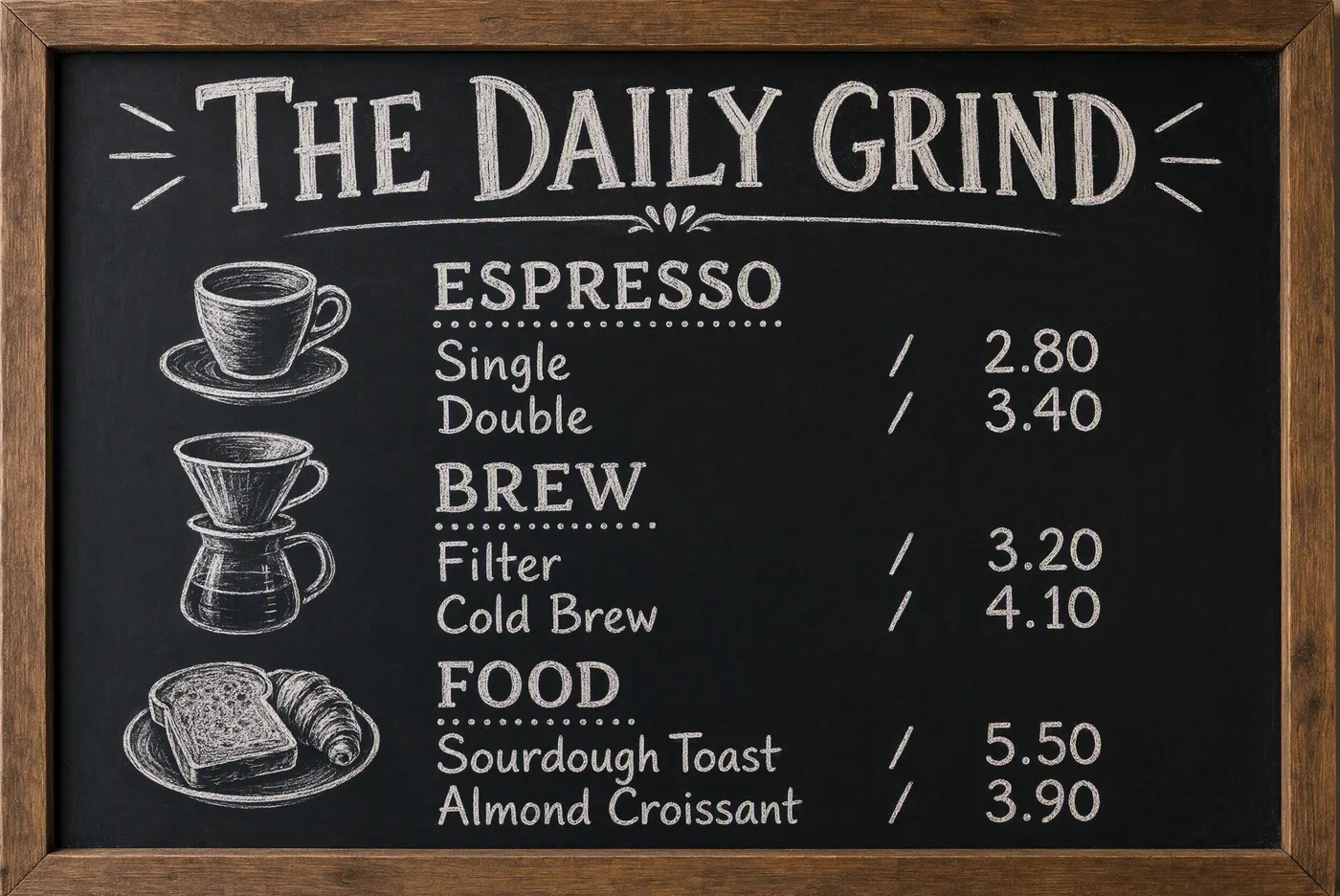
Cafe chalkboard menu with three priced sections, every word legibly hand-lettered2K · 3:2 · high · 138s
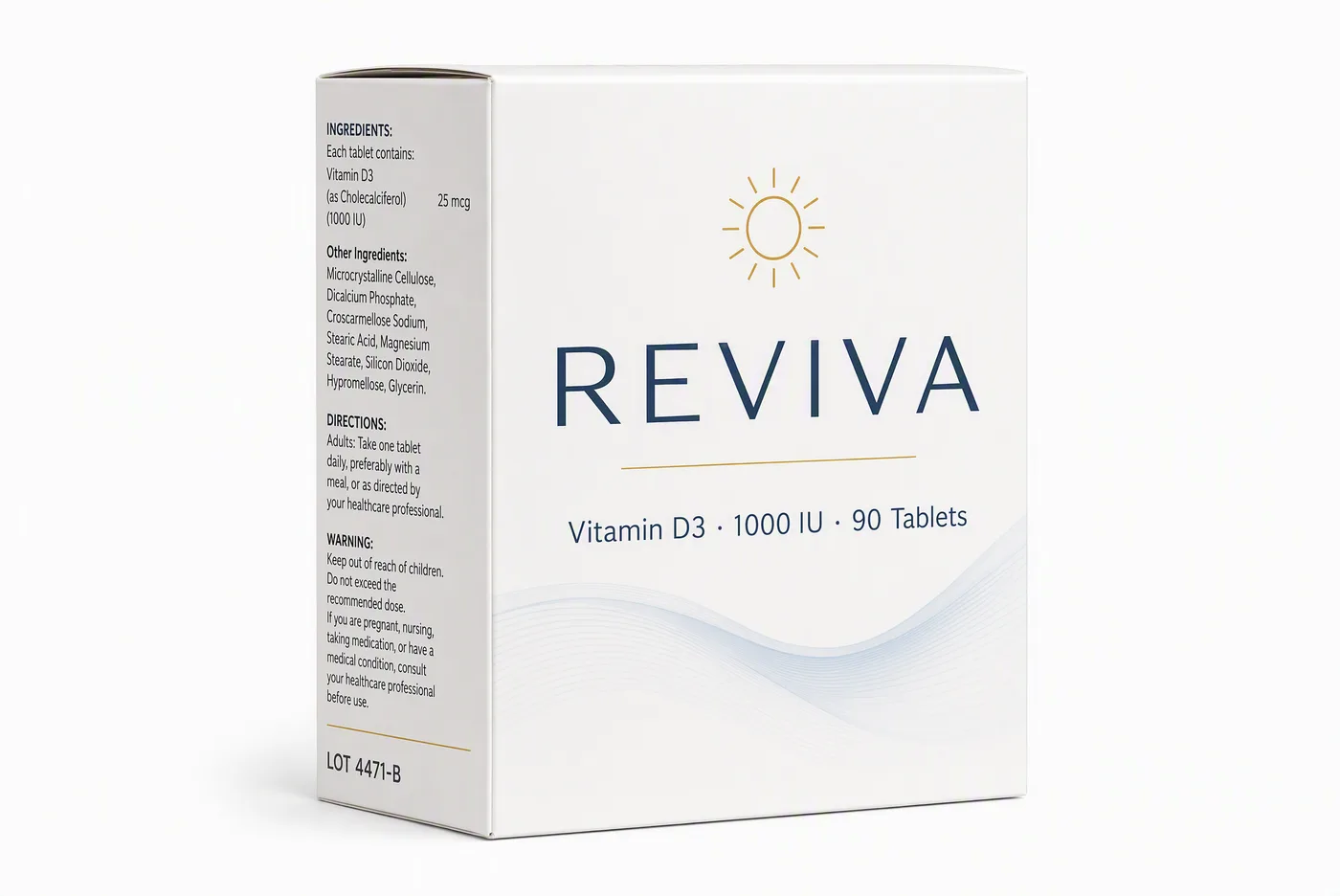
Supplement box rendering a brand name, dosage line, ingredients panel and batch code at three type sizes2K · 3:2 · high · 98s
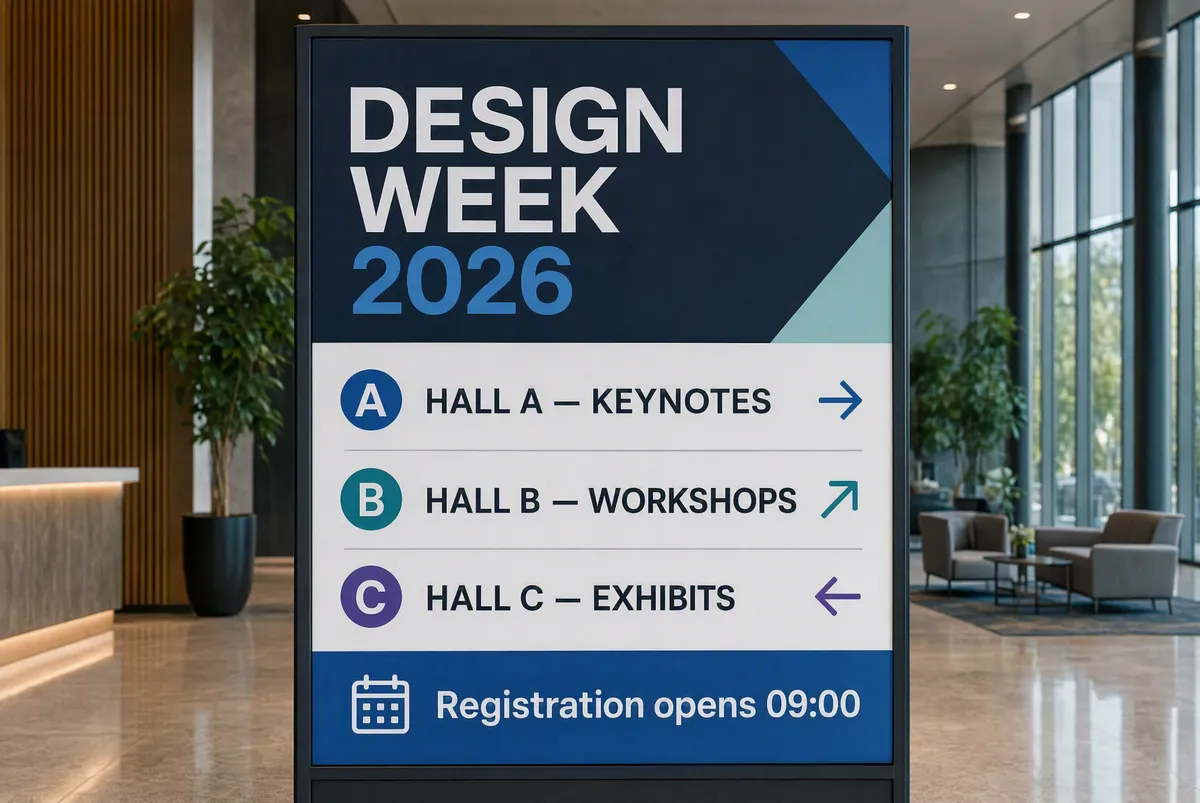
Conference wayfinding sign with a heading, three hall lines with arrows and a footer time2K · 3:2 · high · 119s

The headline is the easy part. What breaks most models is the 8pt ingredients panel, the batch code and the footer line all holding together in the same frame.
Complex briefs, followed to the letter

Spatial relationships, negations, conditional logic, multi-element layouts — GPT Image 2 interprets long prompts semantically instead of keyword-matching. Describe a full scene with foreground, background, and mood, and the composition comes back organized the way you wrote it.

Prompt

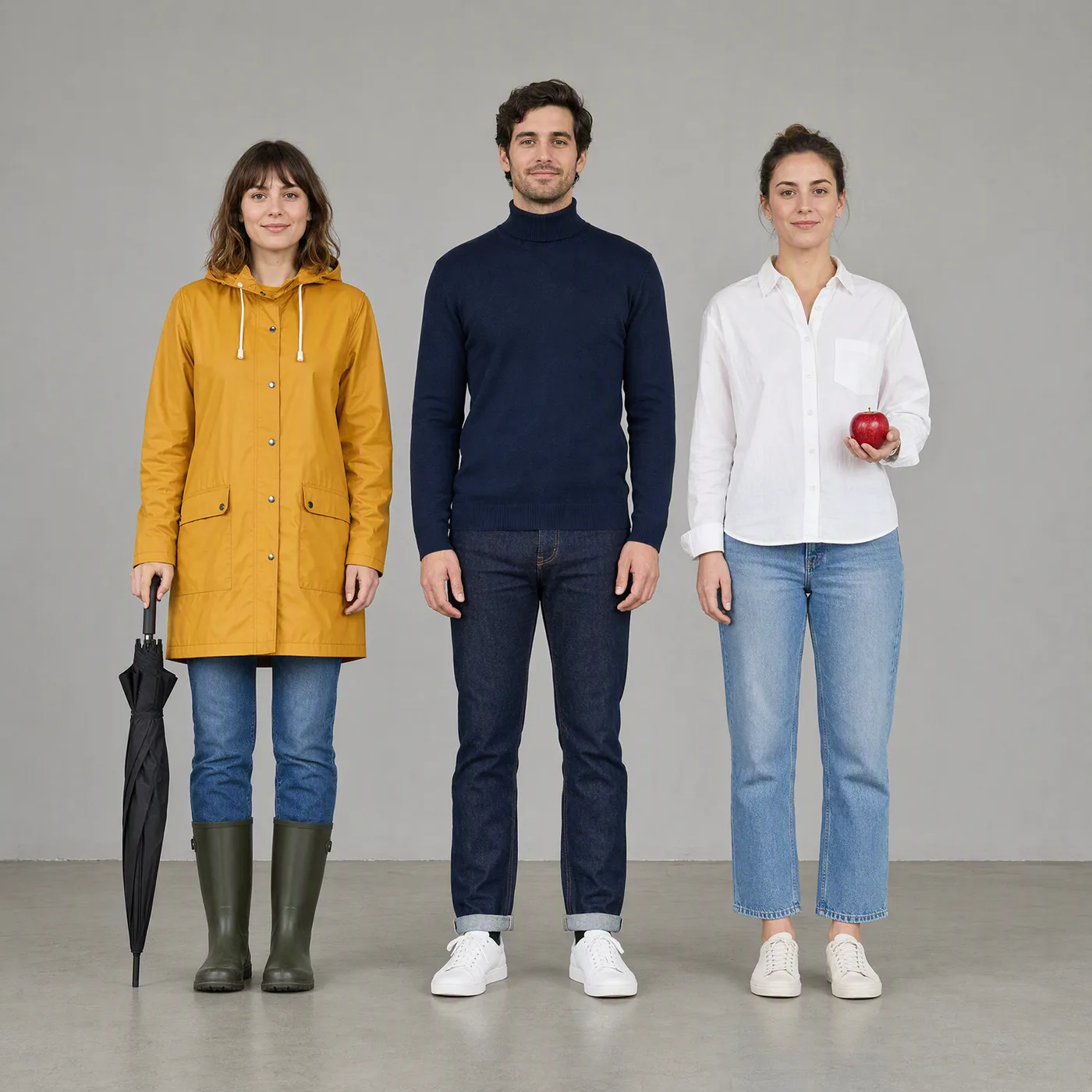
Three people standing in a row against a plain grey wall, exactly as described: on the left a woman in a mustard-yellow raincoat holding a closed black umbrella; in the centre a man in a navy turtleneck holding nothing; on the right a woman in a white shirt holding a single red apple in her left hand. Even frontal light, full bodies visible, no other people or objects.

Three people in a row, each holding exactly the item the prompt assigned them
2K · 1:1 · high · 145s

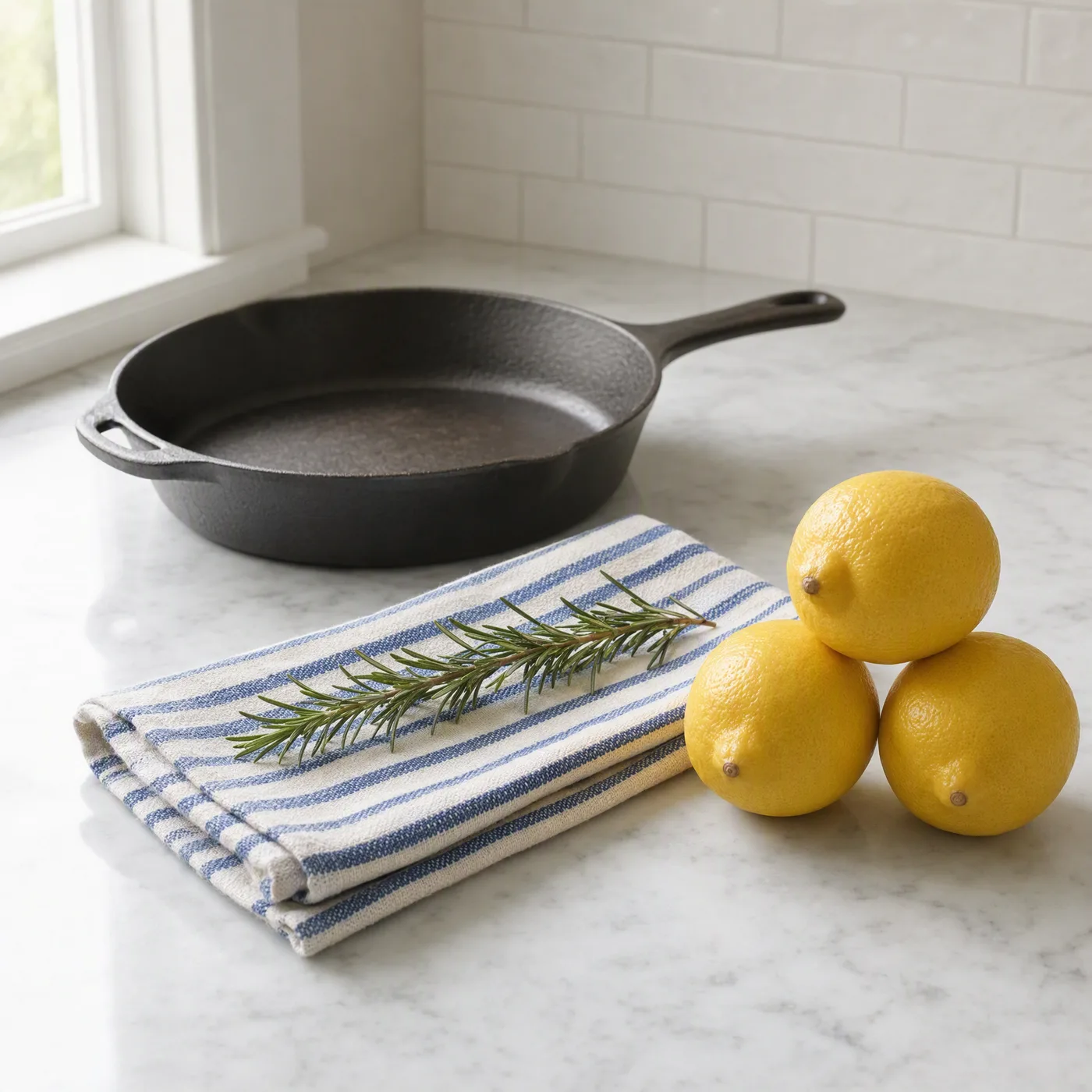
A kitchen counter scene containing precisely four items and nothing else: a cast-iron skillet at the back left, three whole lemons stacked in a small pyramid at the front right, a folded blue-striped tea towel between them, and a single sprig of rosemary lying diagonally across the towel. Soft window light from the left.

Kitchen counter holding precisely the four objects named in the prompt and nothing more
2K · 1:1 · high · 144s

A still life containing exactly five objects on a pale grey table, arranged left to right: a green glass bottle, three stacked books with red spines, a brass compass lying open, a single white orchid in a narrow vase, and a folded pair of tortoiseshell glasses. Overhead north-facing light, no other objects in frame, no props added.

Still life with exactly five named objects arranged left to right as instructed
2K · 1:1 · high · 137s

Each prompt names an exact count, an exact left-to-right order, and an explicit "nothing else". Count the objects — that is the whole test.

Built for product and brand work

Clean studio compositions, consistent art direction, and dependable typography make GPT Image 2 a natural fit for product mockups, ads, and branded social assets. Pair it with up to 16 reference images to keep packaging, colors, and brand elements consistent across a whole campaign.

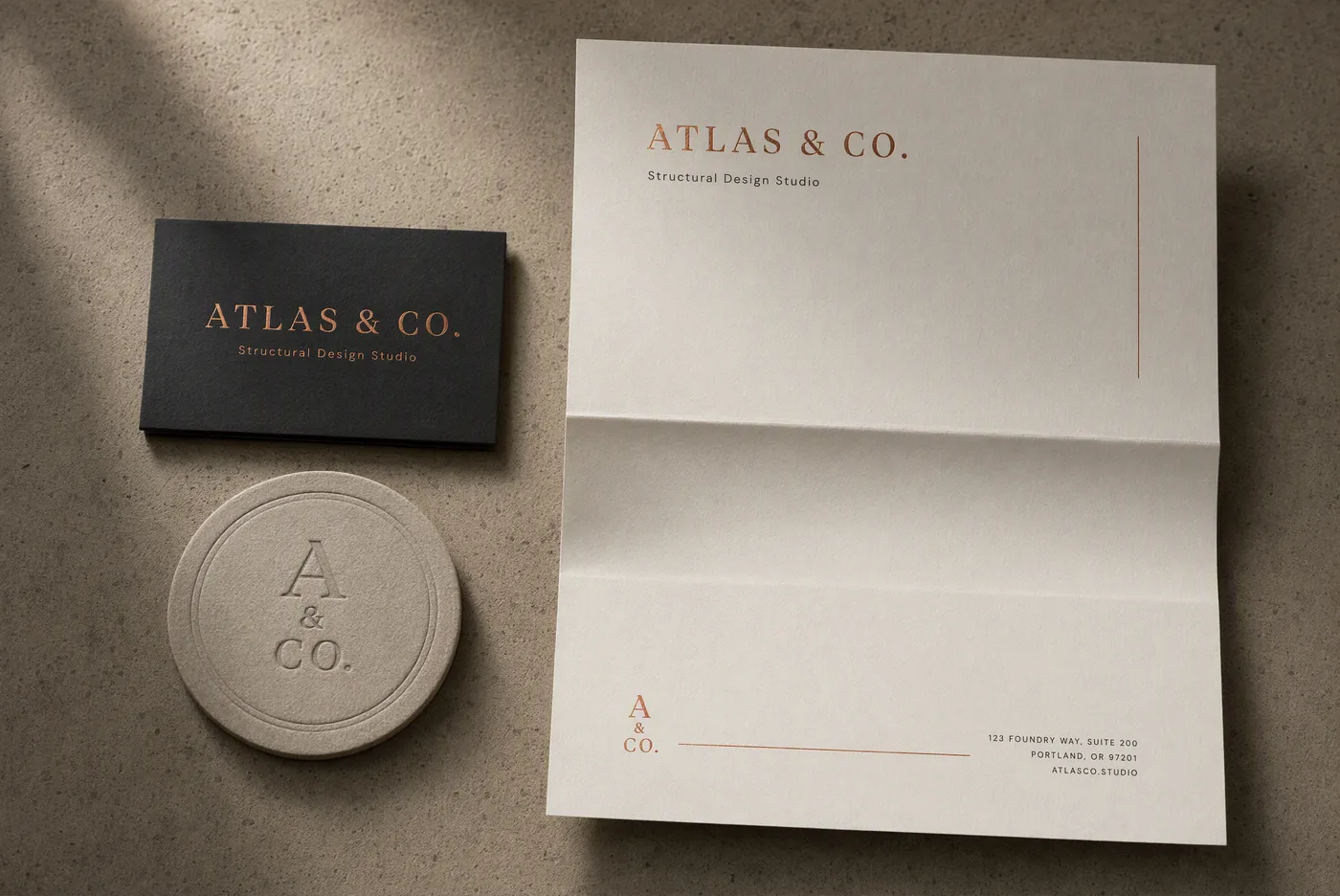
Brand identity flat-lay with card, letterhead and coaster sharing one wordmark and a copper accent2K · 3:2 · high · 101s
Cosmetics hero shot with a single specular highlight and headline space left clear above2K · 3:2 · high · 100s
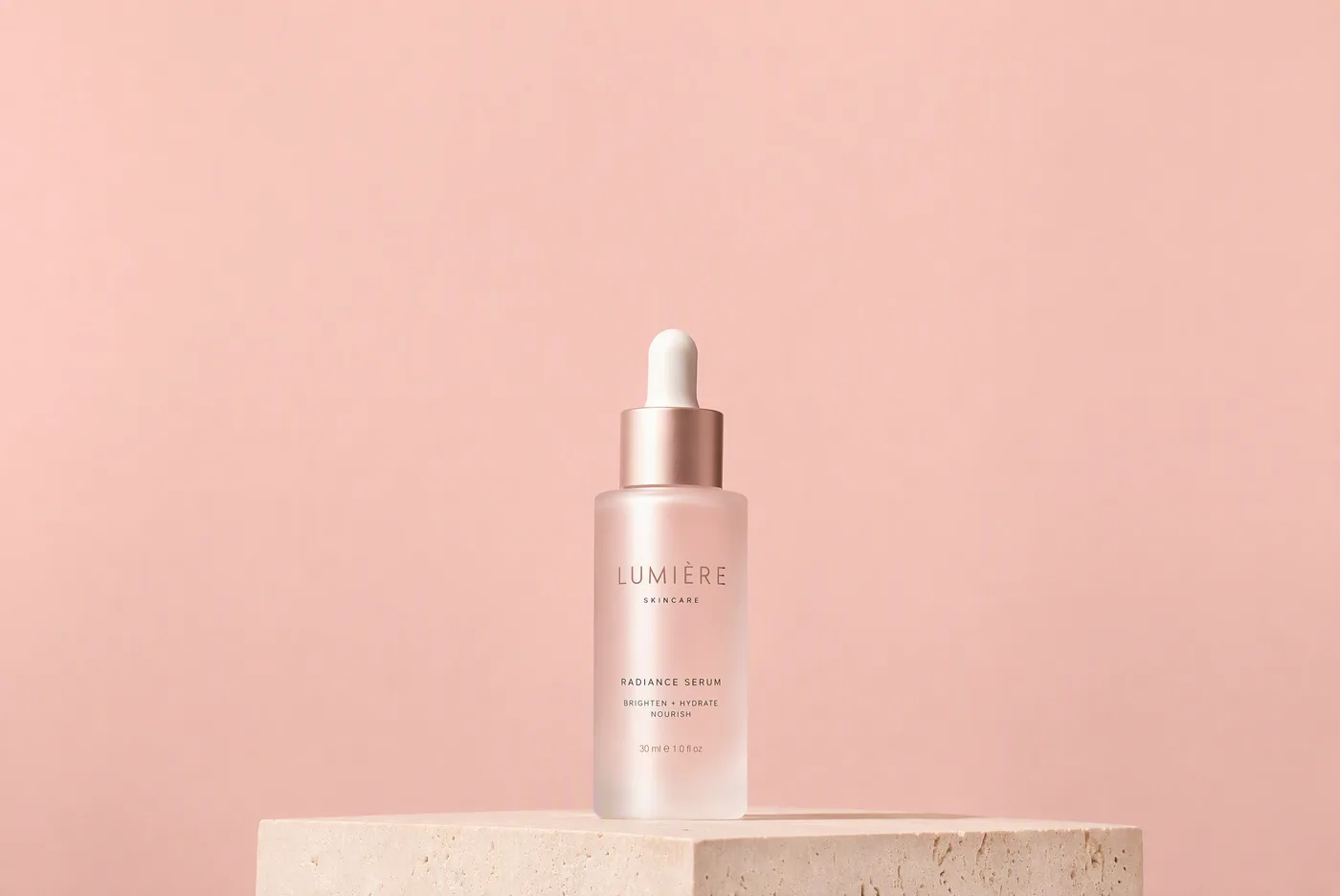
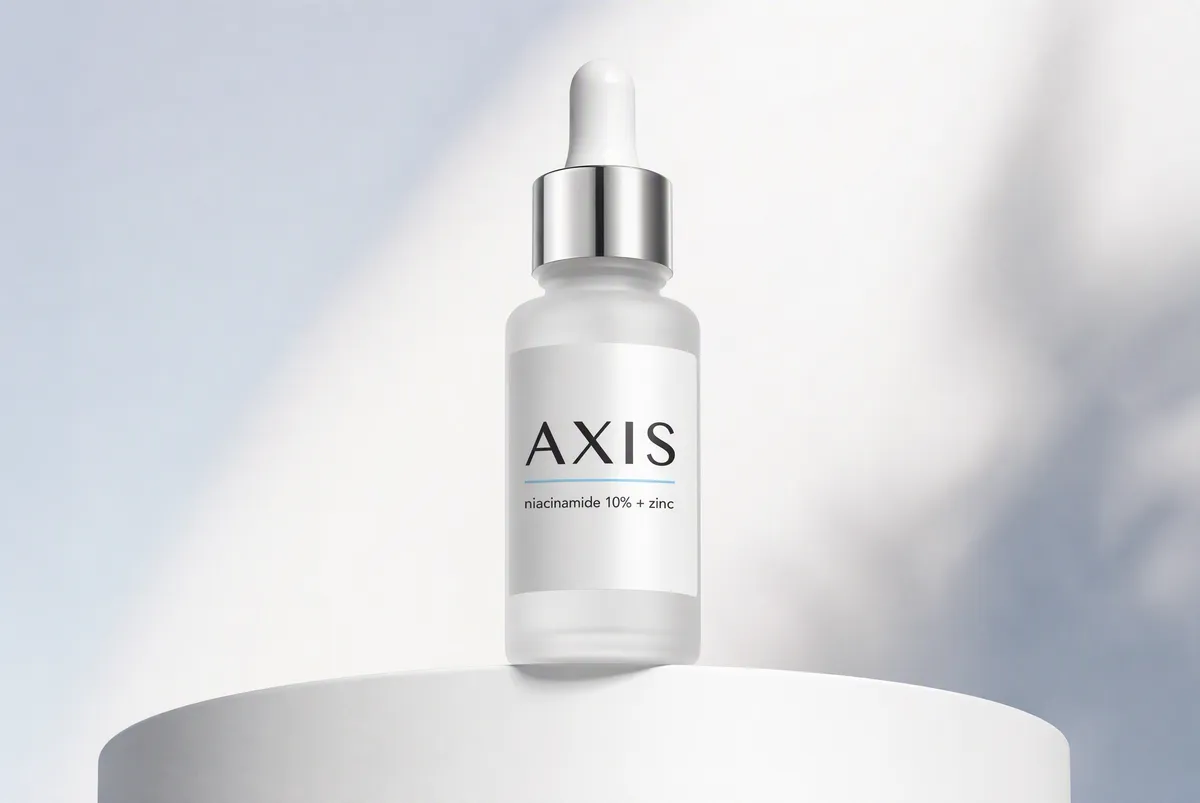
Skincare serum packshot on a curved pedestal with a two-line label2K · 3:2 · high · 121s

Note what the middle prompt asks for and gets: negative space reserved at the top for a headline. Layout instructions land, which is what makes these usable as artwork rather than as reference.

Full quality and batch control

Choose low, medium, or high quality and 1K, 2K, or 4K-class resolution to balance speed against fidelity, then batch up to 10 images per run. Every generation keeps its prompt and parameters in history, so a winning setting is one click away from being reused.

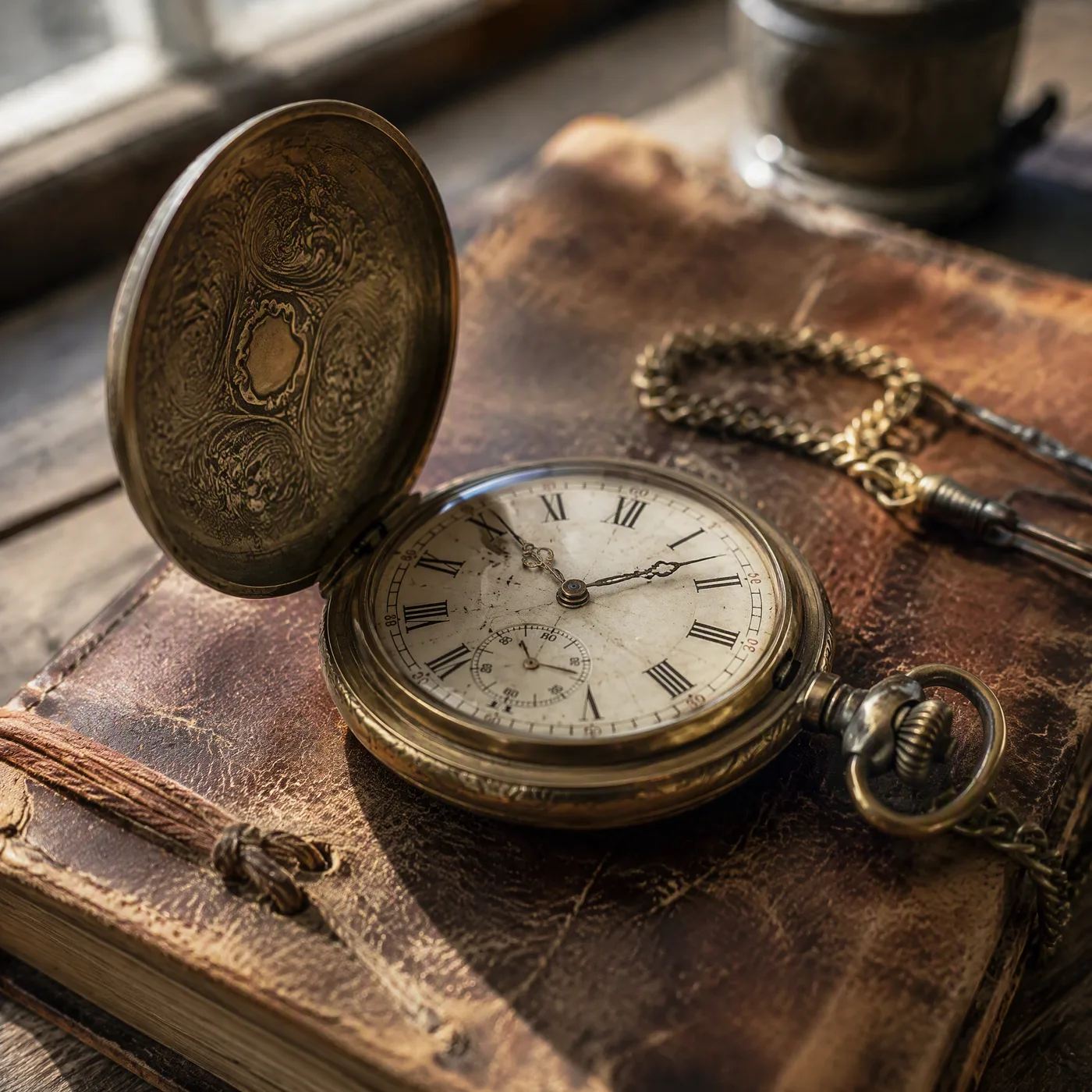
low
Pocket watch on a leather journal, generated at low quality in 32 secondslow · 32s
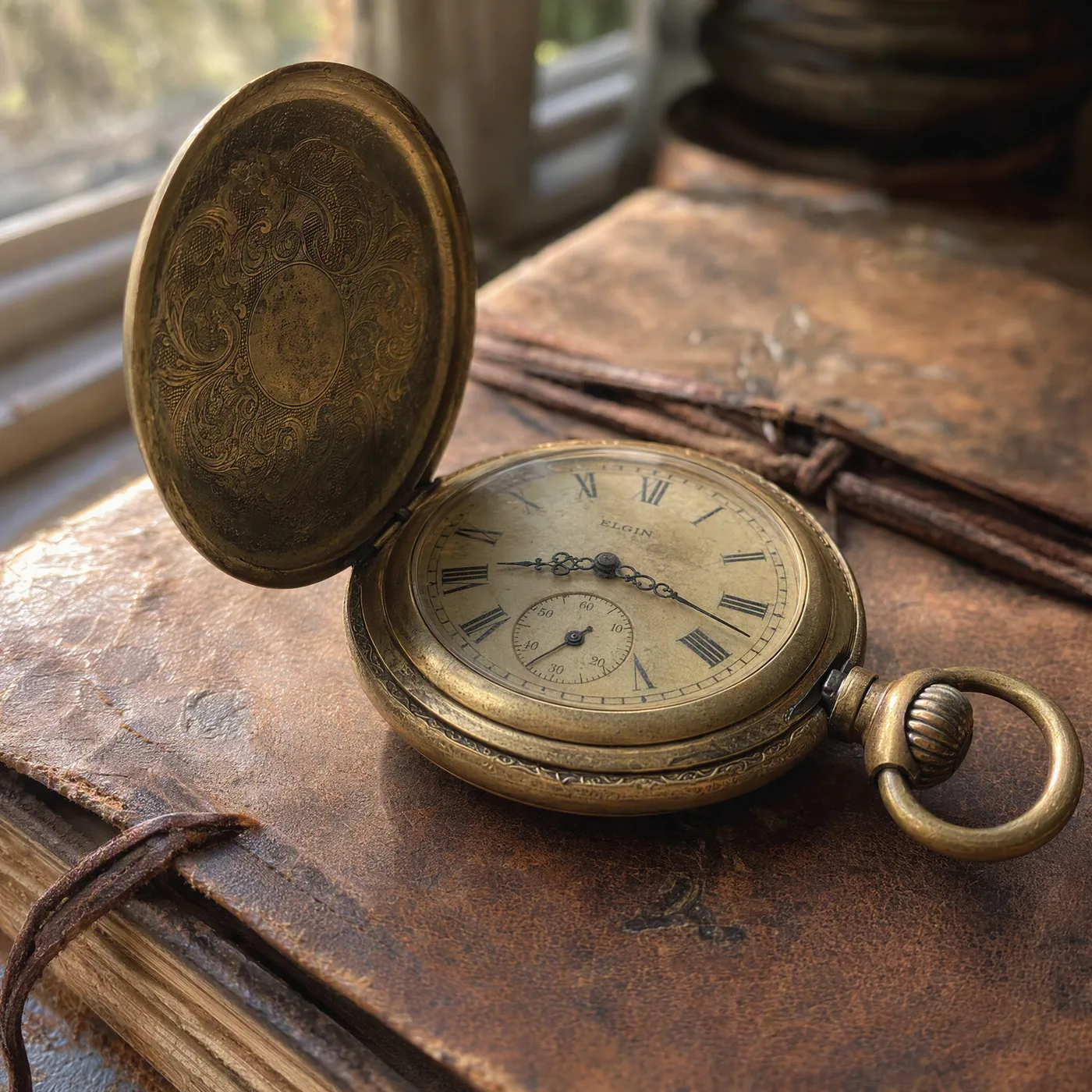
medium
The same pocket watch scene generated at medium quality in 68 secondsmedium · 68s
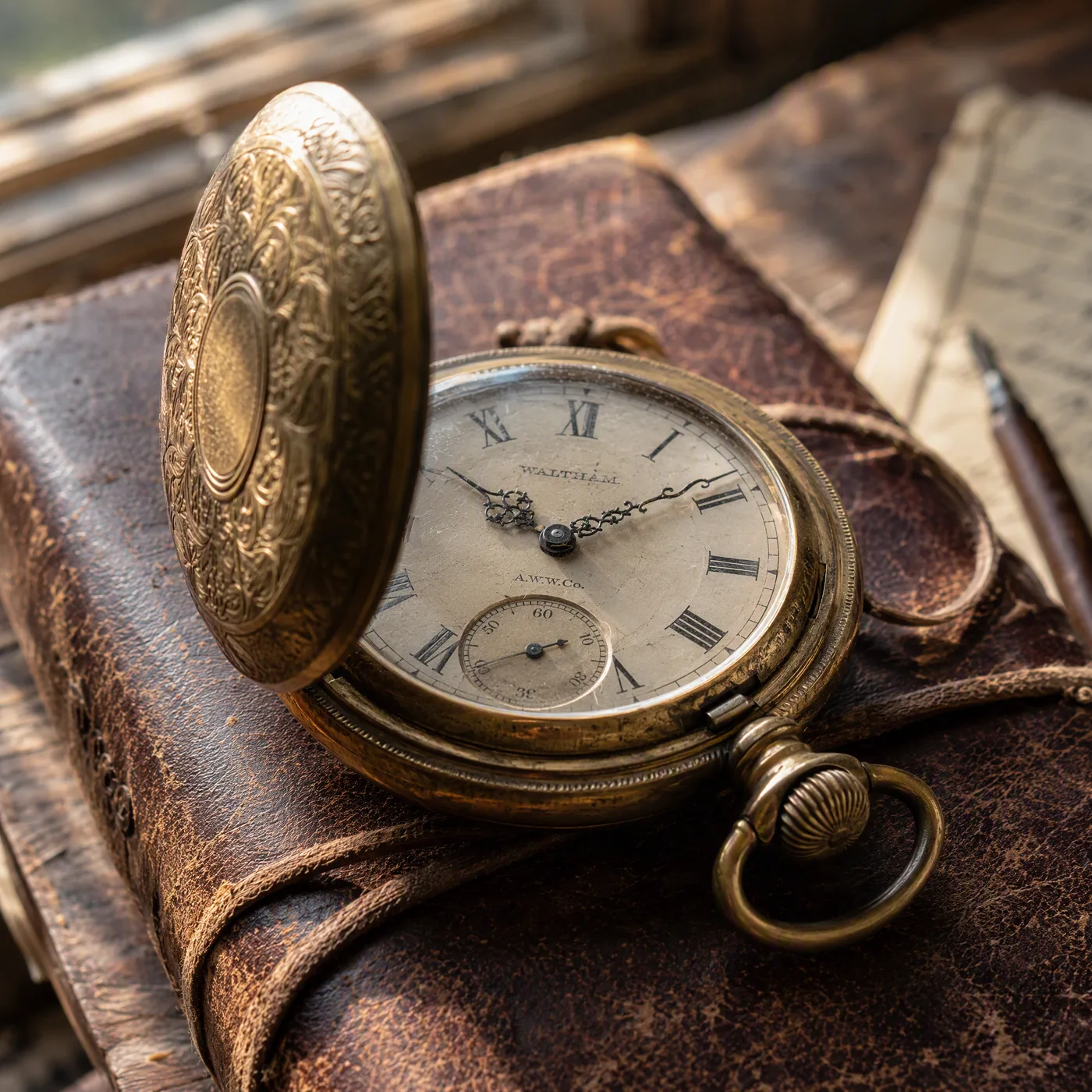
high
The same pocket watch scene generated at high quality in 166 secondshigh · 166s

Same prompt, same 2K, only the quality tier changed — and honestly, the gap is smaller than the 5× time difference suggests. What you buy at the top tier is rendering depth on fiddly detail like engraving and patina, not a different picture. Draft on low; save high for the frame you are going to ship.

Who GPT Image 2 is actually for

Each of these maps to a capability demonstrated further up this page — not a wish list.

  • Packaging and label designers

    The only group for whom the 8pt ingredients panel test above is the whole job. Correct spelling at three type sizes in one frame is the reason to pay the credit premium.

  • Brand and identity studios

    Business card, letterhead and coaster carrying one wordmark and a single accent colour, in one pass. Attach up to 16 references to hold a system together across a campaign.

  • E-commerce and product teams

    Packshots with reserved headline space, delivered as artwork rather than as reference. Ask for the negative space in the prompt and you get it.

  • Art directors briefing tightly

    Exact object counts, left-to-right order, explicit exclusions. If your brief reads like a spec, this is the model that follows it.

  • Anyone drafting before committing

    Low quality at 1K costs 5 credits and lands in about half a minute. Explore there, then spend on high only for the frame you will ship.

GPT Image 2 vs Nano Banana 2 vs Seedream 5 vs Qwen Image Edit Plus

What each model actually gives you in this workspace — credits, reference-image limits, and how much control you get over output.

GPT Image 2Nano Banana 2Seedream 5Qwen Image Edit Plus
Credits per image5 – 560, depending on settings40, flat40, flat30, flat
Cost changes with resolution and qualityYes — 1K/2K/4K × low/medium/highNo, single priceNo, single priceNo, single price
Reference images per generationUp to 16Up to 5Up to 5Up to 3
Aspect ratios offered9, including auto89Follows the source image
Cheapest usable setting5 credits at 1K low40 credits40 credits30 credits
Measured here at 2K32s low · 68s medium · 166s highNot measuredNot measuredNot measured

Credits, reference-image limits and aspect-ratio counts are read from this workspace's own model registry on 15 August 2026 — they describe what you get here, not the vendors' published specifications. Timings are our own single-run measurements on the pocket-watch prompt shown above; we have not run the same benchmark on the other three, so those cells say so rather than guessing.

More Image Models Like GPT Image 2

Compare GPT Image 2 with other image models — same workspace, one click to switch.

What reviewers found when they tested GPT Image 2

The consensus across independent hands-on reviews is narrow and consistent: GPT Image 2 is the model to reach for when the image has to contain readable text, and it is not the fastest or cheapest way to explore an idea. Reviewers repeatedly describe typography that survives small type sizes and mixed scripts on the first or second attempt.

The criticisms are just as consistent, and worth knowing before you spend credits: it is slow at the top quality tier, its world knowledge stops at the end of 2025, and repeated refinement passes can degrade an image rather than improve it. Our own timings on this page — 32s at low, 166s at high — line up with the speed complaint.

From published reviews

Multi-line headlines, signage with mixed font weights, and CJK characters all hold together cleanly on the first or second try.
John Ozuysal, fal
The model's knowledge cutoff is December 2025, so anything that landed after that date won't render accurately without reference images.
John Ozuysal, fal
Repeated passes can introduce a visible signature — testers reported a noise pattern after several refinement iterations.
WeShop AI — testing the edges

How to Use GPT Image 2

Three steps from a blank prompt box to a finished image.

Start Generating Images
  1. Select GPT Image 2

    Open the model picker and choose GPT Image 2. The panel shows its credit cost, resolution options, and aspect ratios before you spend anything.

  2. Describe what you want

    Write the subject, setting, lighting, and finish. Attach reference images if the model accepts them.

  3. Generate, then keep going

    Download the result, or continue — edit it, restyle it, upscale it, or animate it into video. Every generation keeps its prompt and parameters.

Beyond GPT Image 2

One account, the full image and video generation workflow.

Related reading

GPT Image 2 Pricing and Free Daily Credits

Run GPT Image 2 on the free tier's daily credits, or upgrade for premium models, faster generation, and 4K output.

Free

$0

Perfect for getting started

  • 80 credits per day, 400 per month
  • Z Image Turbo drafts at 0 credits
  • Standard generation speed
  • Generation history included
Get Started

Premium

Most popular
$29/month

Billed annually · $240/year

  • 1,600 credits/day, 8,000 credits/month
  • All premium models — GPT Image 2, Nano Banana, Seedream, Seedance, Veo, Kling
  • 5x generation speed, priority queue
  • AI prompt enhancement
Upgrade to Premium

Ultimate

$49/month

Billed annually · $300/year

  • 4,000 credits/day, 18,000 credits/month
  • HD generation up to 4K resolution
  • Priority support
  • Fastest queue and early access to new models
Upgrade to Ultimate

GPT Image 2 — Frequently Asked Questions

1

What is GPT Image 2 best at?

Prompt fidelity and in-image text. It excels at product mockups, posters with readable typography, multi-element layouts, and long, detailed briefs where the composition must follow your instructions exactly.

2

Does GPT Image 2 support reference images?

Yes — up to 16 reference images per generation. Use them to keep products, characters, or brand assets consistent while changing the scene, style, or layout.

3

How much does GPT Image 2 cost on CreateVision AI?

Cost depends on the quality and resolution you pick (low/medium/high × 1K/2K/4K). The generator always shows the exact credit cost before you create, and your plan refreshes credits daily and monthly.

4

Which aspect ratios and sizes are supported?

Square, portrait, and landscape ratios such as 1:1, 2:3, 3:2, and 16:9, plus auto sizing. In ratio mode you can also choose 1K, 2K, or 4K-class resolution.

5

Is GPT Image 2 good for photorealism?

It produces polished, art-directed results, but if you need maximum skin and material realism, Seedream 5 is the photoreal specialist. Many users draft layout and text with GPT Image 2, then restyle with a photoreal model.

6

Can I use GPT Image 2 results commercially?

Yes, images you generate can be used in personal and commercial projects under our terms of service. You remain responsible for prompt content, copyright, and likeness rights.

Put your next brief in front of GPT Image 2

Start Generating Images

Discover our one-click AI image tools

One-click tools for everything around generation — polish, restyle, and share.