
CREATEVISION AI · FIELD TESTED
One good image. More ways to use it.
Create a character campaign, a product set, a readable poster or a small animated loop. Start with a tested setup and make it yours.
20 recorded requests · Original files and exact prompts ↗Proof the idea at Low
Our poster brief was readable at both Low and Medium. Low quoted fewer credits; their measured waits were almost the same.
Make one edit at a time
Use the latest approved image as the next reference. Check the face, label and shape after each change.
Choose a task, then a mode
Flare worked for simple edits. Sunburst completed our three-round sequences, but we did not run matching Flare sequences. These tests do not establish a better mode for repeated editing.
01 / CHARACTER CONTINUITY
New setting. New outfit. A recognisable character.
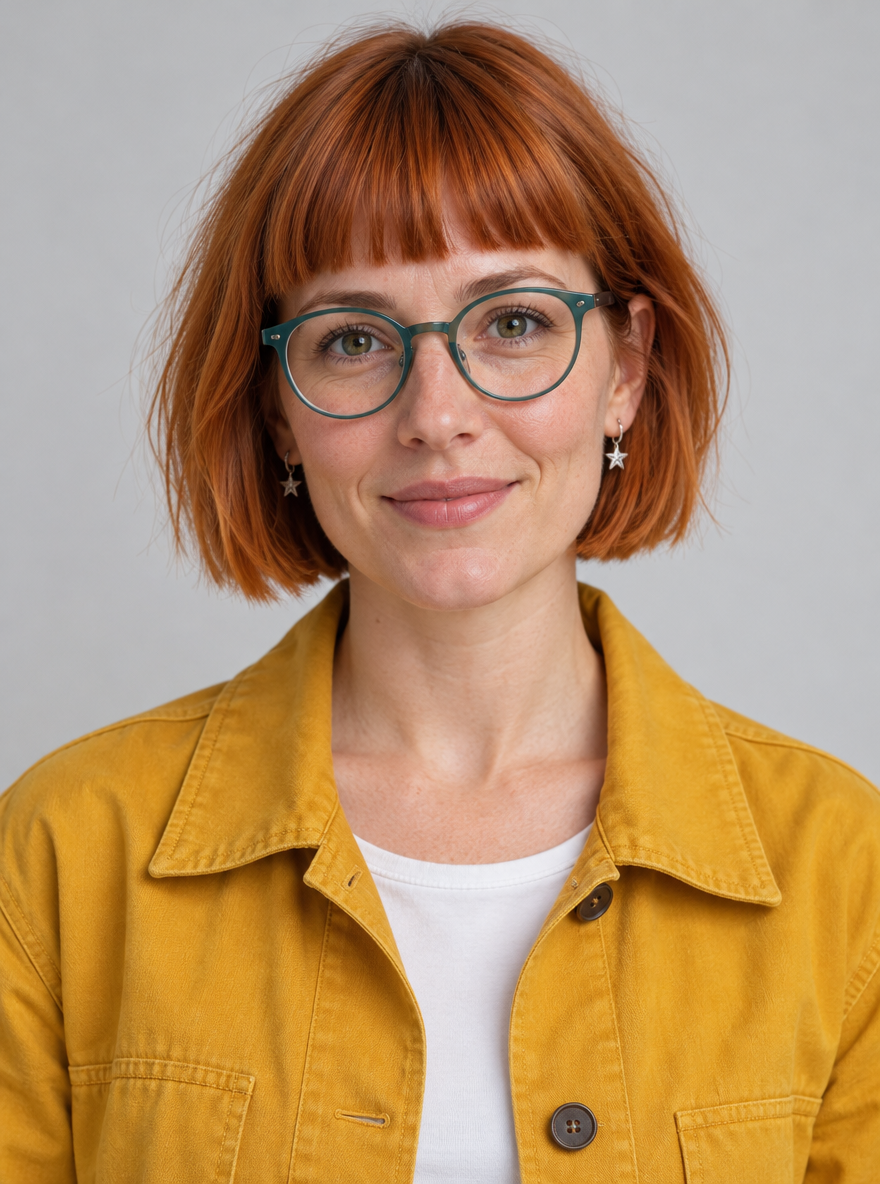
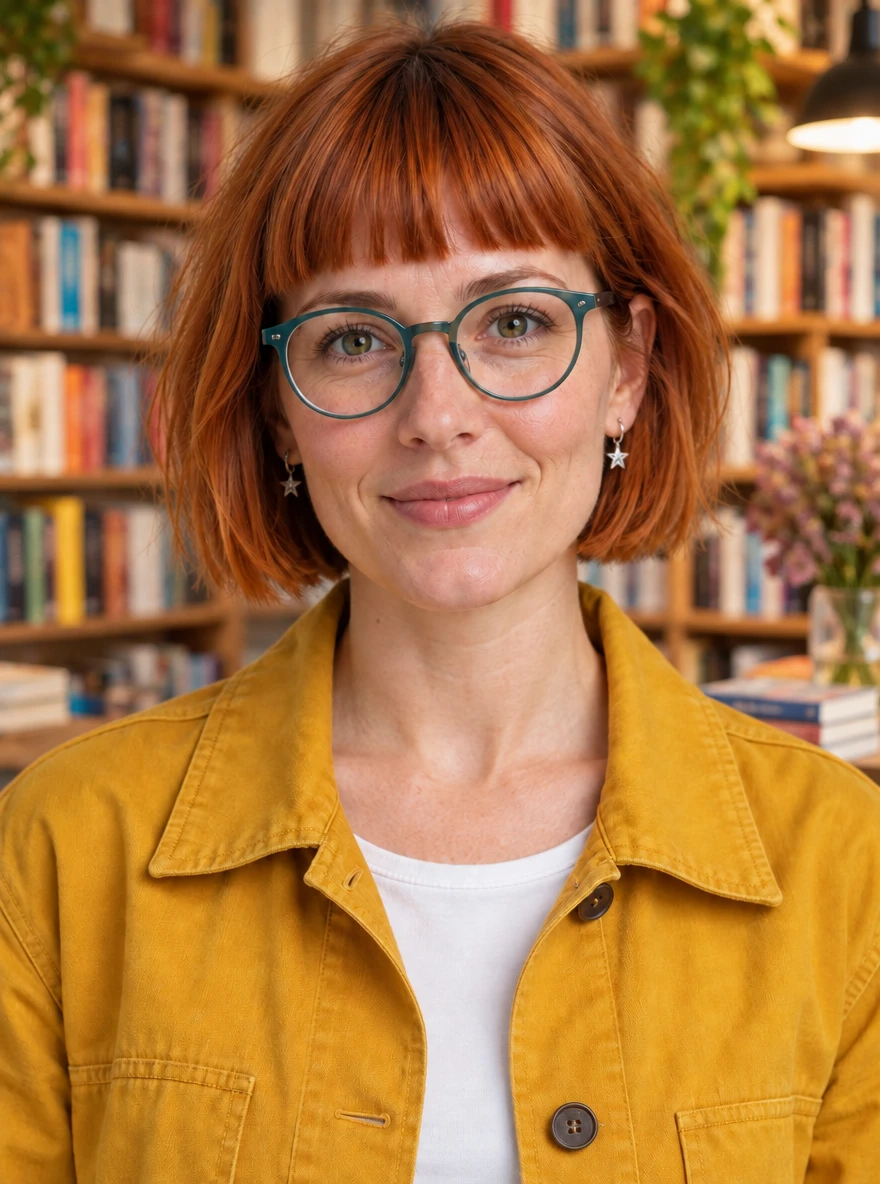
Our fictional character keeps her copper bob, teal glasses and star earrings through three edits. Compare each step with the starting portrait.
- Change the setting, jacket or pose separately.
- Reuse the latest approved image.
- Inspect facial details before sharing.
One fictional subject; a visual continuity check, not an identity guarantee. No matching three-round Flare sequence was tested.

Loads the prompt, references and settings. Generate when you are ready.
Prompt & settings
- Mode:
- Sunburst
- Quality:
- Medium
- Planning:
- Low
- Observed wait:
- 19.0 s
The same fictional woman in the same bookstore, now turning her head about 30 degrees toward a window on her left while keeping her body still. Preserve her recognizable facial features, copper blunt-fringe bob, teal round glasses, silver star earrings, navy jacket, white top and natural skin texture. Same framing and soft lighting. No new people or text.
02 / PRODUCT CAMPAIGNS
Keep the product. Build the campaign around it.
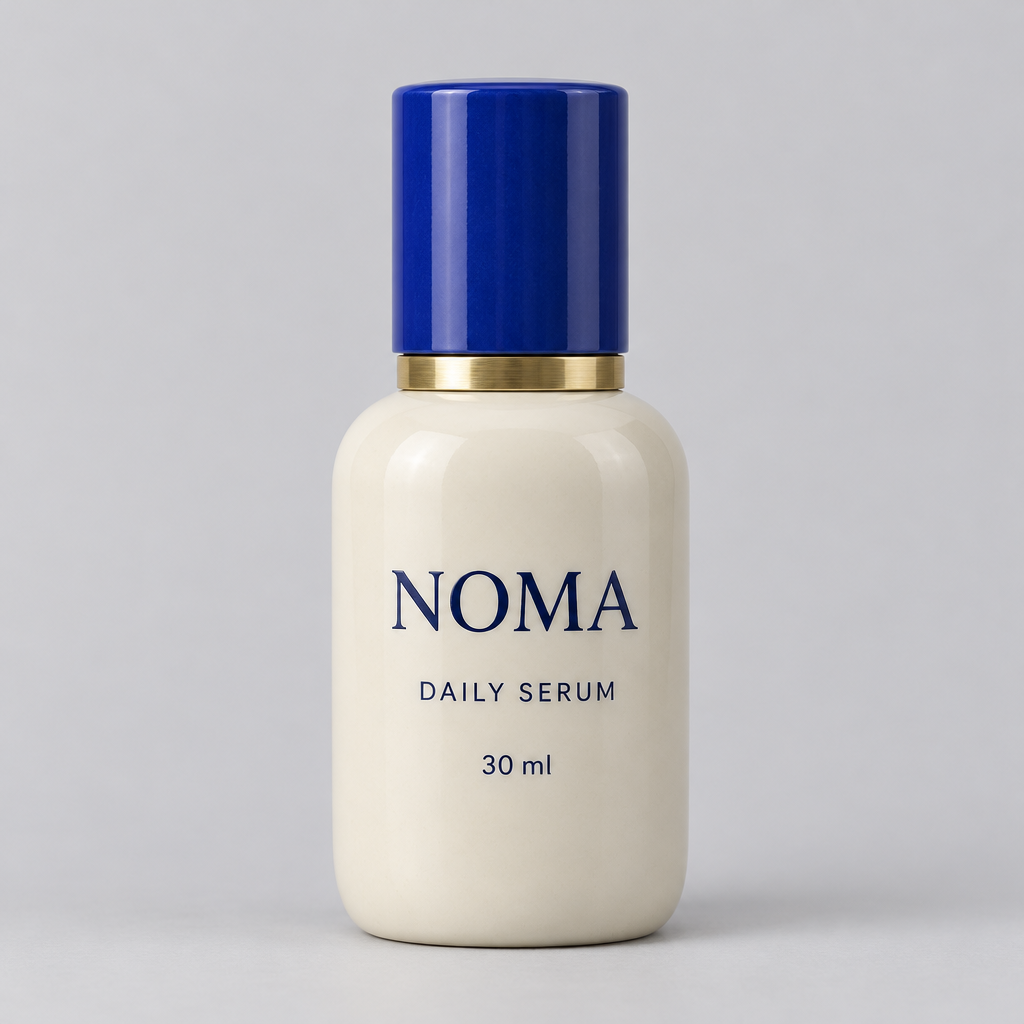
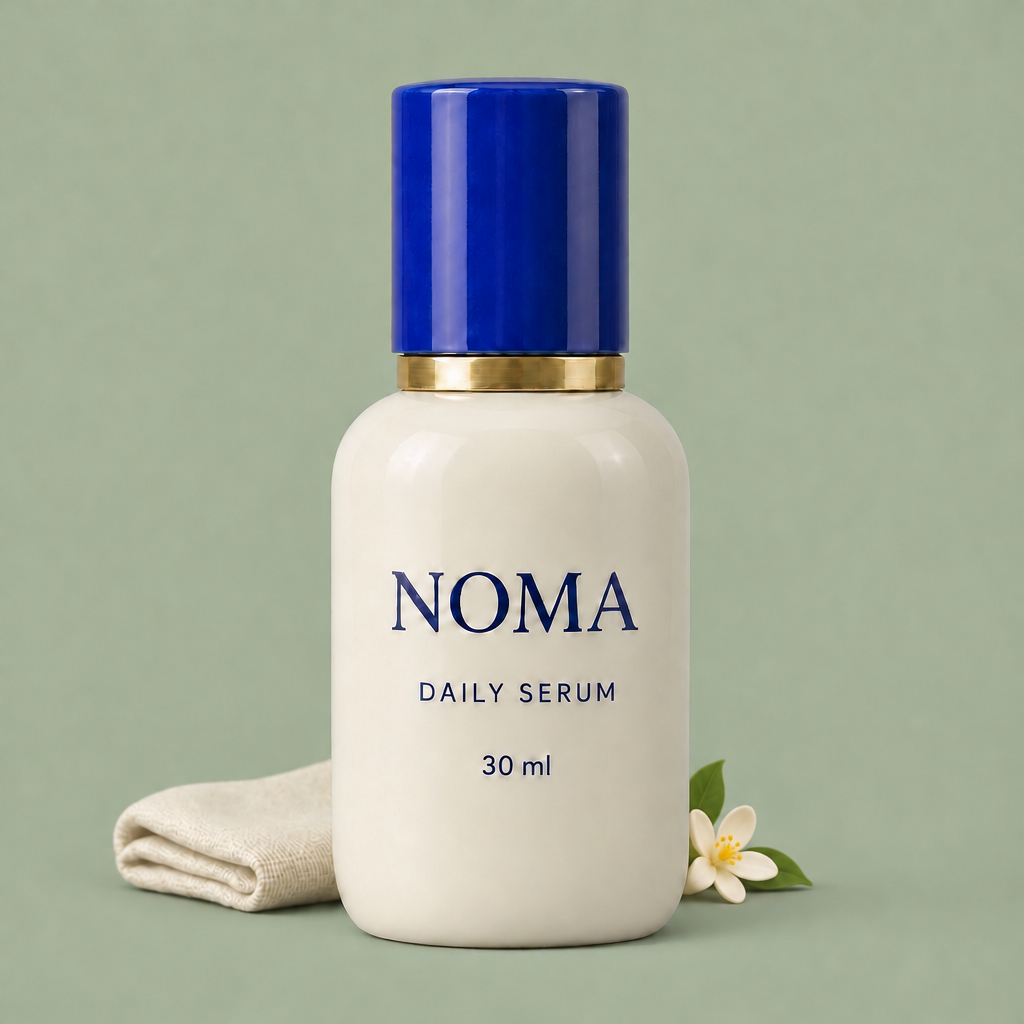
One serum bottle becomes a small campaign: a new background, folded linen, then a blossom. The label, blue cap and bottle remain recognisable.
- Name the label and shapes that must stay.
- Add one change per revision.
- Check small text at original size.
Three sequential Sunburst edits, without a matching Flare sequence. Check the label and silhouette after each step.
Loads the prompt, references and settings. Generate when you are ready.
Prompt & settings
- Mode:
- Sunburst
- Quality:
- Medium
- Planning:
- Low
- Observed wait:
- 19.1 s
Keep this image unchanged except add a single small orange blossom at the bottom right, behind the bottle. Preserve the NOMA bottle silhouette, cobalt cap, brass collar, ivory color, typography NOMA / DAILY SERUM / 30 ml, cream linen cloth, camera angle and sage background. No additional text.
03 / POSTER TEXT
Get the words right before adding polish.
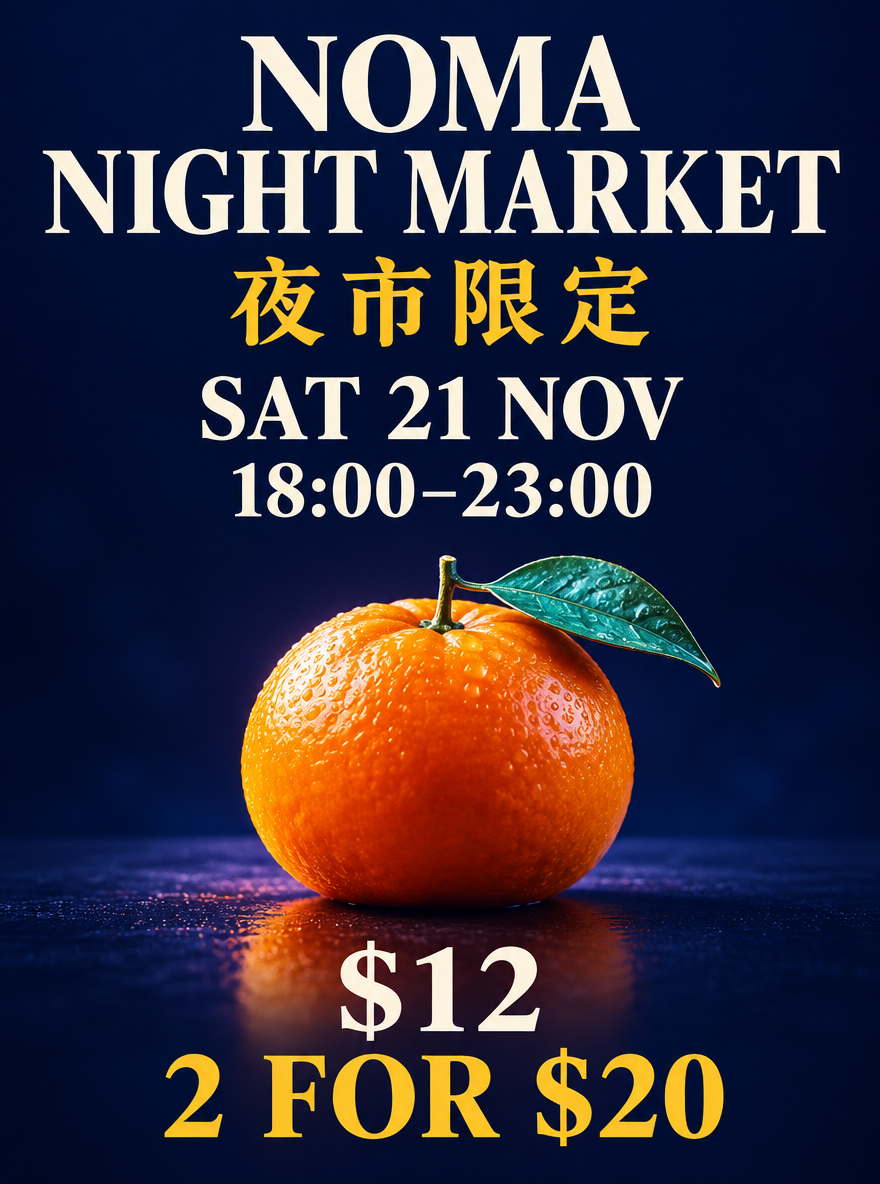
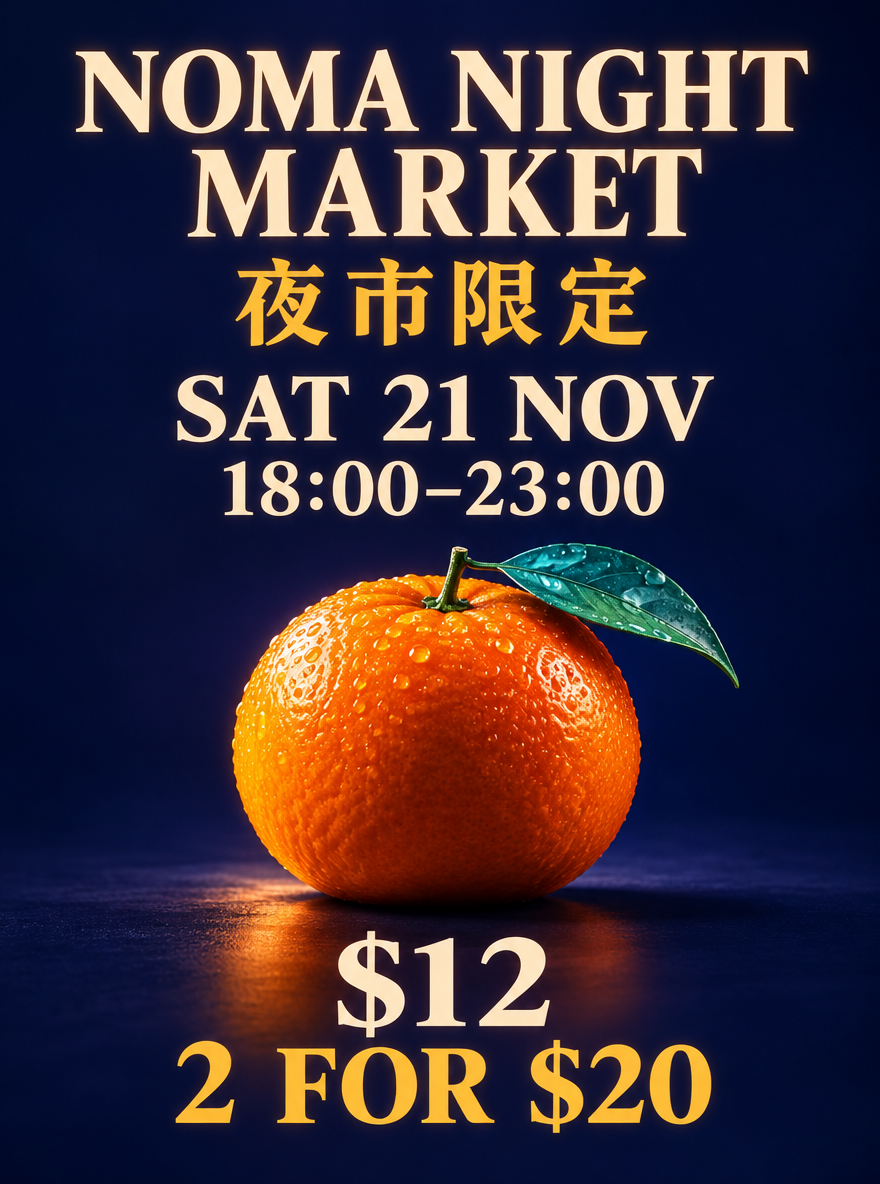
Both displayed outputs preserve the six requested text strings. Medium adds surface detail; Low already works for checking copy and hierarchy.
- Quote the exact words, dates and prices.
- Define the headline and reading order.
- Proofread the original before publishing.
First result at each quality, shown without retouching. All six trials are in the full review.
Loads the prompt, references and settings. Generate when you are ready.
Prompt & settings
- Mode:
- Flare
- Quality:
- Low
- Planning:
- High
- Observed wait:
- 9.5 s
Design a polished vertical 3:4 night-market event poster, dark indigo background, one glossy tangerine with a tiny teal leaf in the lower third, dramatic studio lighting. Top: large exact headline "NOMA NIGHT MARKET". Directly beneath it, exact Chinese text "夜市限定". Middle: exact date "SAT 21 NOV" and exact time "18:00–23:00" on separate lines. Bottom: exact price "$12" and exact offer "2 FOR $20". Make every line readable, no other text, no logos, no QR code. Preserve generous margins and a clear hierarchy between title, date and price.
04 / PRODUCT LOOPS
A little motion. A deliberate loop.
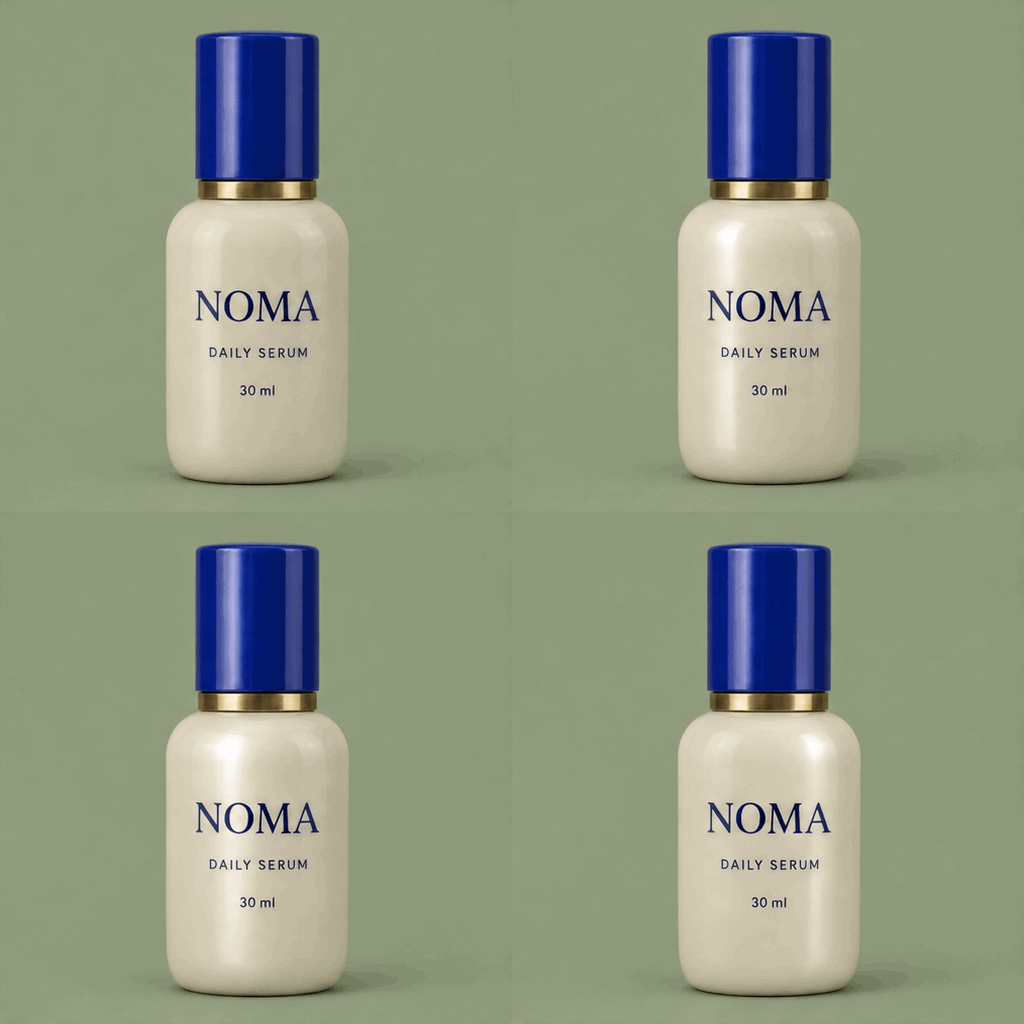
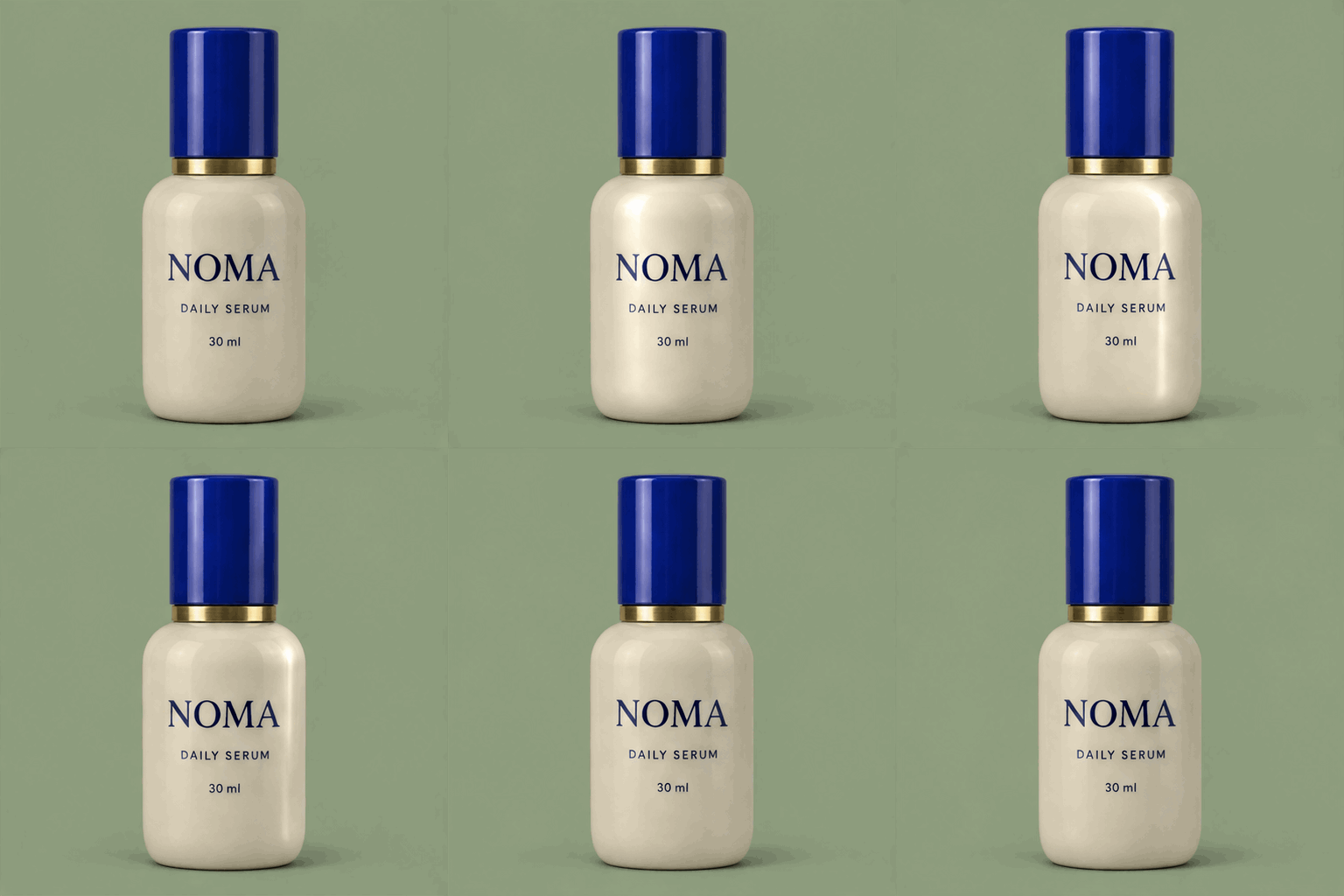
Turn a product image into an animated accent. Compare four and sixteen frames: a longer loop also means a larger file and a different credit quote.
- Start with a small, repeating movement.
- Choose frames for the motion you need.
- Check cap edges and the loop transition.
Small shape and lighting changes remain visible. More frames do not automatically mean better motion.
Loads the prompt, references and settings. Generate when you are ready.
Prompt & settings
- Mode:
- Sunburst
- Quality:
- Medium
- Planning:
- Low
- Observed wait:
- 18.7 s
A seamless repeating product loop using the exact NOMA serum bottle in the reference. The bottle remains perfectly stationary, label NOMA / DAILY SERUM / 30 ml, ivory body, cobalt cap and brass collar unchanged. Only a soft narrow highlight moves gently from left to right across the bottle, dims, and returns to the starting illumination. Fixed frontal camera, plain sage-green background. No rotations, no hands, no new objects, no added text. The end should return to the start.
The detail behind our recommendations
Explore all 20 requests, repeated trials, comparison tables and limitations when you want to look closer.
Tested 5 November 2026. Small controlled sample; waits include queue and network time. Credit figures in the record are quotes, not account deductions.
Data use terms · 评测数据使用条款 · v1.0
Explore all 20 recorded requests
Our GPT Image 2.6 verdict: approve the idea, then refine the details
Our practical starting point is Flare at Low for a first poster, and Medium quality with Low planning depth for focused reference edits. In this small test, raising a setting did not automatically buy a faster result or a visibly better edit. The useful upgrade was keeping an approved product or character through a sequence of specific changes.
We recorded 20 requests on 5 November 2026: six repeated poster tests, one GPT Image 2.5 control, two reference-image preparations, nine reference edits and two product GIFs. Every request completed. All outputs below are first submitted results, with exact prompts and original files available for inspection.
- Recorded requests
- 20
- Flare Low poster median
- 9.2 s
- Sequential character edits
- 3
- Product GIFs inspected
- 4 / 16 frames
These are observations from a controlled sample. Times include queue and network waits, with two-second status polling. They are not guaranteed generation speeds.
OpenAI announced Images 2.6 on 4 November 2026. Official feature claims and our measurements are identified separately below. OpenAI
Our editorial recommendations come from the outputs shown here. Click an image to inspect the prompt and generation settings.
Jump to a test
- Check the message before paying for more polish: Six bilingual posters: Low and Medium, three requests each.
- For a focused edit, start with less planning: Same product and background instruction; Flare, Sunburst Low planning and Sunburst High planning.
- Turn one approved product into a small campaign: Background, linen and blossom added in three sequential edits.
- Follow a character through three edits: A fictional woman moves to a bookstore, changes jacket color and turns her head.
- Choose GIF frames for the loop you need: Four versus sixteen frames: file size, credits and details to inspect.
- Keep the simpler alternatives in the decision: A GPT Image 2.5 poster and a Flare reference edit provide useful controls.
Check the message before paying for more polish
We gave Flare the same brief six times: an English headline, four Chinese characters, a date, a time and two prices. All six required text strings were readable in all six outputs on visual review. Low cost 70 credits per request; Medium cost 150. The median waits were 9.2 and 9.3 seconds, too close to rank with two-second polling. Medium added stronger surface detail and glow, but Low already worked as a copy-and-layout proof. Our pick: approve the wording and hierarchy at Low, then pay for finish when the direction is settled. This is one designed brief, not a general text-accuracy score.
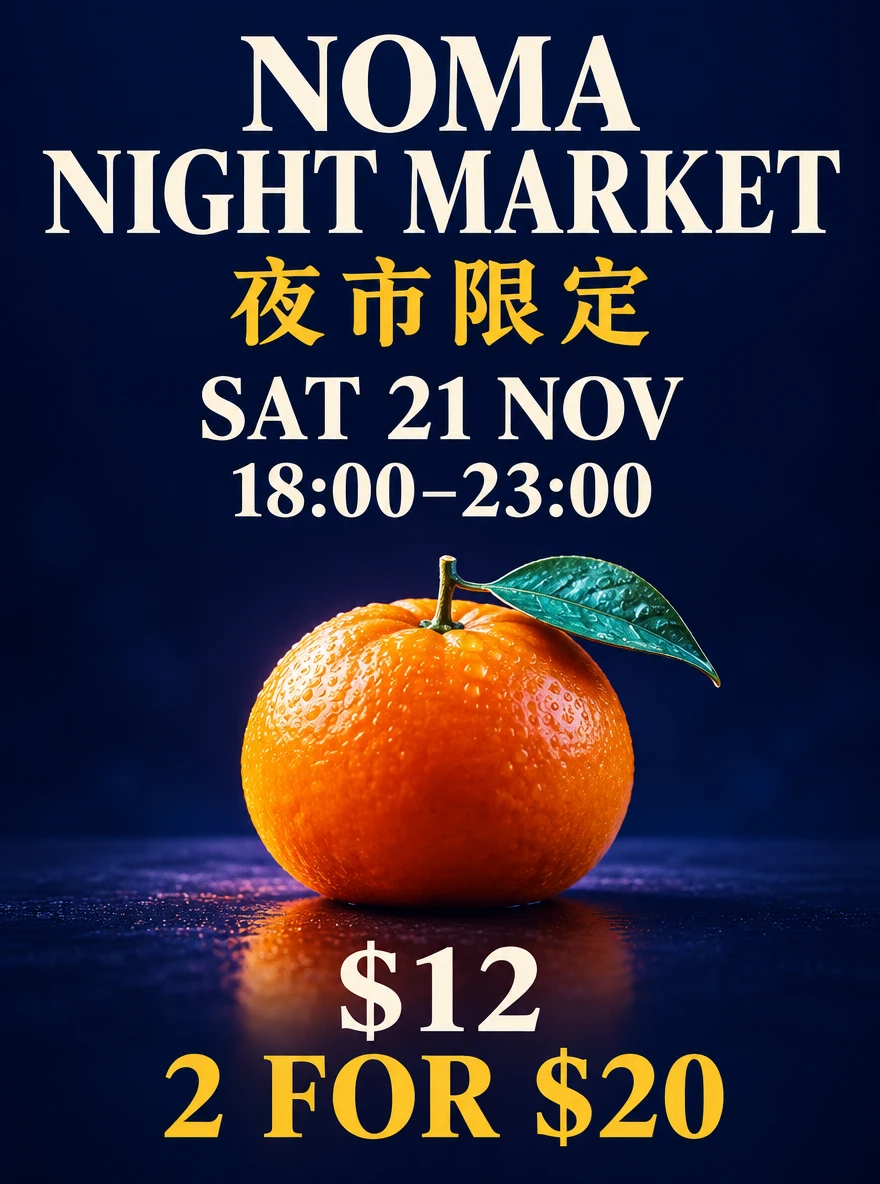
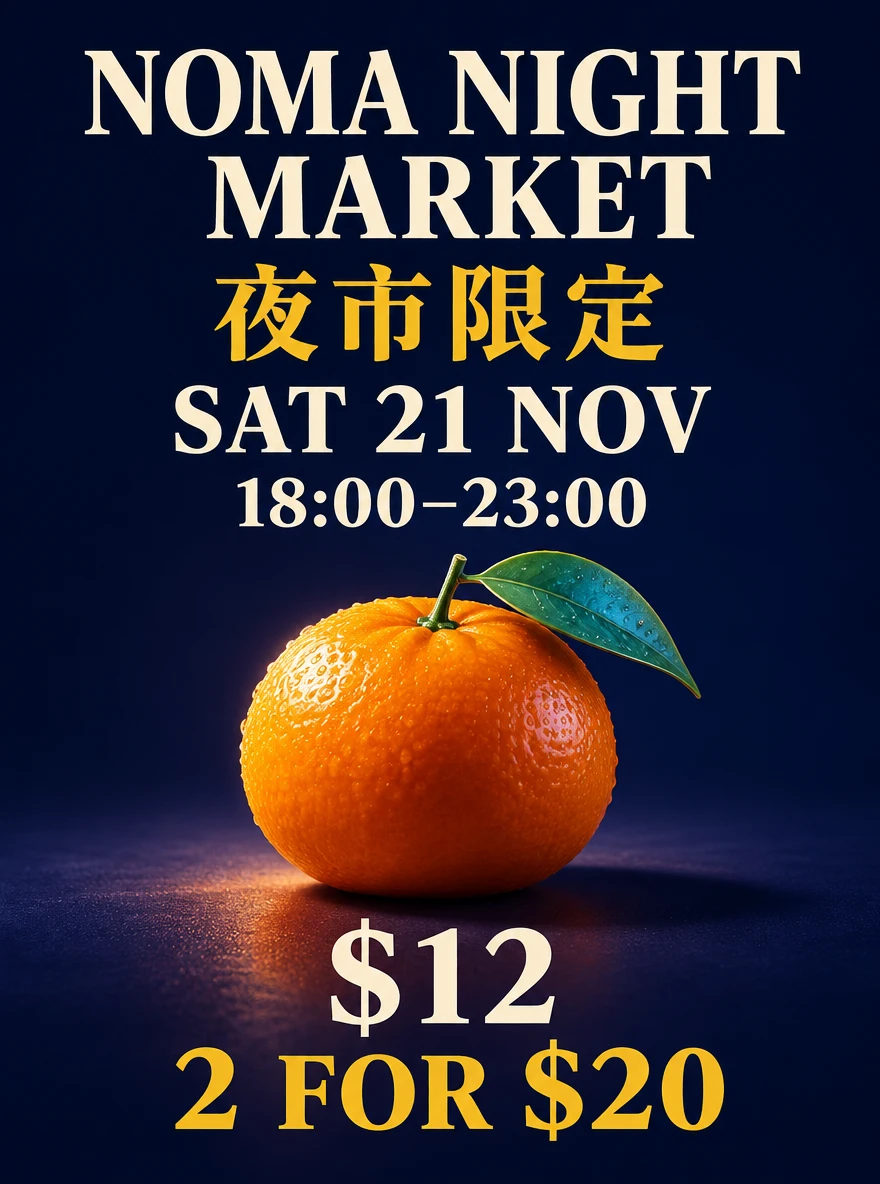
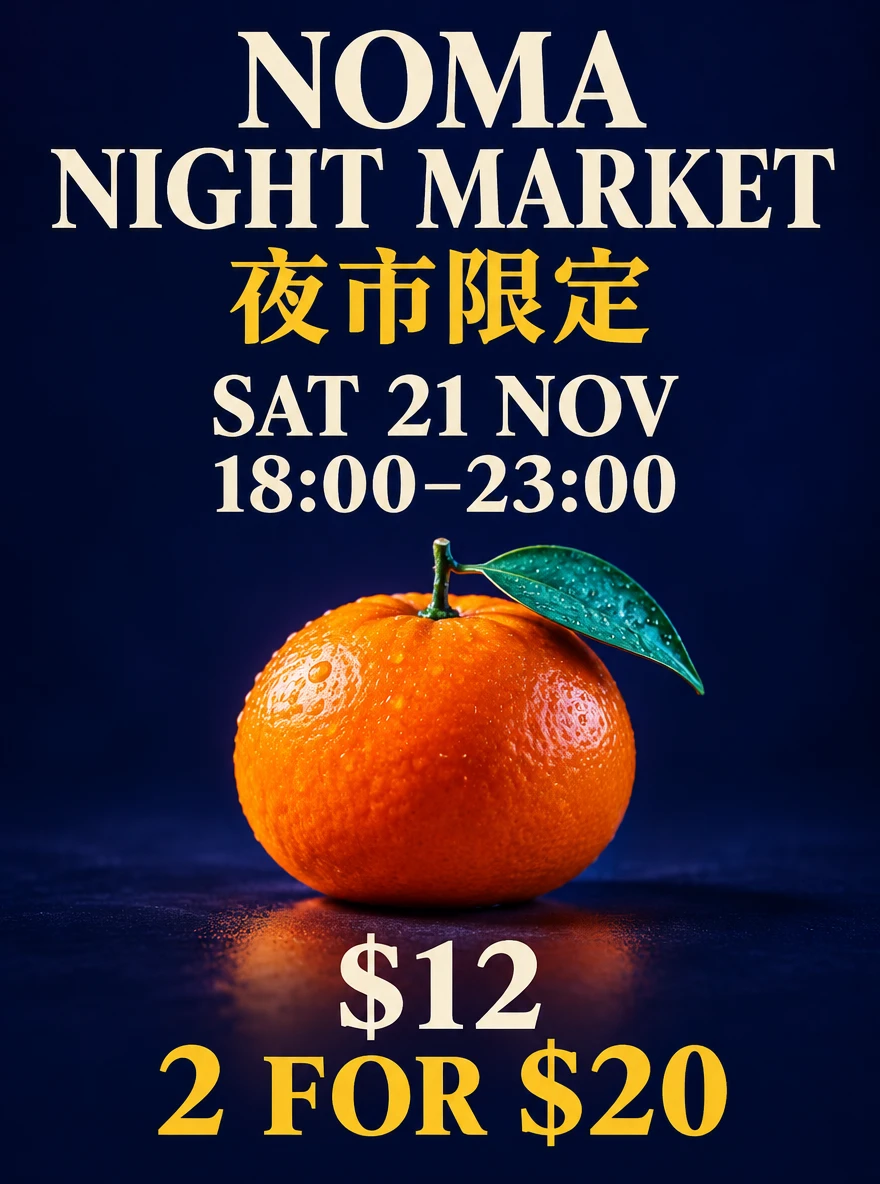
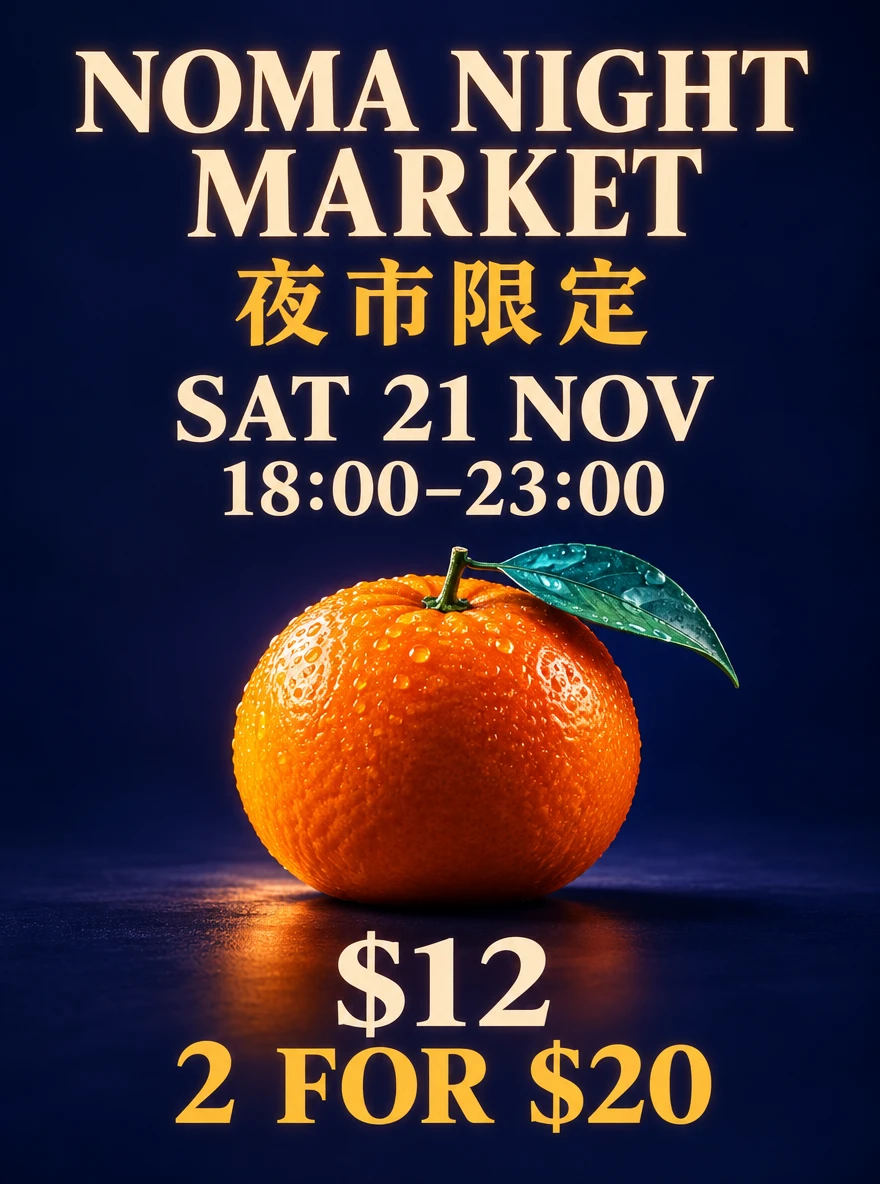
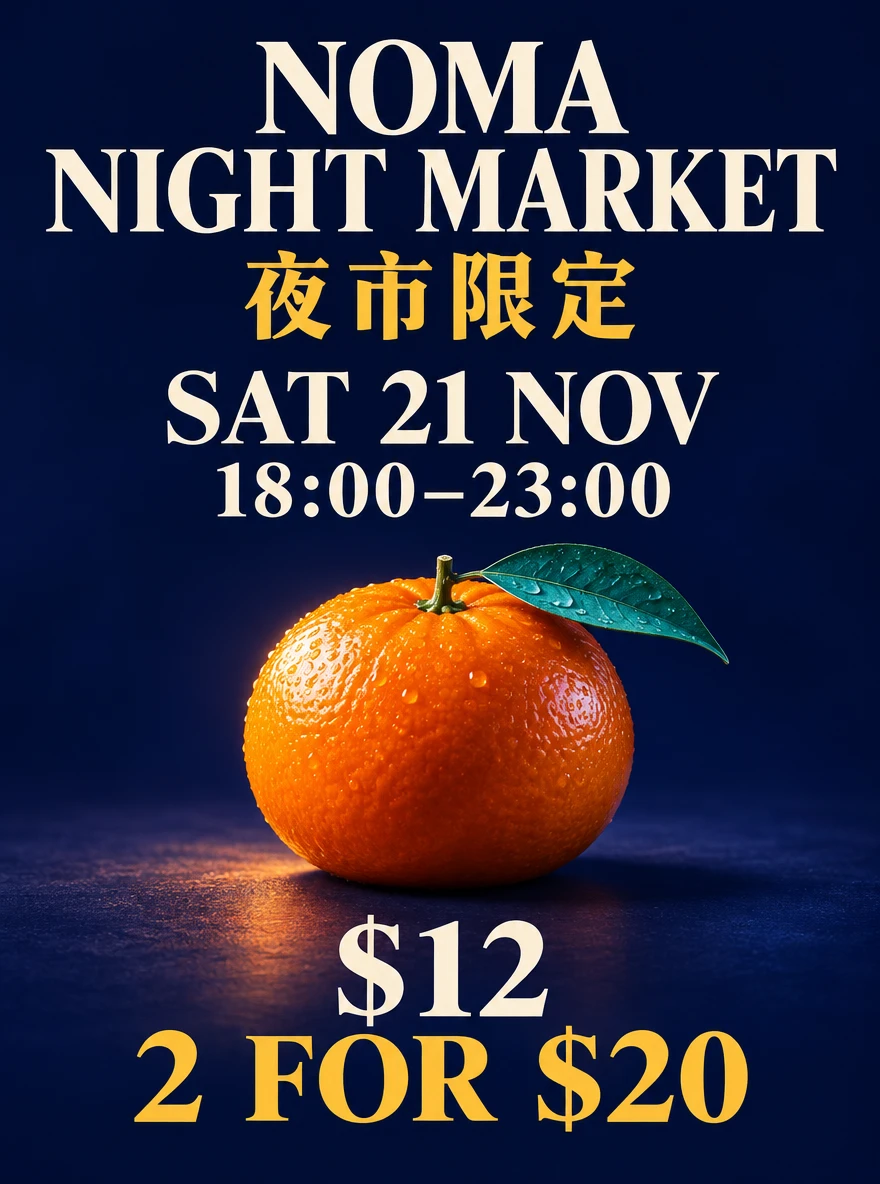
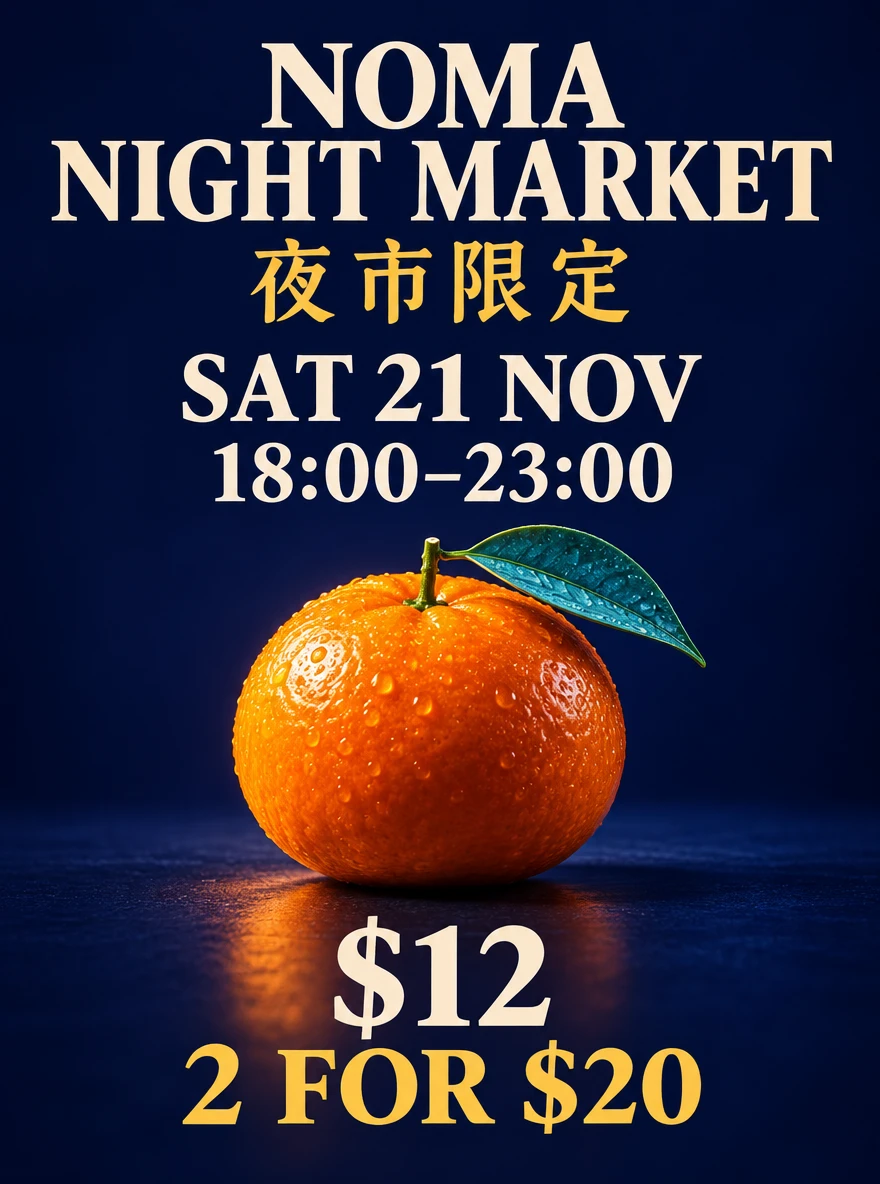
All six runs are shown. Low waits: 9.5 / 9.2 / 8.9 s. Medium waits: 9.3 / 16.5 / 9.1 s. Requests ran sequentially in alternating quality order. Chinese text was checked visually; OCR was only a cross-check.
For a focused edit, start with less planning
The brief asked for a sage background while preserving the NOMA label, cobalt cap, brass collar and bottle shape. Sunburst at Medium quality with Low planning finished in 17.6 seconds; High planning took 25.0. Both quoted 165 credits and preserved the requested product details at inspection scale. Flare handled the same simple edit in 12.4 seconds. We did not see a practical reason to raise planning for this task. Quality controls image detail; planning controls preparation. Reserve extra planning for a brief with several objects or layout constraints, and compare the result rather than treating High as an automatic improvement.
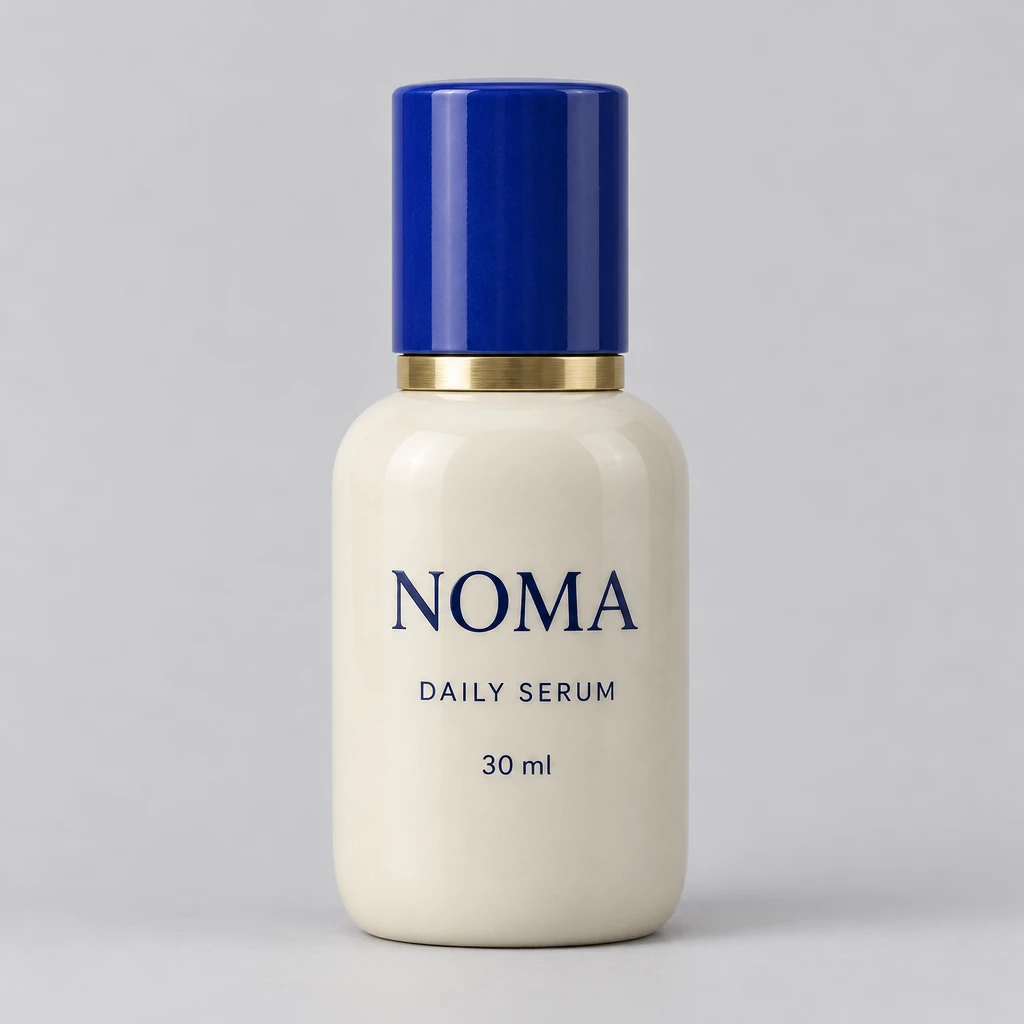
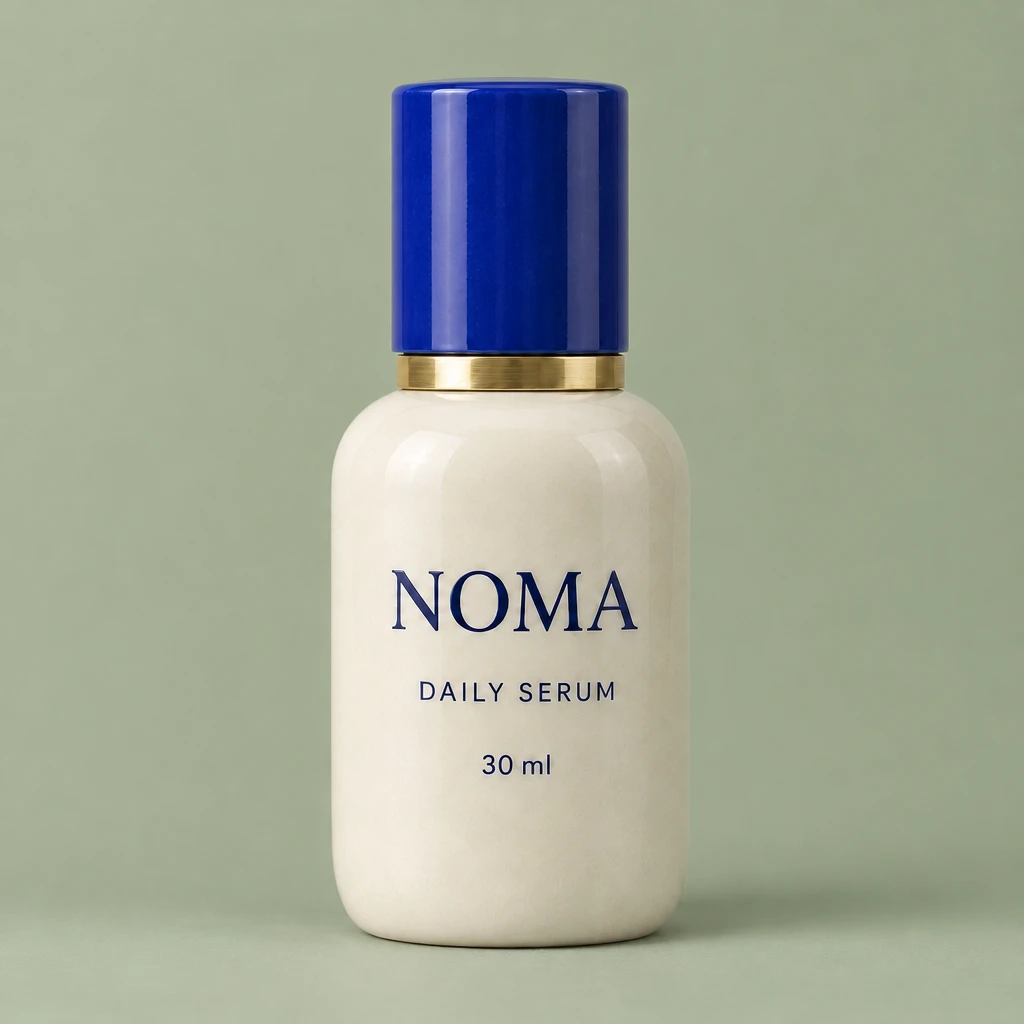
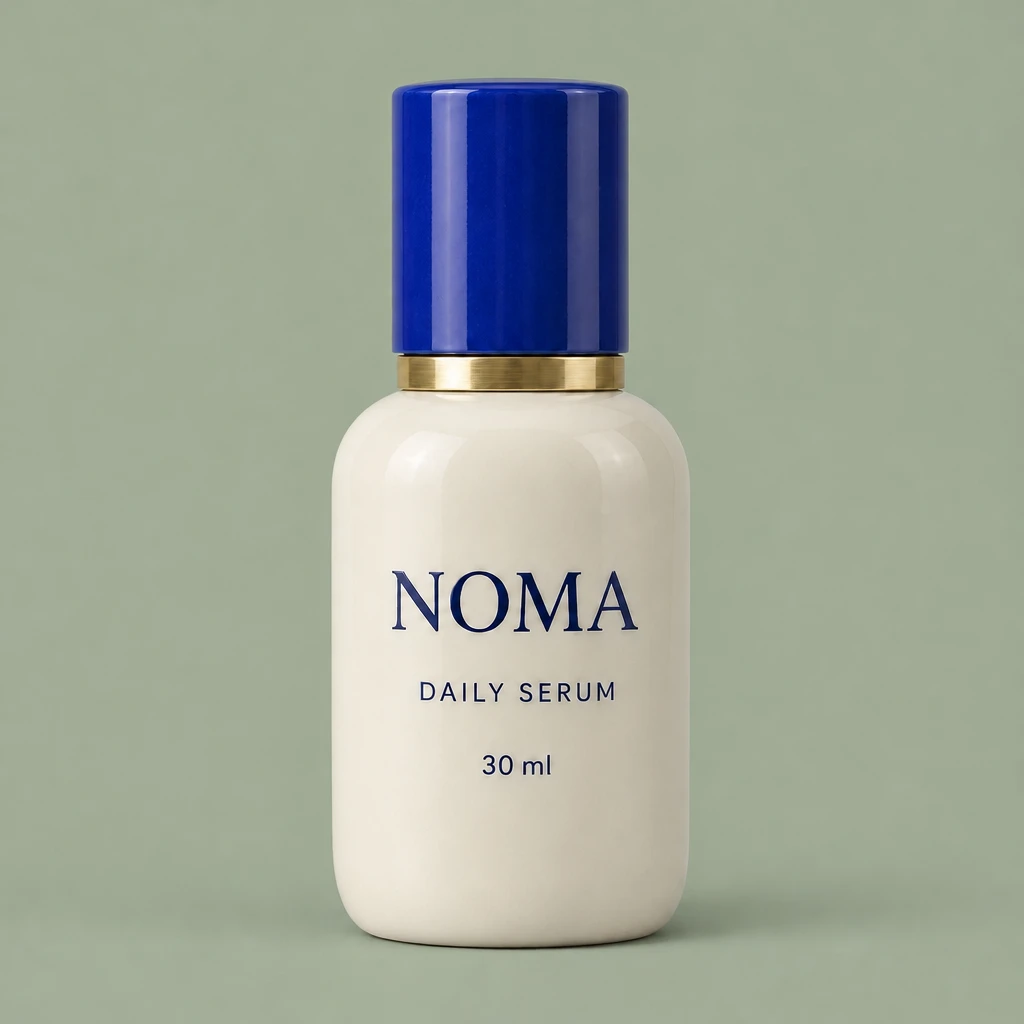
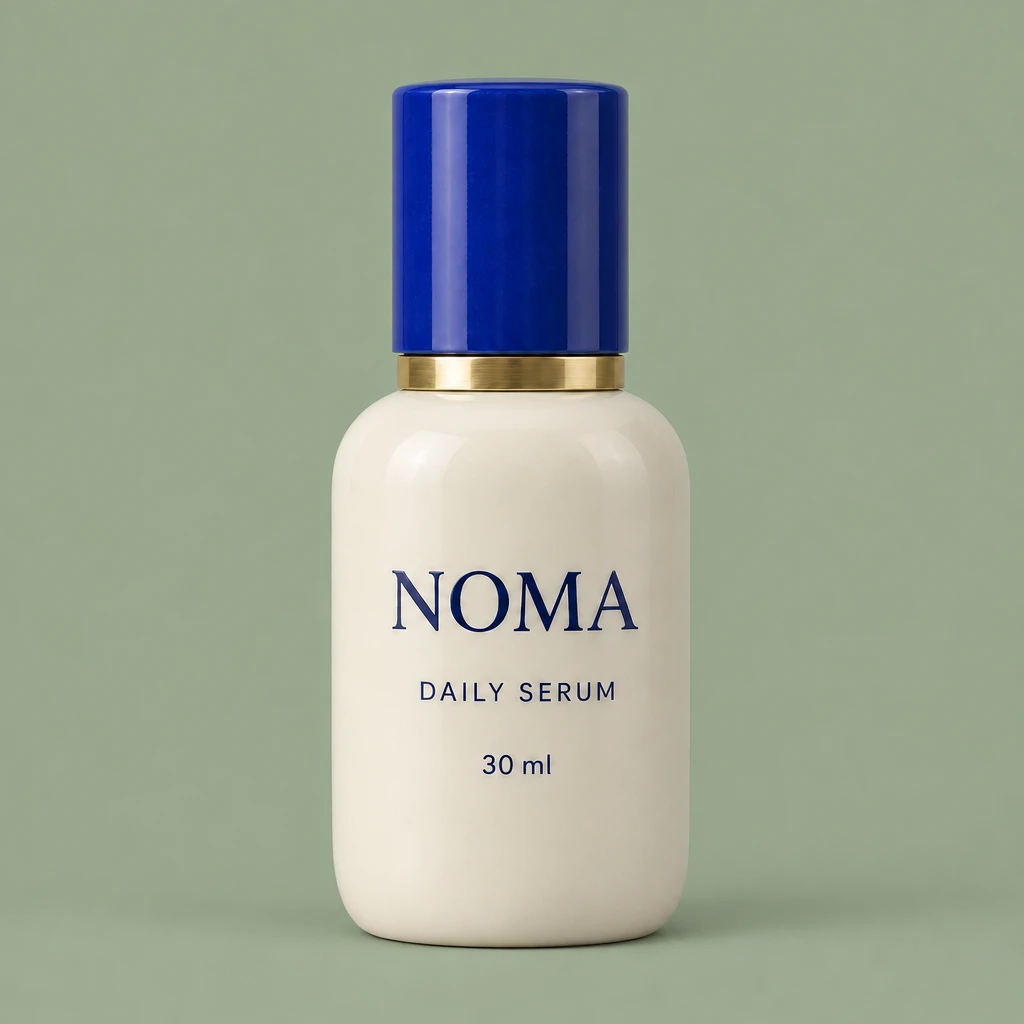
One request per edited condition; the three edit requests ran concurrently. These times describe these calls and do not establish a general latency advantage. Product detail was assessed visually, without an automated identity score.
Turn one approved product into a small campaign
A useful product workflow starts after the first image is approved. We changed the background, added a linen cloth, then added one blossom. Each request used the previous output and named the details that had to stay: NOMA, DAILY SERUM, 30 ml, the ivory body, blue cap and brass collar. Those details remained recognizable through all three edits. The three steps quoted 495 credits in total and took 53.3 seconds of measured waiting, excluding the reference-image preparation. Our editorial preference is to make one controlled change per round: it gives you a clear place to stop or return to if a label or silhouette drifts.
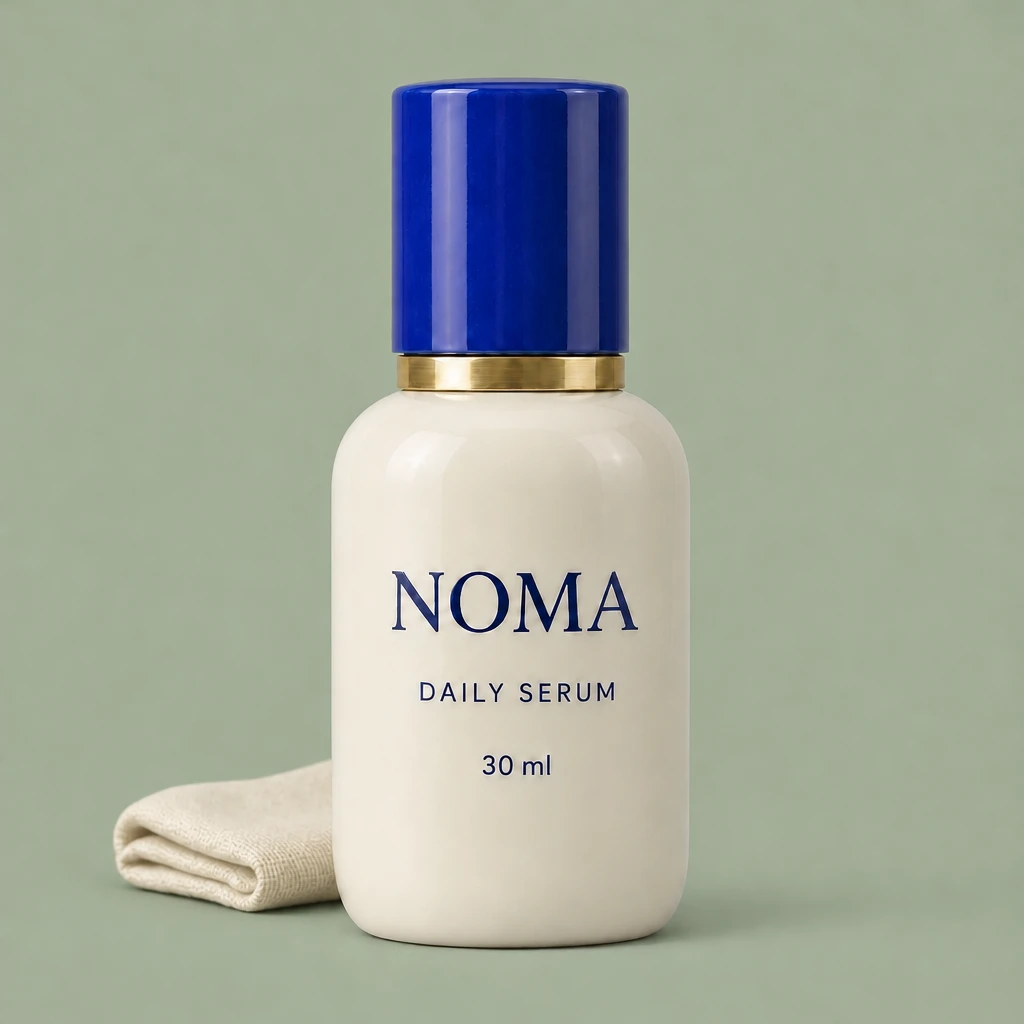
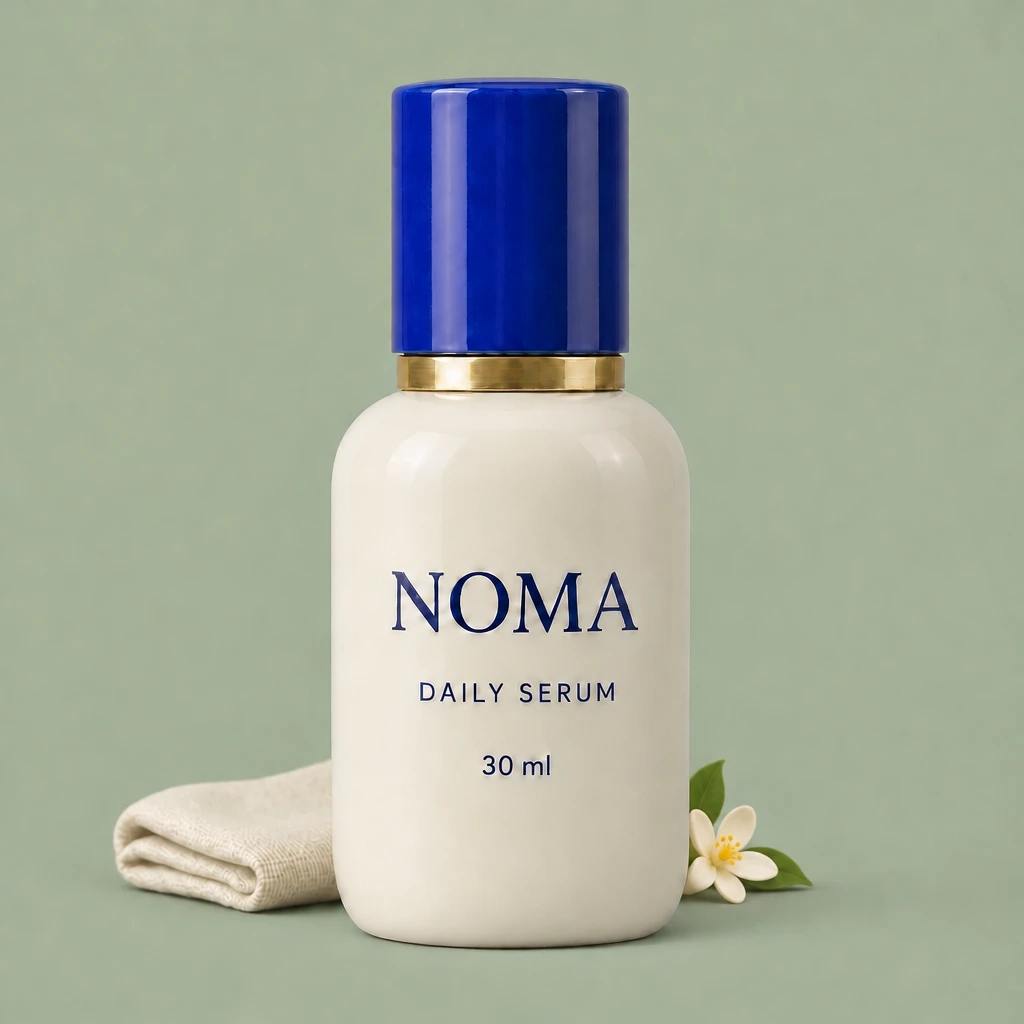
Sunburst · Medium quality · Low planning · one reference per edit. The initial reference took 9.6 s and quoted 150 credits. Small controlled edits are easier to inspect; these results do not guarantee exact preservation on other products.
Follow a character through three edits
The copper bob, teal glasses and star earrings make continuity easy to inspect. Sunburst kept those recognizable features through a bookstore background, a mustard-to-navy jacket change and a head turn. The pose change is the more demanding example: the face must be redrawn rather than simply left in place. The three edits quoted 495 credits and took 55.1 seconds in total, excluding the starting portrait. We would use this for campaign variations and character planning, with a visual check after every step. We have not measured biometric identity accuracy, and we would not promise that a reference guarantees the exact same person in every future pose.
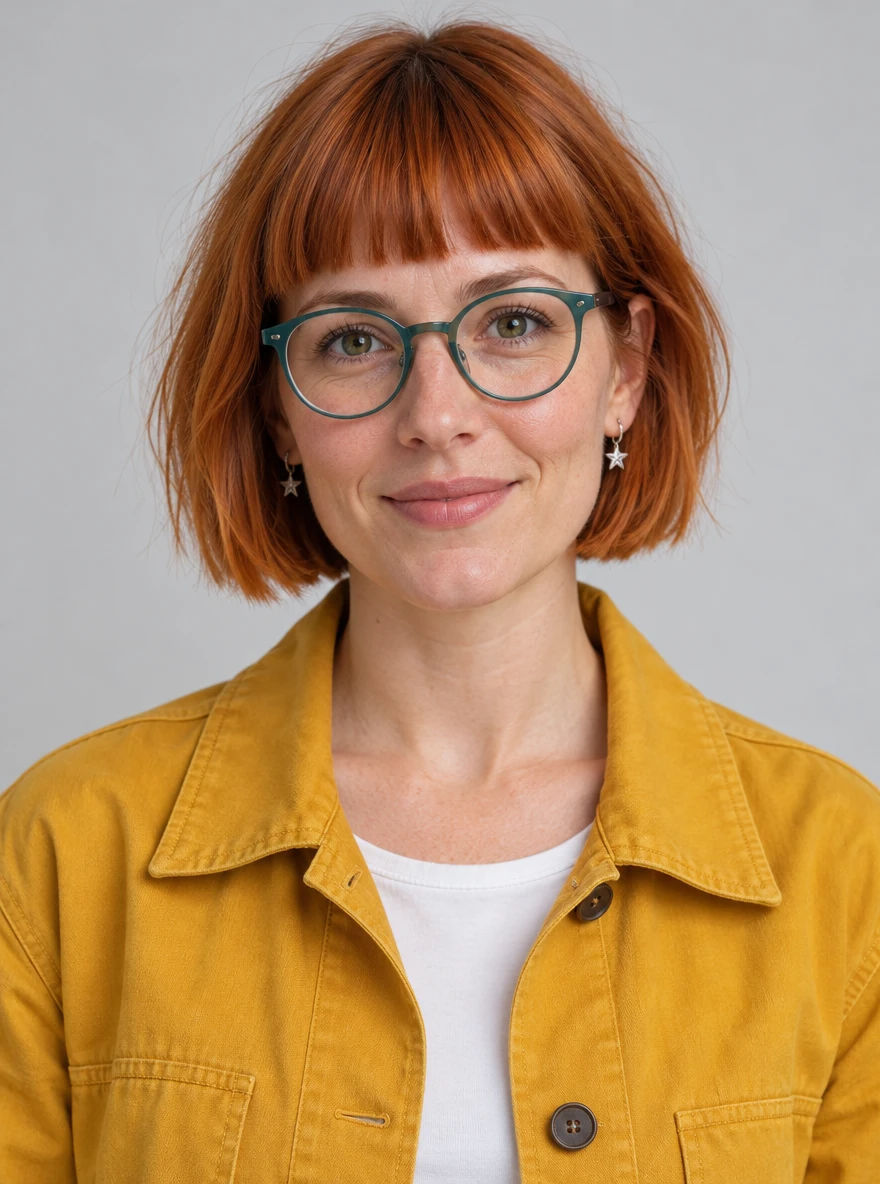
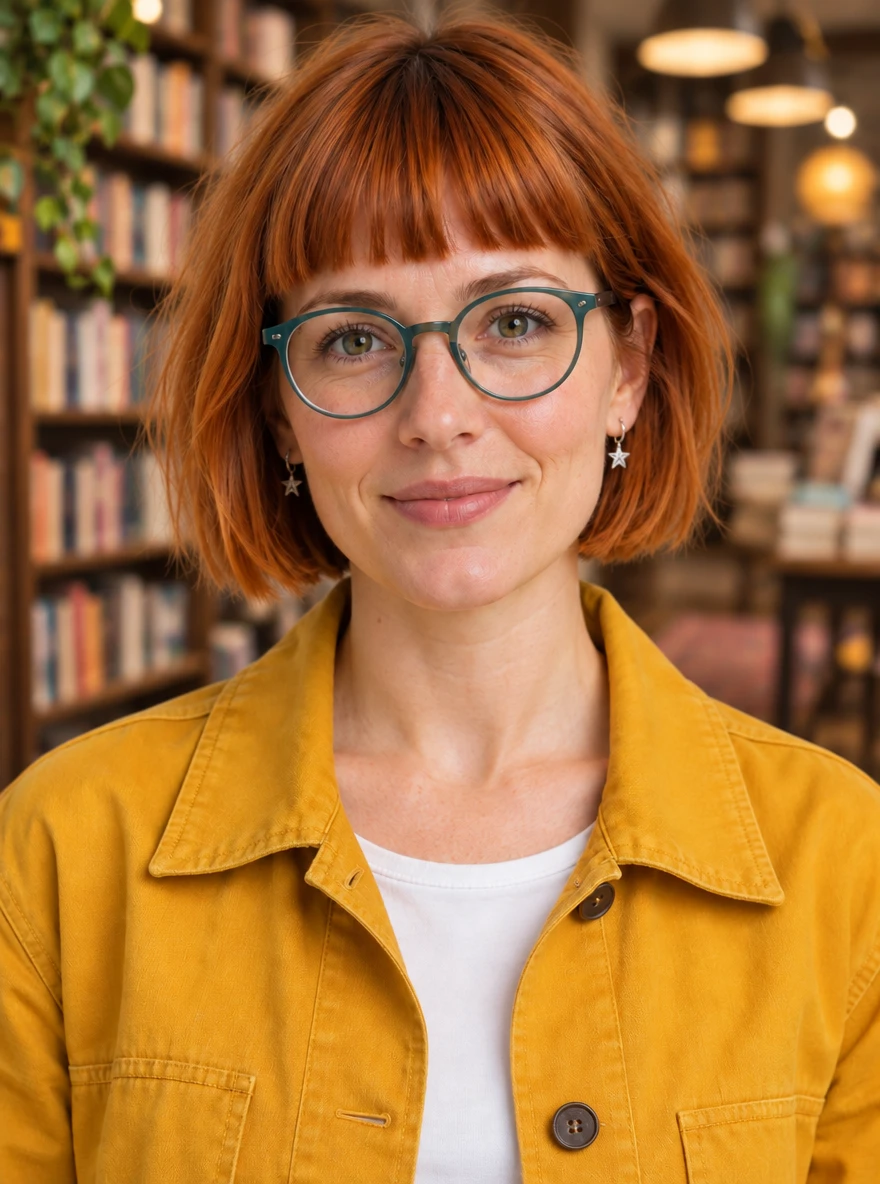
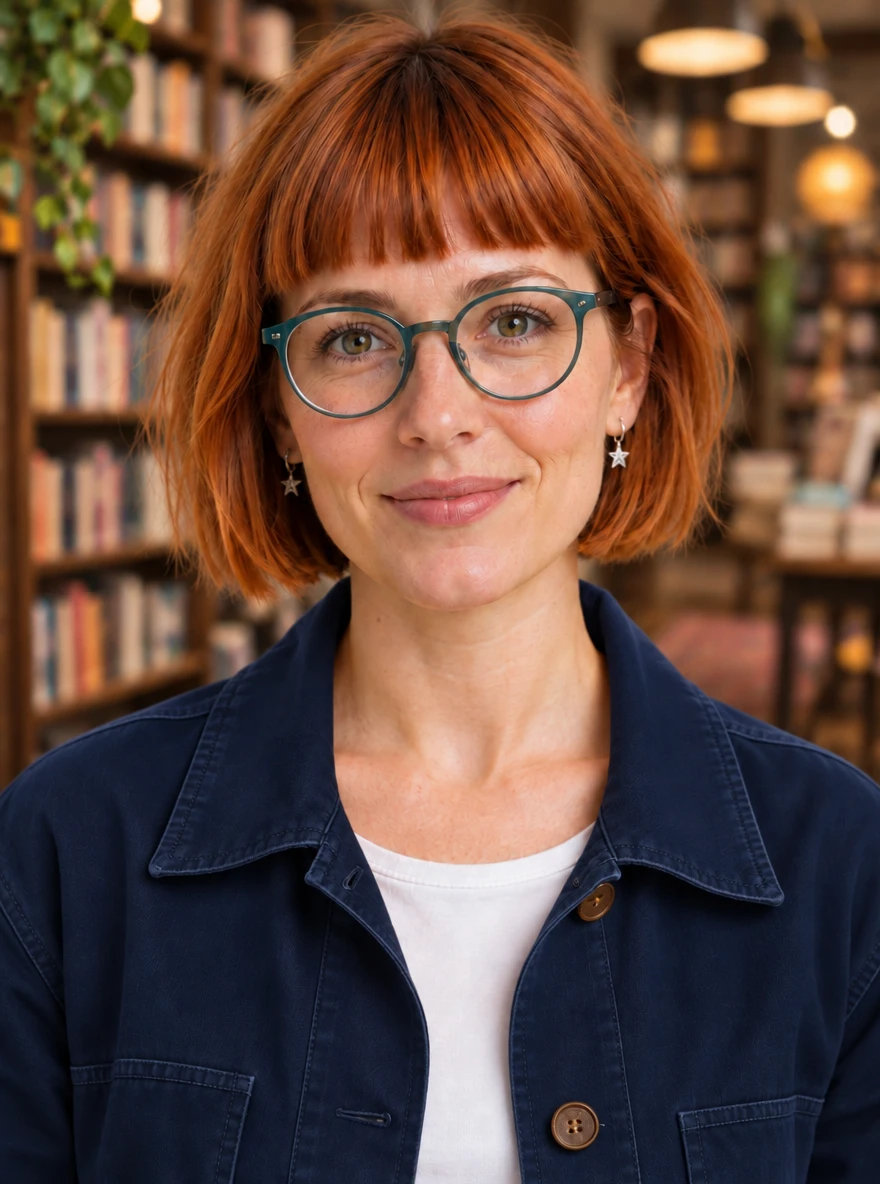
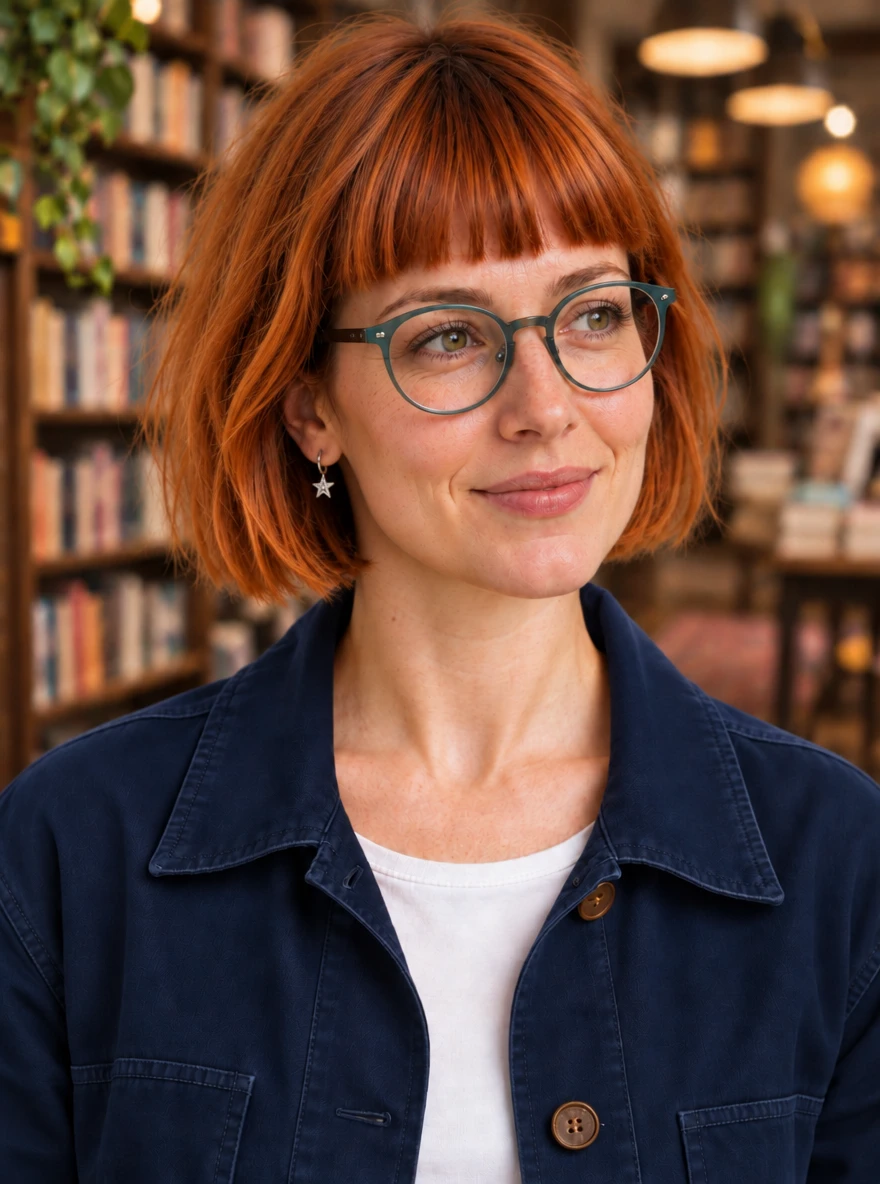
Every edit used the preceding image. Sunburst · Medium quality · Low planning. The reference preparation took 10.0 s and quoted 150 credits. All people pictured here are generated fictional subjects.
Choose GIF frames for the loop you need
The two product GIFs use the same reference, prompt and 200 ms frame delay. Four frames produced a 0.8-second loop at 165 credits and about 207 KiB; sixteen produced a 3.2-second loop at 420 credits and about 734 KiB. More frames made this loop longer and the file larger; that alone is not proof of smoother or more faithful animation. Inspect the cap edges, bottle width and the return to the first frame: small shape and lighting changes are visible. We would use this kind of restrained highlight loop as a product accent, then review it at its intended display size. It is not a substitute for checking a finished product animation.
Both are actual animated GIF files at 512 × 512, generated with Sunburst, Medium quality and Low planning. Timed concurrently: 18.7 / 21.1 s. Credit quotes include one reference image. GIF palette limits can also affect subtle gradients.
Keep the simpler alternatives in the decision
The single GPT Image 2.5 Flare Medium poster control also kept the six required text strings readable. It took 24.1 seconds and quoted 40 credits, so 2.6 is not automatically the lowest-credit choice for a familiar static brief. The Flare portrait-background control finished in 12.3 seconds at 165 credits and retained the recognizable glasses, hair and earrings. Flare completed our one-step edit controls, and Sunburst completed the three-round sequences. We did not run matching three-round Flare sequences, so these results do not establish which mode preserves details better across repeated edits. These are one-run controls, not enough to rank every model or prove the official 50% speed claim.
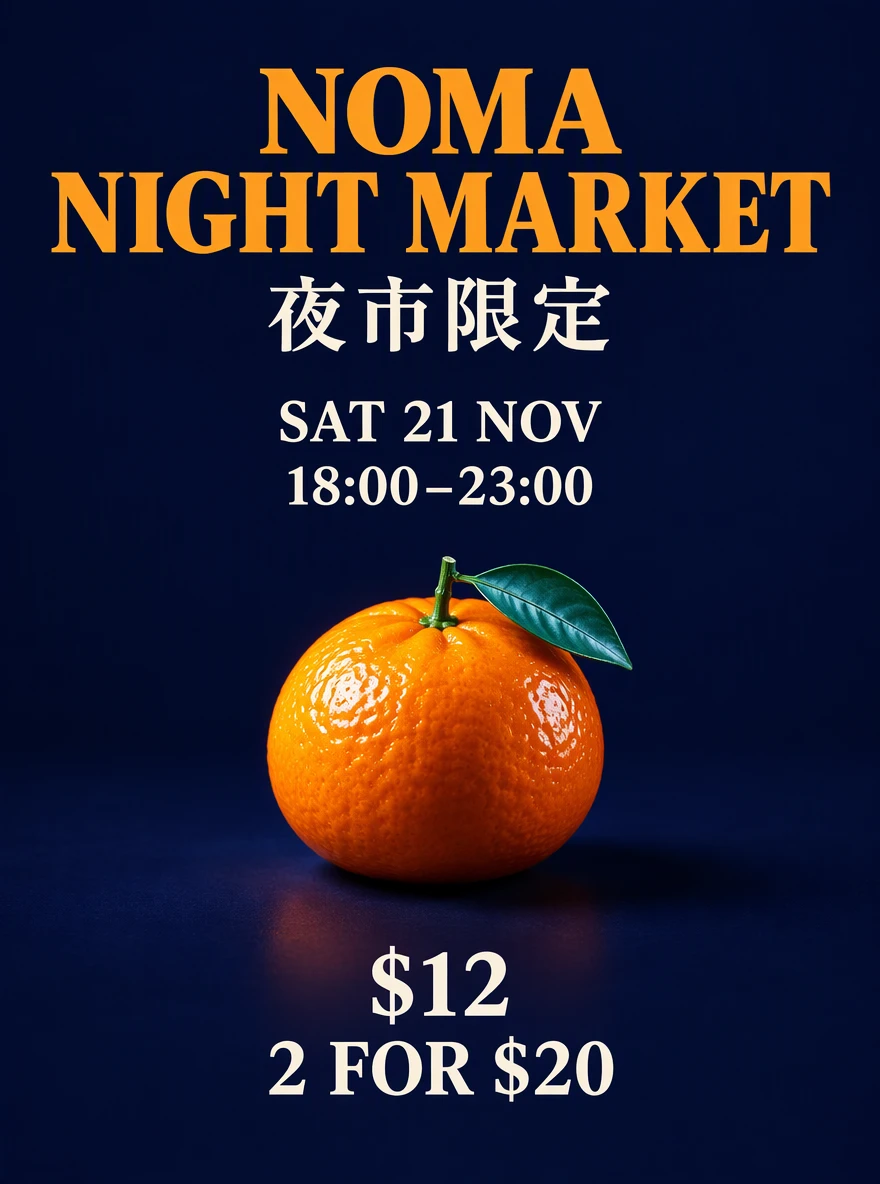
The poster control used the same 1K ratio and prompt as the repeated poster tests. The portrait control used the same original reference and instruction as the first Sunburst portrait edit. Current credit schedules differ between model versions.
Poster speed and credit quotes, with the sample size visible
Identical 1K, 3:4 poster brief. Changing the quality setting also changes the quote.
| GPT Image 2.6 Flare · Low | GPT Image 2.6 Flare · Medium | GPT Image 2.5 Flare · Medium | |
|---|---|---|---|
| Requests recorded | 3 | 3 | 1 |
| Observed median wait | 9.2 s | 9.3 s | 24.1 s · one run |
| Observed range | 8.9–9.5 s | 9.1–16.5 s | 24.1 s · one run |
| Quoted credits per request | 70 credits | 150 credits | 40 credits |
| Required text strings readable | 6 / 6 in each output | 6 / 6 in each output | 6 / 6 in the control |
| Our starting choice | First copy-and-layout proof | More surface finish | A lower-credit static control |
CreateVision AI measurements and quotes, 5 November 2026. The 2.5 control has no repeat trials. Time includes queue/network waits and up to roughly two seconds of completion-observation delay. These numbers are not a cross-platform benchmark or a guaranteed SLA.
Inspect the evidence
All 20 requests, prompts and original files
Download the public test record with settings, observed waits, credit quotes and links to every original image or GIF.
OpenAI image generation guide
Read the official explanation of complexity, GIF output, SVG and markup-guided editing.
Keep using GPT Image 2.5
Compare the previous model on its own page when a familiar static workflow and lower current credit quote matter.
Before you create
Is GPT Image 2.6 really 50% faster?
OpenAI describes a 50% speed improvement and says Flare at Low quality can generate in as little as six seconds. Our three Low poster requests took 8.9–9.5 seconds including queue and network waits. A single 2.5 control took 24.1 seconds. This sample shows a useful wait time, but it does not validate a general 50% improvement.
Should I always choose Sunburst?
Flare completed our simple edit controls. Sunburst also completed three-round product and character edits, but we did not run matching Flare sequences. Those examples show capability, not superior consistency. Start with the setup closest to your task and compare both modes on the same references before choosing one for a longer sequence.
Does High planning mean higher image quality?
They are separate controls. Quality changes rendering detail and the credit quote; planning changes preparation before drawing. In our single background-edit comparison, Low and High planning both kept the product details, with observed waits of 17.6 and 25.0 seconds at the same 165-credit quote. Start with Low for focused edits and raise it for complex constraints.
Can it keep the same person across edits?
Our fictional subject kept recognizable hair, glasses and earrings while changing background, jacket and head angle. Use the latest approved image as the next reference and check the result after each change. We do not claim guaranteed identity preservation or a biometric accuracy score.
Can I mark where an image should change?
Yes. Upload a reference image, choose Annotate image, then draw a circle, arrow or sketch and save it. Describe the change in your prompt and generate when ready. Marks apply to the first reference only and guide the edit; they are not a precise cutout mask. Replacing that reference or switching models clears the annotation. There is no extra annotation surcharge.
Can I generate GIFs and SVG files here?
GIF is available here: one 512 × 512 animation, with 4, 9 or 16 frames. SVG output is not available here. A PNG or WebP download is a raster image, not a native editable SVG.
Were the examples selected from many attempts?
The public record contains all 20 requests in this batch, including reference preparations, repeated posters and the single 2.5 control. Every request completed. We did not regenerate alternatives or retouch the outputs. Preview files are compressed; original PNG and GIF files are linked in the record.
What have you not tested yet?
This batch does not establish results for crowded group scenes, long documents, hands in motion, transparent exports or every language. We tested one fictional person and one fictional product. The edit controls have one run each. We did not run matched three-round Flare and Sunburst sequences, use matched seeds or independently measure identity consistency.
Official GPT Image 2.6 features and what you can use here
- Flare and Sunburst
- Both available here for text-to-image and reference editing.
- Independent planning depth
- Low / Medium / High, separate from image quality. No separate planning surcharge.
- Static output
- PNG / JPEG / WebP · 1K / 2K / 4K · up to four requested outputs.
- References
- Up to 16 images. This review used one reference per edit.
- Animated GIF
- Available here at 512 × 512 per frame, with 4 / 9 / 16 frames and adjustable frame delay.
- Image markup editing
- Circle, point or sketch on the first reference image, then describe your edit. The annotation is sent as a separate transparent layer, with no extra annotation surcharge.
- SVG output
- SVG output is not available here. PNG and WebP downloads are raster images, not editable vector files.
- Transparency
- PNG and WebP support a preview transparency setting. Transparency was not part of this test batch.
Start with a result you can build on.
Choose a tested setup, replace the reference with your own image, then review the current quote before generating.
Open the generatorOpenAI announced Images 2.6 on 4 November 2026. Official feature claims and our measurements are identified separately below. OpenAI