GPT Image 2.5 AI Image Generator

GPT Image 2.5 is OpenAI's September 2026 image model: sharper detail, stronger reference fidelity and more precise edits than GPT Image 2, in a Flare tier for speed and a Sunburst tier for polish.

0 / 2,000
~40 cr

What is GPT Image 2.5?

GPT Image 2.5 is OpenAI's image model released on 8 September 2026, the successor to GPT Image 2. The provider notes describe sharper detail, more natural lighting and texture, stronger fidelity to reference images and more precise local edits, with better consistency across repeated edits of the same picture. It ships in two tiers: Flare, the default, tuned for lower latency and volume work, and Sunburst, aimed at production-ready campaign assets where tighter control matters more than speed.

This page went live the day after release, so there are no independent reviews to cite yet. What we can show is our own first batch: thirteen generations run on 9 September 2026 with the exact prompts below, including a data chart we expected it to fail. Two things stood out immediately. Every piece of in-image text — a seven-price menu, a poster with three text sizes, a bar chart with axis values — came back correct on the first take. And a two-reference composite kept both the man's face and the product label readable, which is the edit most models break.

Release date and tier descriptions are from the provider's model notes, which are the only published documentation at the time of writing: KIE.ai — GPT Image 2.5 model page and README

Every image below was generated on this page on 9 September 2026 on the Flare tier at 2K, with the exact prompt shown — first take, no retouching, nothing picked from a batch. Each group tests one claim.

Text that survives at every size — menus, posters and axis labels

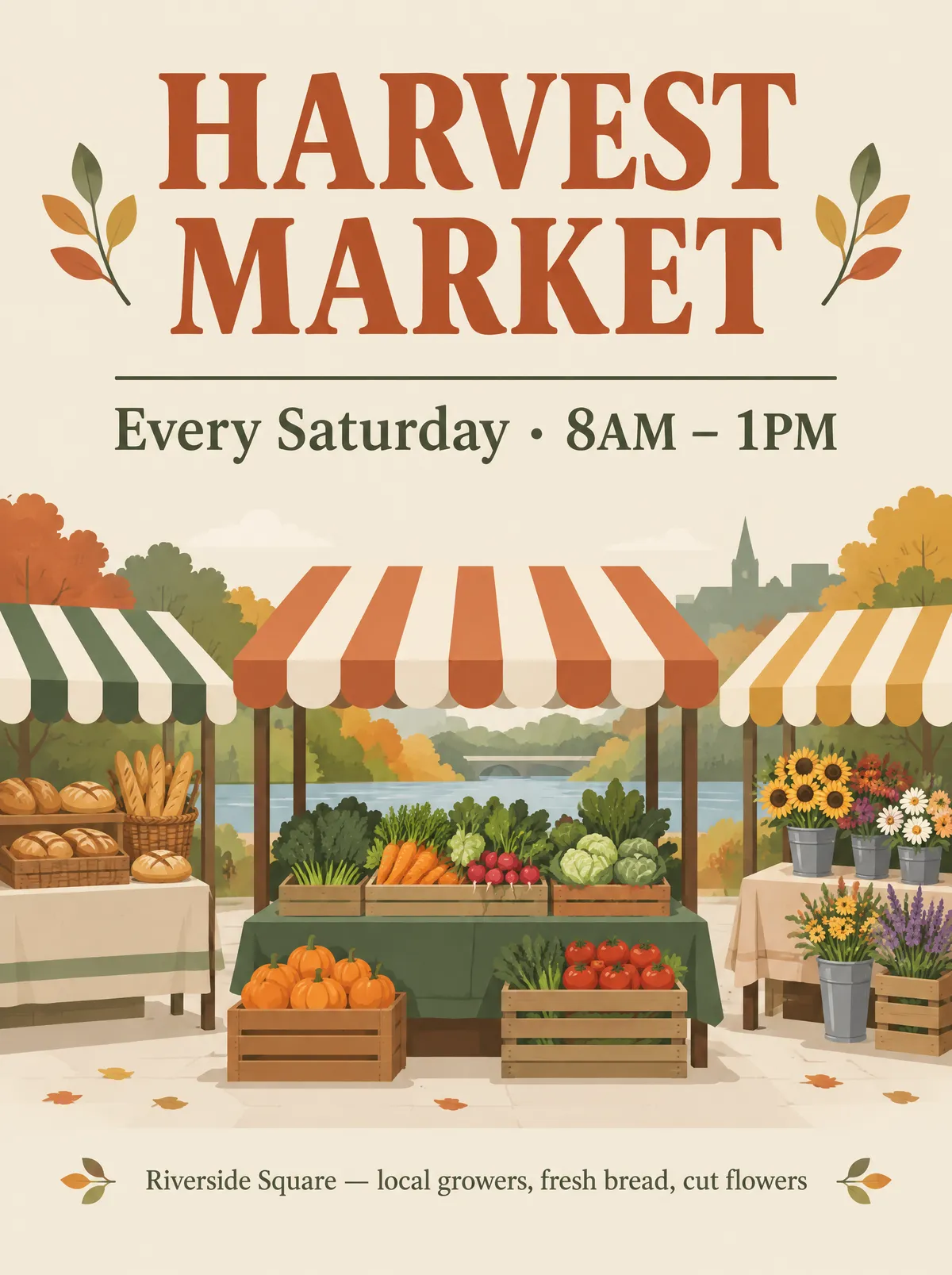
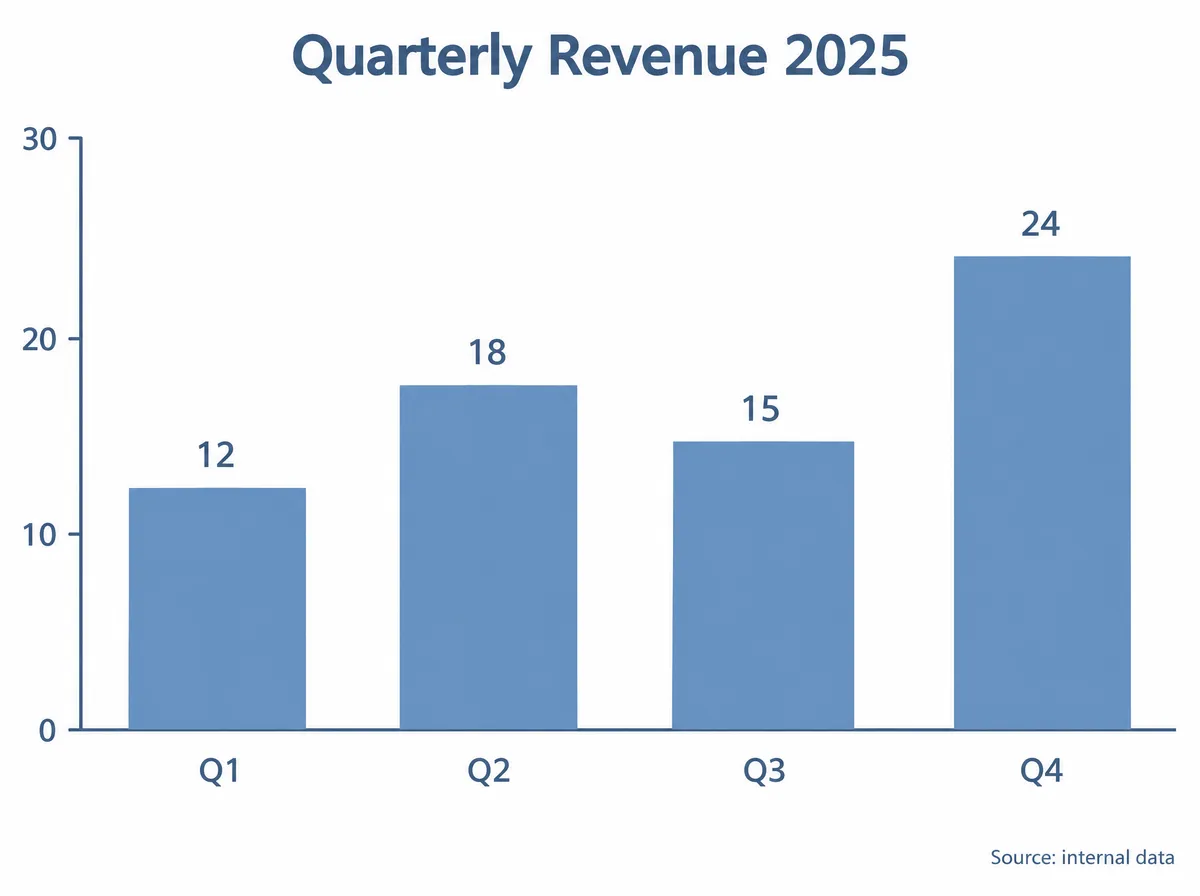
GPT Image 2 was already the most reliable model we test for typography, and 2.5 holds the line. We gave it a printed menu with three sections and seven prices at small type, a market poster with a headline, a schedule line and a small footer, and a bar chart with four labelled bars and a y-axis. All of it came back correctly spelled and correctly set. The chart is the surprising one: values printed above the right bars, bars proportional to their values, axis 0–30 in steps of 10, footer intact. Qwen Image 3 printed the right numbers on broken geometry in the same test; this one got the geometry too.
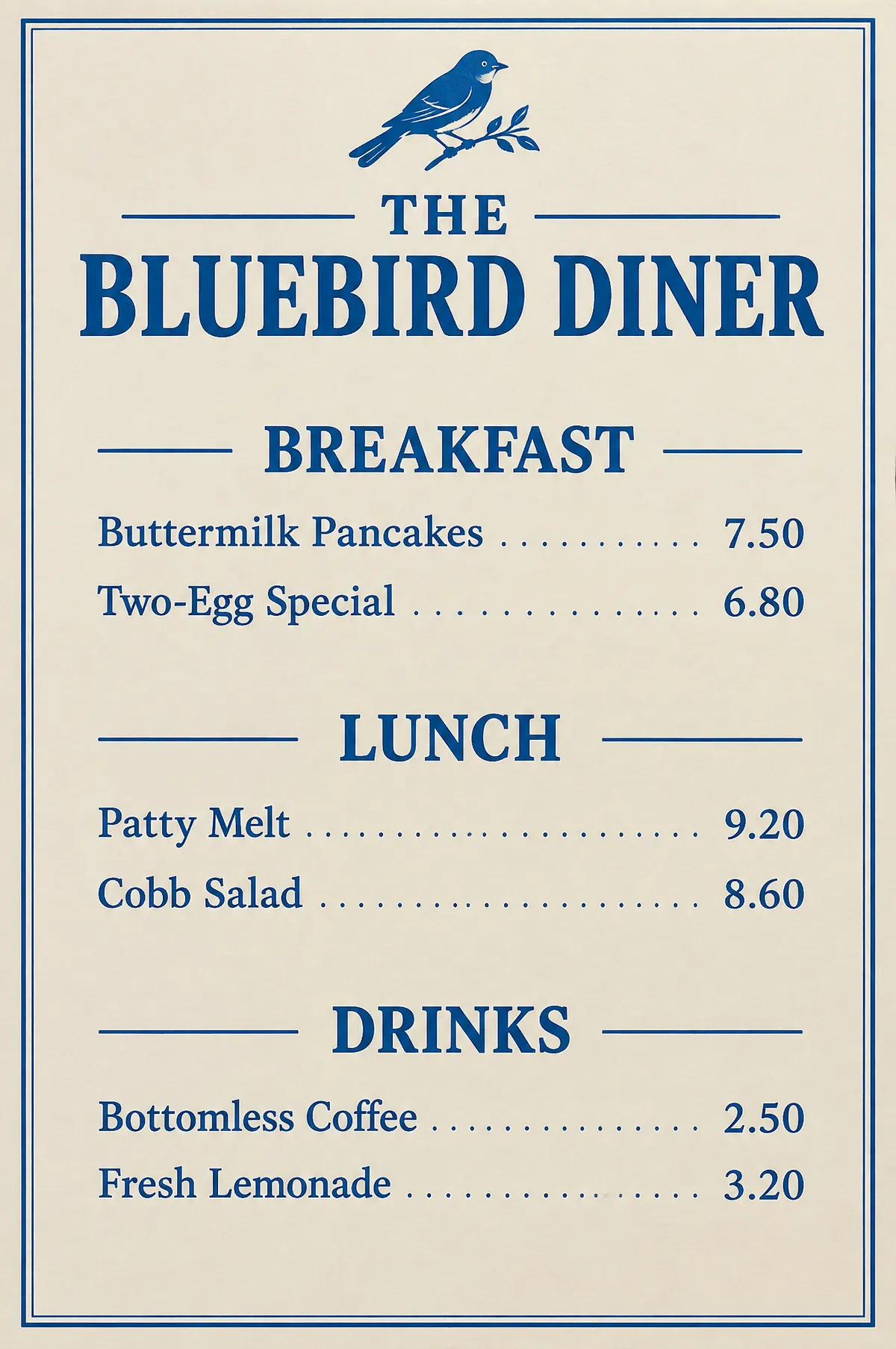
Menu — seven prices correct
GPT Image 2.5 diner menu with breakfast, lunch and drinks sections, all seven prices legible and correctFlare · 2K · 2:3 · 41s
Poster — three sizes correct
GPT Image 2.5 Harvest Market event poster with heading, schedule line and footer all correctly spelledFlare · 2K · 3:4 · 41s
Chart — values and geometry correct
GPT Image 2.5 bar chart titled Quarterly Revenue 2025 with four bars labelled Q1 to Q4 and values 12, 18, 15, 24 on a 0–30 axisFlare · 2K · 4:3 · 38s

The chart is the test worth repeating with your own numbers: it is one run, and one pass is not a guarantee. What it shows is that the model reads a bar chart as data with geometry, not as a picture of a chart — the failure mode we documented on the Qwen Image 3 page did not appear here.
Edits that keep the thing you care about

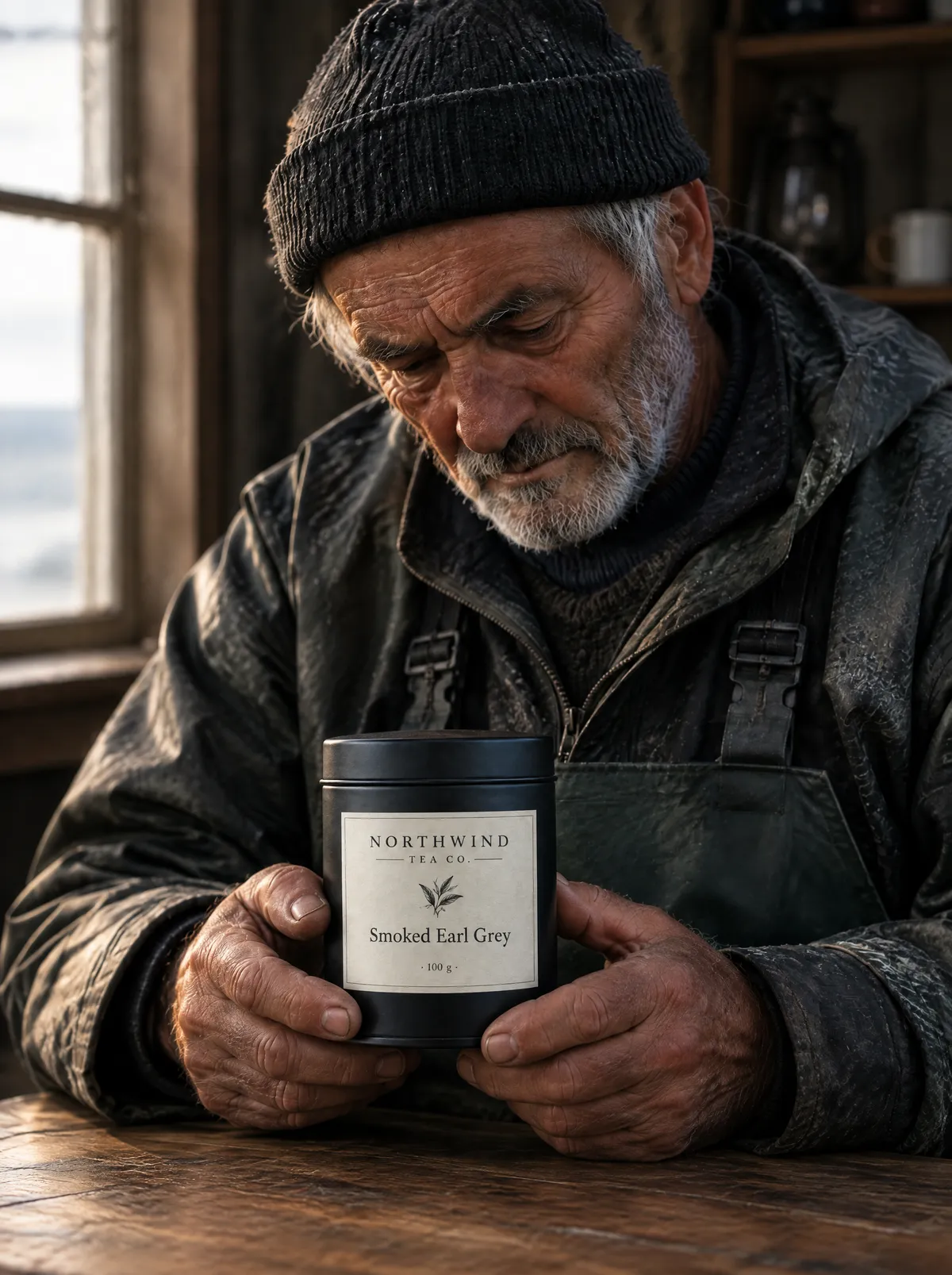
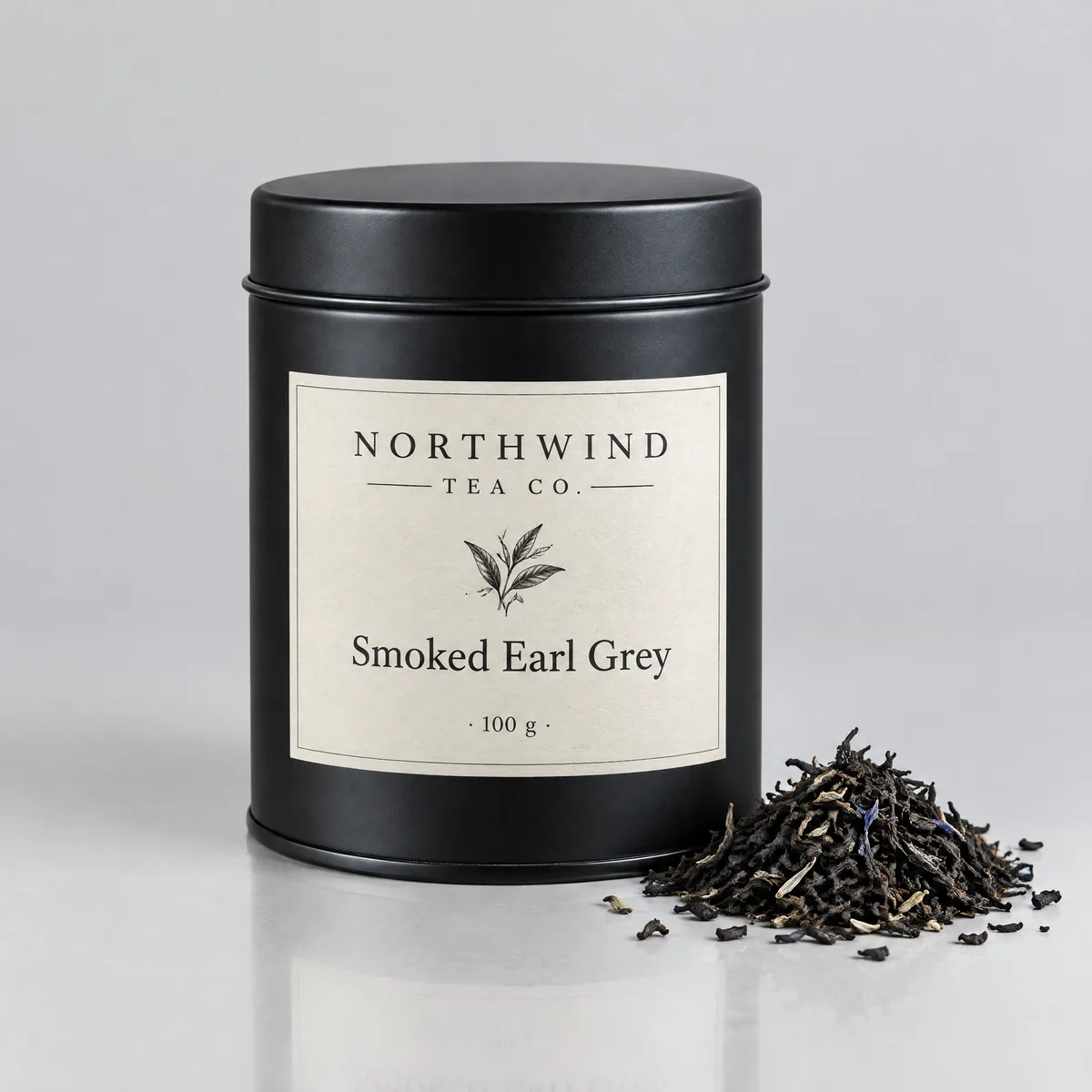
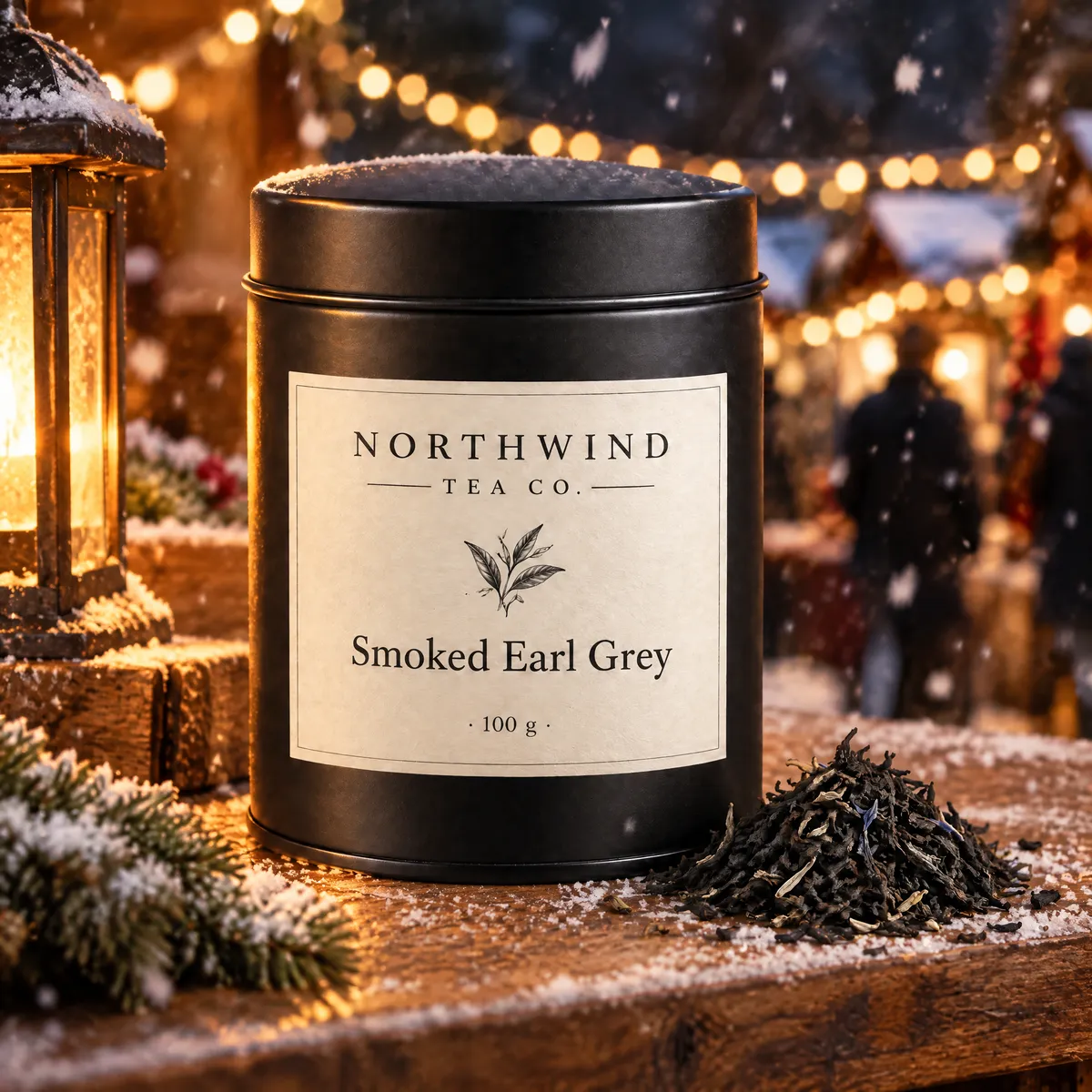
Reference editing is where the provider claims the biggest gain over GPT Image 2, and it is where our results were cleanest. We generated a product shot of a tea tin, then handed that image back with one instruction: move it onto a wooden stall at a snowy night market, keep the label unchanged. The tin, its typography and its proportions came through; the lighting was rebuilt for lanterns and snow. The harder test attached two references — the tin and a portrait of a fisherman generated earlier — and asked for the man holding the tin with the label facing camera. Face, hands and label all held. Multi-reference edits run on the Flare tier: the Sunburst editing endpoint returned an upstream error in every attempt on launch day, so we route reference edits to Flare and say so.

Source shot
GPT Image 2.5 studio product shot of a matte black tea tin with a cream label reading Northwind Tea Co. Smoked Earl Grey 100 gFlare · 2K · 1:1 · 38s — the reference for both edits
Scene swap — label kept
GPT Image 2.5 reference edit: the tea tin relocated to a snowy night market with lantern light, label still crispFlare · 2K · 1:1 · 55s · 1 reference
Two references — face and label kept
GPT Image 2.5 two-reference composite: the fisherman from the portrait holding the tea tin with its label readableFlare · 2K · 3:4 · 55s · 2 references

Reference edits took 55 seconds against 38–41 for text-to-image at the same tier and resolution. Both edits cost the same as a plain generation: the upstream does not charge per reference image, and neither do we.

Photographic detail up to 4K, and a 21:9 frame that stays composed

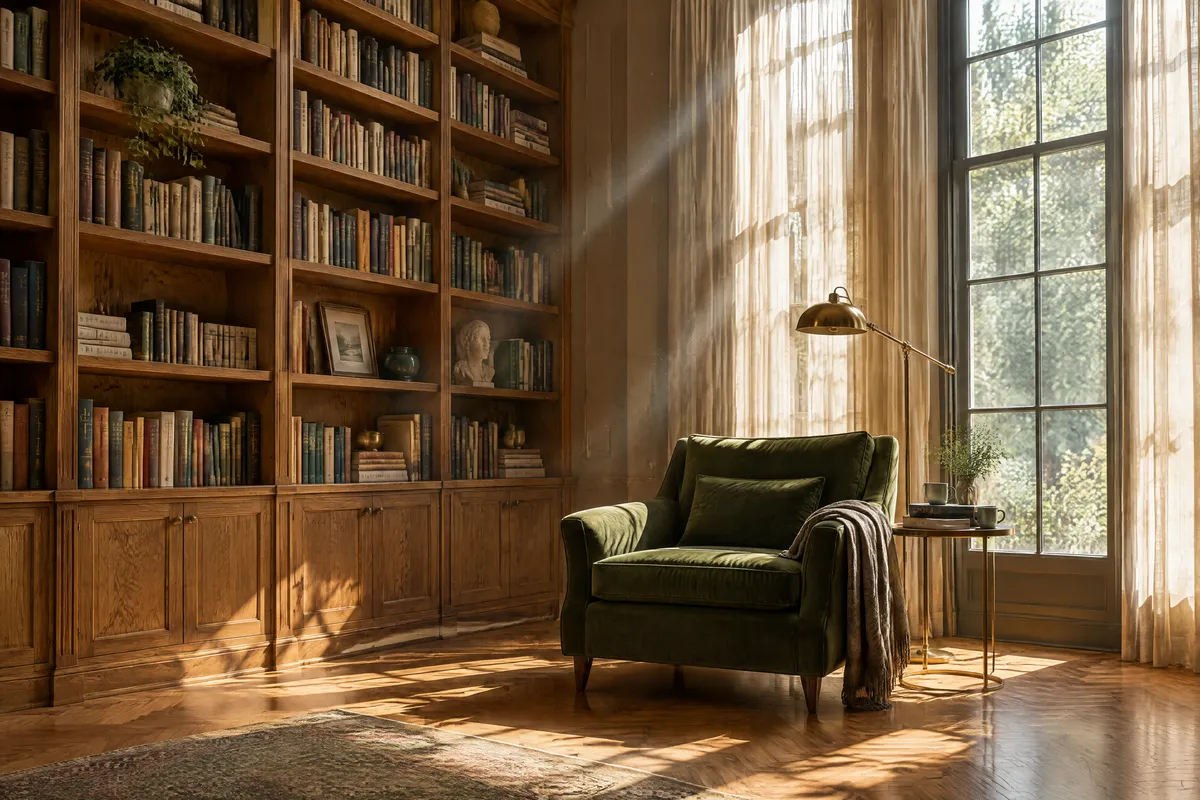
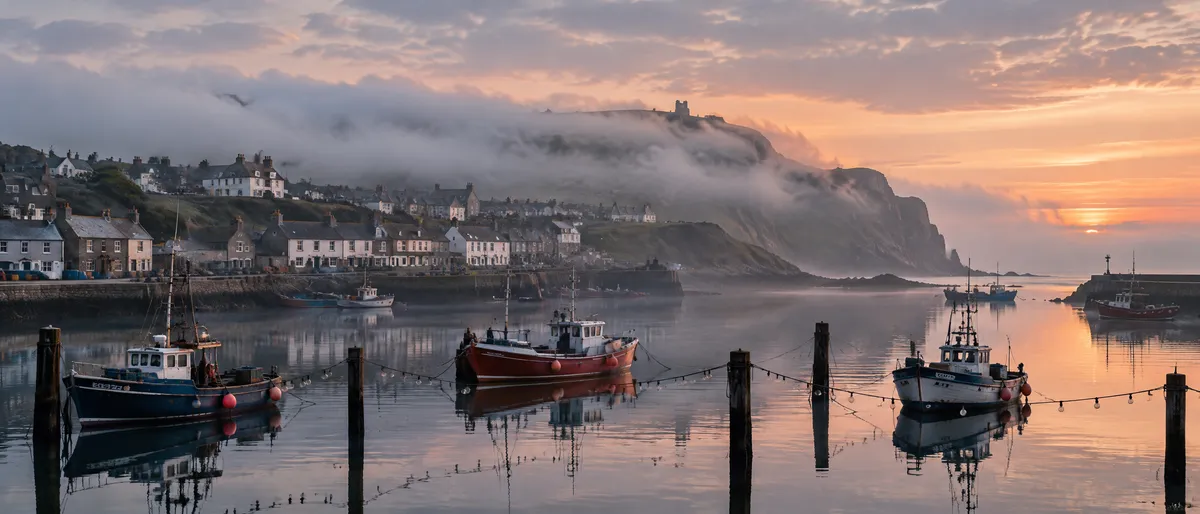
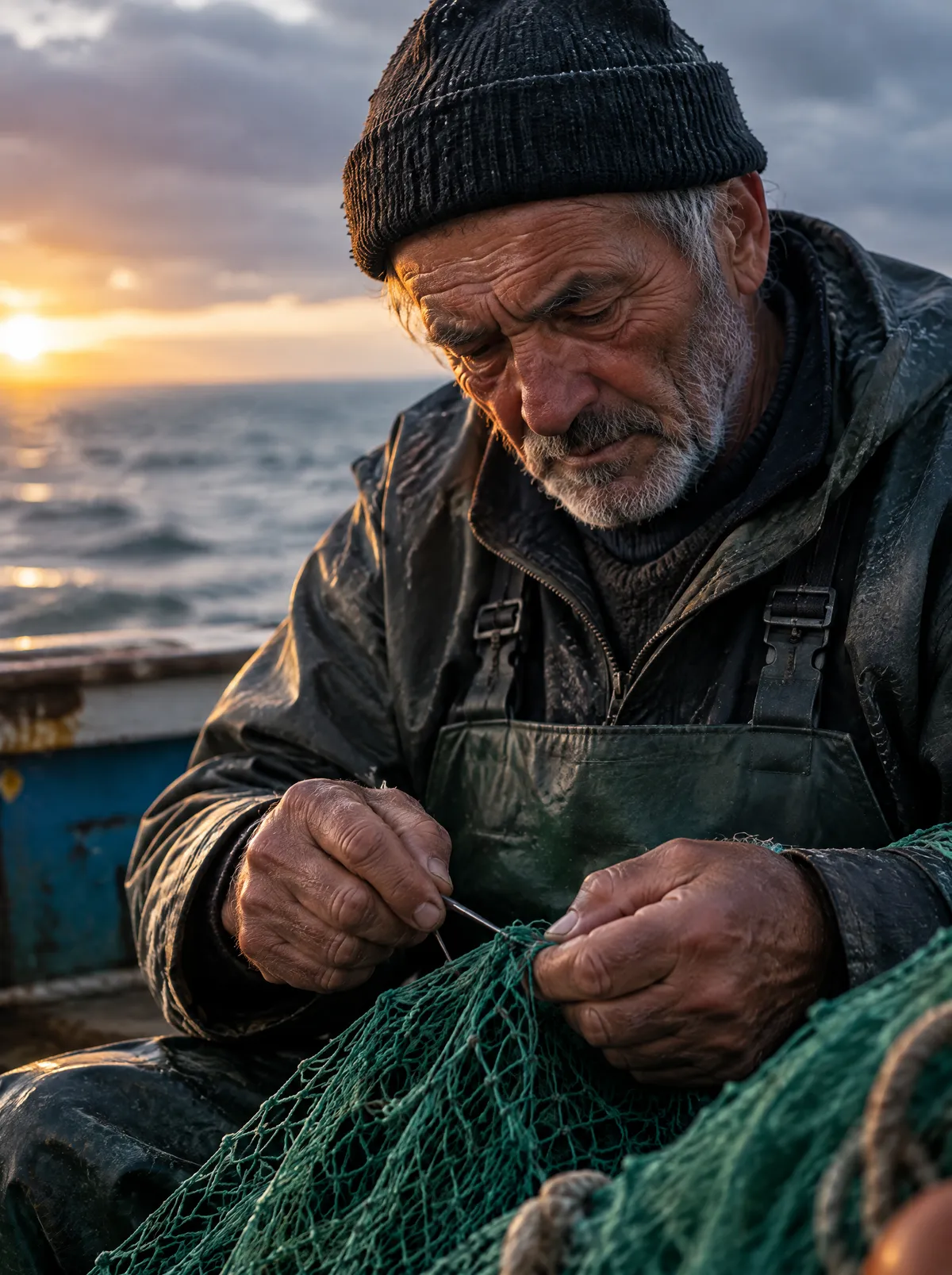
The "sharper" claim is easiest to check on things with fine repeating structure. Our 4K interior is 3504 by 2336 pixels — the 4K tier renders a short side of 2880 rather than a full 4096 — and the book spines, parquet and dust in the light beams hold up at 100%. The fisherman portrait shows pores, stubble and rope fibre without the waxy smoothing that reference-free portrait models fall into. The 21:9 harbour frame is the format test: the model kept the horizon low, the boats in the lower third and the mist behind the headland, instead of stretching a 16:9 composition sideways.

4K — 3504 px wide
GPT Image 2.5 4K architectural interior of a sunlit reading room with oak bookshelves, a green velvet armchair and herringbone parquetFlare · 4K · 3:2 · 3504×2336 · 50s
21:9 — composed, not stretched
GPT Image 2.5 ultra-wide 21:9 panorama of a small harbour town at first light with fishing boats on glassy waterFlare · 2K · 21:9 · 2688×1152 · 39s

Resolution is the only thing that changes the price on this model: 1K, 2K and 4K are three tiers, and the tier you pick (Flare or Sunburst) costs the same at each. Reference images add nothing.

The rest of what we ran

The groups above test specific claims; these are the breadth check from the same 9 September 2026 batch, each first take with the exact prompt. Across all thirteen completed runs, 2K generations took 38–55 seconds (median 41), the single 4K run took 50, and 1K runs in our pricing probe took 24–36.

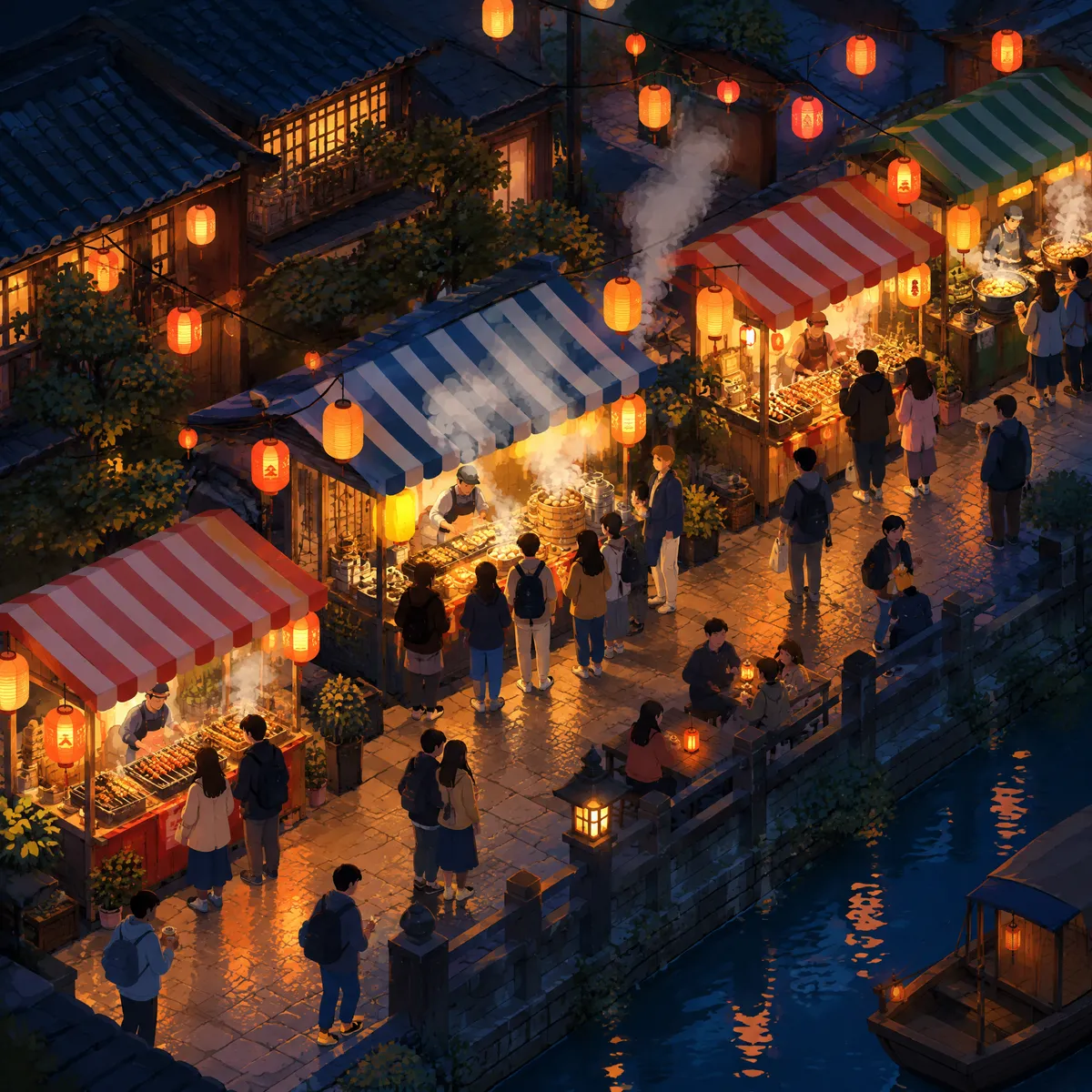
GPT Image 2.5 isometric illustration of a night market street with glowing stalls, lantern strings and tiny queueing figures
PromptFlare · 2K · 1:1 · 49s — the slowest text-to-image run of the batch

Isometric illustration of a small night market street: glowing food stalls with striped canopies, tiny figures queueing, lanterns strung overhead, steam and smoke drifting up, warm oranges against deep blue night, clean vector-adjacent rendering with soft shading, no text.

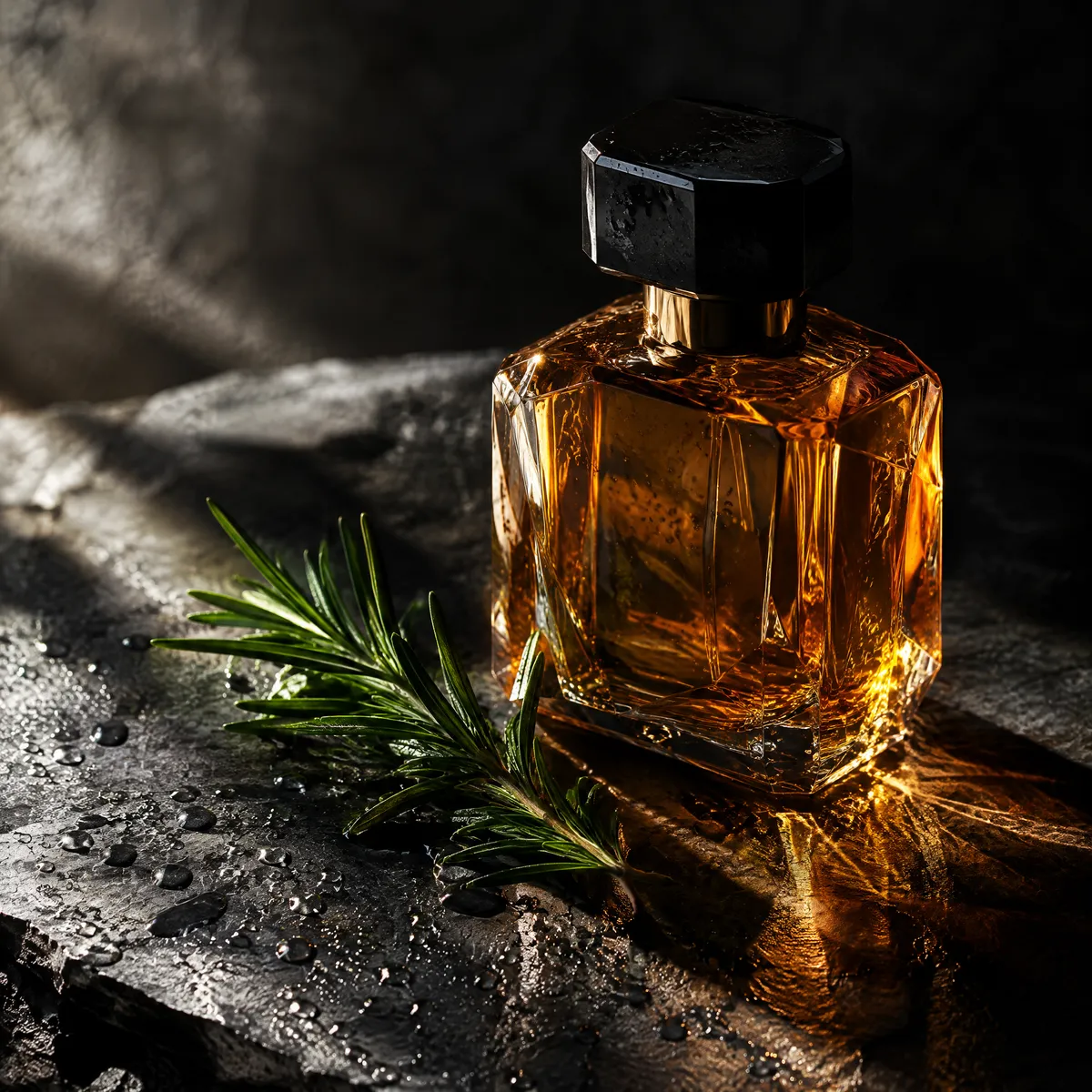
GPT Image 2.5 Flare tier: faceted amber perfume bottle on wet black slate with a rosemary sprig and caustic light
PromptFlare · 2K · 1:1 — same prompt as the Sunburst run beside it

Editorial still life for a perfume campaign: a faceted amber glass bottle on wet black slate, a single sprig of rosemary, dramatic side light with soft caustics through the glass, deep shadows, water droplets sharp on the slate, no text.

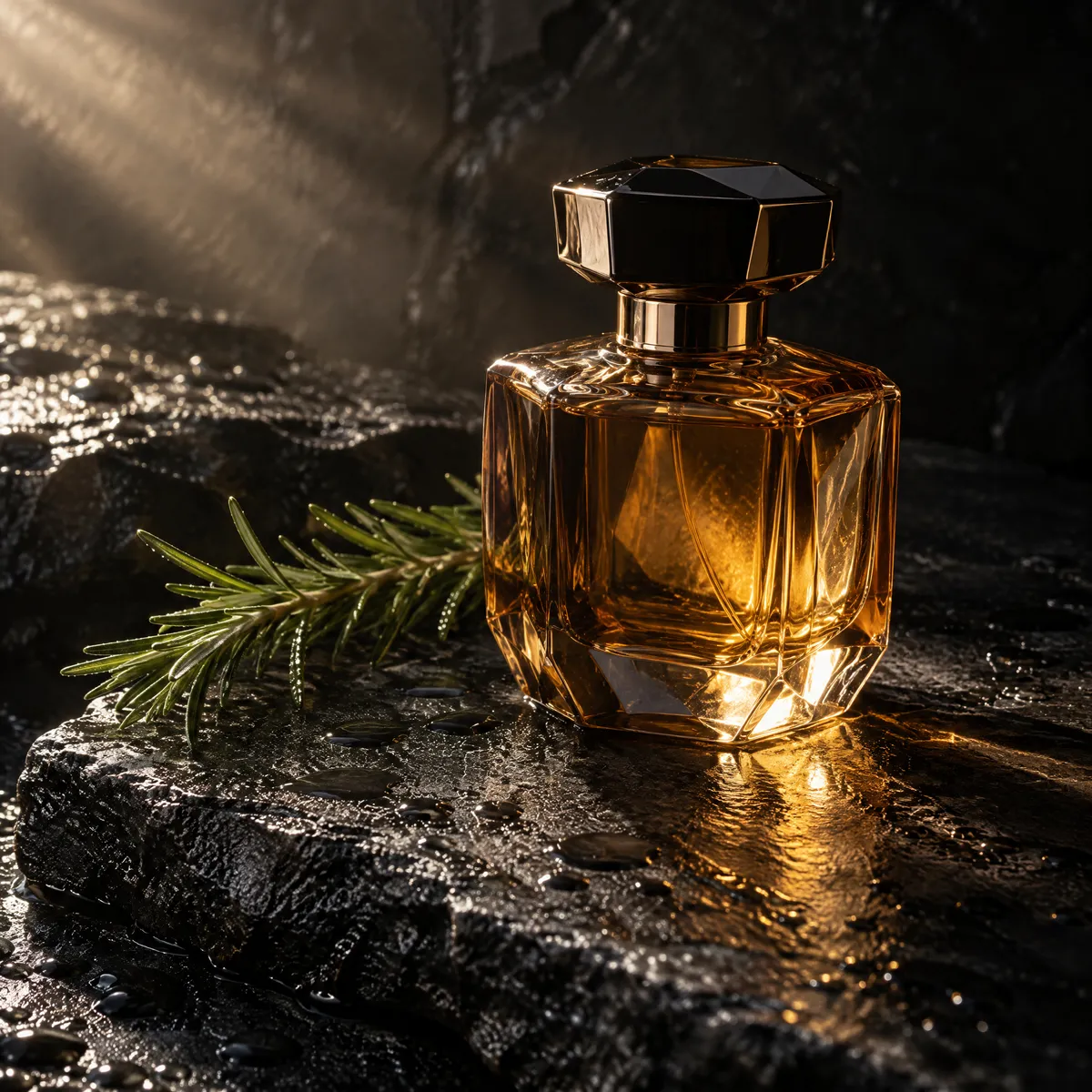
GPT Image 2.5 Sunburst tier: the same amber perfume bottle still life, rendered on the refined tier
PromptSunburst · 2K · 1:1 — same price as Flare; judge the difference yourself

Editorial still life for a perfume campaign: a faceted amber glass bottle on wet black slate, a single sprig of rosemary, dramatic side light with soft caustics through the glass, deep shadows, water droplets sharp on the slate, no text.

GPT Image 2.5 documentary portrait of an elderly fisherman mending a net at dawn, warm low sun against a cold sea
PromptFlare · 2K · 3:4 · 38s — later used as a reference in the two-image edit above

Documentary portrait of an elderly fisherman mending a green net at dawn, weathered hands and deeply lined face clearly rendered, salt-and-pepper stubble, warm low sun from the left against a cold overcast sea, realistic skin texture with visible pores, no retouching look, 85mm lens, shallow depth of field.

Who GPT Image 2.5 is for

The people who used GPT Image 2 for the same reasons, with one price axis fewer to think about. Each of these maps to something demonstrated further up the page.

  • Anyone whose image has to carry text

    Menus, posters, charts, packaging. Our seven-price menu, three-size poster and labelled bar chart all passed first take — and the chart passed on geometry, not just spelling.

  • Product and e-commerce teams

    Generate the hero shot, then move the product into new scenes by attaching it as a reference. Our tin kept its label through a studio-to-night-market swap and through a two-reference composite.

  • Teams upgrading from GPT Image 2

    Same prompt habits, sharper output, and a simpler bill: three resolutions instead of nine quality-by-resolution cells, no per-reference surcharge, and 2K for less than GPT Image 2's high tier at 1K.

  • Campaign and brand work

    The Sunburst tier is the provider's recommendation for production assets. It costs the same as Flare here, so the only reason not to try it is speed — and our same-prompt pair is on this page for you to judge.

  • Not for: batches of ten

    One image per run, no batch parameter. If you want ten candidates from one prompt, GPT Image 2 still does that; here you re-run.

GPT Image 2.5 vs GPT Image 2 vs Nano Banana 2 vs Qwen Image 3 Pro

The three models you would realistically weigh against this one — same workspace, same subscription, one click to switch.

GPT Image 2.5GPT Image 2Nano Banana 2Qwen Image 3 Pro
Credits per image40 at 1K · 70 at 2K · 110 at 4K, either tier5 – 560, by resolution × quality30 at 1K · 50 at 2K · 70 at 4K30 at 1K · 50 at 2K
What changes the priceResolution onlyResolution × quality, plus 10 per referenceResolution onlyResolution only
Max resolution4K (2880-px short side)4K4K2K
Reference imagesUp to 5, freeUp to 16, 10 credits eachUp to 3Up to 3
Images per run1Up to 1011
Aspect ratiosAuto + 8, up to 21:9Auto + 8, up to 21:9, or custom pixelsAuto + presets8, up to 21:9
In-image text, our own testsMenu, poster and chart all correct, chart geometry includedThe most reliable in our tests on its pageGood on headlines; small type variesBilingual titles correct; charts unreliable
Our measured speed38–55s at 2K, 50s at 4K32s low · 68s medium · 166s high at 2KNot measuredNot measured

Credits, reference limits and ratio counts are read from our own model registry on 9 September 2026. Speeds are our measurements on the day, single runs per cell unless stated; they will move with load.

Explore More Models

Compare GPT Image 2.5 with the models you would weigh it against — same workspace, one click to switch.

GPT Image 2.5 specs on CreateVision AI

ModelOpenAI GPT Image 2.5, released 8 September 2026, served through KIE.ai (gpt-image-2-5-flare / -sunburst endpoints)
TiersFlare (default, lower latency) and Sunburst (refined) — same price at every resolution
ModesText-to-image on both tiers; reference-based editing runs on Flare (the Sunburst editing endpoint was not live at launch)
Resolutions1K, 2K and 4K — the 4K tier renders a 2880-pixel short side (3504×2336 at 3:2)
Aspect ratiosAuto plus 8 presets from 1:1 to 21:9
Images per runOne
Reference imagesUp to 5 per generation; a reference adds nothing to the price
Prompt lengthUp to 20,000 characters
Text renderingMenu, poster and bar chart all correct in our first batch, including chart geometry
Measured speed2K: 38–55s (median 41, 11 runs); 4K: 50s (1 run); 1K: 24–36s — 9 September 2026
Reliability13 of 15 first submissions completed; one transport error and one Sunburst upstream error at 3:2 both succeeded when re-run at 1:1

How to use GPT Image 2.5 online

Start Generating Images
  1. Open the workspace

    Create a free account — no OpenAI account, no API key. The generator on this page is already set to GPT Image 2.5 on the Flare tier at 1K.

  2. Write the text in quotes

    Put every word you want rendered inside quotation marks and end with "no other text". That is exactly how the menu, poster and chart prompts on this page are written.

  3. Attach up to 5 references to edit

    Hand it a product shot or a portrait and describe only the change. Say what must stay the same — the label, the face — and it stays.

  4. Pick a resolution, then a tier

    1K to draft, 2K for delivery, 4K when the file will be printed or cropped. Flare and Sunburst cost the same; the credit total shows on the button before every run.

Related reading

Choose Your Plan

Start free with welcome credits. Upgrade for premium models, faster generation, and 4K output.

Free

$0

Perfect for getting started

  • 200 welcome credits, up to 80/day
  • Z Image Turbo drafts at 0 credits
  • Standard generation speed
  • Generation history included
Get Started

Premium

Most popular
$29/month

Billed annually · $240/year

  • 8,000 credits/month, no daily limits
  • All premium models — GPT Image 2, Nano Banana, Seedream, Seedance, Veo, Kling
  • 5x generation speed, priority queue
  • AI prompt enhancement
Upgrade to Premium

Ultimate

$49/month

Billed annually · $380/year

  • 18,000 credits/month, no daily limits
  • HD generation up to 4K resolution
  • Priority support
  • Fastest queue and early access to new models
Upgrade to Ultimate

Frequently Asked Questions

1

Is GPT Image 2.5 free to use?

The model itself is paid, at a per-image rate that depends only on resolution — the exact credit cost is shown before every run. Every account gets free daily credits, and Z Image Turbo (0 credits) is there for throwaway drafts before you spend anything here.

2

Flare or Sunburst — which should I pick?

Start on Flare: it is the default, it is faster, and it produced everything on this page except the one Sunburst comparison. Sunburst is the provider's recommendation for production campaign assets. It costs the same, so try both on your own prompt; our same-prompt pair is in the cases section.

3

How is GPT Image 2.5 different from GPT Image 2?

Sharper detail and stronger reference fidelity, according to the provider, and our first batch agrees on both. The practical difference is the bill: three resolution tiers instead of nine resolution-by-quality cells, no surcharge per reference image, one image per run instead of batches of up to ten.

4

Can it edit my own photos?

Yes. Attach up to 5 reference images and describe the change. In our tests a product label survived a full scene swap, and a two-reference composite kept both the person and the product readable. Reference edits run on the Flare tier.

5

What does 4K actually mean here?

The 4K tier renders a short side of about 2880 pixels — 2880×2880 at 1:1, 3504×2336 at 3:2 — not a full 4096. It is the tier to use for print or heavy cropping; 2K is enough for screens.

6

How long does a generation take?

In our 9 September 2026 batch, 2K runs took 38 to 55 seconds with a median of 41, the 4K run took 50, and 1K runs took 24 to 36. Reference edits sat at the slow end. Generation is asynchronous, so the result lands in your history with its prompt and settings saved.

7

Can I use GPT Image 2.5 images commercially?

Yes, images you generate can be used in personal and commercial projects under our terms of service. You remain responsible for prompt content, trademarks, and the rights to any reference images you attach.

Put a menu, a product or a two-reference edit in front of GPT Image 2.5

Start Generating Images

Discover our one-click AI image tools

One-click tools for everything around generation — polish, restyle, and share.

Pricing & Access — The FactsGPT Image 2.5

Model
GPT Image 2.5
Developer
OpenAI
Access
Runs in the CreateVision AI workspace via API — sign in and generate. No API key, no cloud project, no software install.
Price per generation
From 40 credits ≈ $0.15 per image on the Premium plan ($29/month for 8,000 credits). The free plan includes 80 credits every day.
Privacy
Private by default — no other user can see your generations, on any plan. We don't sell or misuse member data. Privacy Policy

What's newGPT Image 2.5

  1. New

    GPT Image 2.5 (OpenAI) available on CreateVision AI the day after its 8 September release — Flare and Sunburst tiers, 1K/2K/4K, text-to-image and reference editing with up to 5 images. No OpenAI account or API key needed.