CREATEVISION AI · PRACTICAL VIDEO GUIDES
Before you start
01Prepare product identity and approved messaging separately.
02Use keyframe approval when you need to check the product and presenter before motion.
03A generated concept still needs review for the product, speech, text and final campaign message.
Write a brief you can approve
Decide who the ad is for, the one detail to show, the delivery format and what the viewer should do next. A skincare bottle photo can support an appearance-led reveal; it does not establish an efficacy claim.
Collect a clear product photo and the approved name, offer and final CTA. Keep exact prices and dates outside the generative scene unless you have verified them in the output. Use the product library when you plan to make several variants.
Choose a presenter, hook and format
Open Marketing Studio, select the product, choose a creator or your own reference, then choose a hook and setting. A straight-to-camera recommendation, an unboxing and a product-only reveal need different framing.
Start from an existing template when it fits your brief. Replace its sample product with yours before generating. Templates are a structured starting point, not evidence that the scene will improve conversion.
Approve the frame before paying for motion
In the two-stage pipeline, inspect the generated keyframe before starting the video. Check product shape, cap, label, person identity and whether there is enough room for the intended action. Correct a wrong item or a blocked label at this stage.
One-take mode sends the reference directly to the video model. It is useful for a quick draft, but you lose the separate visual approval step. Choose according to the risk in your shot, not simply the shortest workflow.
Give 15 seconds one clear job
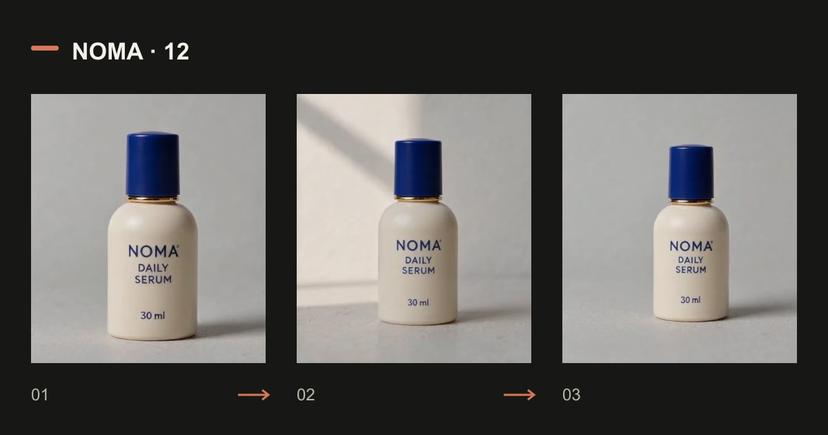
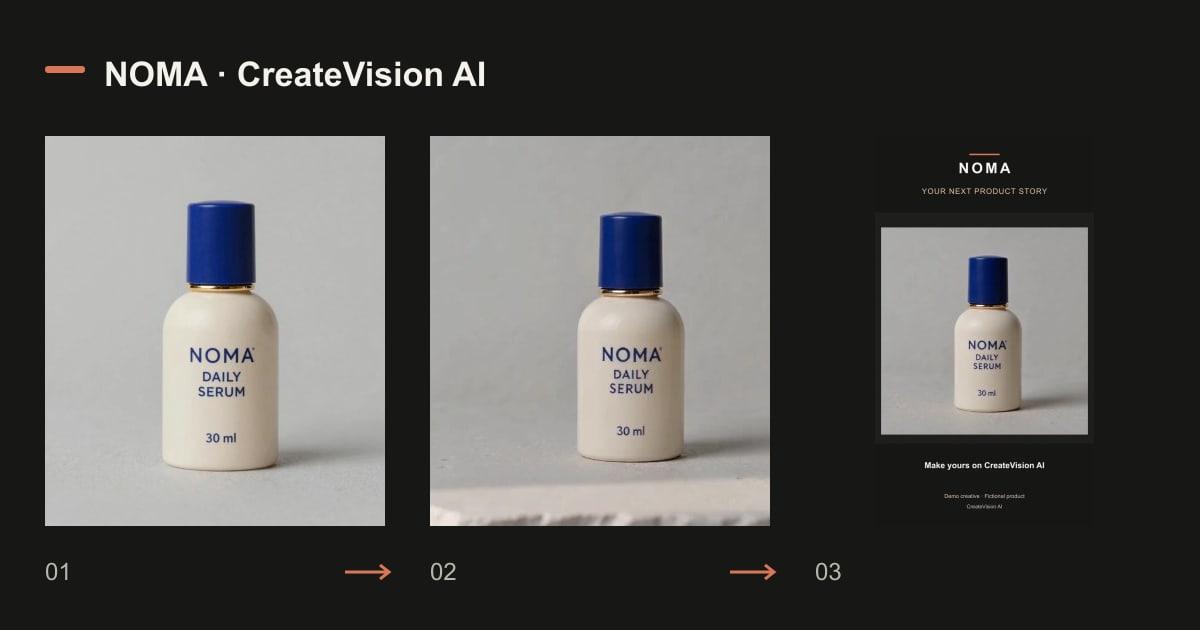
Use three simple beats: a reveal, a detail and a stable ending. Our product-only example asks for these beats without a presenter or new product claims. It was generated as a separate example from the matched five-second model comparison.
If using dialogue, write the exact script in the selected delivery language and leave time to say it. Do not assume that native audio means the spoken words or timing are correct.
Read the original prompt
Create a 15-second vertical product concept video using the exact NOMA serum bottle in the reference image. Preserve its ivory body, cobalt cap, brass collar, shape and label. 0-5 seconds: a quiet front-facing product reveal on a pale stone surface. 5-10 seconds: a gentle closer view of the visible cap and ceramic texture. 10-15 seconds: return to a stable full bottle view with blank space above for a final message added later. Soft daylight, restrained camera movement, no hands, no new product claims, no generated captions or prices. Soft instrumental ambience, no speech.
Loading an example fills a draft. Review the settings and current quote before generating.
Review, refine and prepare the export
Watch the whole clip with sound. Inspect the item during camera movement, the transition between beats and the final frame. Check any speech against the approved script. A stable starting image does not prove that the product stays accurate later.
If only one beat is wrong, first simplify that action or generate it separately. Keep the successful draft. Add final offer text, captions and CTA in an editable step; do not repeatedly reroll a complete video merely to fix one price.
Read the original prompt
External assembly recipe: use the first 10 seconds of the square 480p generation, freeze the last clean frame for 5 seconds to remove unwanted generated lettering, place the sequence on a 720 × 1280 vertical canvas with a solid dark background, add three timed English text overlays and a fictional-product label, and retain the original audio. A larger canvas does not add native video detail. Replace the demonstration copy with your approved brand, offer and CTA in your editor.
Loading an example fills a draft. Review the settings and current quote before generating.
Make a controlled next variant
Hold the product, presenter, duration and message fixed while changing one hook or setting. Name the variants so you can compare them. This produces a reviewable creative test; it is not a claim of improved ad performance.
The generation button shows the quote for the selected settings. Budget for a small number of drafts, review the first output, and choose a membership or credit pack only after you know the volume you need.
Questions before generating
Does Marketing Studio automatically publish my ad?
This workflow creates media for you to review and download. Publishing and campaign performance are separate steps.
Should I generate a presenter if I only need a product reveal?
No. Use the inputs your message needs. Product-only footage can be simpler to check than a person holding the item.
How can I reduce wasted credits?
Approve the product image first, keep the first video short, set an attempt budget and revise only the largest mismatch.
Compare plans and credit packs
Know the volume you need? Compare membership credits with a one-time credit pack before choosing. Your draft stays under your control.