CREATEVISION AI · PRACTICAL VIDEO GUIDES
Before you start
01A starting image sets the opening composition; a reference describes a subject that can appear in a new shot.
02Keyframes pin visual checkpoints. Video Edit changes an existing clip. Choose the mode before uploading.
03Start with a short test, inspect the entire output, and check the current credit quote before committing to a longer take.
Choose the mode that matches your material
For a written idea, choose Text/Image to Video. With no image it generates from text; with one image it animates that starting frame. Choose Keyframes when you have a planned beginning, middle or ending. Choose References when appearance and composition should be able to change. Choose Edit when the movement and structure of an existing clip should remain recognizable.
| Your starting point | Mode | What to prepare |
|---|---|---|
| An idea or one opening image | Text/Image to Video | One clear action and an ending |
| Several visual checkpoints | Keyframes to Video | Start frame, optional middle frames and end frame |
| A recurring person or product | Reference to Video | Reference assets with an explicit purpose |
| Footage that needs a targeted change | Video Edit | One clip and a narrow editing instruction |
Make a first text or image video
Open Kling 4.0, choose Text/Image to Video and write the action you want to see. For an image input, describe movement instead of redescribing every visible detail. Give the subject room to move: a tight portrait cannot reliably become a full-body running shot.
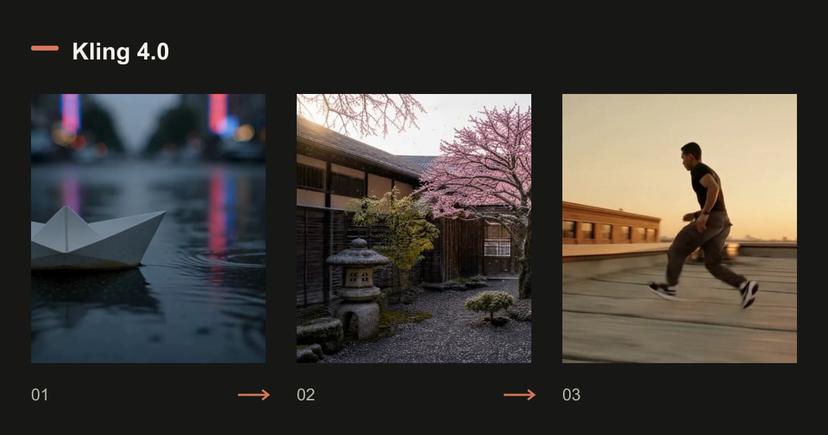
Pick duration and quality, inspect the quote, then generate. In our image example, the source portrait is 3:4 and the output follows that framing. Do not assume that an aspect-ratio selector overrides the starting image.
Read the original prompt
A paper boat drifts down a rain-soaked street at dusk, neon reflections ripple across the water, slow tracking shot, cinematic detail.
Read the original prompt
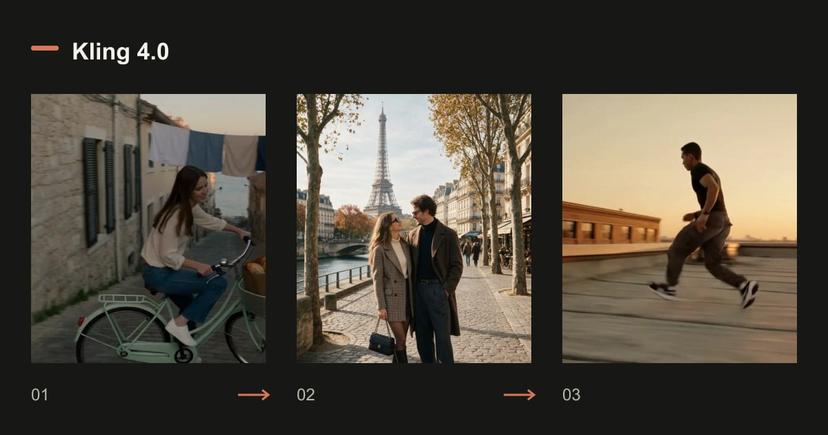
The couple slowly turn toward each other and smile, a gentle breeze moves their hair, soft golden-hour light, subtle handheld camera.
Loading an example fills a draft. Review the settings and current quote before generating.
Build a sequence with keyframes
Upload the start frame first. Add middle frames in chronological order and an optional end frame. Describe how the transitions should happen; frame order alone does not specify every action.
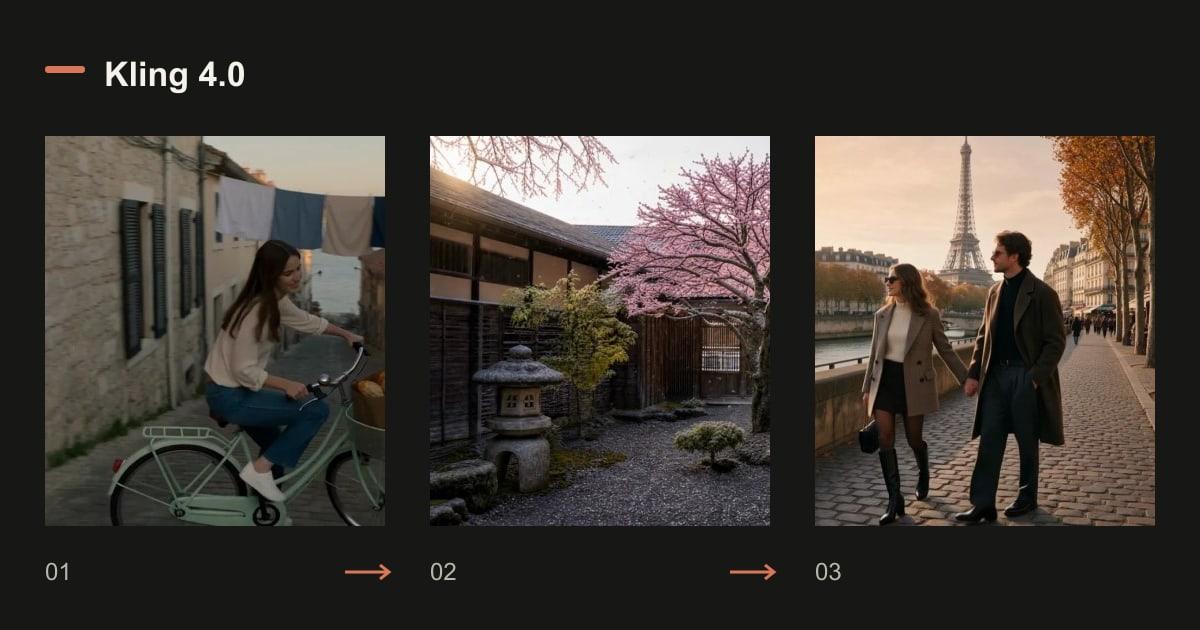
There are at most 8 middle frames and 10 frames overall. The total is also limited by duration plus one: a 5-second clip allows at most 6 frames. Middle frames do not carry independent timestamps. Our seasonal tree example uses only three checkpoints, leaving the model room to connect them.
Read the original prompt
Locked-off wide shot of a stone courtyard with one cherry tree, shown as a smooth time-lapse through the seasons: the winter snow melts away, the tree bursts into pink blossom and petals drift down, then the blossom gives way to dense summer leaves under bright sun. The camera never moves. Sound: a cold wind at first, then birdsong and cicadas as summer arrives.
Loading an example fills a draft. Review the settings and current quote before generating.
Use references for identity, not as an accidental opening frame
Choose Reference to Video when you want the same people or objects in a new composition. State which asset defines the person, product, setting or movement. The prompt editor can insert the reference markers for you.
The current workflow accepts up to 10 images and 5 videos, with reference videos totaling no more than 30 seconds. A video reference can add billable input seconds. Compare the generated identity with the source at multiple moments, especially during turns and occlusion.
Read the original prompt
The couple from <<<image_1>>> walk hand in hand along a Paris street at golden hour, slow dolly follow, soft handheld feel.
Loading an example fills a draft. Review the settings and current quote before generating.
Revise an existing clip
Choose Video Edit and upload one 3–30 second clip. Ask for one bounded change, such as a different color treatment. Use a reference image only when it clarifies the intended change.
The edit follows the source length and framing. The shown rooftop example requests warmer color and film grain while preserving movement. Review the sound and every cut before approving a revision; preservation is something to check in the result, not an excuse to skip review.
Read the original prompt
Regrade <<<video_1>>> to a warm golden-hour look with soft film grain, keep everything else unchanged.
Loading an example fills a draft. Review the settings and current quote before generating.
Check these limits before the expensive take
The integration currently offers 720p and 1080p, with native audio. A model-family announcement about 4K does not mean that this workspace offers that output. Text, image, keyframe and reference generation use 3–30 integer seconds; editing follows the source.
If the result misses your brief, change the instruction that caused the largest mismatch first. Keep the other inputs stable. Use the tested setup buttons below as drafts: they restore the model, references and settings but never start a paid generation automatically.
- Do not combine a locked camera and an orbit in the same shot.
- Do not request hidden product surfaces from a single front photograph.
- Check exact text, hands, character identity and audio beyond the first frame.
Questions before generating
Is Keyframes the same as a single starting image?
No. A starting image defines the opening. Keyframes add visual checkpoints that the model must connect; use only the checkpoints needed for the sequence.
Can I generate 4K here?
The current Kling 4.0 integration offers 720p and 1080p. Read the live settings instead of applying a full model-family specification to this particular workflow.
Does loading an example charge credits?
No. It fills a draft. Sign in if needed, inspect the current settings and quote, then decide whether to generate.
Compare plans and credit packs
Know the volume you need? Compare membership credits with a one-time credit pack before choosing. Your draft stays under your control.