The Questions Listicles Never Answer
2026 AI Image Generators, Ranked by What They Do Best
Scored on text accuracy, hands and faces, censorship, speed, real free tier and commercial rights — not marketing budget
Nano Banana Pro (Google Gemini)
Strengths
- ✓Best-in-class photoreal faces, skin and hands
- ✓Fast generation (~10s)
- ✓Strong prompt adherence and character consistency
- ✓Generous free tier on Google
Weaknesses
- ×Less "artistic" than Midjourney
- ×Visible content filtering on some prompts
Best For:
Photoreal portraits, products and anything that has to look like a real photo
Pricing:
Generous free tier on Google; premium via Google One AI
Unique Feature:
The top-rated 2026 realism model — selectable inside CreateVision AI
Midjourney
Strengths
- ✓Gold standard for artistic, cinematic, painterly output
- ✓Strong community and style inspiration
- ✓Consistent aesthetic
Weaknesses
- ×Weak at readable text
- ×No free tier ($10/mo minimum)
- ×Images public by default unless you pay for stealth
- ×30–60s generation
Best For:
Artistic, stylised and editorial-art compositions
Pricing:
From $10/month, no free tier
Unique Feature:
Unmatched artistic "mood" — worth the learning curve if beauty is the goal
Seedream 5 Pro (ByteDance)
Strengths
- ✓Best single-shot quality in our same-prompt grid — film-grade skin, light and texture
- ✓Rendered our storefront-sign test word-for-word correctly
- ✓Exceptional fine detail (engravings, fabric, product edges)
Weaknesses
- ×Slowest in our grid (~90-110s per image)
- ×One image per run — no batch
- ×Premium price per image
Best For:
The final render — flagship portraits, hero product shots, client-facing work
Pricing:
On CreateVision: 50 credits (1K) / 100 credits (2K) per image
Unique Feature:
The highest one-shot quality we measured in the August 2026 same-prompt test
Ideogram
Strengths
- ✓Best text rendering of any generator (~95% accuracy)
- ✓Clean web UI, no Discord
- ✓Great for posters, logos, signage
Weaknesses
- ×Less photoreal faces/lighting than rivals
- ×Limited free tier
- ×$20/mo for premium
Best For:
Text-in-image: posters, logos, menus, magazine covers
Pricing:
Limited free tier; paid from $20/month
Unique Feature:
If your image needs readable words, this is the tool to test first
GPT Image 2 (OpenAI)
Strengths
- ✓Strong prompt understanding and instruction-following
- ✓Good text rendering
- ✓Generate by describing in plain language
- ✓Reliable general-purpose quality
Weaknesses
- ×Strict content filtering
- ×Native free cap is small (a few images/hour on ChatGPT)
Best For:
All-rounder work: realistic scenes, editing and prompts that need precise following
Pricing:
Small free cap natively; on CreateVision AI via credits (no ChatGPT Plus needed)
Unique Feature:
OpenAI's latest image model — usable on CreateVision AI without a separate ChatGPT subscription
Nano Banana 2 (beta)
Strengths
- ✓Top-rated on the Artificial Analysis arena leaderboard
- ✓Passed our hands test cleanly — natural fingers, natural expressions
- ✓Fast and cheap for the quality (from 30 credits)
Weaknesses
- ×Beta label — behavior may shift between updates
- ×Slightly less polished than Nano Banana Pro on complex scenes
Best For:
Everyday photoreal generation where cost-per-quality matters
Pricing:
On CreateVision: from 30 credits (1K) per image
Unique Feature:
The best credits-to-quality ratio in our grid — the value pick of the top tier
Seedream 4.5 (ByteDance)
Strengths
- ✓Excellent high-resolution detail (2K/4K)
- ✓Strong photoreal and product rendering
- ✓Fast
- ✓Handles complex multi-subject scenes well
Weaknesses
- ×Less brand recognition in the West
- ×Access mostly through platforms, not a standalone app
Best For:
High-resolution photoreal images, products and detailed scenes
Pricing:
Via platforms; on CreateVision AI via credits
Unique Feature:
A 2026 high-res standout — selectable inside CreateVision AI
FLUX (Black Forest Labs)
Strengths
- ✓Excellent photoreal and editorial output
- ✓Improved text rendering
- ✓Open-weight (FLUX.1 dev) for self-hosting
Weaknesses
- ×Weaker at anime/fantasy stylisation
- ×Access fragmented across third-party hosts
Best For:
Photoreal images and developers who want an open-weight model
Pricing:
Free via self-hosting; pay-per-use on hosted platforms
Unique Feature:
The open-weight photoreal flagship — powers many "free" tools under the hood
Adobe Firefly
Strengths
- ✓Trained on licensed content — commercial-safe by design
- ✓Tight Creative Cloud integration
- ✓Good photoreal quality
Weaknesses
- ×Subscription required
- ×Strict filtering
- ×Best inside the Adobe ecosystem
Best For:
Commercial work where licensing certainty matters most
Pricing:
From ~$5/month; trial credits only on free
Unique Feature:
The safest answer when "can I legally sell this?" is the real question
Stable Diffusion XL
Strengths
- ✓Open source, fully customisable (LoRAs, checkpoints)
- ✓Run locally — no monthly fee, full privacy
- ✓You control filtering
Weaknesses
- ×Steep technical setup
- ×Needs a capable GPU
- ×Inconsistent without tuning
Best For:
Technical users who want total control and a local, private workflow
Pricing:
Free if self-hosted; cloud fees otherwise
Unique Feature:
The tinkerer's flagship — infinite control if you put in the setup
Leonardo AI
Strengths
- ✓Strong template/workflow features
- ✓Good daily free credits
- ✓Friendlier UI than Midjourney
Weaknesses
- ×Quality varies across its models
- ×Daily limits on free tier
Best For:
Game/character art and template-driven bulk production
Pricing:
Daily free credits; paid plans for scale
Unique Feature:
A solid value pick for creators producing many images per project
The Test Grid: Same Prompt, Every Model
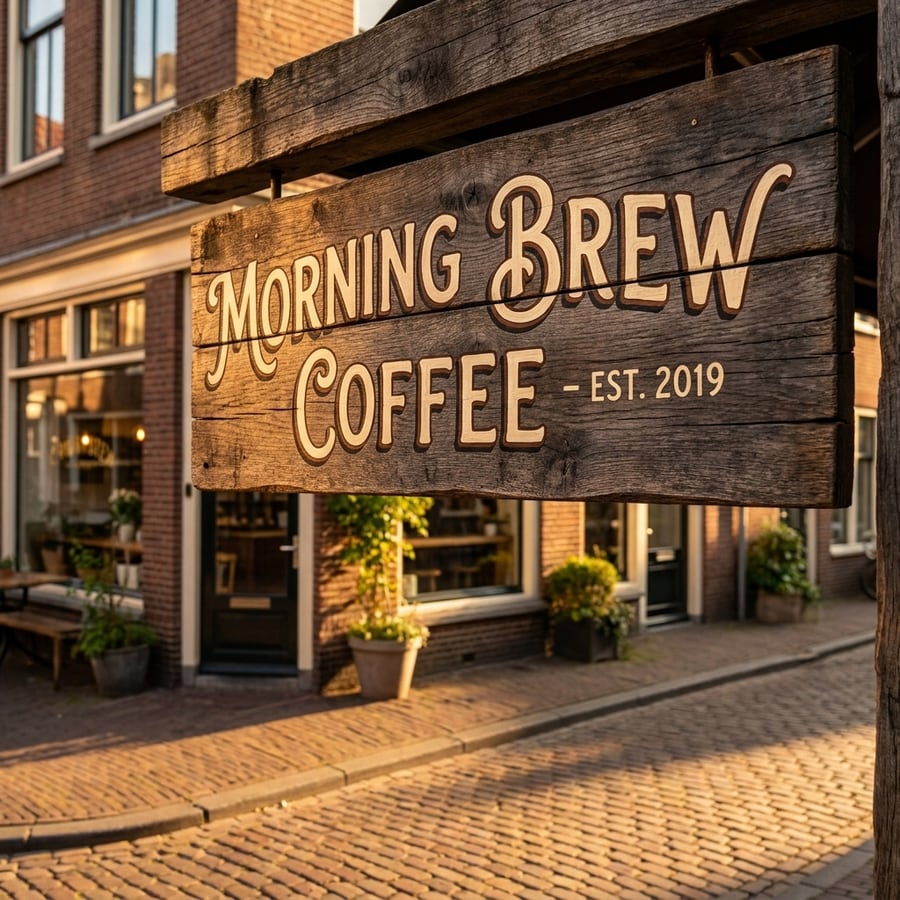
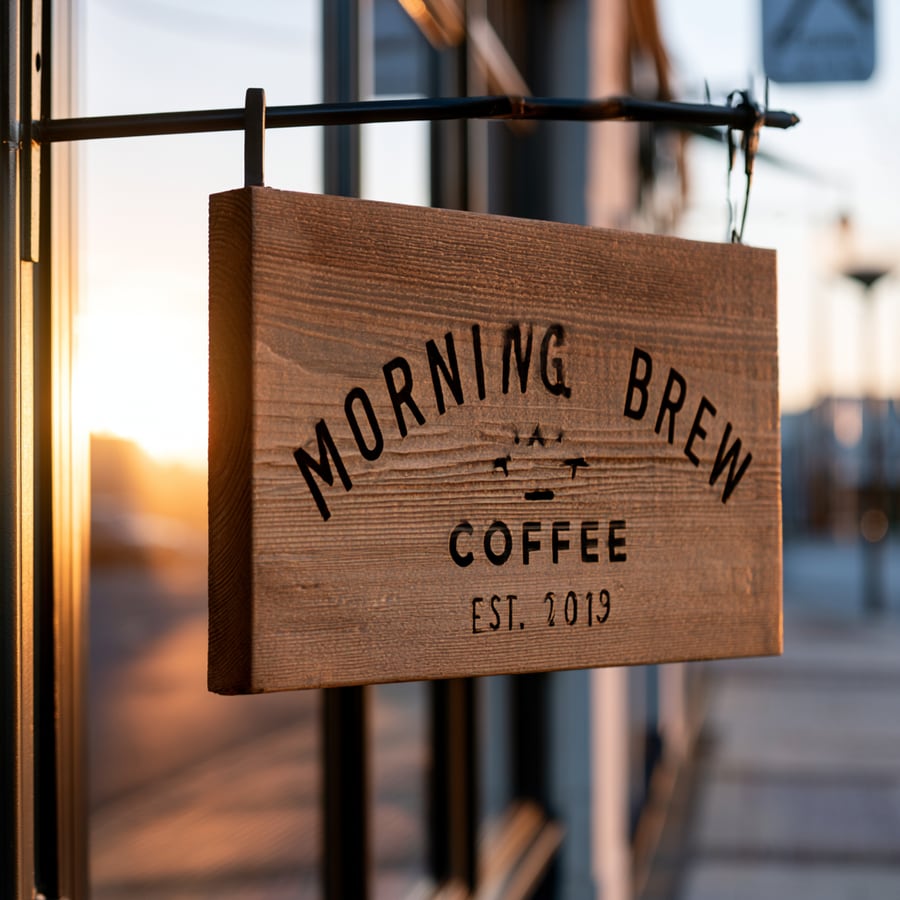
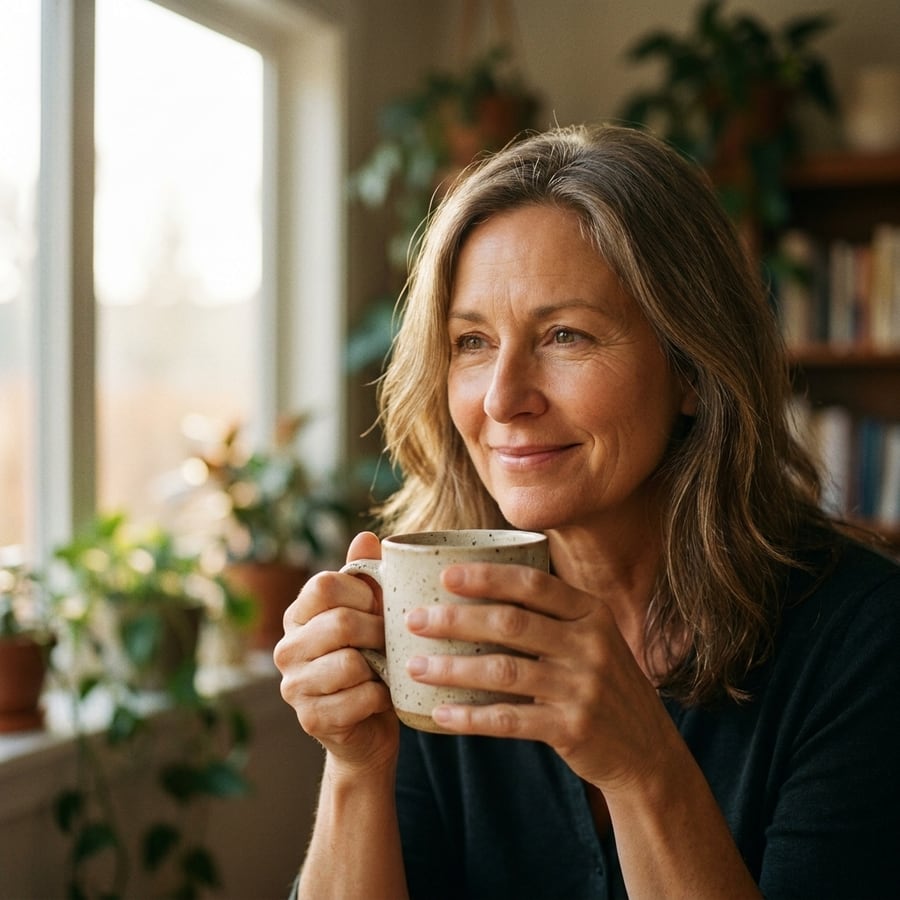
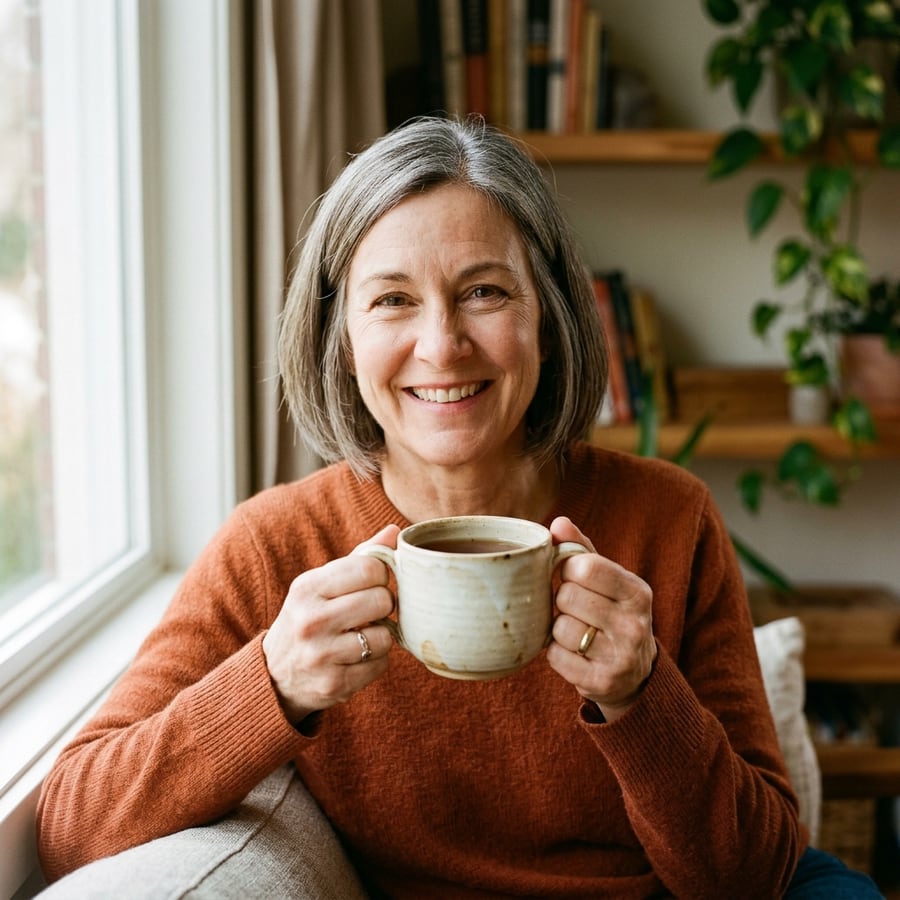
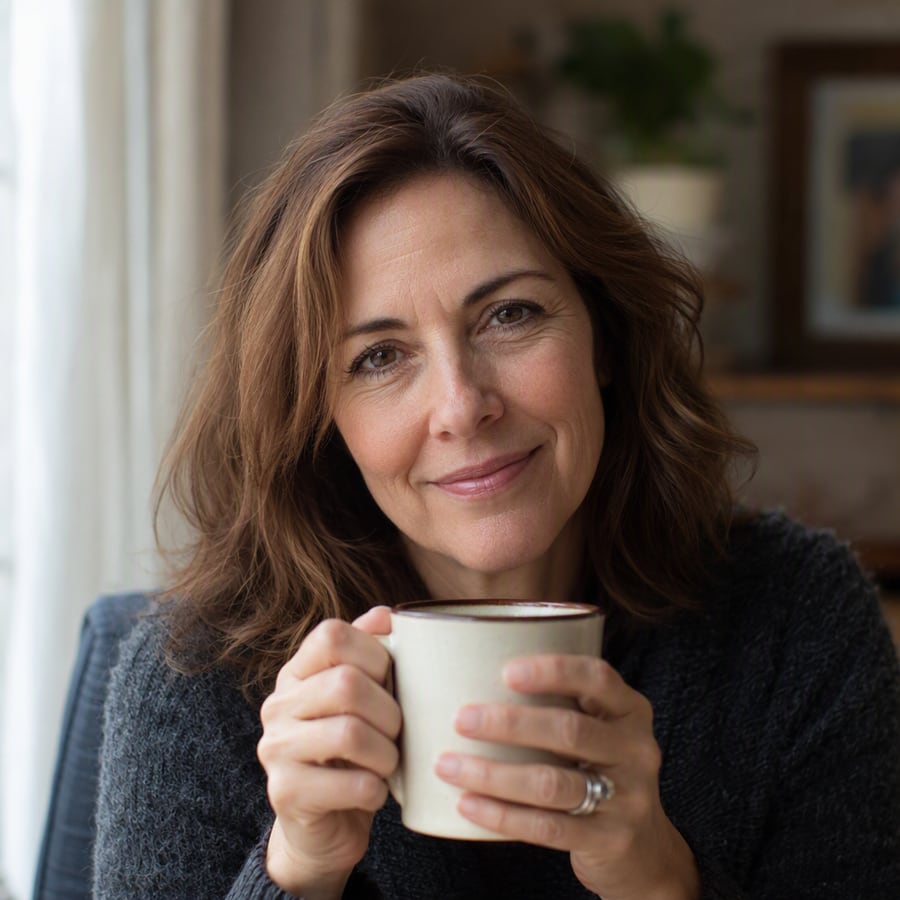
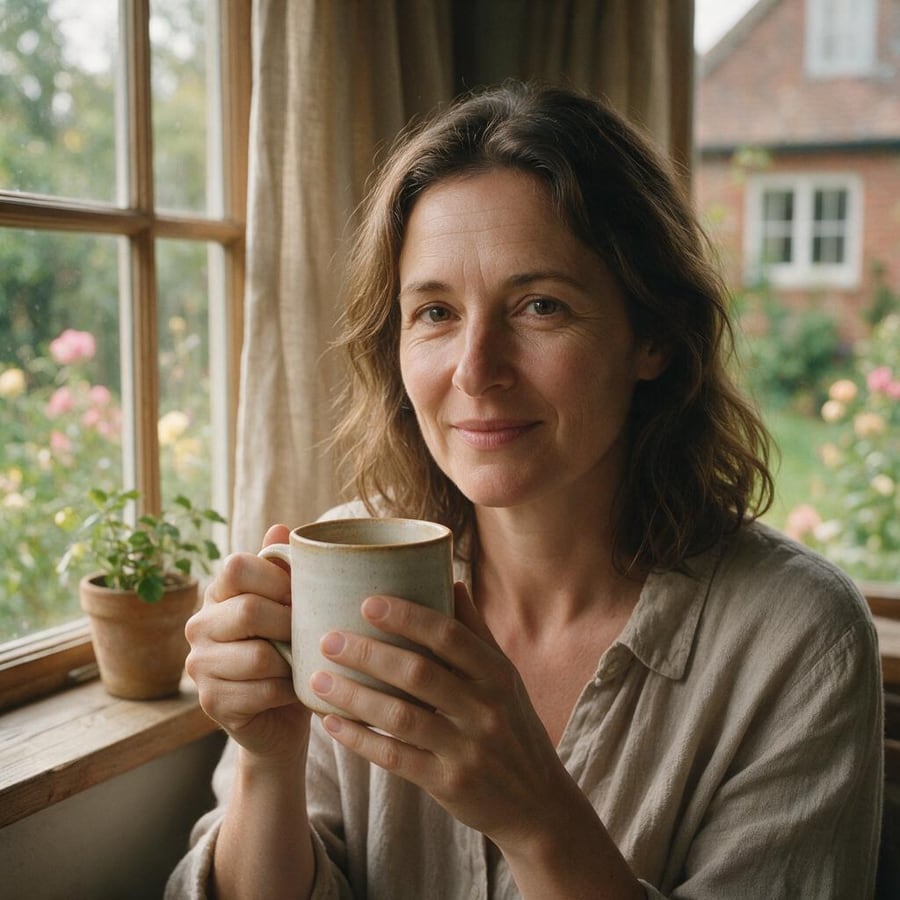
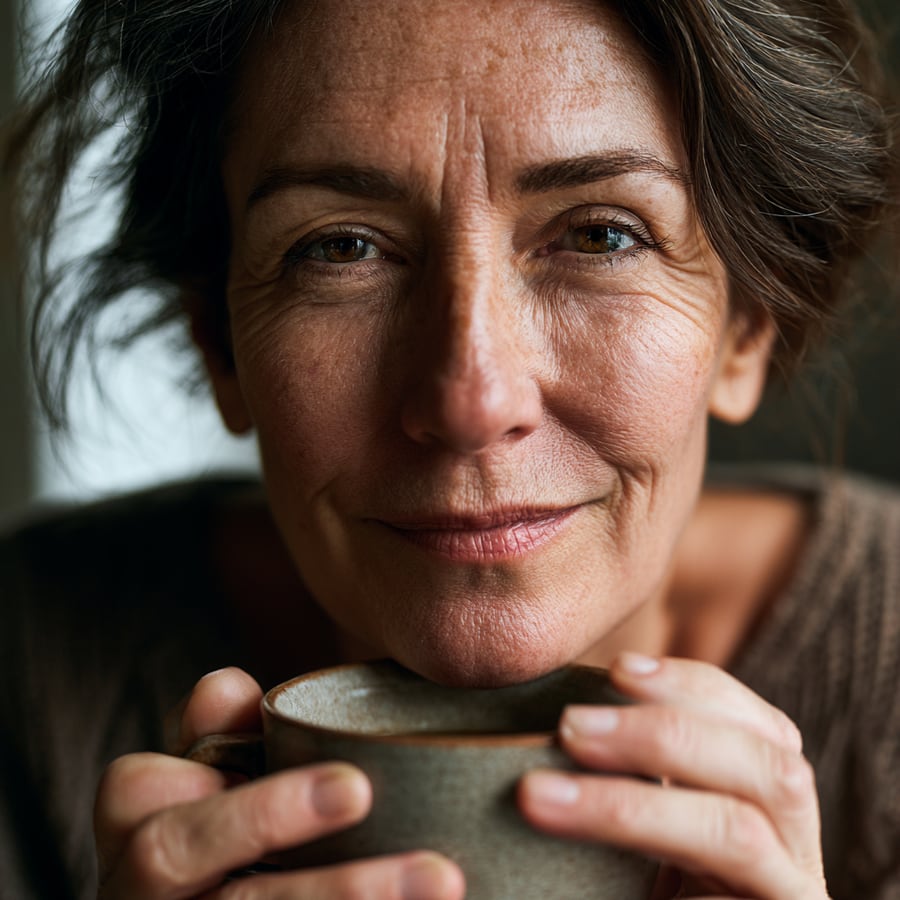
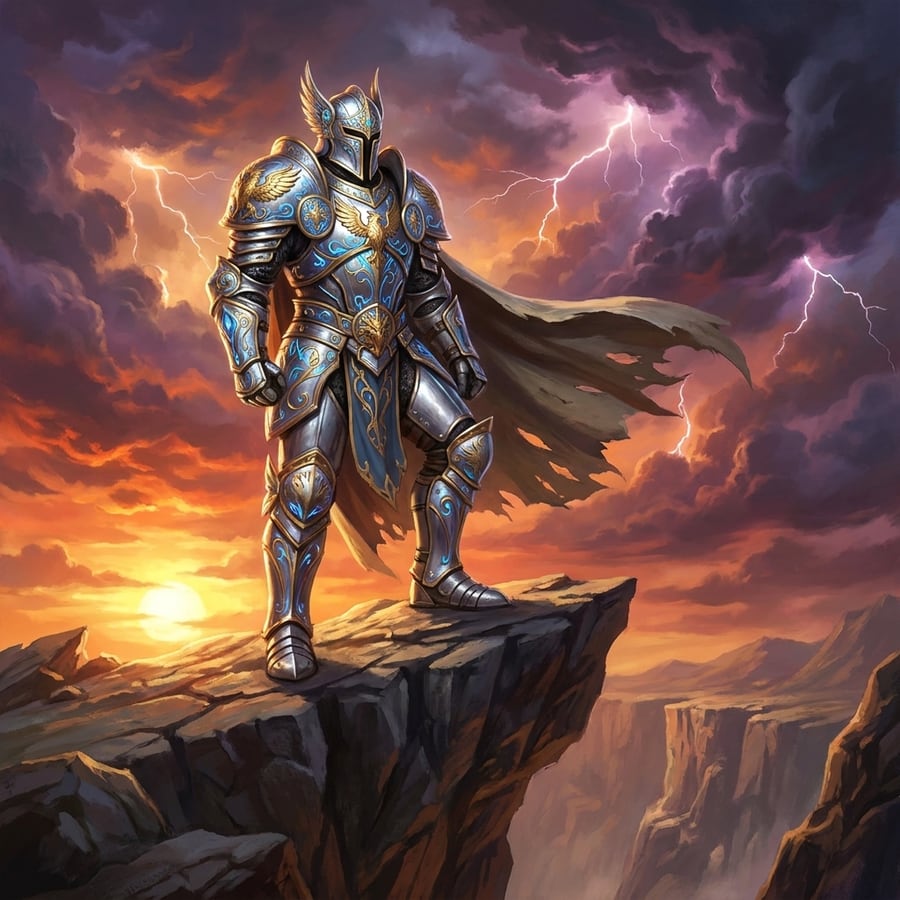
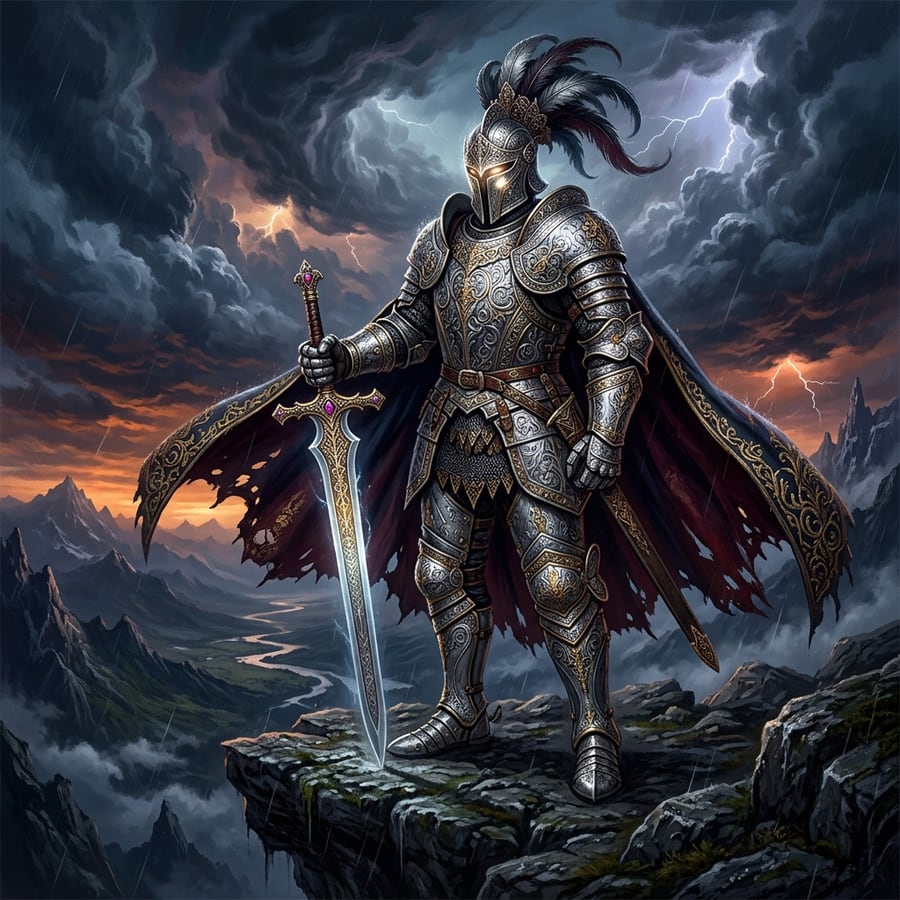
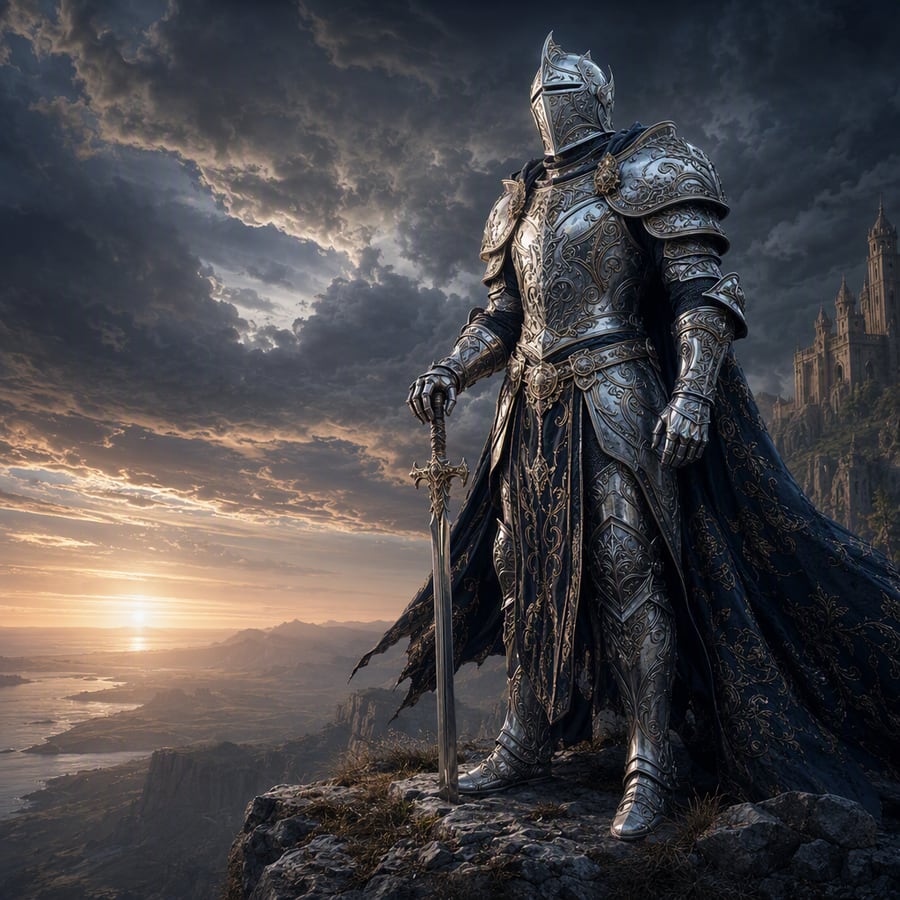
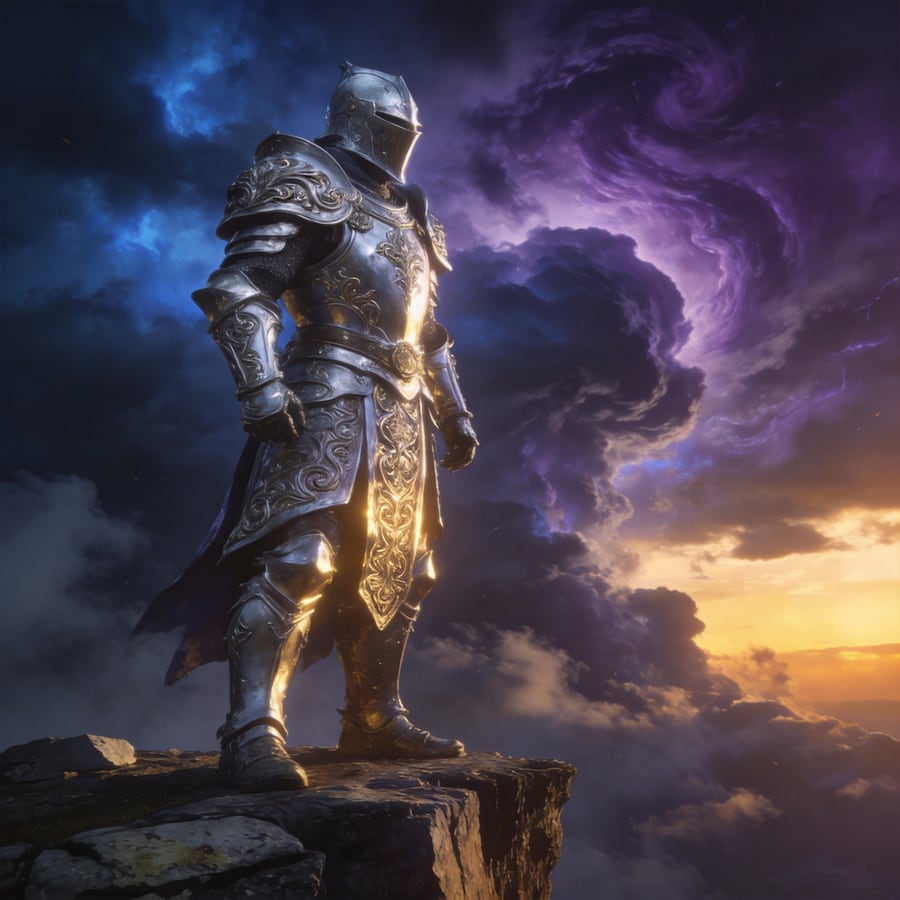
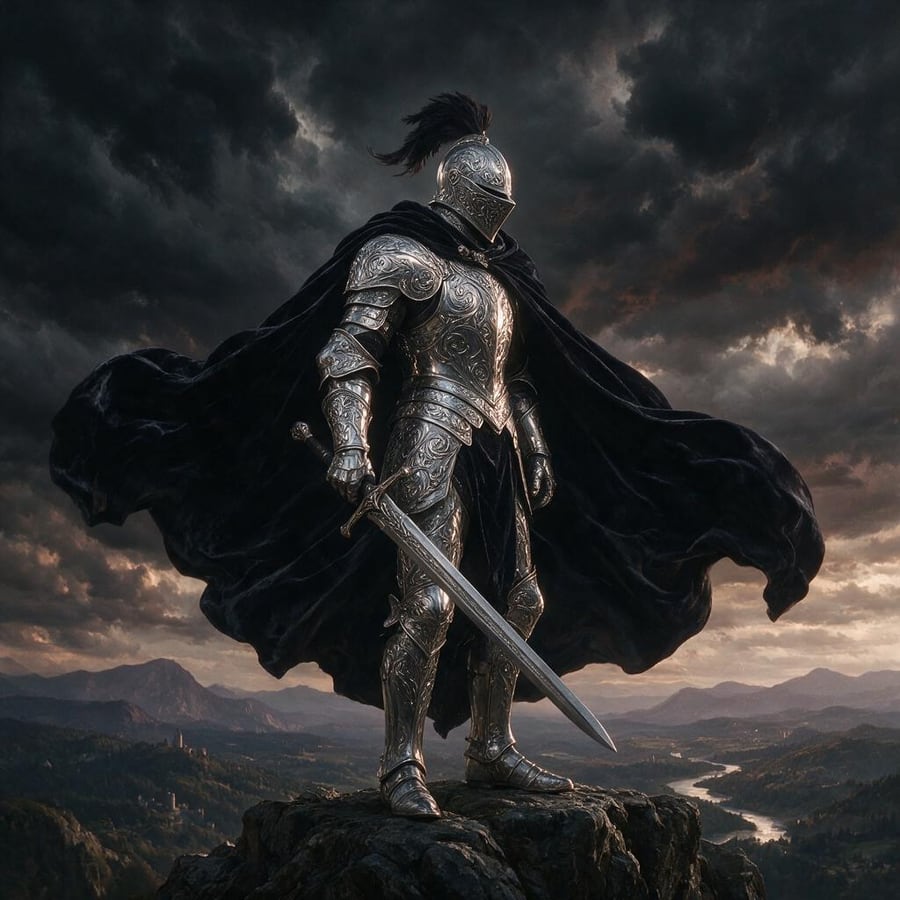
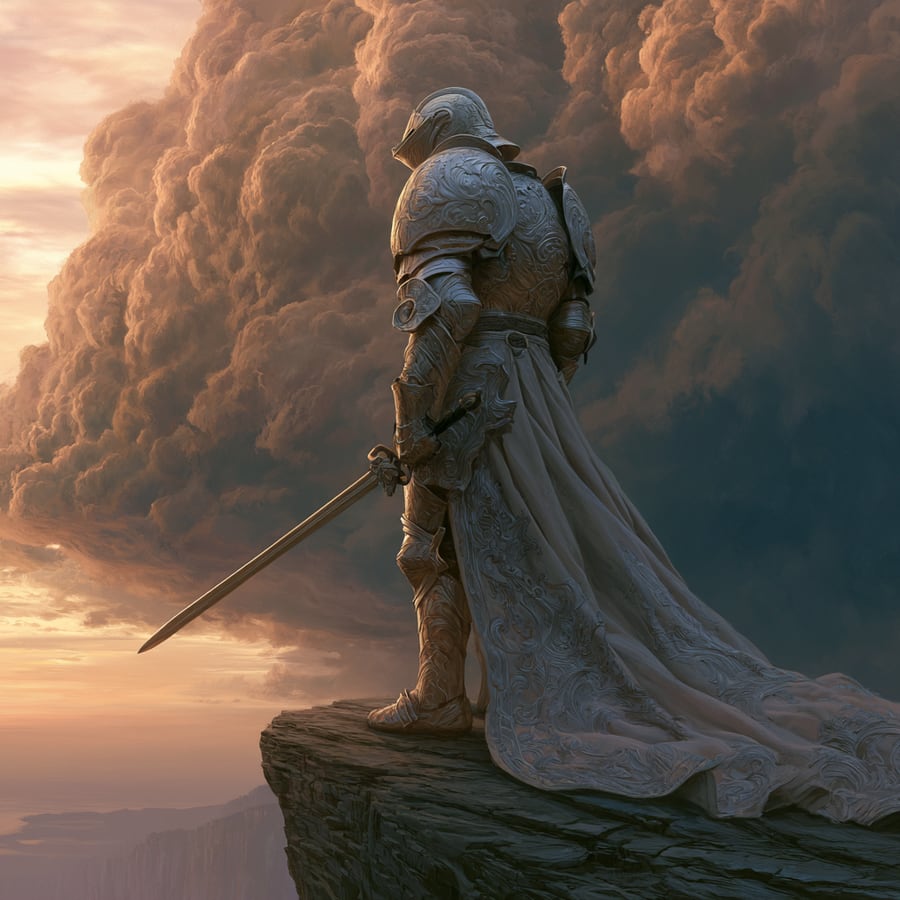
In August 2026 we ran four stress prompts — identical strings, zero per-model tuning — through all six generators on this list that run on our own pipeline, at 1:1 with default settings. Every image below is a single take from that session. Queue-to-image times: Midjourney V8.1 (fast mode, ~11s) and Seedream 4.5 (~13s) were the sprinters; Nano Banana Pro and GPT Image 2 landed around 55s, Nano Banana 2 (beta) around 60s, and Seedream 5 Pro took ~95s for the highest single-shot quality. One honest surprise: every model rendered our storefront sign word-for-word this round — text accuracy has stopped separating the top tier, and fine detail now decides.
Test 1 — Text rendering: a storefront sign with exact wording
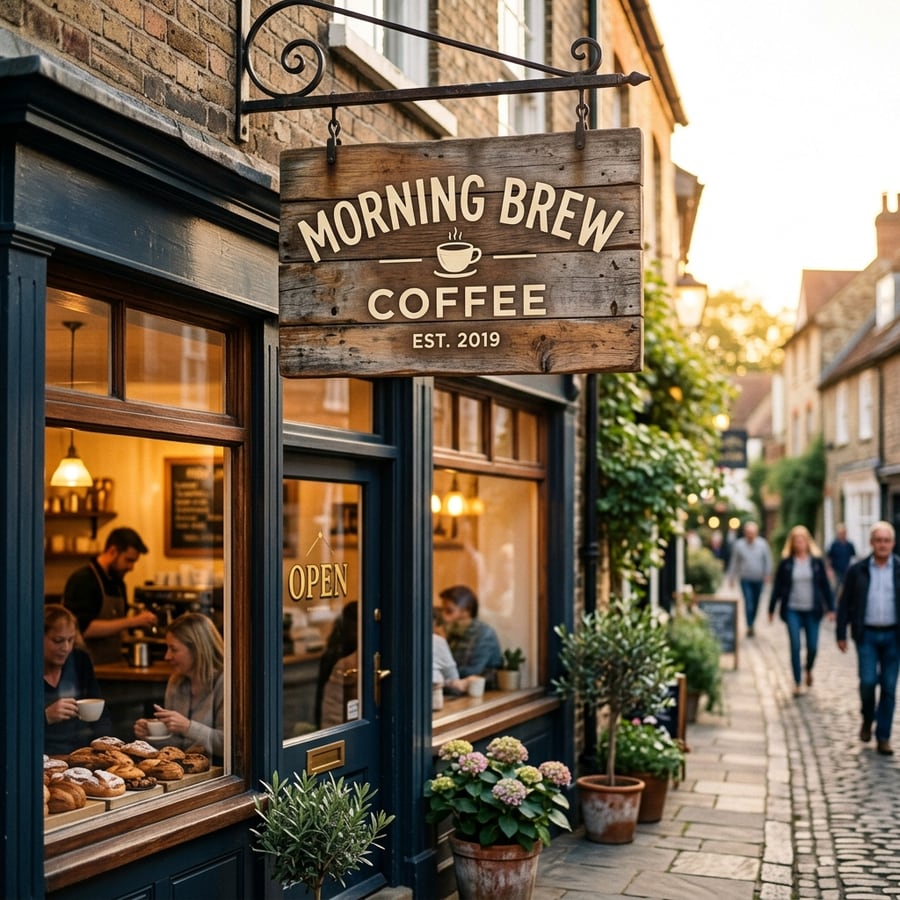
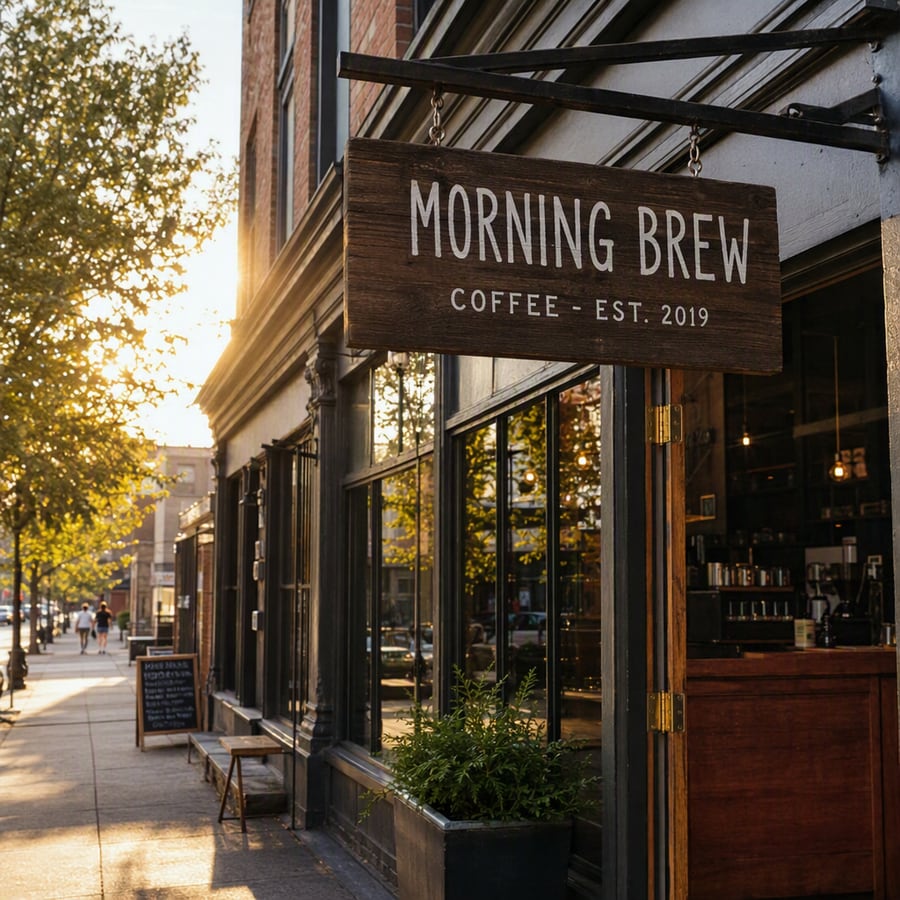
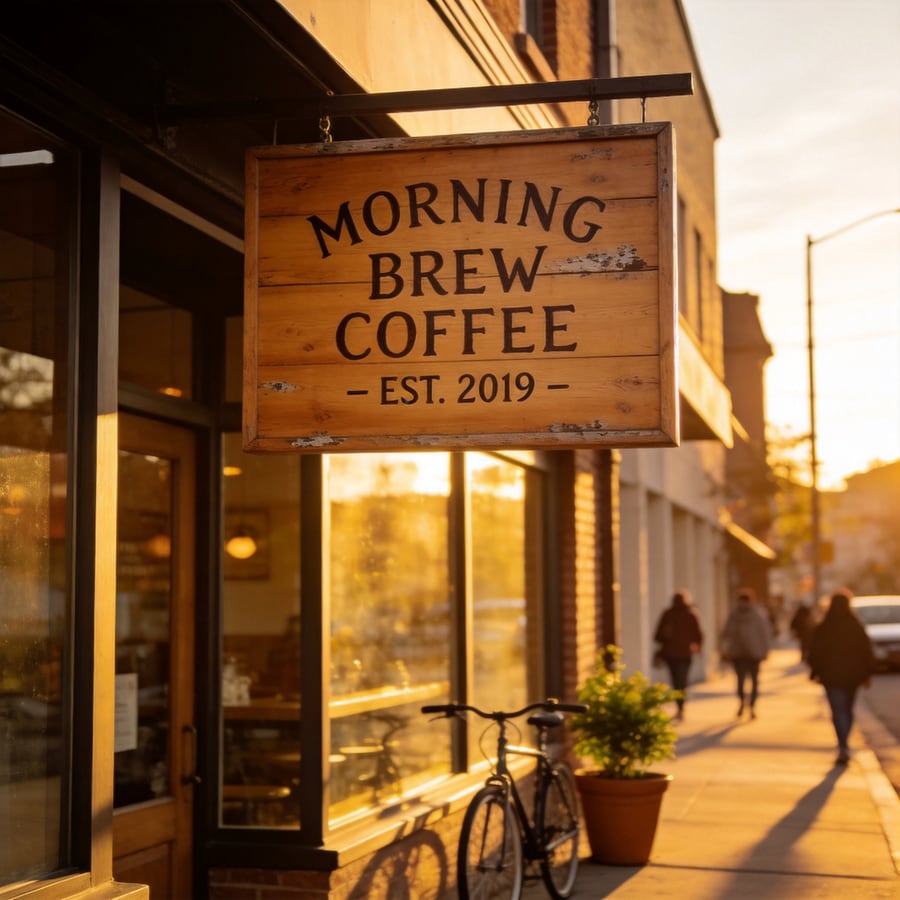
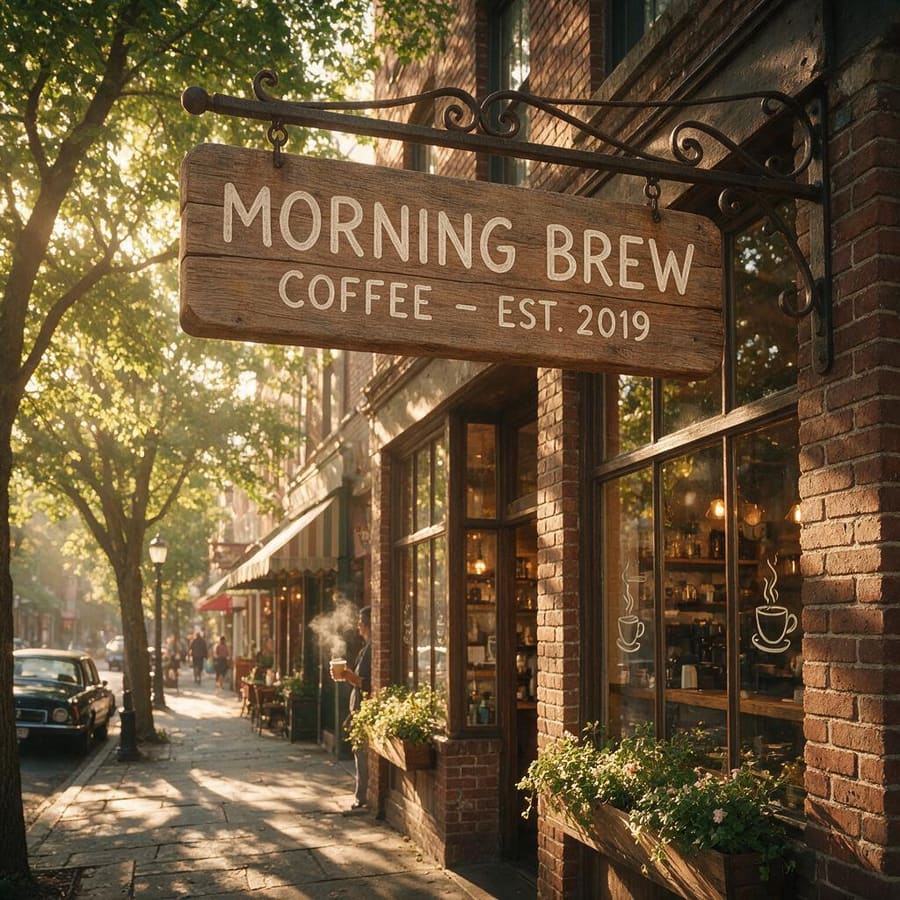
Test 2 — Hands & faces: a portrait holding a mug, both hands visible

Test 3 — Detail & style: an engraved fantasy armor concept
Test 4 — Commercial use: a studio product shot
Honest limits: Ideogram, Adobe Firefly, Stable Diffusion XL and Leonardo AI don't run on our pipeline, so they are scored from hands-on sessions in their own apps but are absent from this grid. Each cell is a single representative run, not a cherry-picked best-of-ten — which is exactly why some cells show the flaws we describe.
The 7 Dimensions That Actually Decide Your Choice
Text rendering (the least-tested gap)
This is where tools split hardest. Ideogram is the text champion (~95% accuracy); Midjourney still mangles anything beyond a few words. If you make posters, thumbnails, logos or product labels, this matters more than overall "beauty". Test your exact phrase first.
Hands, faces & anatomy
The six-finger meme is mostly solved on 2026 flagships (Nano Banana Pro, FLUX, Seedream), but free/older models still produce melted hands on complex poses. Judge a tool on a portrait with visible hands, not a landscape.
Censorship & false positives
A recurring Reddit complaint: "every AI I try blocks half my prompts." Cloud tools (DALL·E, Midjourney, Firefly) filter hardest; self-hosted Stable Diffusion filters least because you own the pipeline. There is no universally right setting — match strictness to your use case.
Speed (quietly decisive)
Rarely benchmarked, but fast models (~10s) let you iterate 5× faster than a 30–60s queue. For designers doing dozens of variations, speed is the feature. (Nano Banana Pro and Seedream 4.5 are both selectable on CreateVision AI.)
Real free tier (not bait-and-switch)
2026 has been the year of the disappearing free tier: Midjourney has no free trial, Grok removed free access. Watch for "unlimited" that means a daily cap then a slow queue. Genuinely free today: Google's Gemini free tier, self-hosted Stable Diffusion, and Z Image Turbo — a 0-credit, no-watermark model on CreateVision AI (free account required).
Commercial rights & licensing
The quiet legal landmine. Adobe Firefly is the safest answer (licensed training, commercial-use guarantee). Most others are ambiguous. If you use a model through CreateVision AI, free-tier images are for personal use and commercial rights require a Premium or Ultimate plan — stated plainly rather than buried.
Privacy (images public by default?)
Few people realise Midjourney makes your images public by default unless you pay for stealth. Self-hosted Stable Diffusion is fully private. If you generate client work or anything sensitive, check each tool's default visibility before you start.
Where CreateVision AI Fits (Honestly)
CreateVision AI is not another model on the list above — it is the studio that lets you run several of the best ones in one place. You pick the right engine per task instead of committing to a single platform.
The top models from this guide, in one login
Nano Banana Pro (our #1 for realism), GPT Image 2 (OpenAI's latest), and Seedream 4.5 are all selectable inside CreateVision AI — plus Nano Banana and Qwen Image Edit Plus. No separate subscription for each platform; no ChatGPT Plus needed for GPT Image 2.
A genuinely free model you can actually try
Z Image Turbo generates at 0 credits with no watermark, so you can test real output before paying for anything. No credit card, no 5-images-then-paywall trial.
Ava agent picks the model and sharpens your prompt
Tell Ava what you want; it routes to a fitting model and rewrites a rough prompt into a stronger one before generating — so beginners get pro-quality output without learning prompt engineering.
Honest about the trade-offs
CreateVision AI requires a free account, and commercial rights need a Premium or Ultimate plan. If all you want is to generate something right now without signing in, a no-login tool will serve you faster — and we will say so.
Best AI Image Generator for Each Job (2026)
Photoreal portraits & products
Top-rated 2026 realism — sharp face/skin detail, accurate hands, consistent lighting. Best when you need an image that looks like a photo, not an illustration.
Readable text: posters, logos, signs
Best-in-class for legible text inside images. Beats every other generator for menus, posters, signage and anything with words.
Artistic & stylised compositions
Still the gold standard for cinematic, painterly, editorial aesthetics. Worth the learning curve if artistic quality is the goal.
Commercial-safe by default
Trained on licensed content with a commercial-use guarantee — the safest pick when licensing certainty matters most.
Free, zero cost
Free and high quality. For free with no watermark on the web, CreateVision AI's Z Image Turbo (0 credits, free account) is the other strong pick.
One login, many models
Switch between Z Image Turbo (free), Seedream 4.5/4.0, Nano Banana Pro, Nano Banana and Qwen Image Edit Plus without separate subscriptions. Useful when no single model wins every task. Requires a free account.
Total control / self-hosted
Run locally, fine-tune on your own data, control every parameter and filter. Best for technical and privacy-sensitive workflows.
Beginners — zero learning curve
Describe your idea in plain language; Ava picks the model and sharpens the prompt for you. No prompt-engineering required.
How to Pick in 2026: It Depends on What You Make
There is no single "best AI image generator in 2026" — the honest answer depends on what you are making. Nano Banana Pro wins for photoreal portraits and sharp detail. Midjourney is still the gold standard for artistic composition. Ideogram is unmatched for legible text-in-image. FLUX leads open-weight photoreal. Adobe Firefly is the safest for commercial licensing. Stable Diffusion XL remains the open-source flagship for full control and privacy. If you would rather not learn each platform separately — or you want a genuinely free model to start with — CreateVision AI sits one layer above them: a free Z Image Turbo model (0 credits, no watermark), several pro models behind one login, and an Ava agent that picks the model and sharpens your prompt. It is not the single best at any one style, and commercial use needs a paid plan — but it removes the platform-juggling for everyday work. The takeaway: pick the model that matches your specific job from the rankings above, or use a multi-model studio if you would rather skip the comparison shopping. The era of "one model rules them all" is over.
Frequently Asked Questions
What is the best free AI image generator in 2026?
For zero cost with no signup, Craiyon and Perchance work but quality is modest. For free and high quality, Google's Gemini free tier and CreateVision AI's Z Image Turbo (0 credits, no watermark, free account required) are the strongest picks. Self-hosted Stable Diffusion is unlimited and free if you have the hardware.
Which AI image generator renders text correctly?
Ideogram is the most reliable for readable text (~95% accuracy), followed by ChatGPT / DALL·E and FLUX. Midjourney remains weak at text and often garbles anything beyond a few words.
Which has the best photorealism in 2026?
Nano Banana Pro (Google Gemini) currently leads on photoreal portraits and sharp realistic detail, with FLUX and Seedream 4.5 close behind. CreateVision AI provides access to Nano Banana Pro and Seedream 4.5 in its multi-model studio.
Can I use AI-generated images commercially?
It depends on the tool. Adobe Firefly offers a commercial-use guarantee from licensed training. On CreateVision AI, commercial use requires a Premium or Ultimate plan; the free tier is for personal use. Always check each platform's terms, since policies vary.
Why do AI generators reject my prompts?
Most cloud tools over-filter to avoid liability, so even innocent prompts (fantasy armor, art-history references) get flagged as violence or adult content. Self-hosted Stable Diffusion gives you the most control over filtering because you own the pipeline.
What is the fastest AI image generator?
Fast models like Nano Banana generate in roughly 10 seconds; Midjourney typically takes 30–60 seconds. For designers iterating on dozens of variations, that speed difference compounds quickly.
Do AI image generators add a watermark?
Some free tiers do (for example, several "free" tools watermark their output). CreateVision AI does not watermark free-tier images. Always check before using an image for anything public.
Are my generated images private?
Not always. Midjourney makes images public by default unless you pay for stealth mode. Self-hosted Stable Diffusion is fully private. On most other tools, check the default visibility and data-use terms before generating sensitive work.