

Why Are Perfect Couple Photos So Hard to Get?
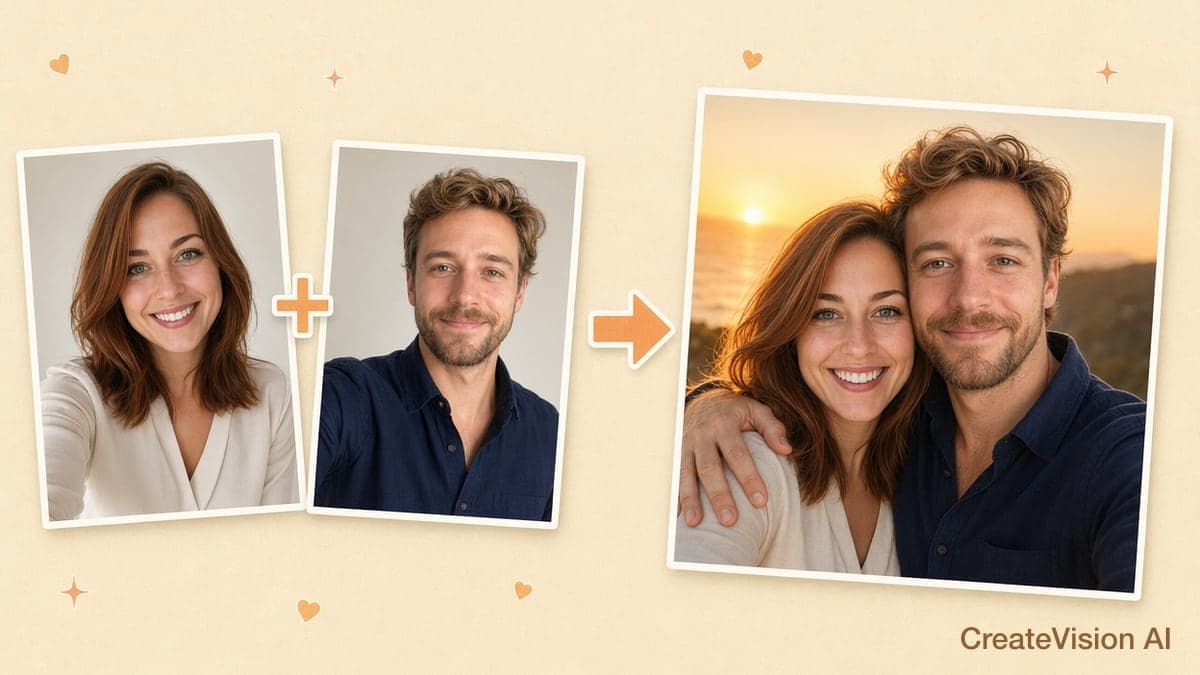
Every couple wants at least one photo that feels like them — and yet good couple photos remain stubbornly hard to get. Long-distance couples may not have a single frame together. Studio sessions cost $300–800 and take a full day. And the viral Gemini couple-photo trend has millions of people pasting prompts into chatbots, only to get back faces that don’t quite look like them. AI has genuinely solved this — if you use it right. Upload two individual photos, pick a scene, and get a natural-looking couple portrait in about half a minute. This guide walks you through all three ways to do it — the one-click maker, curated templates, and writing your own prompt — using CreateVision AI’s Couple Photo Maker, the tool that has long ranked at the very top of Google’s results for “AI couple photo maker” and is featured on There’s An AI For That. To prove it works, we ran a real test for this article: the same two selfies, generated across all ten scene presets, with every unedited result shown below.
The Four Pain Points of Traditional Couple Photography
Before the how-to, it helps to understand why so many couples end up here:
Long-Distance Relationships
"We've been together for two years, but we live on different continents. We have hundreds of selfies each — and not a single photo of us together." For millions of long-distance couples this is daily reality. Video-call screenshots capture moments, but not the kind of photo you can frame, print, or post on an anniversary.
Professional Studios Are Expensive
A basic couple session runs $200–400, engagement shoots $400–800, and wedding photography $2,000–5,000+. For an everyday romantic photo — not a once-in-a-lifetime event — those prices are simply out of proportion.
Too Much Time and Effort
Coordinating two schedules, choosing outfits, doing hair and makeup, traveling to the location, praying for good weather — a one-hour shoot becomes a full-day project. Most couples do it once a year at most, if ever.
Inconsistent Results
Even expensive studios don't guarantee photos you'll love. Photographer styles vary, lighting doesn't always cooperate, and natural chemistry is hard to perform on command. Paying $400 for stiff, over-posed photos is a common — and painful — outcome.
Three Ways to Make an AI Couple Photo — Pick Your Path
People search for AI couple photos with very different things in mind. Some just want one beautiful photo right now, with zero learning curve. Some arrived from Instagram or TikTok holding a style they want to reproduce. And some know exactly what they want and need full control. All three paths below end at the same place — a realistic photo of the two of you — so start with the one that matches how you like to work:
One-click scenes — the fastest
Upload two photos, tap one of 10 scene presets, done in about 30 seconds. No prompts, no settings, nothing to learn. Best for first-timers and anyone who just wants a great result now. The step-by-step guide below follows this path.
2Curated templates — trending looks
Browse 17 hand-picked couple photo templates — studio, travel, winter, wedding — each with the full prompt and a real example image. Best if you saw a style on social media and want that exact look.
3Your own prompt — full control
Write the scene yourself with the keyword building blocks further down, or describe it to Ava, our AI agent, in plain words. Best for creators with a specific picture in their head — and for anyone whose results elsewhere kept going wrong.
Way 1: The One-Click Maker (Step by Step)
The whole flow takes under two minutes and requires zero prompt-writing. Here is exactly what you do in the AI Couple Photo Maker:
Open the AI Couple Photo tool
Go to the AI Couple Photo Maker — it runs in your browser on both phone and desktop, no app install. Signing up is free.
Upload two individual photos
Drop in one photo of each person: Person 1 on the left, Person 2 on the right. Ordinary selfies work — the AI reads facial identity (face shape, eyes, skin tone, hair) from each photo. You don't need matching lighting, backgrounds, or even photos from the same year.
Pick one of the 10 scene presets
This is the step that replaces prompt-writing entirely. Each scene card — Romantic Sunset, Paris Love, Beach Walk and the rest — carries a professionally tuned prompt behind it: scene, lighting, wardrobe, pose direction, and skin-texture realism instructions. One click and it's all set.
Fine-tune if you want (optional)
The advanced panel offers 16 pose types (embrace, walking, forehead kiss, piggyback…), 4 photo styles, 4 mood settings, 4 lighting styles, and even lens choices from an 85mm portrait prime to a 35mm wide environmental shot. You can also type a short custom instruction. Or skip all of it — the defaults are tuned to look natural.
Choose quality and generate
Standard quality costs 40 credits, HD is 80, and Ultra HD is 240 — the price is shown on the button before you click, with no surprises. Generation takes about 10–30 seconds. Review the result, download it in full resolution, or tweak a setting and regenerate.
What makes a good input photo
- ✓Front-facing, with the face clearly visible
- ✓Head-and-shoulders framing or closer
- ✓Even, reasonably bright lighting
- ✓One person per photo
- ✗Group photos or photos with two faces
- ✗Sunglasses, masks, or heavy face-altering filters
- ✗Blurry, dark, or very low-resolution images
- ✗Extreme side profiles
The 10 Scene Presets — Tested With the Same Couple
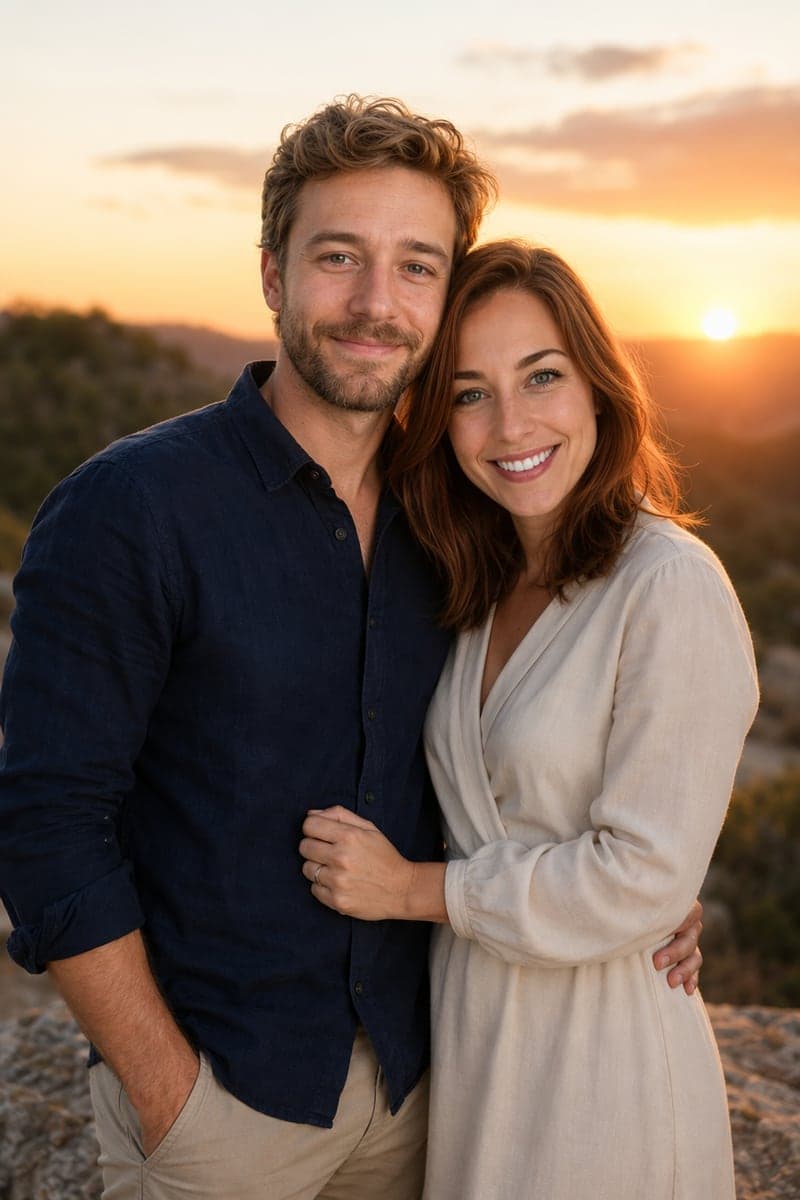
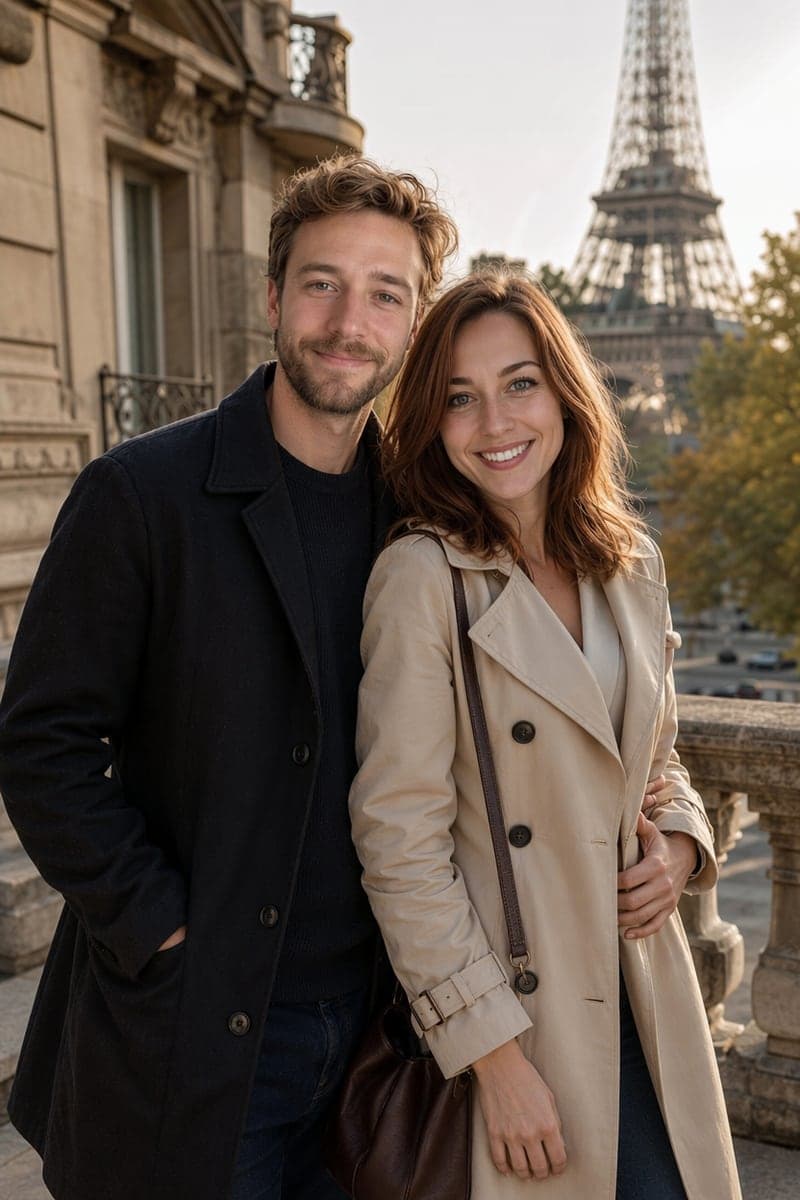
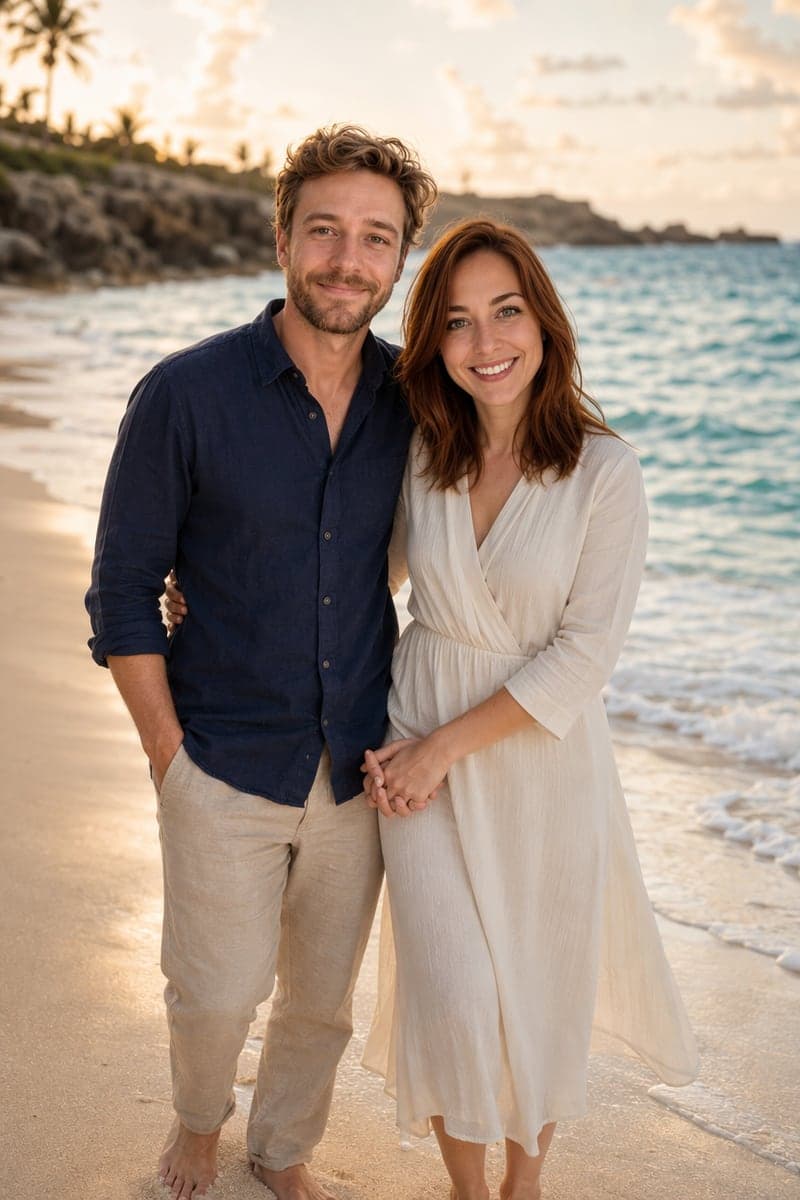
To show what each preset actually produces, we uploaded the same two selfies and generated all ten scenes at standard quality. Every image below is the unedited first result — no cherry-picking, no retouching. Notice how the same two faces stay recognizable while wardrobe, lighting, and mood change completely with each scene:
Romantic Sunset
Golden-hour warmth with rim lighting around both faces. The classic choice for anniversary posts and profile pictures — flattering light that works for almost everyone.
Paris Love
The Eiffel Tower, soft afternoon light, and chic European wardrobe. A favorite of long-distance couples who haven't made the trip together yet.
Beach Walk
A candid barefoot stroll at the water's edge, shot as if a friend walked a few steps ahead. The most "real vacation photo" of the ten — great for summer posts.
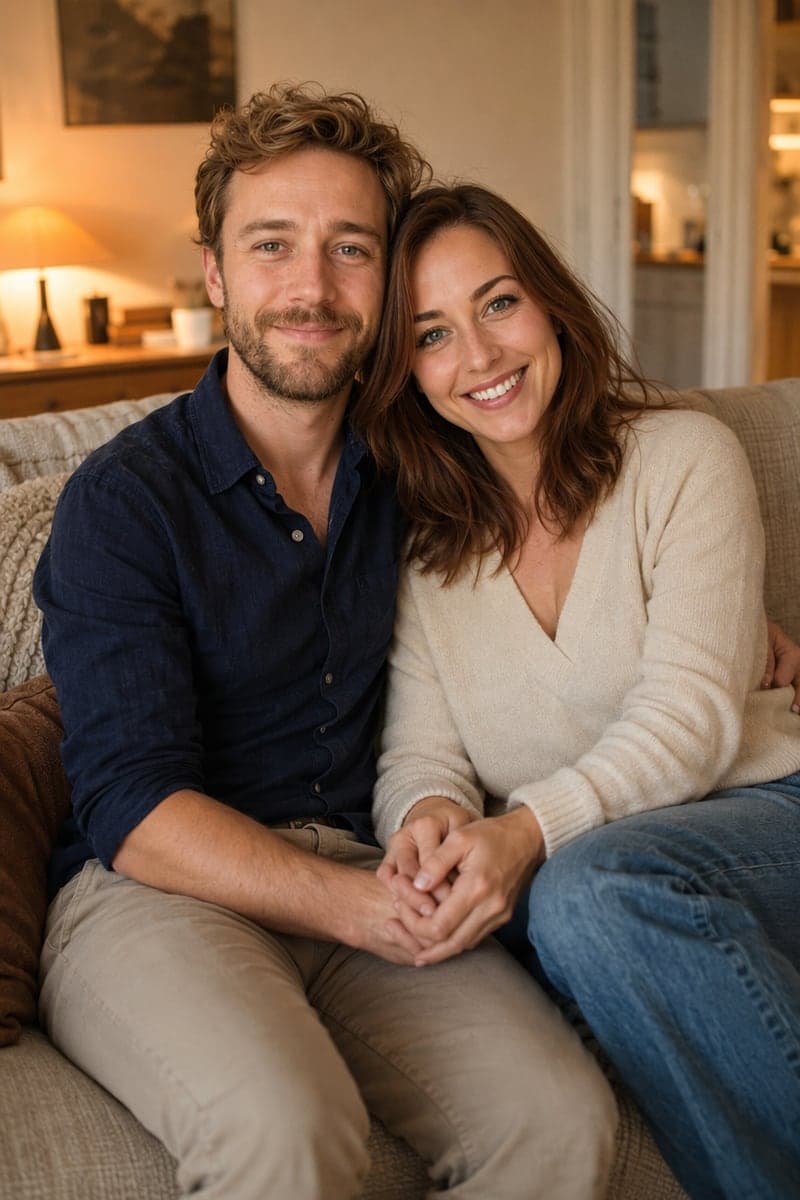
Cozy Home
Sofa, warm lamp light, comfortable clothes. The quiet, intimate option — this one reads like a photo a roommate snapped on a Sunday morning.
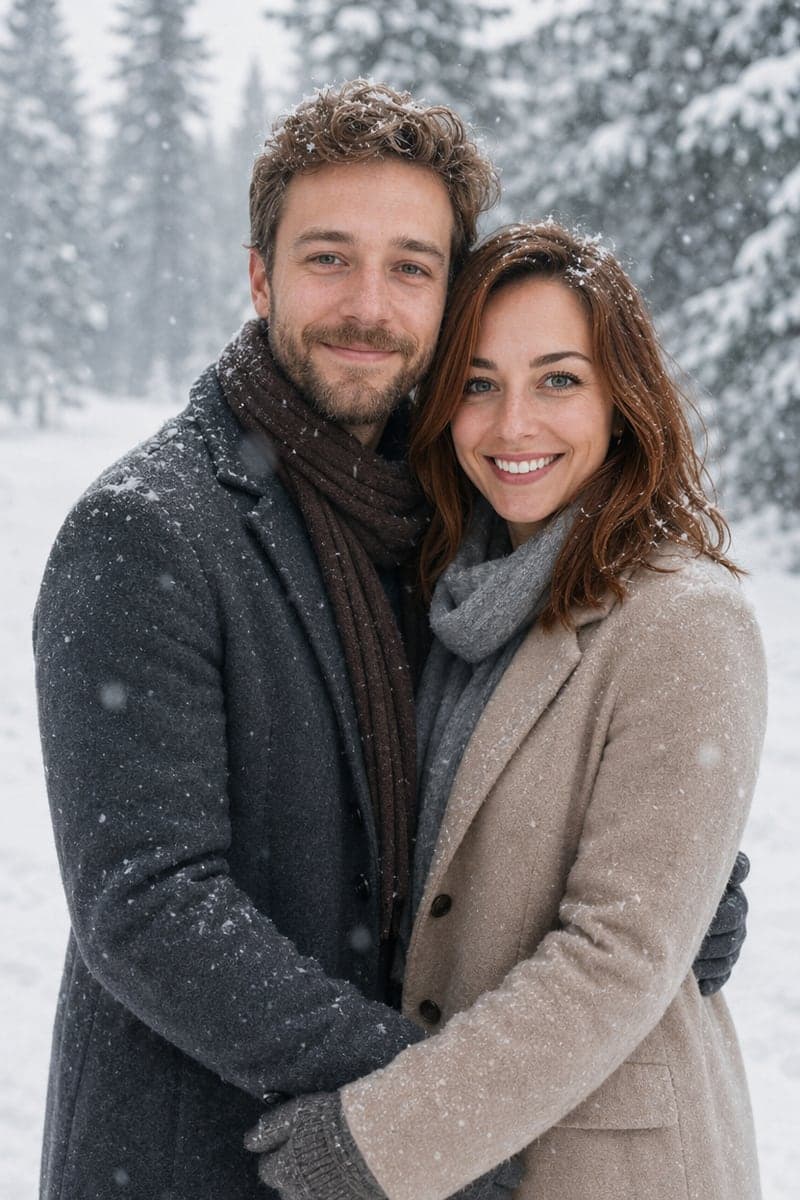
Winter Snow
Falling snow, winter coats and scarves, visible breath in the cold air. Made for December — holiday cards, New Year posts, and snow-trip memories you didn't get to take.
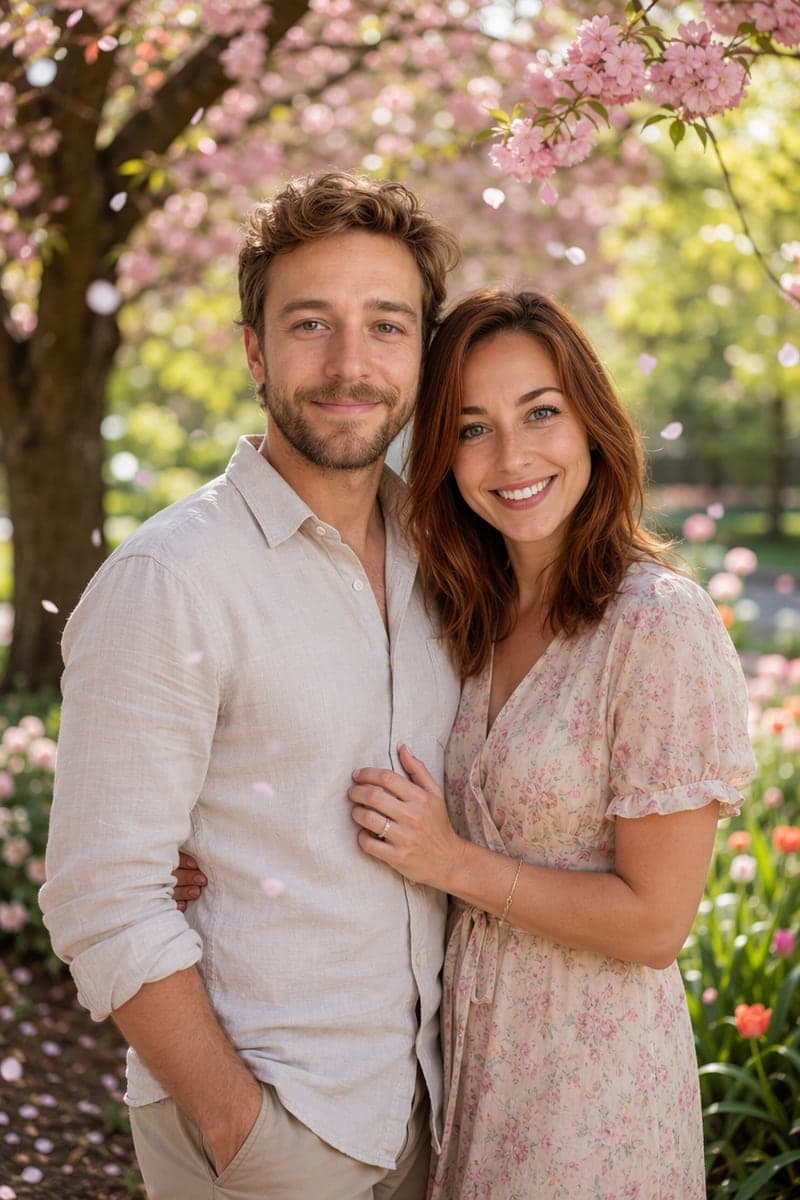
Garden Romance
Cherry blossoms and pastel spring outfits under dappled sunlight. The dreamiest, most editorial of the set — popular for engagement announcements.
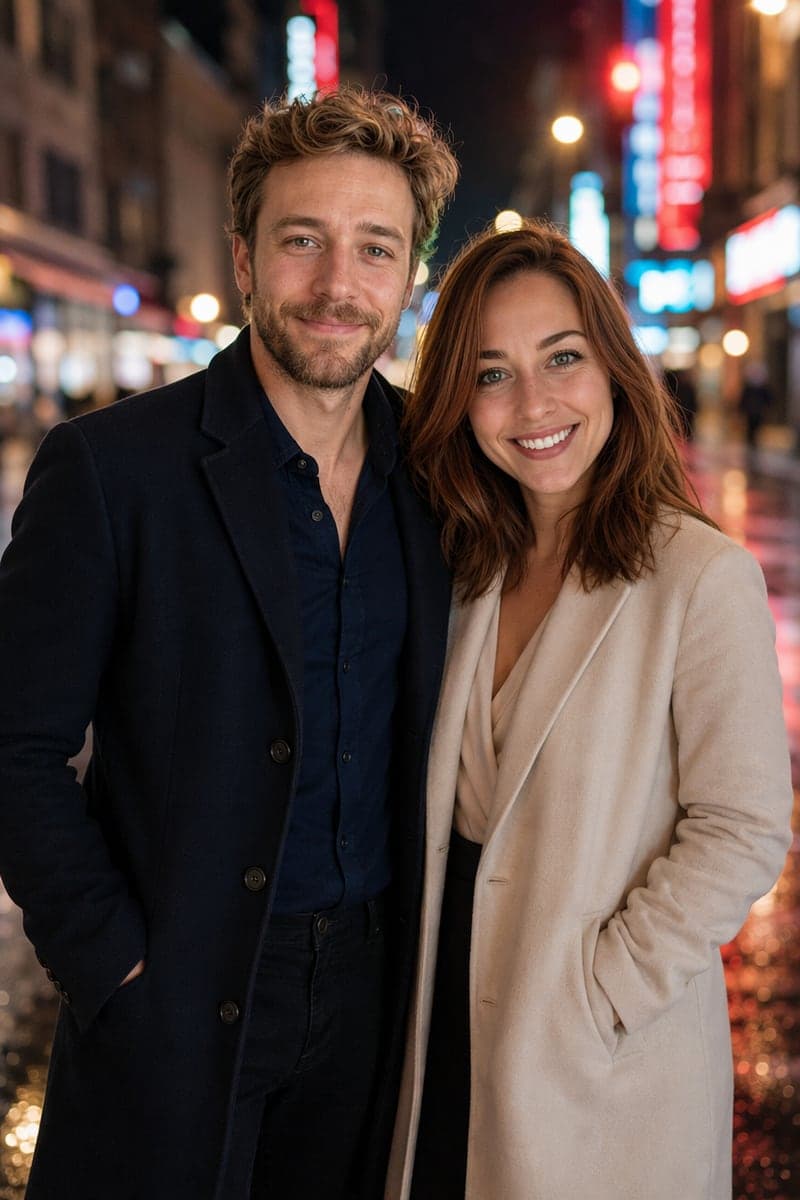
City Night
Neon bokeh, rain-slicked streets, cinematic shallow depth of field. The most stylized scene — if you want a movie-poster energy, this is it.
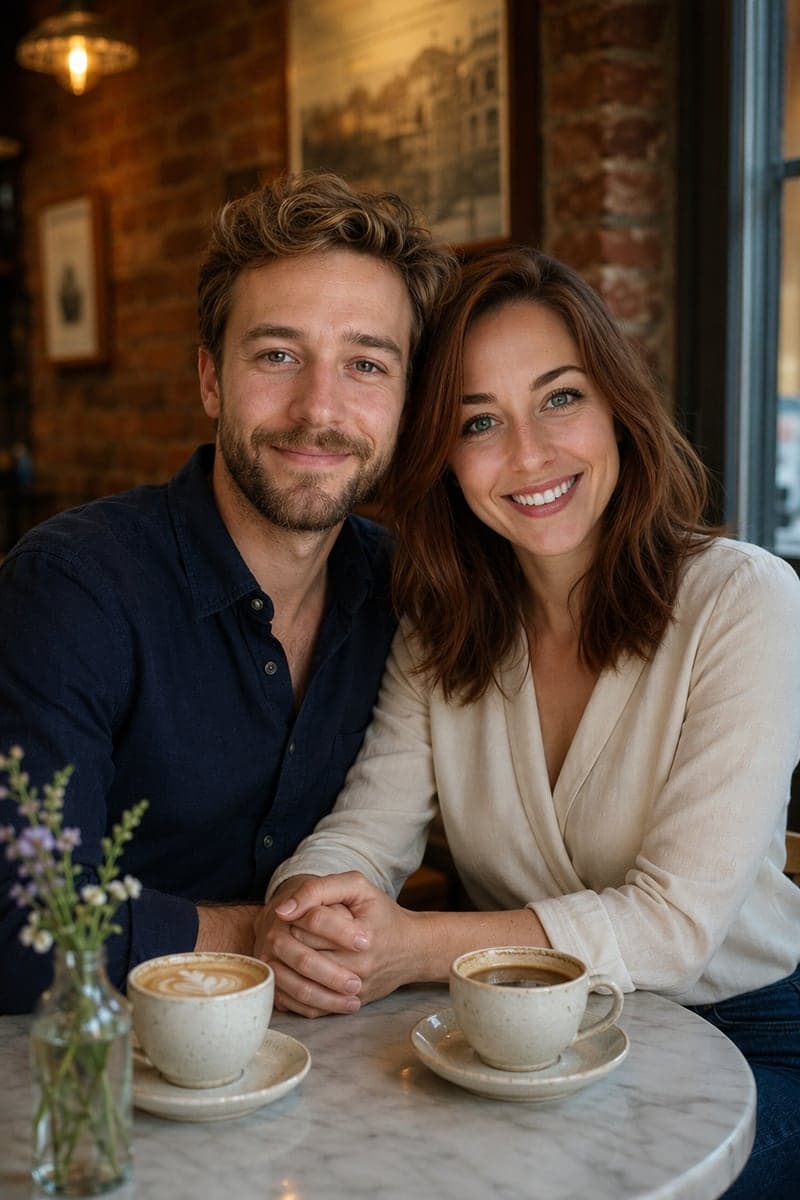
Café Date
A European café table, steam rising from the cups, soft window light. Understated and believable — the scene people most often mistake for a real photo.
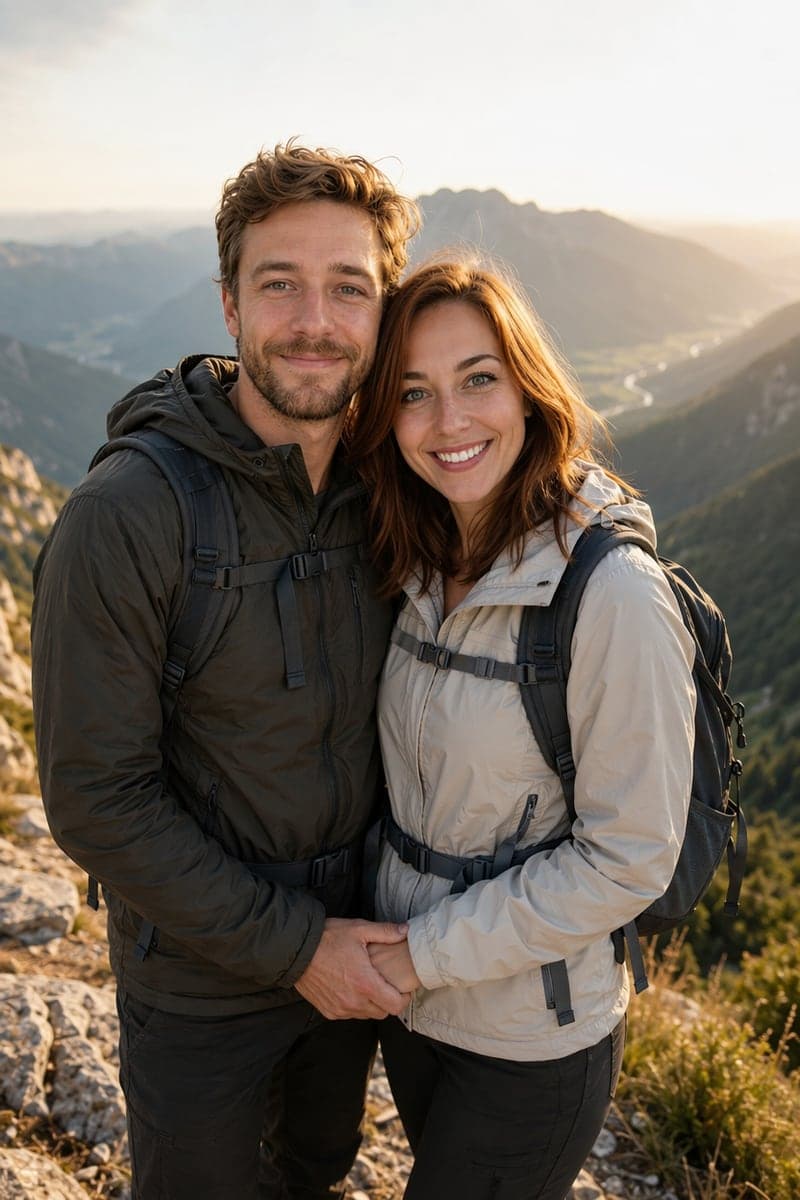
Nature Hike
Mountain summit, hiking gear, a panoramic golden-hour vista. For outdoorsy couples — and a natural fit for adventure-themed save-the-dates.
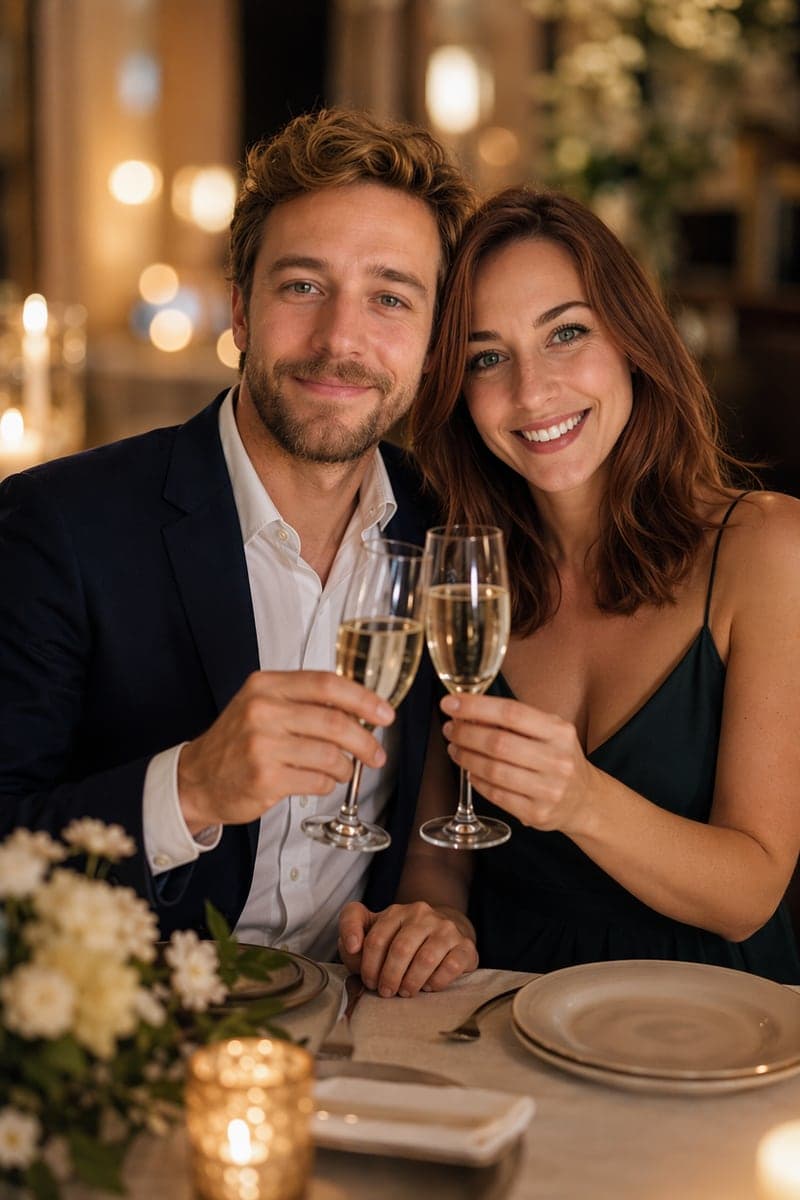
Anniversary
Champagne toast, candlelight, evening dress and suit. The most formal scene — built for milestone celebrations and printed keepsakes.
How the AI Makes a Couple Photo from Two Photos

Person 1

Person 2
Here are the exact input photos used for every scene above — two ordinary, separately taken portraits. The generator doesn't cut and paste the faces: it rebuilds each person in the new scene, preserving facial identity (bone structure, eyes, skin tone, hair) while re-lighting both faces to match the scene's light direction and color. That relighting step is what separates a believable couple photo from an obvious composite — flat, selfie-lit faces pasted onto a sunset background fool no one. Look at the sunset and café results above: the warm light wraps around both faces consistently, and the hands interlock naturally.
Way 2: Use a Couple Photo Template
If you came here from a viral post — a retro photobooth strip, a cinematic rain scene, a pre-wedding look — you don’t need to reverse-engineer the prompt. Our Couple AI Prompts collection gathers 17 hand-picked couple templates, each with the full prompt text and a real example image generated with Nano Banana Pro (Google’s Gemini 3 Pro image model). We hand-reviewed 45 candidates and kept 17 — celebrity lookalikes, IP mashups, and near-duplicates were cut, so what’s left is genuine range. A few favorites:
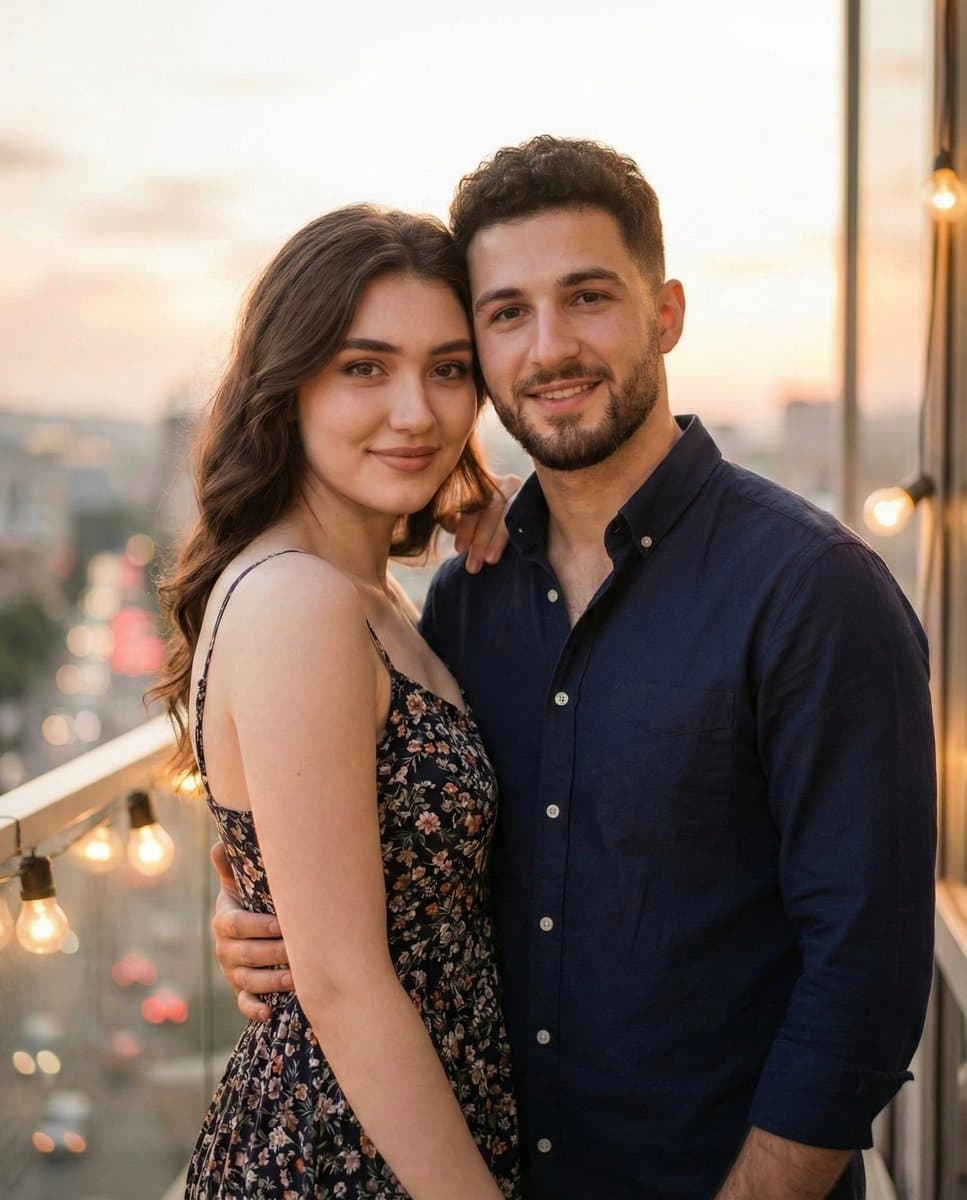
Photorealistic Romantic Couple Portrait
The all-rounder: identity-preserving, warm golden light — the closest to a classic studio shot.
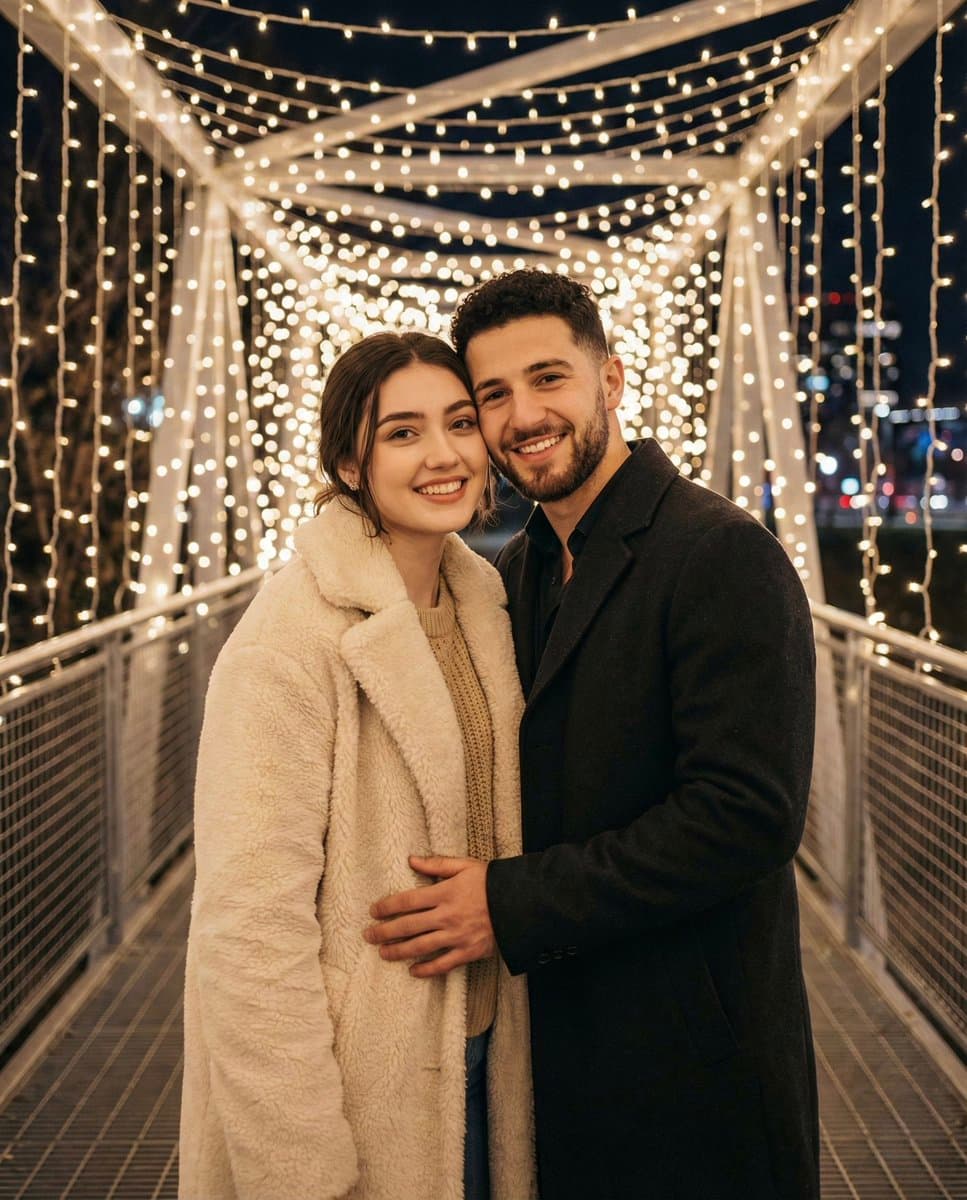
Romantic Winter Couple Portrait
Snow, coats, and cold-air glow, with faces locked to your photos.
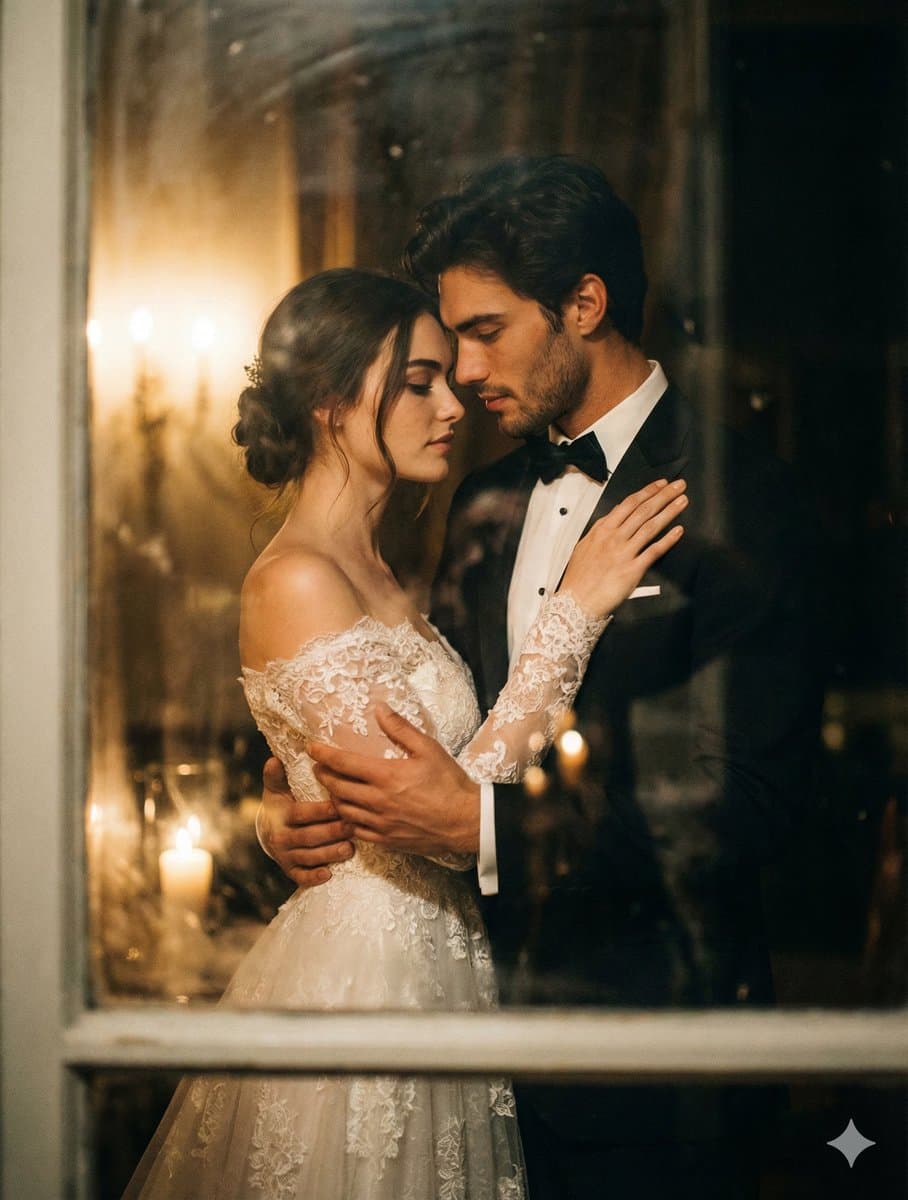
Wedding & Pre-Wedding Transformation
Turns two casual photos into engagement-shoot styling.
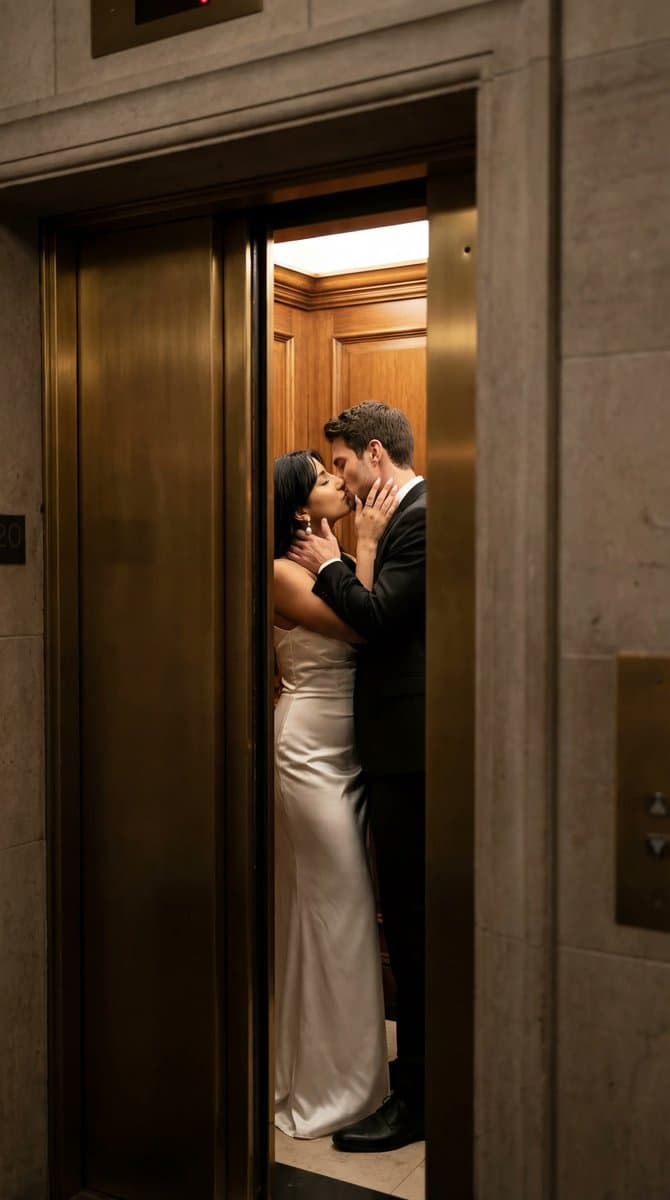
Cinematic Elevator Kiss
Moody film-still energy — the most cinematic of the set.
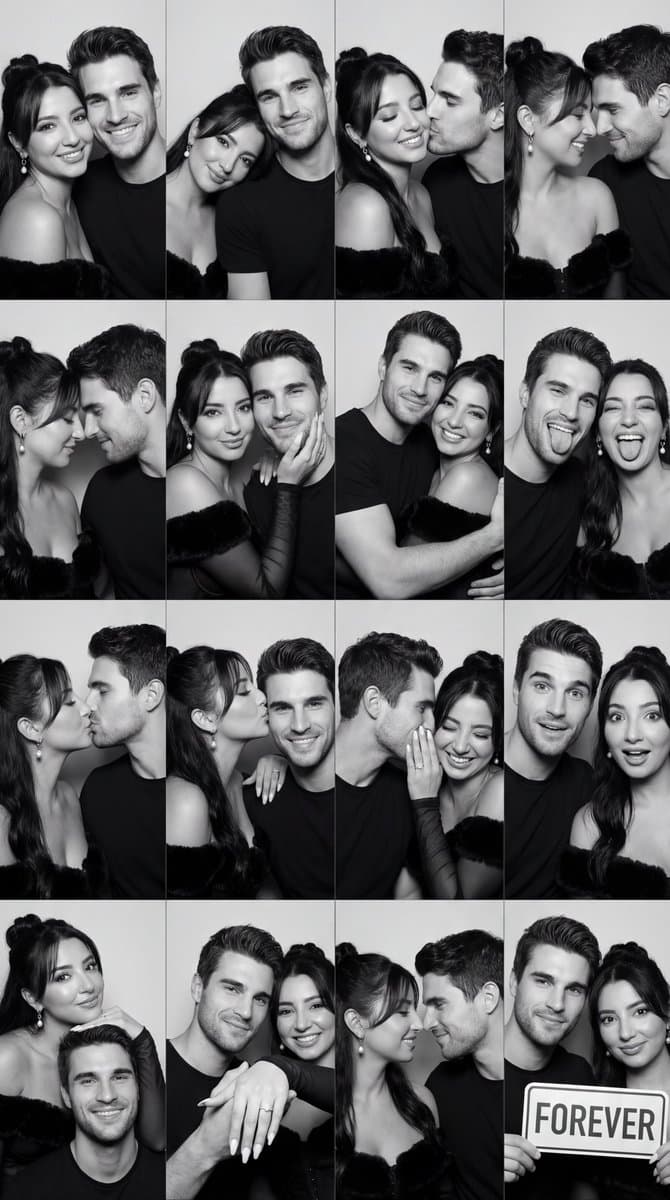
B&W Photobooth Grid (16 Panels)
The viral photobooth-strip look in a single generation.
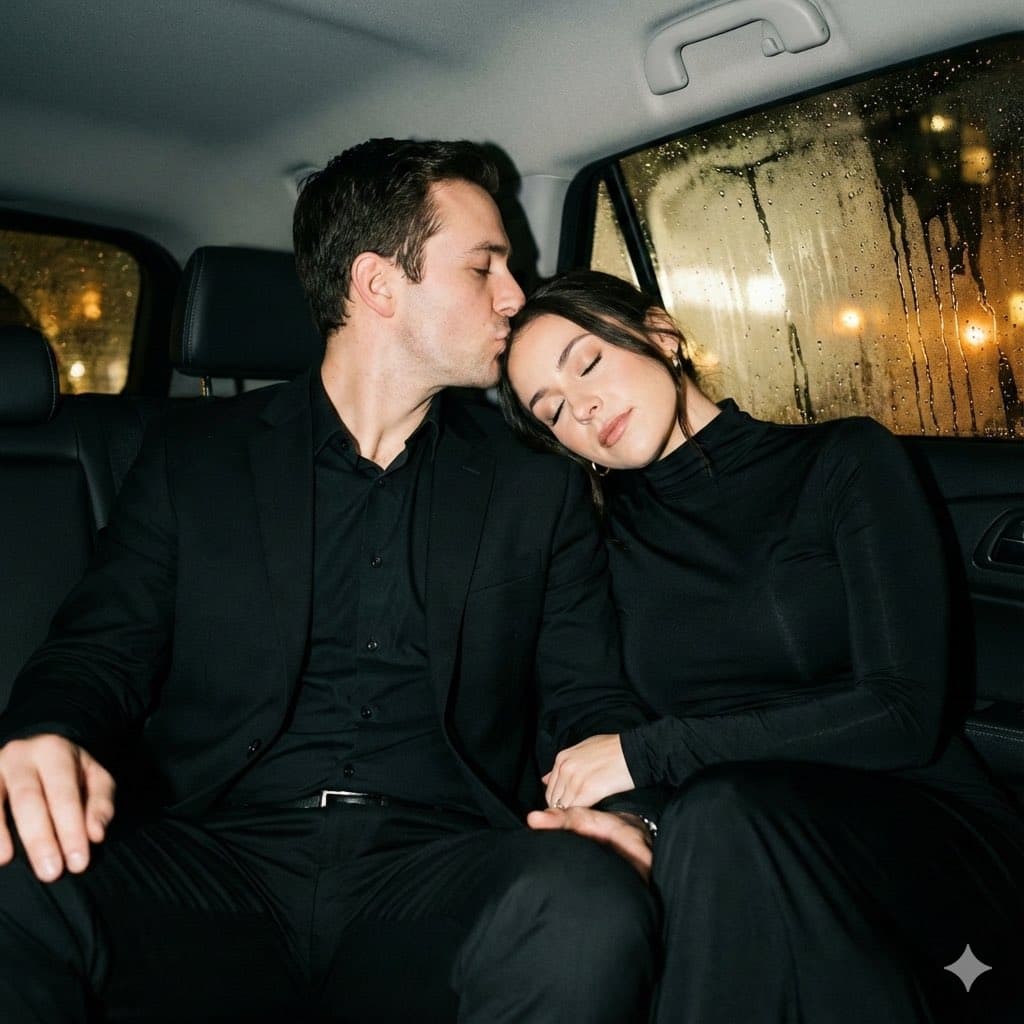
Y2K Flash Night Car Portrait
Direct-flash Y2K aesthetic, straight from your feed.
Every template page shows the example image, the full prompt, and a one-click way to run it here. And because each prompt states its identity-preservation rules explicitly, they also work pasted into Gemini or ChatGPT — though you’ll get steadier results running them on our engine.
Way 3: Write Your Own Prompt (or Let Ava Do It)
Maybe you have a very specific picture in your head: her in a red coat, him laughing, a Lisbon tram passing behind. This is where manual prompting shines — and where most general-purpose generators quietly fail. Before the building blocks, it’s worth understanding why.
Why couple prompts fail on general generators
Couple photos are the hardest identity task in AI imaging: two faces must stay recognizably themselves while pose, lighting, and wardrobe all change around them. The failure modes we hear about most — and reproduced ourselves while testing competitors — are always the same: faces drift into generic “AI people” once the scene description takes over; skin turns waxy and poreless; interlocked hands melt; and the light on the faces doesn’t match the scene, giving that pasted-on composite look. The root cause is usually identical — the prompt describes the scene but never explicitly protects the two identities.
The keyword building blocks that work
A reliable couple prompt covers six things, in roughly this order:
| Identity anchor (always first) | “keep both people clearly recognizable from the uploaded photos — same face shape, eyes, skin tone, hair” |
| Scene & time | “golden-hour beach”, “rainy neon street at night”, “candle-lit rooftop dinner” |
| Pose & interaction | “walking hand in hand”, “forehead kiss”, “arm around her waist, candid laughing” |
| Lighting | “warm rim light”, “soft window light”, “direct flash at night” |
| Camera language | “85mm portrait lens, shallow depth of field”, “35mm film, slight grain” |
| Realism guard (always last) | “real skin texture with visible pores, not smooth or plastic” |
Or just tell Ava
If assembling keywords isn’t your idea of fun, describe the photo to Ava, our AI agent, in plain language: “us on a rainy night train platform, cinematic, she’s wearing my jacket.” Ava turns it into a properly structured prompt, picks the right model, and shows you the credit cost before generating. Manual-level control, without the manual.
Copy-Paste AI Couple Photo Prompts (Gemini & ChatGPT)
Searching for couple photo prompts to paste into Gemini or ChatGPT? The 15 below are tuned with the same identity-preservation and skin-realism rules our one-click scenes use — upload your two photos to the AI of your choice, then paste a prompt as-is. Two honest notes: prompts are kept in English because image models follow them most reliably, and results in a general chatbot will vary run to run. If you'd rather skip prompt-wrangling entirely, every style here maps to a one-click scene or a short custom instruction in our couple photo tool.
Retro & Polaroid
Using the two uploaded photos, create one photo of us together as a 1990s film photograph: slight grain, warm faded colors, soft flash lighting, vintage casual outfits, standing close and laughing. Keep both people clearly recognizable from the uploaded photos — same face shape, eyes, skin tone, and hair — but give them natural relaxed expressions that fit the scene. Render real skin texture with visible pores, not smooth or plastic. It should look like a real scanned 90s photo print.
Using the two uploaded photos, create a single vintage Polaroid picture of us together: white Polaroid frame, slightly washed-out colors, direct flash at night, we hug and smile at the camera. Keep both people clearly recognizable from the uploaded photos — same face shape, eyes, skin tone, and hair — but give them natural relaxed expressions that fit the scene. Render real skin texture with visible pores, not smooth or plastic. Authentic instant-photo look, casual clothes, plain indoor background.
Using the two uploaded photos, create one timeless black-and-white portrait of us together: soft window light, gentle film grain, elegant simple clothing, faces close, quiet intimate mood. Keep both people clearly recognizable from the uploaded photos — same face shape, eyes, skin tone, and hair — but give them natural relaxed expressions that fit the scene. Render real skin texture with visible pores, not smooth or plastic. Classic fine-art photography style, sharp focus on both faces.
Romantic Scenes
Using the two uploaded photos, create one realistic photo of us walking hand in hand on a beach at golden hour: warm sunset light wrapping both faces, gentle waves, light summer clothes, candid laughing moment as if a friend photographed us. Keep both people clearly recognizable from the uploaded photos — same face shape, eyes, skin tone, and hair — but give them natural relaxed expressions that fit the scene. Render real skin texture with visible pores, not smooth or plastic.
Using the two uploaded photos, create one realistic photo of us together in Paris with the Eiffel Tower behind us: soft afternoon light, chic European outfits, my partner's arm around my waist, both smiling at the camera. Keep both people clearly recognizable from the uploaded photos — same face shape, eyes, skin tone, and hair — but give them natural relaxed expressions that fit the scene. Render real skin texture with visible pores, not smooth or plastic.
Using the two uploaded photos, create one cinematic photo of us under one umbrella on a rainy city street at night: neon reflections on wet pavement, shallow depth of field, stylish coats, faces lit softly by street light. Keep both people clearly recognizable from the uploaded photos — same face shape, eyes, skin tone, and hair — but give them natural relaxed expressions that fit the scene. Render real skin texture with visible pores, not smooth or plastic.
Christmas & Seasonal
Using the two uploaded photos, create one cozy photo of us together in matching knit sweaters beside a decorated Christmas tree: warm fairy lights bokeh, fireplace glow, holding mugs of cocoa, genuine happy smiles. Keep both people clearly recognizable from the uploaded photos — same face shape, eyes, skin tone, and hair — but give them natural relaxed expressions that fit the scene. Render real skin texture with visible pores, not smooth or plastic.
Using the two uploaded photos, create one romantic photo of us embracing during gentle snowfall: winter coats and scarves, visible breath in cold air, snowflakes in our hair, snowy pine trees behind. Keep both people clearly recognizable from the uploaded photos — same face shape, eyes, skin tone, and hair — but give them natural relaxed expressions that fit the scene. Render real skin texture with visible pores, not smooth or plastic.
Using the two uploaded photos, create one warm photo of us walking through a park in autumn: golden falling leaves, cozy sweaters, holding hands, low afternoon sun flare. Keep both people clearly recognizable from the uploaded photos — same face shape, eyes, skin tone, and hair — but give them natural relaxed expressions that fit the scene. Render real skin texture with visible pores, not smooth or plastic.
Weddings & Occasions
Using the two uploaded photos, create one elegant pre-wedding photo of us: she wears a flowing white dress, he wears a tailored suit, golden-hour garden setting, soft romantic light, professional engagement-shoot composition. Keep both people clearly recognizable from the uploaded photos — same face shape, eyes, skin tone, and hair — but give them natural relaxed expressions that fit the scene. Render real skin texture with visible pores, not smooth or plastic.
Using the two uploaded photos, create one photo of us toasting champagne at a candle-lit anniversary dinner: elegant evening wear, warm golden light, flowers on the table, celebratory intimate mood. Keep both people clearly recognizable from the uploaded photos — same face shape, eyes, skin tone, and hair — but give them natural relaxed expressions that fit the scene. Render real skin texture with visible pores, not smooth or plastic.
Using the two uploaded photos, create one tender maternity photo of us: she has a beautiful baby bump in a soft flowing dress, he embraces her from the side with both hands on the bump, soft window light, calm loving expressions. Keep both people clearly recognizable from the uploaded photos — same face shape, eyes, skin tone, and hair — but give them natural relaxed expressions that fit the scene. Render real skin texture with visible pores, not smooth or plastic.
Artistic Styles
Using the two uploaded photos, create a dramatic romantic movie poster of us as the two leads: cinematic teal-and-orange color grade, wind in hair, intense lighting, epic sky behind us. Keep both people clearly recognizable from the uploaded photos — same face shape, eyes, skin tone, and hair — but give them natural relaxed expressions that fit the scene. Render real skin texture with visible pores, not smooth or plastic. No text on the poster.
Using the two uploaded photos, create a cute collectible 3D figurine of us as a couple standing on a small round display base: stylized but clearly recognizable faces, soft studio lighting, glossy toy-like finish, plain background.
Using the two uploaded photos, redraw us as an anime couple in a romantic scene under cherry blossoms: keep our hairstyles, hair colors and overall look recognizable, soft pastel palette, detailed anime illustration style.
Tip: after any of these, you can add one sentence about outfits, location, or mood — shorter additions beat long rewrites. And if the chatbot result keeps missing your faces, that's the exact problem the dedicated tool's identity binding solves.
Why Our Results Come Out Best (and Stay Best)
A fair question: plenty of tools can call the same underlying image models — so why do the results differ so much? The difference is everything wrapped around the model, and that’s where we’ve put the work:
A system prompt engineered along multiple dimensions
Every scene preset — and every free-form generation — runs through a system prompt stack we’ve engineered along several dimensions at once: identity preservation, scene-lighting coherence, pose and interaction naturalness, camera language, skin-texture realism, and composition. How each dimension is actually enforced is our recipe, and we don’t publish it — but its effect is exactly what you see in the ten unedited results above: the same two faces, believable in ten completely different lights.
Validated by hundreds of head-to-head tests
None of this was tuned by feel. The prompt stack went through hundreds of comparative test generations — same inputs, side by side against every major couple photo tool — plus continuous feedback from real users’ results. Round after round, ours came out the most realistic, and users keep confirming it: that’s how the tool earned its long run at the very top of Google’s results for “AI couple photo maker”, its feature on There’s An AI For That, and a 4.8/5 rating from 300,000+ creators.
CreateVision AI vs Media.io vs Fotor: An Honest Comparison
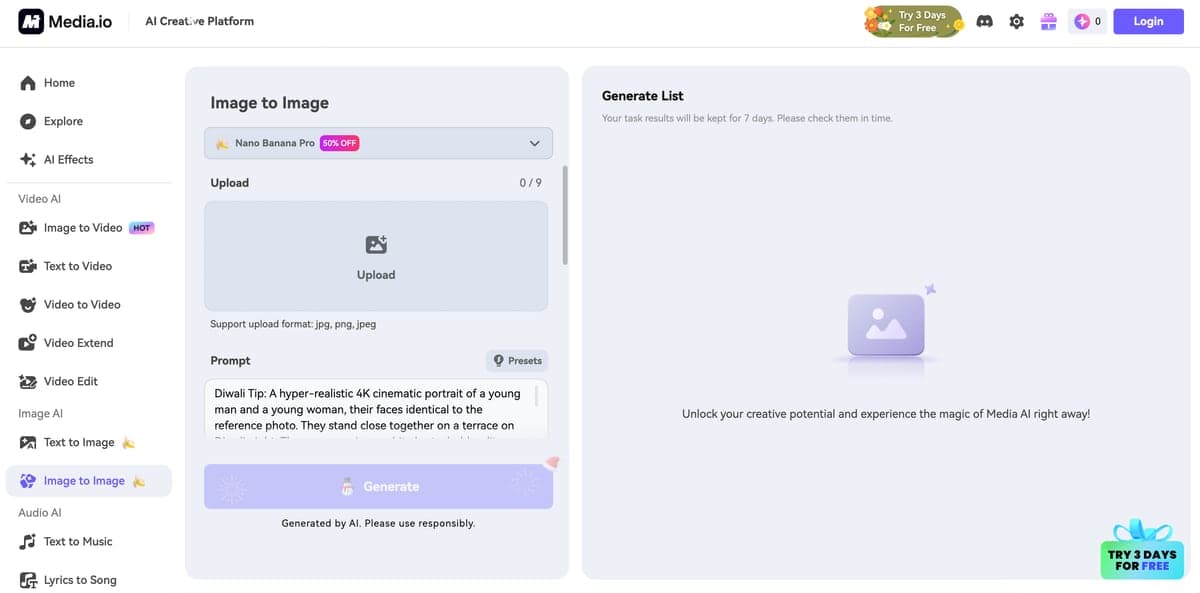
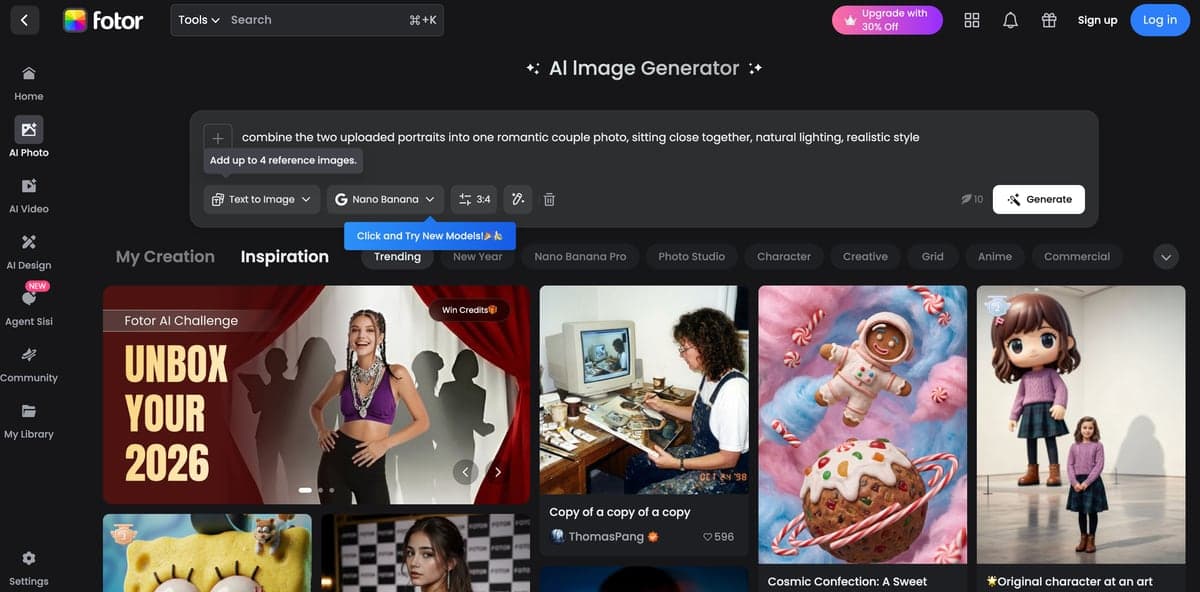
Search "AI couple photo" and you'll meet the same three names. The short verdict: if you want a realistic couple photo from two individual photos with zero prompt-writing, CreateVision AI is the strongest choice — it's why the tool has ranked at the very top of Google's results for "AI couple photo maker" over the long term. Media.io and Fotor are capable general editing suites, but their couple-photo workflows still ask you to handle prompts yourself:
| CreateVision AI | Media.io | Fotor | |
|---|---|---|---|
| How you describe the scene | 10 one-click scene presets — no text needed | Copy and paste prompt templates | Write your own scene description |
| Pose and style control | 16 poses, 4 styles, 4 moods, lighting and lens options | Prompt-dependent | Prompt-dependent |
| Identity from your photos | Two-photo identity merge with scene relighting | Image-to-image | Image-to-image |
| Cost transparency | Fixed credits per photo (40/80/240), shown before you click | Limited free tier, subscription | Watermarks on free outputs |
| Languages | 27 languages | A handful | A handful |
Media.io makes sense if you already use its video suite; Fotor is fine for general photo editing. For couple photos specifically — where identity preservation, natural hands, and scene relighting decide whether the result looks real — a purpose-built tool wins.
Transparent Pricing: What a Couple Photo Actually Costs
Every generation has a fixed credit price shown before you click — Standard 40 credits, HD 80, Ultra HD 240. Signing up is free. If you need more:
Free
$0
Free to start
- ✓Free to sign up
- ✓All 10 scenes and advanced options
- ✓Full-resolution downloads
- ✓No credit card required
Premium
$29/month
8,000 credits/month — up to 200 standard photos a month
- ✓8,000 monthly credits, no daily cap
- ✓5x faster generation queue
- ✓All AI models and tools
- ✓Priority support
Ultimate
$49/month
18,000 credits/month — heavy creative use
- ✓18,000 monthly credits, no daily cap
- ✓HD quality output
- ✓Private generation mode
- ✓Priority support
Prefer no subscription? Credit packs never expire: Starter $30 (3,000 credits ≈ 75 standard photos), Growth $80 (9,000 ≈ 225), Professional $200 (32,000 ≈ 800), Enterprise $800 (160,000 ≈ 4,000).
What It Can't Do (Read Before You Generate)
We'd rather you know the honest limits up front — they're the difference between a great first result and a confused refund request:
Clothing and accessories are not preserved
The scene decides the wardrobe. Your faces, hair, and skin tone carry over; your exact shirt, glasses frames, or necklace generally won't. If a specific outfit matters, describe it in the custom instruction box.
Hands occasionally need a retry
Interlocked fingers are the hardest thing in AI imaging. Our prompt stack specifically targets natural hands, but roughly one in several generations still gets them subtly wrong. If the hands look off, regenerate — every run is a fresh interpretation.
Every generation is unique
Running the same photos and scene twice gives two different photos. That's a feature when you want options, but if you loved a result, download it immediately — there is no way to reproduce it exactly.
Input quality sets the ceiling
A blurry, dark, or tiny face in the input means a weaker likeness in the output. Two clear, front-facing photos are 90% of a good result.
Use it with consent
Only generate couple photos with photos of people who are aware and okay with it. Creating romantic images of someone without their consent is a misuse of the tool and against our terms.
What Couples Actually Say
Feedback from users of the couple photo tool (300,000+ creators have generated over 5 million photos on CreateVision, rated 4.8/5):
“My boyfriend is in Tokyo, I'm in New York. I uploaded our two selfies, picked Paris Love, and cried a little when it came out. We've never been photographed together — now there's a picture of us under the Eiffel Tower that looks completely real. He printed it.”
Emma J.
Long-distance couple, 18 months apart
“Used the Anniversary scene for our engagement announcement. Several friends asked which studio we booked. Total cost: 40 credits.”
Sofia M.
Engagement announcement
“Quality genuinely surprised me — faces actually look like us, and the beach light is gorgeous. Docking one star because my husband's wedding ring didn't carry over and I had to add a custom instruction to get it back. Second try nailed it.”
Priya R.
Beach Walk scene, second generation
“As a content creator I've tested basically every couple photo AI. Most produce that waxy Instagram-filter skin. This one keeps real skin texture — pores, not plastic. It's the only one I recommend to my audience now.”
Michael C.
Social media creator
“First generation gave us slightly awkward hands. Regenerated once, second result was perfect. Would love a 'keep this face, change the pose' button — but at 40 credits a try I'm not complaining.”
Daniel & Aki
City Night scene
Start Creating Beautiful Couple Photos Today
A good couple photo shouldn’t require being on the same continent, a $400 studio bill, or a free Saturday. Pick your path: one click on a scene if you want it now, a curated template if you’re chasing a look you saw online, or your own prompt (or a sentence to Ava) if you want full control. Starting is free — upload your two photos and start with Romantic Sunset or Café Date, the two most forgiving scenes. If you’re planning something bigger, the same two-photo workflow powers our AI Wedding Photo and AI Family Photo tools too.


