AI image model

Seedream 5 Pro — Run ByteDance’s Flagship Image Model Online

Generate with Seedream 5 Pro in one click: cinematic portraits, information-dense layouts, and native text in 10+ languages, with up to 5 reference images and 1K/2K quality control. No API key, no business verification — just a browser.

1K · 2K qualityUp to 5 reference imagesMultilingual text21:9 ultra-wide

What is Seedream 5 Pro?

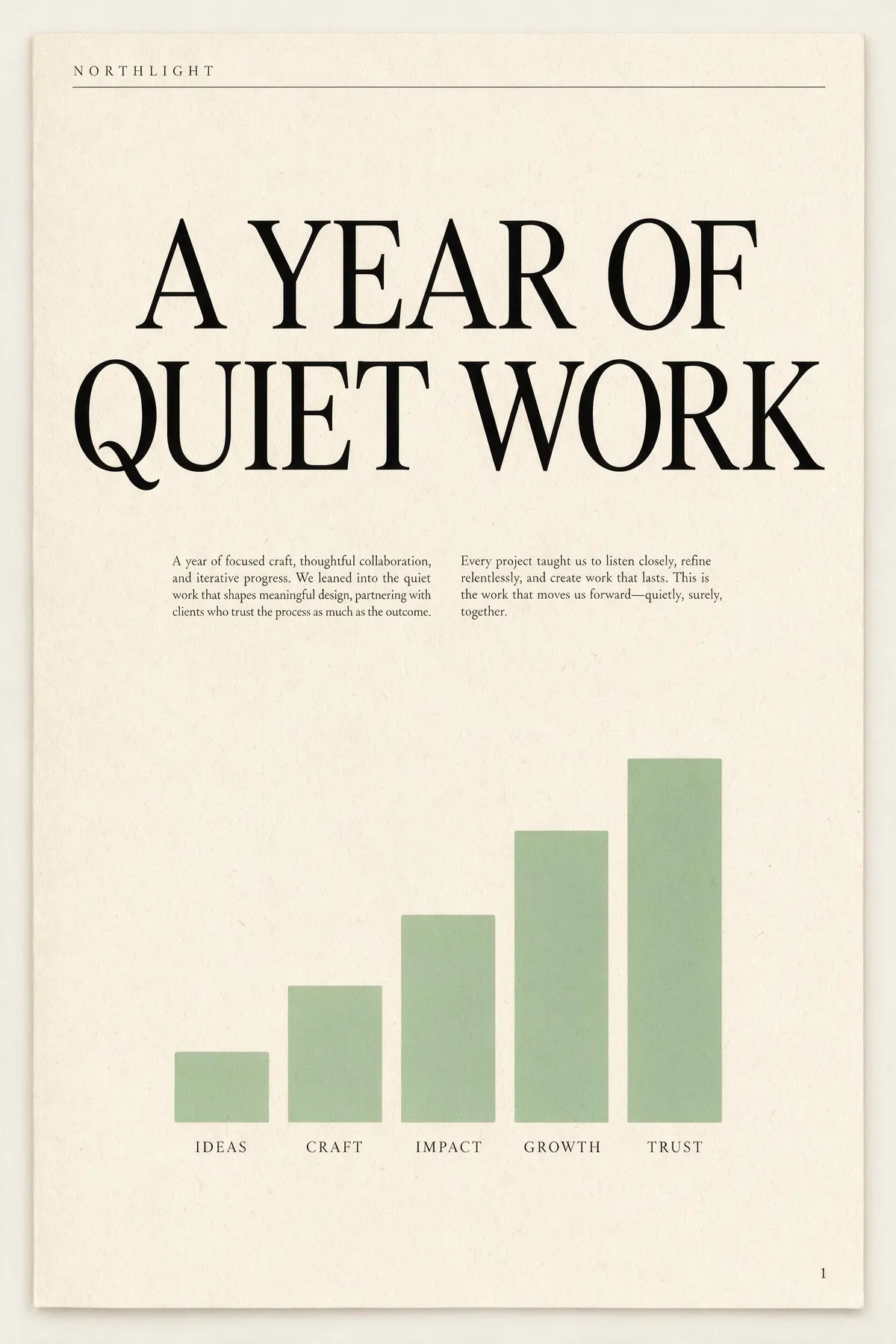
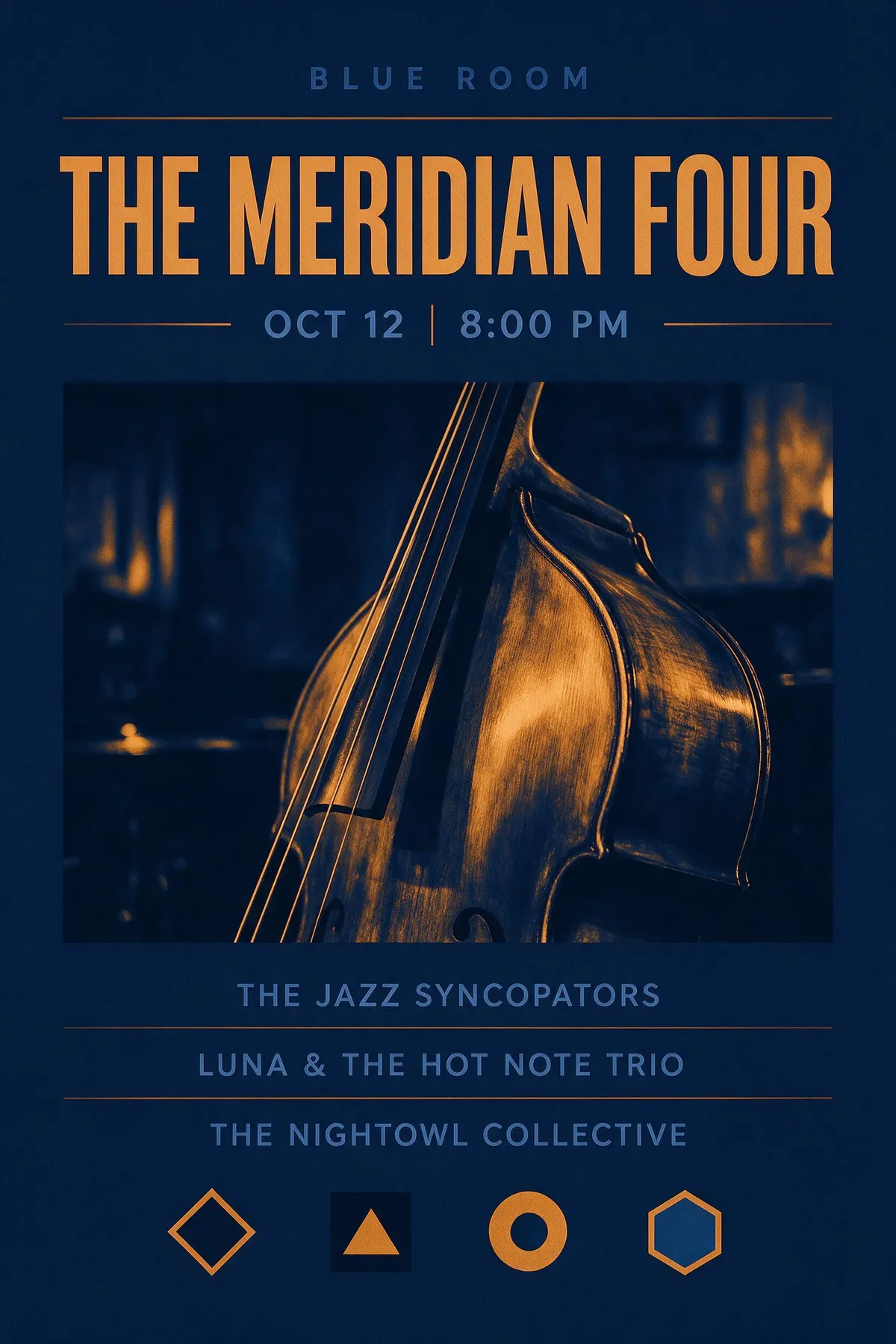
Seedream 5 Pro is ByteDance's flagship image model, released by the Seed team on July 8, 2026. The official positioning is a "multimodal image creation model" that goes beyond generation toward genuine design understanding: dense infographics rendered in one pass, region-precise editing, and native text in 10+ languages with culturally aligned typography. It renders at 1K and 2K, and accepts up to 5 reference images for editing and series work.

Early independent tests agree on where it shines. Reviewers highlight smoother highlight-to-shadow transitions and skin texture with real pores, strong adherence to long multi-instruction prompts, and editorial layouts where the typography genuinely looks typeset — one head-to-head against GPT Image 2 noted it "added body copy under cover lines, making magazines appear richer". The model is still too new to hold an Artificial Analysis arena rank (that takes weeks of voting); we re-check the leaderboards monthly and adjust our defaults.

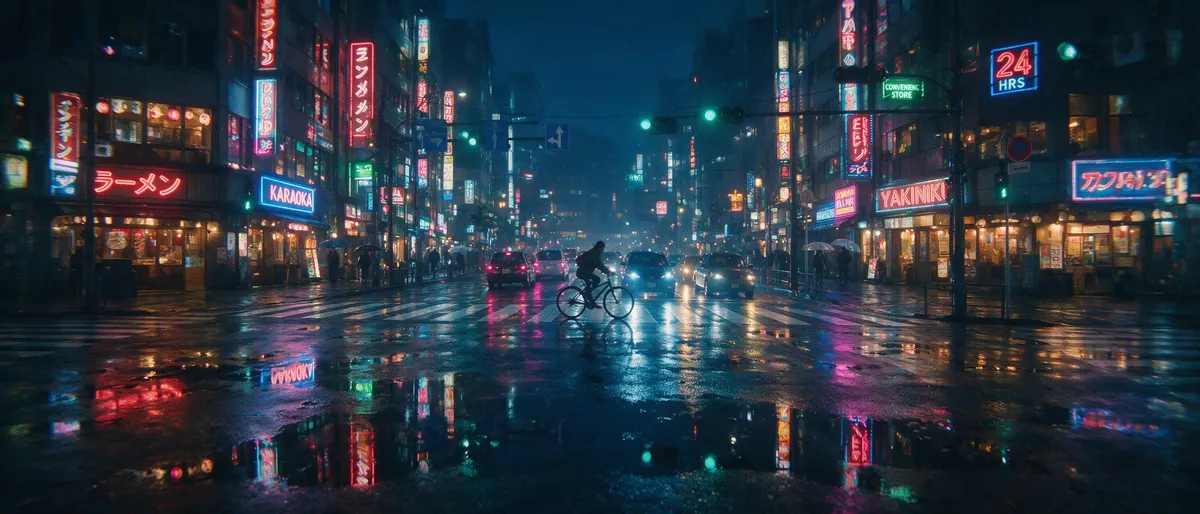
It is not the best tool for everything, and we would rather tell you that here: full-body figures can come out with a pasted-on look, hands and jewelry stay inconsistent, and very small type still slips — in our own ultra-wide street test the background neon signs drifted into near-words. For the cleanest possible in-image type, GPT Image 2 still wins (98.5% vs 89.5% text accuracy in Atlas Cloud's 2026 API benchmark, with AIReiter's short-text head-to-head scoring both error-free — the gap is in dense small type); for maximum photoreal skin, Seedream 4.5 remains a strong pick. For editorial covers, infographics, multilingual posters, and cinematic mood, Seedream 5 Pro is the one to reach for.

Positioning and capability claims are from the official ByteDance Seed release: Introducing Seedream 5.0 Pro

What early reviewers say

If you want the cleanest type, GPT Image 2; if you want a cover that looks written, Pro.
AIReiter — Seedream 5 Pro vs GPT Image 2
Portraits often show smoother transitions between highlights and shadows, with superior environmental light handling.
WeShop AI — early tests
Control and editability rather than chasing best image quality — distinct for production teams requiring editable assets.
JXP — professional review

Real Seedream 5 Pro outputs from our workspace

All 8 images below were generated on CreateVision AI on July 13, 2026, each on the first take, with the exact prompt shown — no retouching, no cherry-picking. Average time: ~86s at 1K, ~110s at 2K.

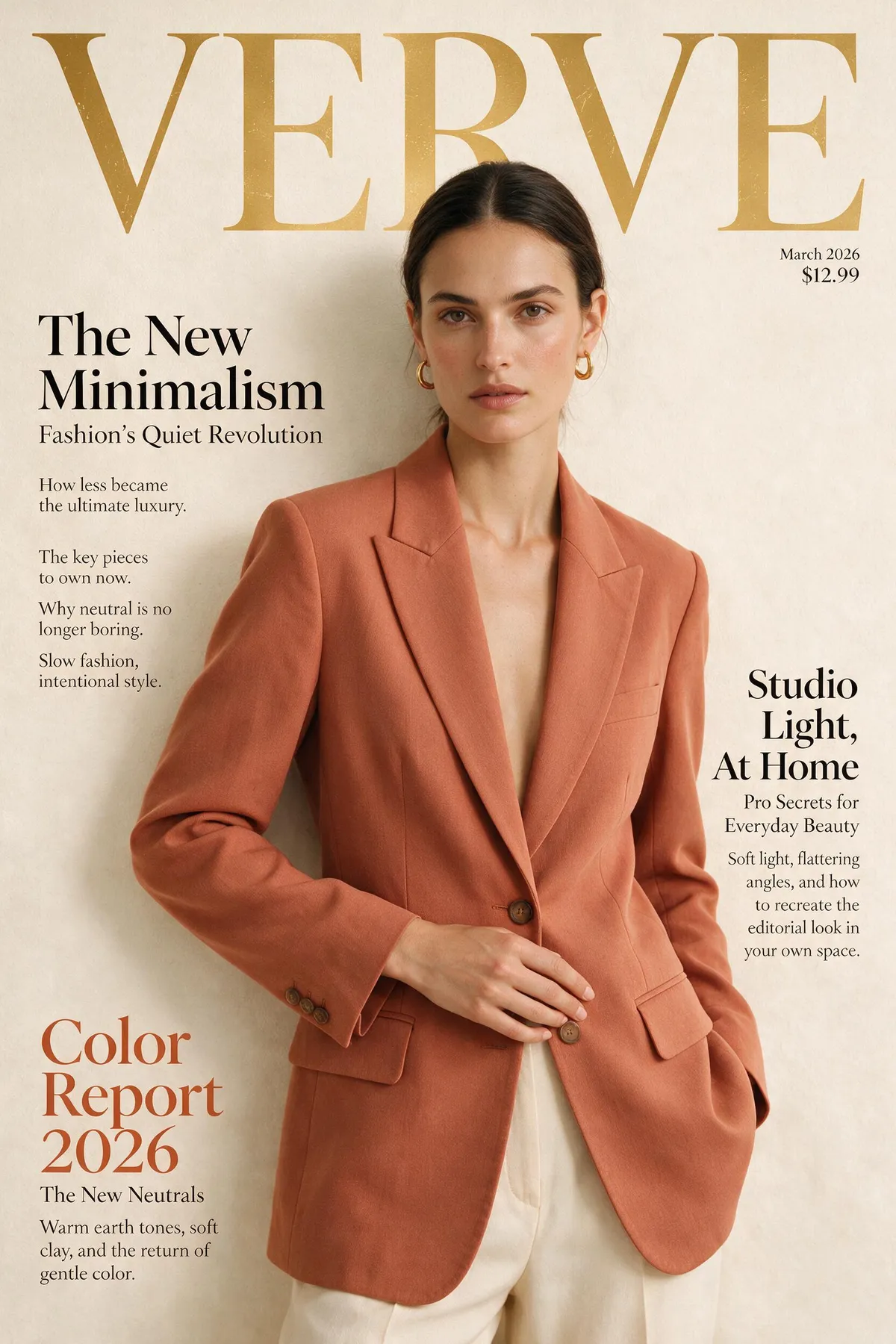
Seedream 5 Pro fashion magazine cover with genuinely typeset cover lines
Prompt2K · 2:3 · 132s

Fashion magazine cover for a magazine called 'VERVE': model in a terracotta blazer against a cream studio backdrop, masthead 'VERVE' in bold serif at the top, cover lines 'The New Minimalism', 'Color Report 2026' and 'Studio Light, At Home' with small supporting body copy, genuinely typeset editorial typography.

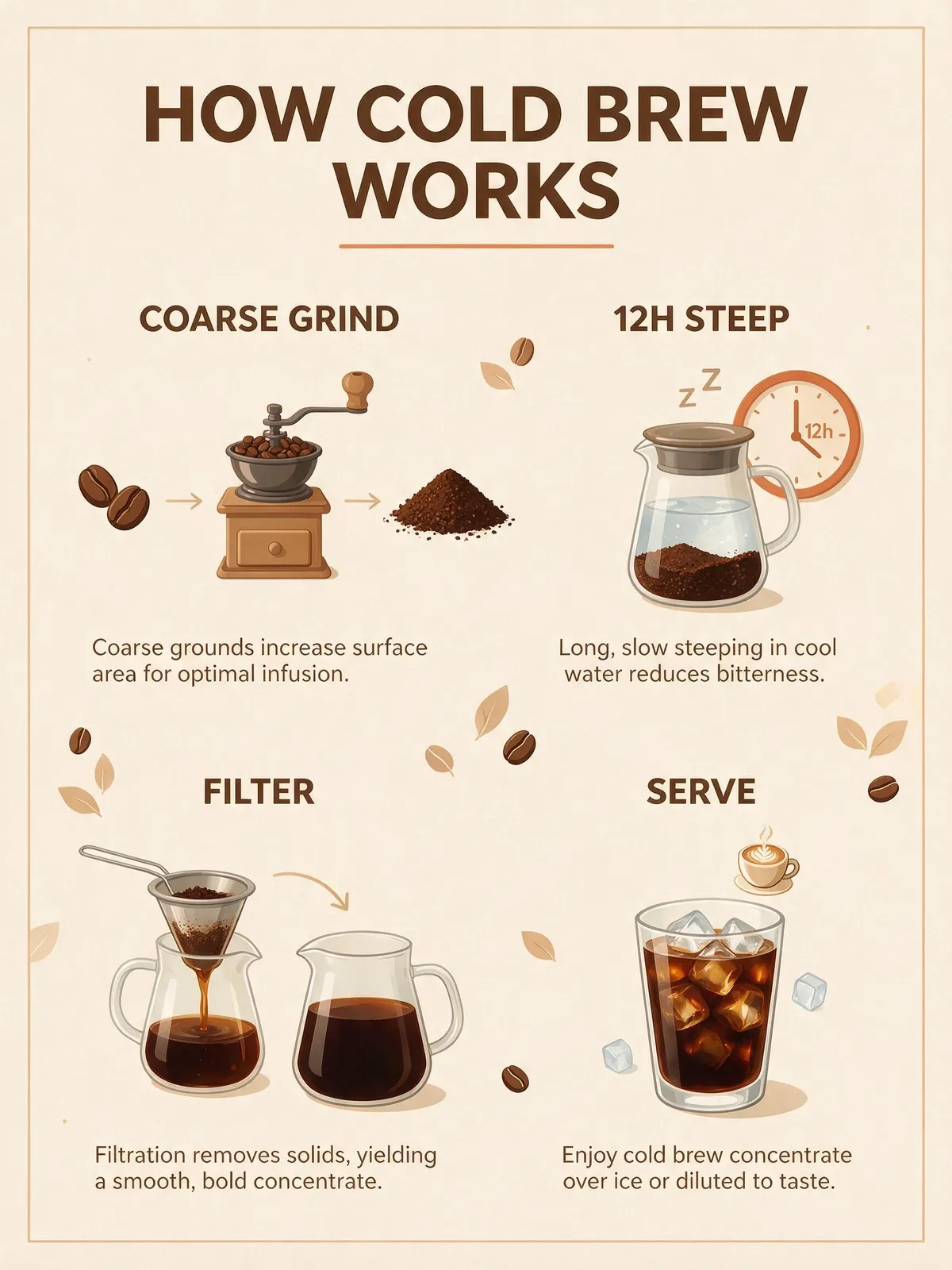
Seedream 5 Pro infographic poster with four labeled steps and legible typography
Prompt2K · 3:4 · 97s

A clean modern infographic poster titled 'HOW COLD BREW WORKS' with four labeled steps — COARSE GRIND, 12H STEEP, FILTER, SERVE — each step with a small flat-design icon and one short caption line, warm neutral palette with terracotta accents, legible sans-serif typography, balanced grid layout.

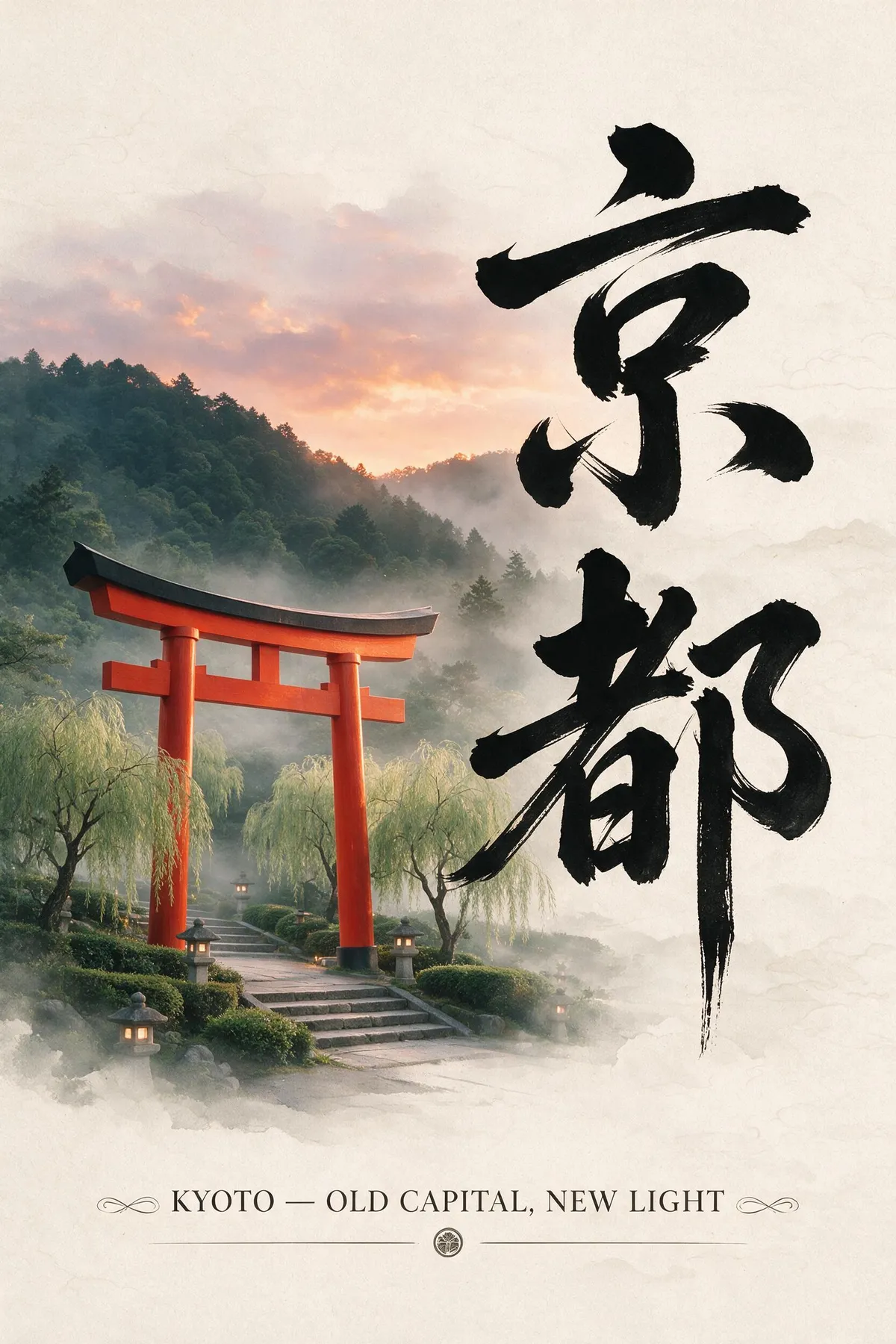
Seedream 5 Pro Kyoto travel poster with Japanese calligraphy and English subtitle
Prompt2K · 2:3 · 124s

Minimal travel poster for Kyoto: large vertical Japanese calligraphy title 「京都」 on the right side, English subtitle 'KYOTO — OLD CAPITAL, NEW LIGHT' at the bottom, a red torii gate and misty hills at dusk, culturally aligned typography, refined editorial layout.

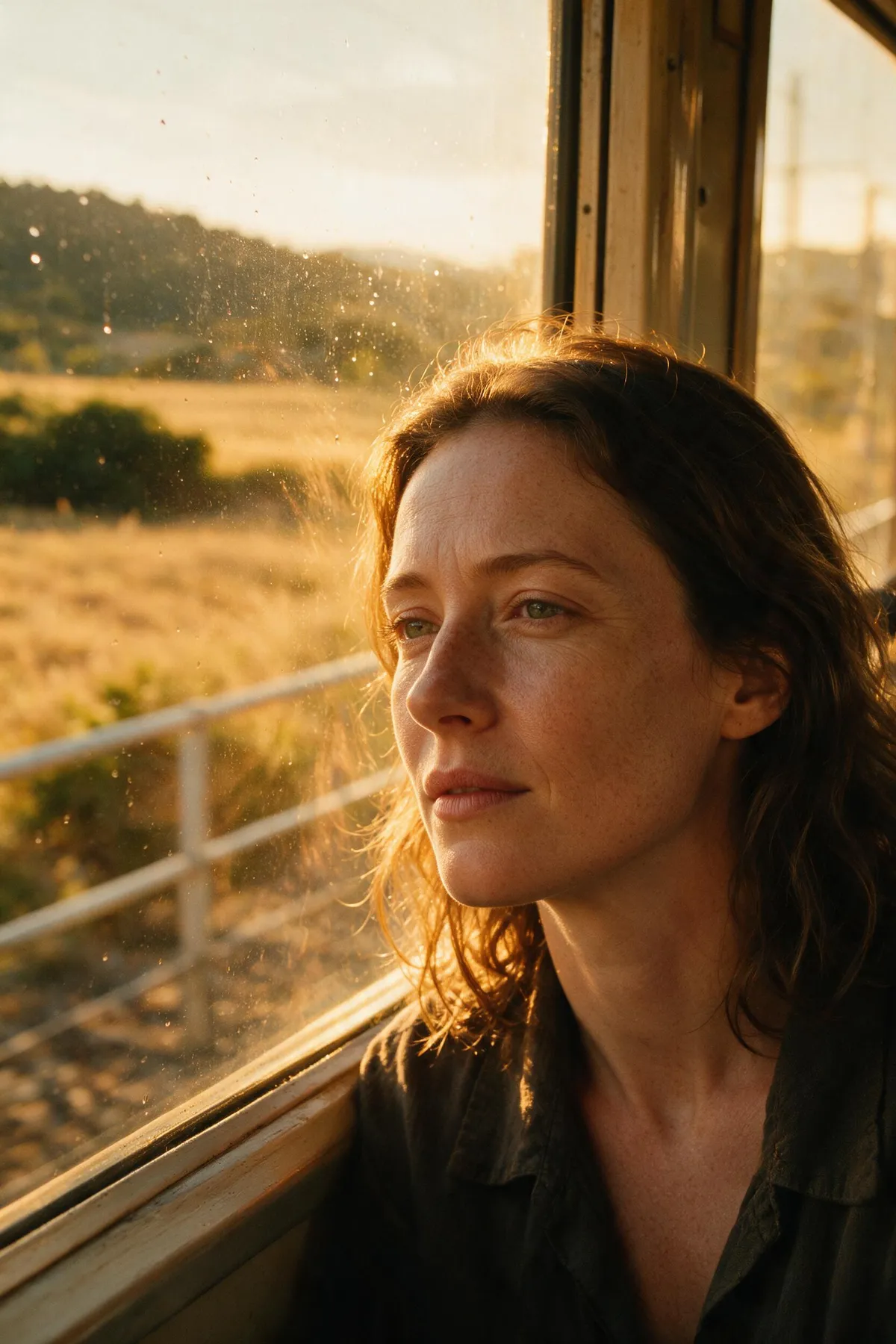
Seedream 5 Pro golden-hour portrait with visible skin pores and film color grading
Prompt2K · 2:3 · 97s

Golden-hour close-up portrait of a woman with light freckles by a train window, soft rim light, visible skin pores and subtle facial lines, cinematic film color grading, shallow depth of field.

Seedream 5 Pro ultra-wide 21:9 cinematic rainy night street scene
Prompt2K · 21:9 · 101s

Ultra-wide cinematic frame: a lone cyclist crossing a rain-slick neon intersection in Tokyo at night, reflective puddles doubling the signage, anamorphic lens glow, moody blue-and-amber color grade.

Seedream 5 Pro overhead food photo of a peach galette in morning window light
Prompt1K · 3:2 · 84s

Overhead editorial food photograph of a rustic peach galette on crumpled parchment, scattered fresh thyme and a linen napkin, warm morning window light, crisp golden pastry texture.

Seedream 5 Pro product photo of a perfume bottle with a serif label on wet marble
Prompt1K · 1:1 · 75s

Studio product photograph of an amber glass perfume bottle with a label that reads 'AURELIE' in elegant serif type, standing on wet black marble, dramatic rim lighting, physically accurate glass reflections and refractions.

Seedream 5 Pro flat vector startup illustration of a rocket launching from a laptop
Prompt1K · 1:1 · 98s

Flat vector-style hero illustration for a startup landing page: a rocket launching from an open laptop screen, surrounded by rising chart bars, gear icons and orbit lines, confident modern palette of deep navy, coral and cream, clean geometric composition.

Explore More Models

Compare Seedream 5 Pro with other image models — same workspace, one click to switch.

Why run Seedream 5 Pro on CreateVision AI?

The model is ByteDance's; the reason to use it here is everything wrapped around it.

Seedream 5 Pro flagship rendering with ultra-fine detail

Day-one access, zero API friction

Getting Seedream 5 Pro directly is genuinely annoying: Volcano Engine requires a mainland +86 phone number, and BytePlus asks for business verification that reviewers describe as slow. Here it was live for every subscriber on launch week — open the workspace, pick the model, generate. No API key, no SDK, no invoicing setup, and new flagship models keep arriving on the same page.

Ava agent recommending a model with ranking and credit context

Ava recommends it only when it fits

Our Ava agent knows this model's real profile — editorial typography, infographics, multilingual posters, cinematic light — and recommends it for those briefs. When your job is actually clean small type (GPT Image 2) or a fast cheap draft (Z Image Turbo, 0 credits), Ava routes you there instead. You get the right tool, not the most expensive one.

One workspace switching between multiple flagship models

One subscription, every flagship

Seedream 5 Pro costs 50 credits at 1K and 100 at 2K, with the exact number shown before every run. The same plan also covers GPT Image 2, Nano Banana Pro, Seedream 4.5, Kling, and Veo — so you can draft in a cheap model and finish in this one without juggling five vendor accounts and five API bills.

Generation history keeping prompts and parameters reusable

Output you can put into production

In our 8-case test set, every prompt completed on the first take — about 86 seconds at 1K and 110 at 2K — through an async pipeline that retries transient failures automatically. Every generation keeps its prompt, model, and parameters in history, so a winning setup is reproducible next week, not lost in a chat scroll.

Seedream 5 Pro specs on CreateVision AI

Modeldoubao-seedream-5.0-pro, by ByteDance Seed (released July 8, 2026)
ModesText-to-image, image-to-image, reference-guided editing
Quality tiers1K and 2K
Aspect ratios9 presets from 1:1 to 21:9 ultra-wide, plus auto
Reference imagesUp to 5 per generation
Text renderingNative in 10+ languages, strongest on short-to-medium text
Credits50 per 1K image · 100 per 2K image
Measured speed~86s at 1K, ~110s at 2K (our 8-case test, July 2026)

How to use Seedream 5 Pro online

  1. 1

    Open the workspace

    Create a free account — no API key, no phone verification, no business paperwork. The generator on this page is already set to Seedream 5 Pro.

  2. 2

    Write the brief

    Long, specific prompts work: name the layout, the text to render, the lighting, the mood. Attach up to 5 reference images if you need a consistent subject or targeted edit.

  3. 3

    Pick ratio and quality

    Choose from 9 aspect ratios up to 21:9 and set 1K (50 credits) to iterate or 2K (100 credits) for the final. The exact credit cost shows before you run.

  4. 4

    Generate and iterate

    Results land in about 1.5–2 minutes. History keeps every prompt and parameter, so rerunning a variation is one click, not a rewrite.

Keep exploring CreateVision AI

One account, the full image and video generation workflow.

Related reading

Choose Your Plan

Start free with daily credits. Upgrade for premium models, faster generation, and 4K output.

Free

$0

Perfect for getting started

  • 80 credits per day, 400 per month
  • Z Image Turbo drafts at 0 credits
  • Standard generation speed
  • Generation history included
Get Started

Premium

Most popular
$29/month

Billed annually · $240/year

  • 1,600 credits/day, 8,000 credits/month
  • All premium models — GPT Image 2, Nano Banana, Seedream, Seedance, Veo, Kling
  • 5x generation speed, priority queue
  • AI prompt enhancement
Upgrade to Premium

Ultimate

$49/month

Billed annually · $300/year

  • 4,000 credits/day, 18,000 credits/month
  • HD generation up to 4K resolution
  • Private generation — results stay out of the gallery
  • Fastest queue and early access to new models
Upgrade to Ultimate

Frequently Asked Questions

1

Is Seedream 5 Pro free to use?

The model itself is a paid flagship — 50 credits per 1K image, 100 at 2K. Every account gets daily credits, and the free Z Image Turbo model (0 credits) is good for drafting an idea before you spend credits on a Seedream 5 Pro final.

2

What is the difference between Seedream 5 and Seedream 5 Pro?

Pro is the flagship tier tuned for design work: dense layouts, editorial typography, precision editing, at 1K/2K. Seedream 5 (the Lite line) renders at 2K/3K, supports an optional web-search step, and costs fewer credits — a better fit for everyday high-quality generation.

3

Is Seedream 5 Pro better than GPT Image 2?

Depends on the job. In AIReiter's head-to-head, GPT Image 2 won on polish and small-text accuracy (98.5% vs 89.5%), while Seedream 5 Pro won on editorial richness, multilingual text, and editing features — at a fraction of the API price. For clean logos and UI text, use GPT Image 2; for covers, posters, and infographics, use Seedream 5 Pro.

4

Can Seedream 5 Pro render non-English text?

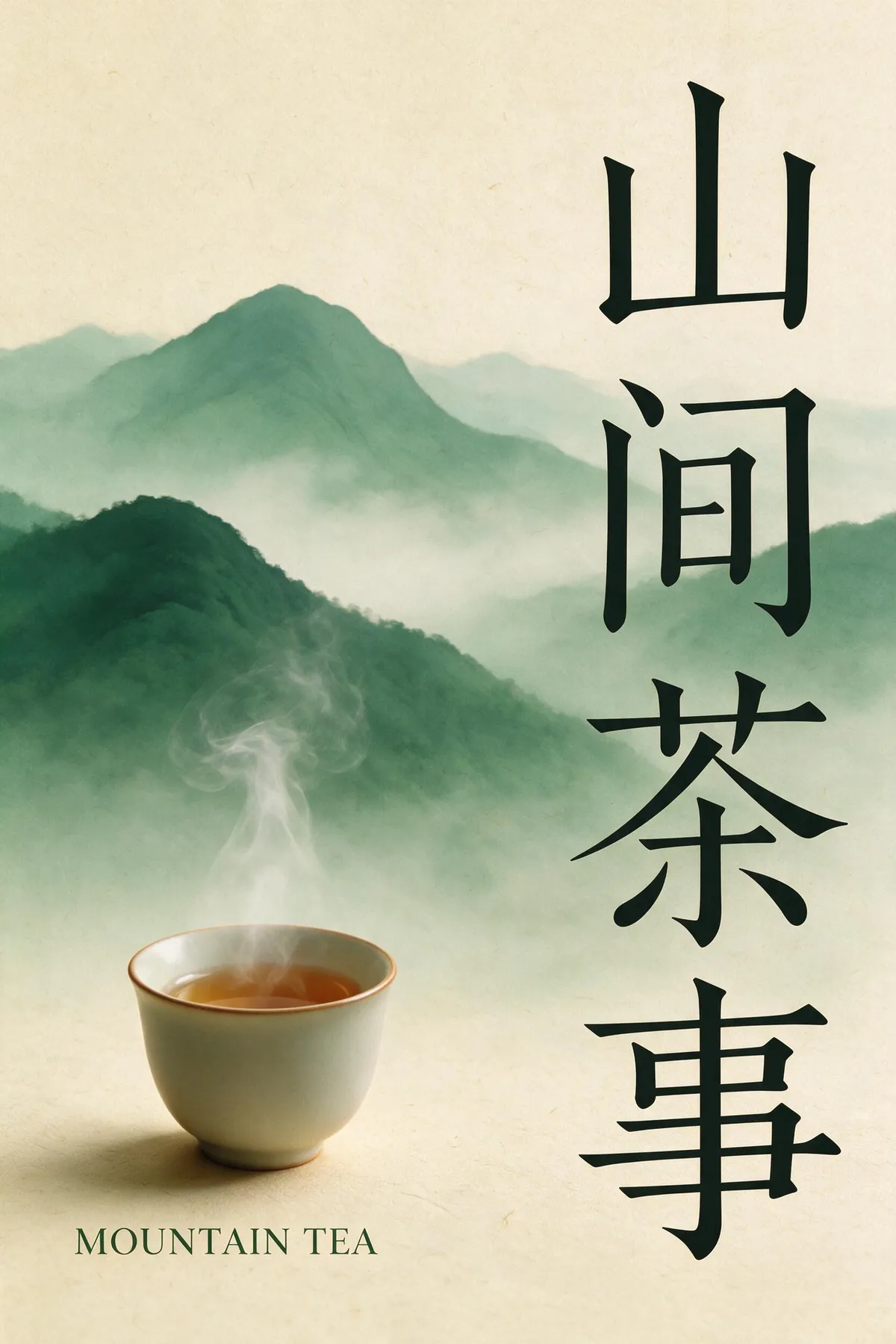
Yes — it is one of its headline strengths. Text renders natively in 10+ languages including Chinese, Japanese, and Korean, with typography that follows the script's conventions (see the Kyoto poster in our test set). Keep individual text runs short-to-medium and do a review pass on small type.

5

How long does a Seedream 5 Pro generation take?

In our July 2026 test set, 1K renders averaged ~86 seconds and 2K around 110 seconds. Generation runs asynchronously — you can keep working and the result lands in your history with its prompt and parameters saved.

6

What is Seedream 5 Pro bad at?

Full-body figures can look composited ("sticker-like" in early reviews), hands and jewelry stay inconsistent, and very small or background text drifts — our ultra-wide street test shows near-word neon signs. Workarounds: frame tighter, keep on-image text large, and regenerate — at 50 credits a retry is cheap.

7

Can I use Seedream 5 Pro images commercially?

Yes, images you generate can be used in personal and commercial projects under our terms of service. You remain responsible for prompt content, trademarks, and likeness rights.

Put a real brief in front of Seedream 5 Pro

Put a real brief in front of Seedream 5 Pro

Start Generating Images

What's newSeedream 5 Pro

  1. Tested

    Published our same-prompt comparison against Nano Banana 2 and GPT Image 2, with per-round sample images from this workspace.

  2. Tested

    Ran our 8-prompt production test: every render first-take, ~86s at 1K / ~110s at 2K; results published on this page.

  3. New

    Seedream 5 Pro (doubao-seedream-5.0-pro) available on CreateVision AI on launch day — no API key or +86 phone verification needed.