Nano Banana AI Photo Editor

Blend up to five photos or edit one by instruction with Nano Banana, in the browser — no API key and no setup.

0 / 2,000
~20 cr

What is Nano Banana?

Nano Banana is the nickname that stuck to Google's Gemini 2.5 Flash Image — the model that went viral for editing photos by plain instruction rather than by mask. On this page it runs both ways: describe an image from scratch, or attach up to five photos and tell it what to change. Seven aspect ratios plus auto.

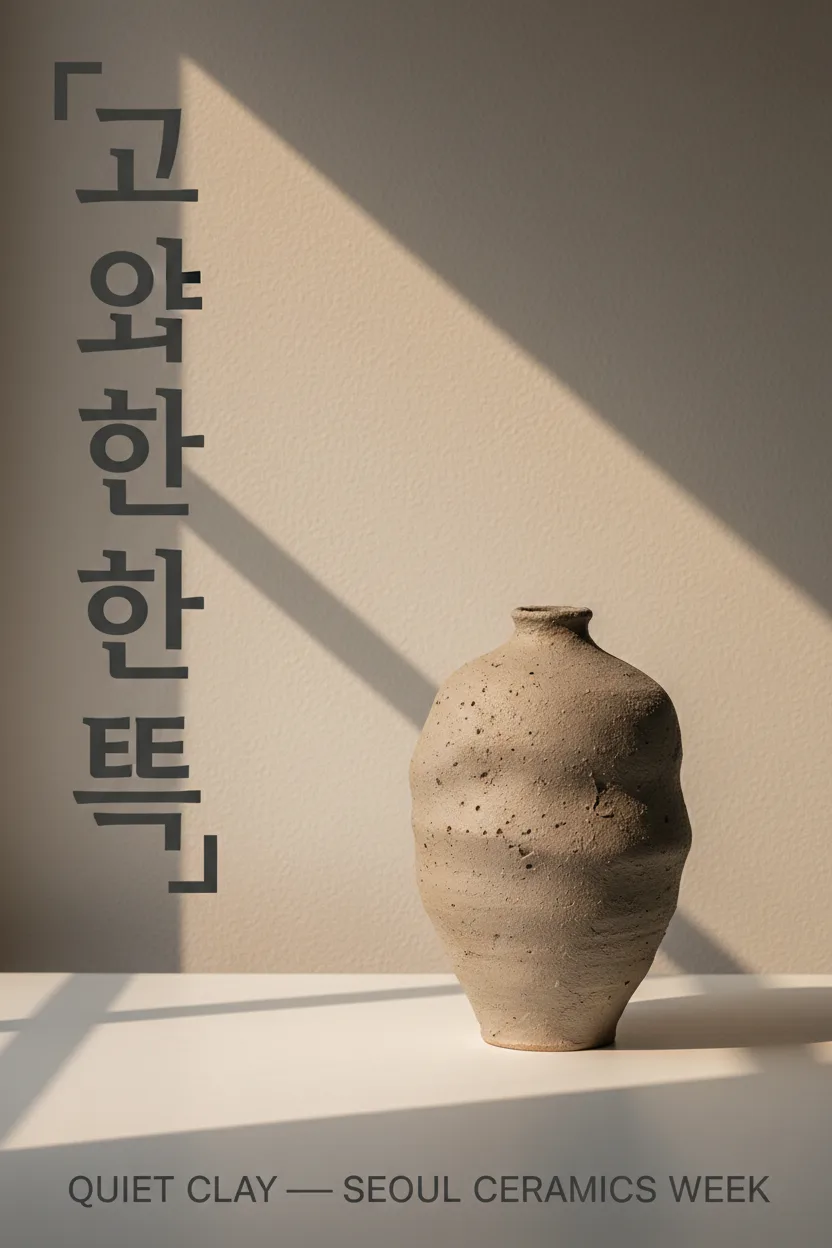
We tested it by running the exact same prompts we had already run on our Nano Banana Pro page, so the comparison is like for like. Layout quality holds up; the differences are narrower and more specific than "cheaper is worse". Short display type comes out right. Caption-length text starts losing letters, and our Korean title came back malformed. But when we asked it to edit an existing photo, it preserved every word of the label — including small type a pricier model dropped.

Model identity and capability claims are from Google: Gemini 2.5 Flash Image

Every image below was generated on this page on 18 August 2026, first take, with the exact prompt shown — using the same prompts we ran on the Nano Banana Pro page so you can compare the two directly.

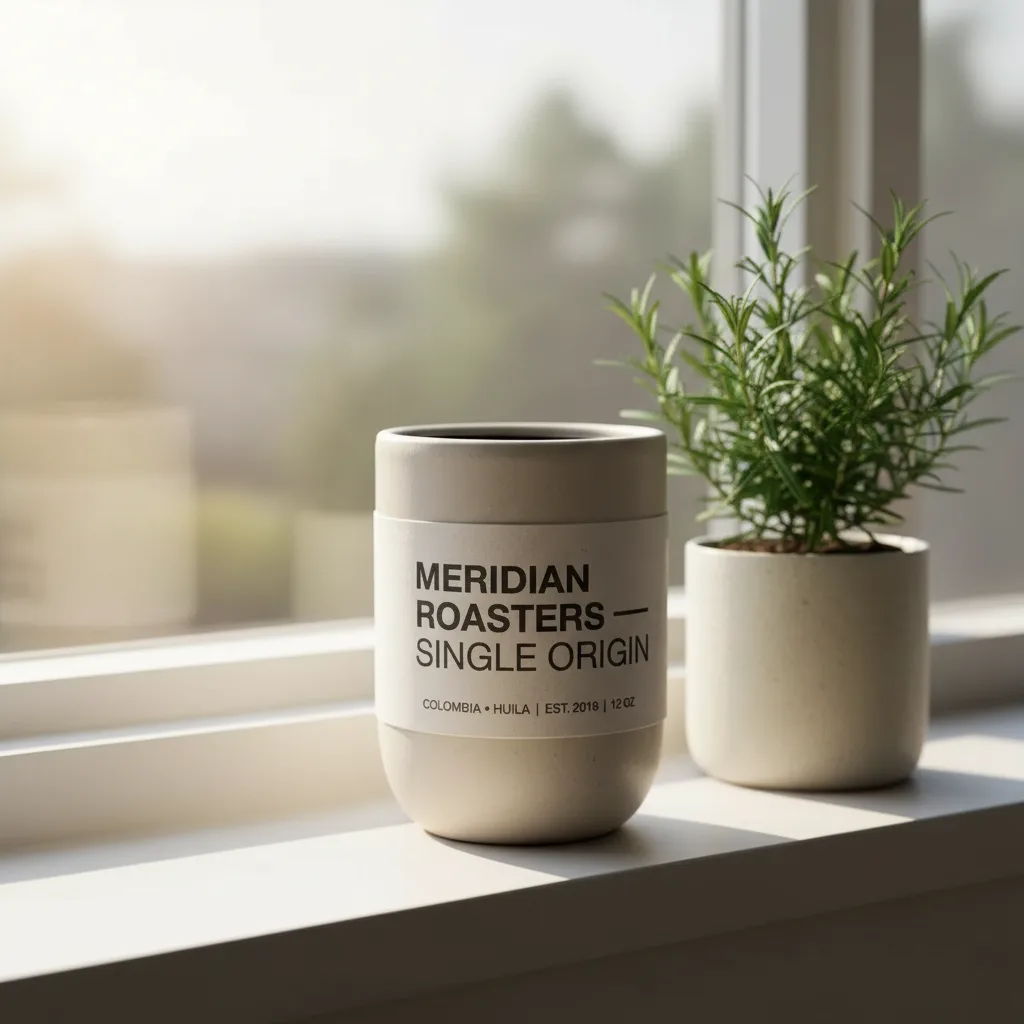
Nano Banana edit placing a labelled ceramic tumbler on a sunlit windowsill with the label text fully preserved

Editing a photo you already have

This is what the model got famous for, and it is where it performed best in our tests. We handed it a product shot generated earlier on our Nano Banana Pro page and asked for a new setting — sunlit windowsill, rosemary beside it, label untouched. It rebuilt the scene and kept the wraparound label intact: the brand line, the em dash, and the small print underneath it. Preserving text that already exists turns out to be a different, easier job for this model than inventing text from nothing — so judge it on the task you actually have.
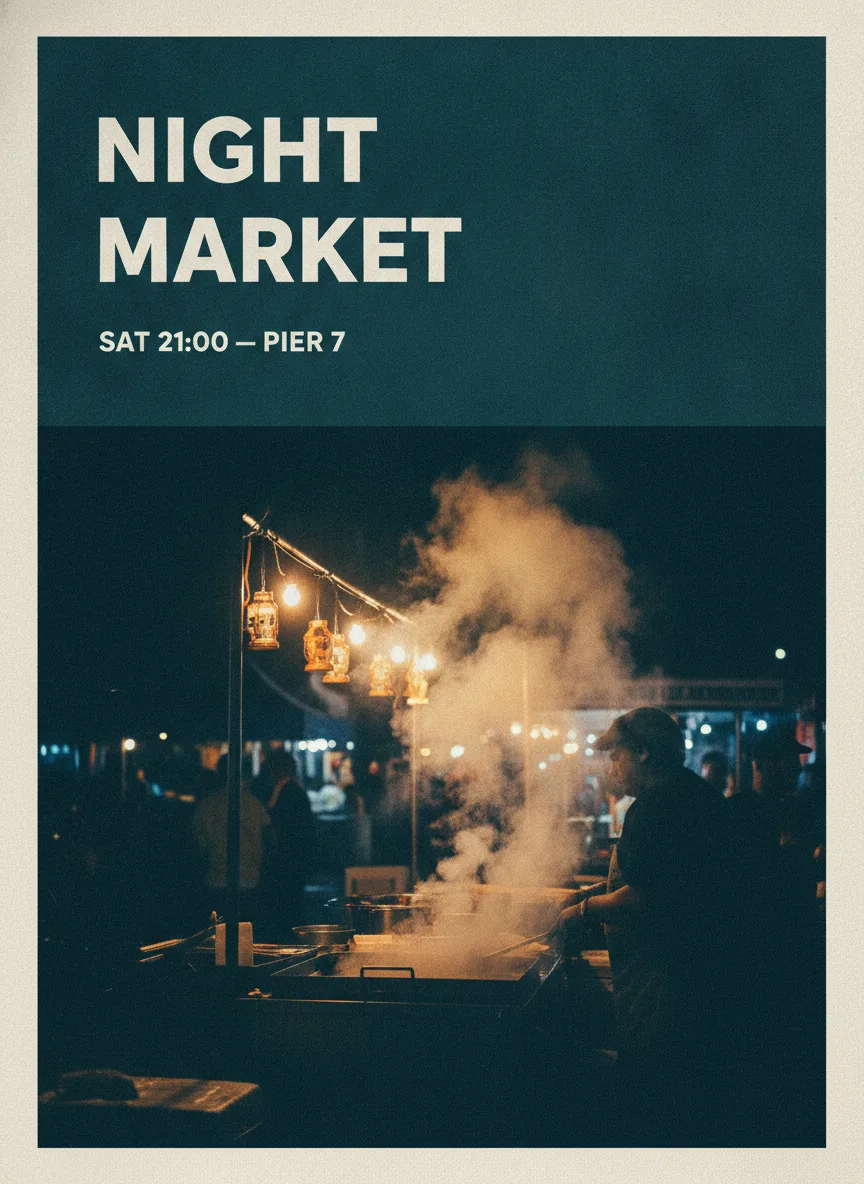
Nano Banana gig poster with the headline NIGHT MARKET and subtitle SAT 21:00 — PIER 7 correctly rendered

Display type and layout hold up

Give it a headline and a short supporting line and it sets them correctly. The poster below asked for a heavy condensed headline across the top third, a small subtitle under it, and a photographic scene below — and that is what came back, with the em dash in the subtitle intact. Composition, margins and hierarchy are not where the cheaper model gives ground; in our side-by-side runs the layouts were comparable. What it does not do is match the resolution: our runs came back around 1 megapixel, against roughly 4 on the Pro channel.

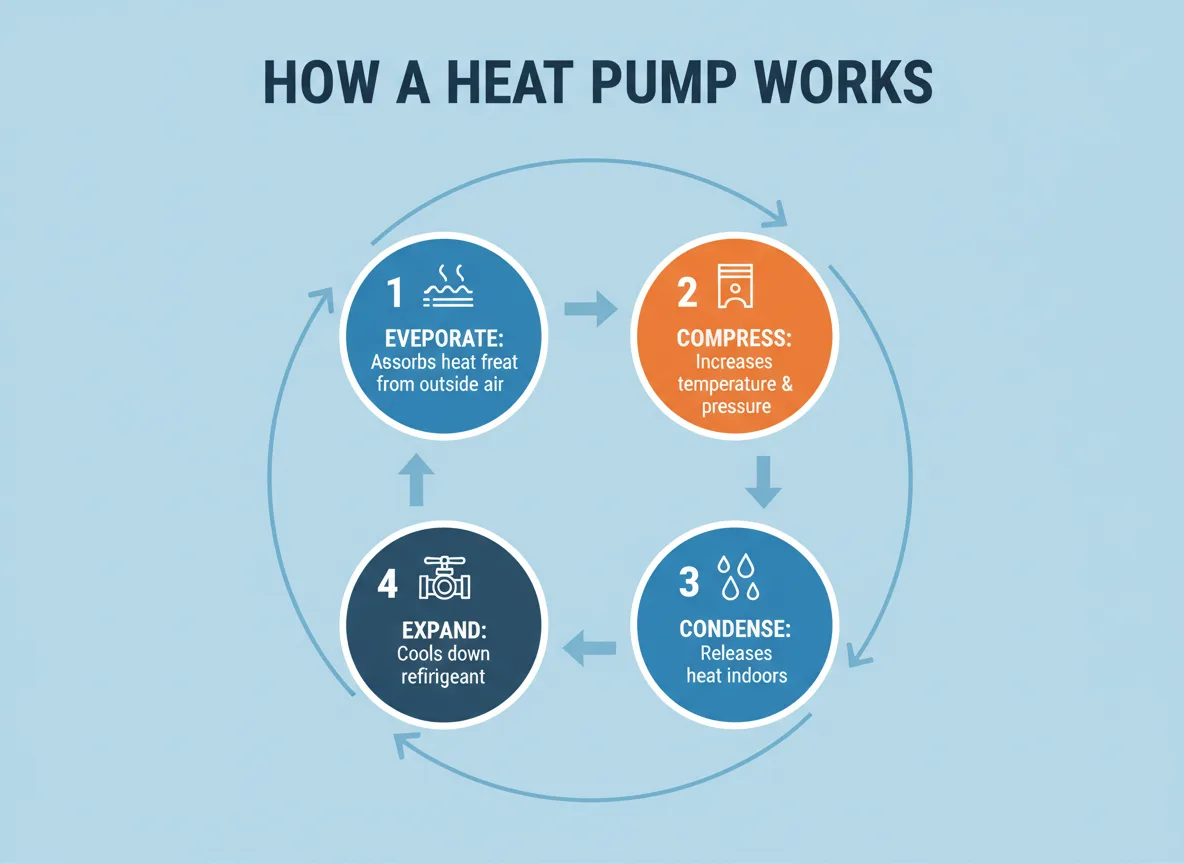
Nano Banana heat pump infographic with correct layout but three misspelled words in the captions

Where it gives ground: longer captions and non-Latin script

This is the honest cost of the cheaper model, and it is specific. Asked for a four-stage diagram, it produced a correct layout, correct icons and the right cycle order — and then misspelled it: "EVEPORATE" instead of EVAPORATE, "Assorbs heat freat from outside air", "refirigerant". The Pro channel returned the same diagram with no spelling errors at all. Non-Latin script fared worse: our Korean exhibition title should have been four syllable blocks and came back as five, two of them wrong, while the English subtitle beneath it was fine. If your image needs caption-length text or a script other than Latin, this is the wrong model on this site.

The rest of what we ran

Four more first-take outputs from the same 18 August 2026 batch, each with the exact prompt — including the Korean poster that came back malformed. Generation took 32s at the fastest and 98s at the slowest, with a median of 60s.

Nano Banana Korean ceramics poster where the requested title came back malformed
PromptKorean title malformed — five syllable blocks instead of four; the English line is correct

Minimal exhibition poster for a ceramics show in Seoul: large Korean title 「고요한 흙」 set vertically on the left, English subtitle 'QUIET CLAY — SEOUL CERAMICS WEEK' at the bottom edge, a single unglazed stoneware vessel lit by raking window light against a warm grey wall, restrained gallery typography.

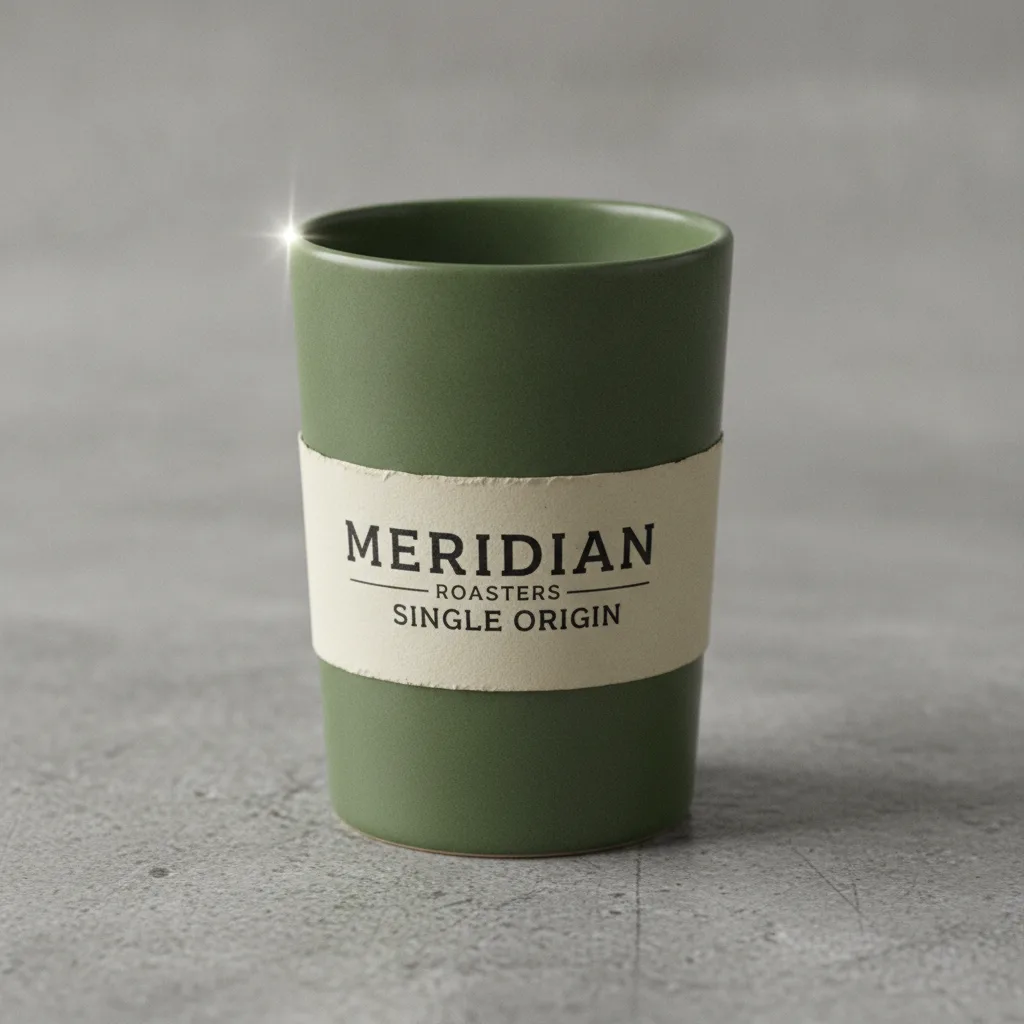
Nano Banana product photo of a ceramic tumbler with a correctly spelled MERIDIAN ROASTERS label
PromptWords correct; it dropped the em dash and re-arranged the lines

Studio product photograph of a matte ceramic coffee tumbler with a wraparound label reading 'MERIDIAN ROASTERS — SINGLE ORIGIN' in clean grotesque type, resting on brushed concrete, soft top light with one crisp specular edge, shallow depth of field, physically accurate matte glaze.

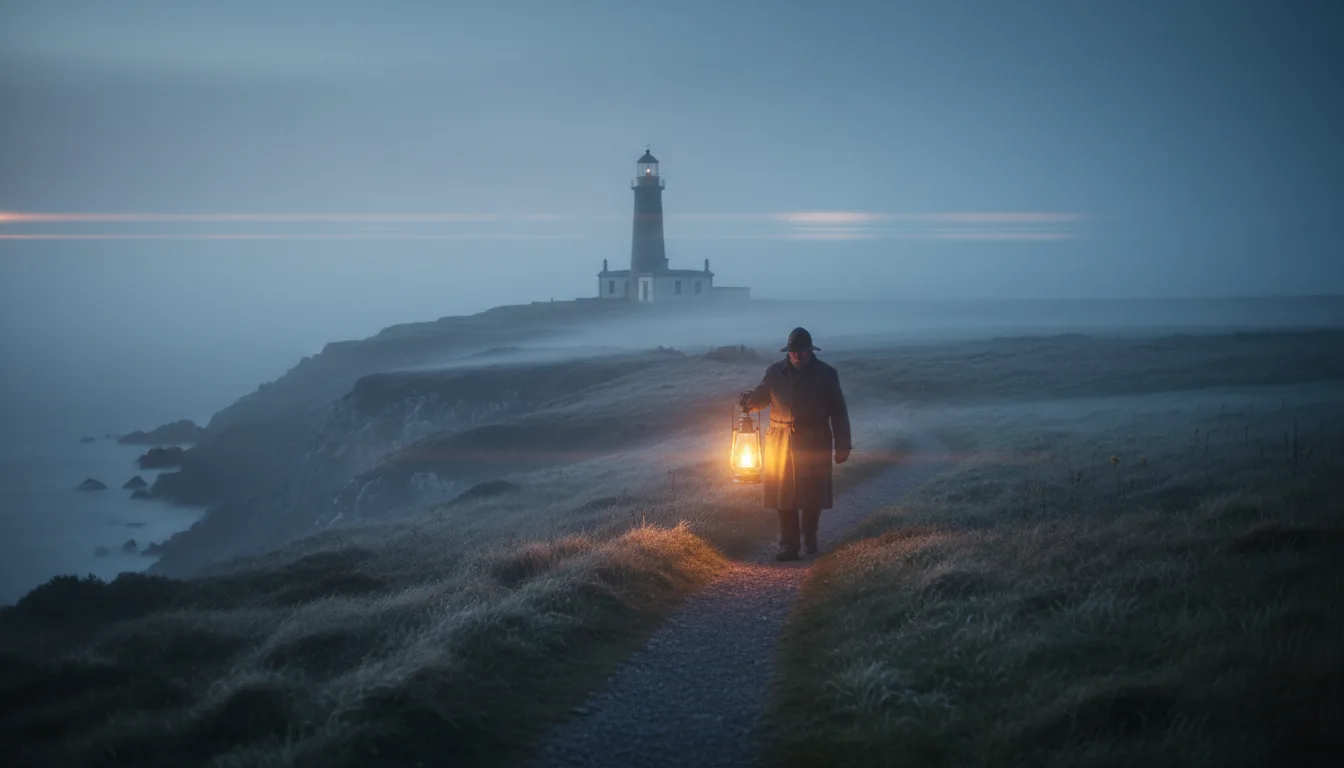
Nano Banana cinematic wide shot of a lighthouse keeper on a coastal path at dawn
Prompt16:9 · 41s

Cinematic wide shot of a lighthouse keeper walking a coastal path at dawn, low sea fog rolling across the grass, cold blue ambient light broken by the warm sweep of the lantern, anamorphic depth, muted naturalistic color grade.

Nano Banana documentary photograph of four friends around a kitchen table
Prompt3:2 · 60s

Documentary photograph of four friends around a small kitchen table mid-conversation, hands overlapping as they pass a shared dish and refill glasses, natural window light, candid unposed gestures, realistic skin texture and fabric detail.

Who Nano Banana is for

It is the everyday workhorse of this family. These are the jobs it is genuinely the right pick for.

  • Anyone editing photos by instruction

    Change a background, a setting, a light source, without masks or layers. This is what the model became known for and the task it handled best in our tests — including keeping existing label text intact.

  • People iterating on composition

    Layout, framing and hierarchy came back comparable to the pricier channel at the same prompts. Explore directions here, then re-run the winner somewhere with more resolution.

  • Anyone who does not need text in the image

    Photographic and illustrative work with no words in frame sidesteps this model's one real weakness entirely.

  • Not for: caption-heavy or non-Latin layouts

    Infographics with several lines of caption, or titles in Korean, Japanese, Arabic or any non-Latin script. Our tests failed on both. Use Nano Banana Pro or GPT Image 2 instead.

Comparison: the four Nano Banana models we host

Same workspace, same subscription — switching between any of these is one click.

Nano BananaNano Banana ProNano Banana 2Nano Banana Pro Official
Underlying modelGemini 2.5 Flash ImageGemini 3 Pro ImageNext-generation fusion modelGemini 3 Pro Image
Credits per image2040 at 1K and 2K · 80 at 4K30 at 1K · 50 at 2K · 70 at 4K150 at 1K and 2K · 240 at 4K
Max resolution2K4K4K4K
Reference images551414
Aspect ratios7 plus auto7 plus auto14 plus auto, up to 8:110 plus auto, up to 21:9
In-image text, our own testsShort display type only; captions and non-Latin failCorrect up to ~a paragraph; body copy failsNot measuredNot measured
Our measured speed32–98s, median 60s (7 runs)56–202s at 2K, median 86s (8 runs)57–199s at 2K, median 94s (8 runs)38–62s at 2K, median 52s (8 runs)

Credits, reference-image limits, resolutions and ratio counts are read from our own model registry on 18 August 2026 — the ratio counts exclude "auto", which is a setting rather than a ratio. Speeds and text results are our own measurements with the sample size stated. Cells we have not tested say so rather than borrowing a number from a vendor page.

Explore More Models

Compare Nano Banana with other image models — same workspace, one click to switch.

Nano Banana specs on CreateVision AI

ModelGemini 2.5 Flash Image (Nano Banana), by Google
ModesText-to-image and image-to-image, including editing by instruction
Aspect ratios10 presets — 1:1, 2:3, 3:2, 3:4, 4:3, 4:5, 5:4, 16:9, 9:16, 21:9 — plus auto
Images per runOne
Reference imagesUp to 5 per generation
Output sizeAround 1 megapixel in our runs — no quality tier to raise it, and no 4K
Text renderingShort display type reliable; caption-length text loses letters; non-Latin script unreliable. Text already present on a reference image is preserved well
Measured speed32s fastest, 60s median, 98s slowest — our 7 generations on August 18, 2026

How to use Nano Banana online

  1. 1

    Open the workspace

    Create a free account — no API key, no setup. The generator on this page is already set to Nano Banana.

  2. 2

    Upload, or start from a prompt

    Attach up to five photos and describe the change in plain language, or write a prompt from scratch. Editing is where this model is strongest.

  3. 3

    Keep any in-image text short

    A headline and one supporting line is safe. Several lines of caption, or a non-Latin script, is where our tests broke — put those on a different model.

  4. 4

    Generate and iterate

    Most runs land in about a minute. History keeps every prompt and parameter, so re-running a variation is one click.

Related reading

Choose Your Plan

Start free with welcome credits. Upgrade for premium models, faster generation, and 4K output.

Free

$0

Perfect for getting started

  • 200 welcome credits, up to 80/day
  • Z Image Turbo drafts at 0 credits
  • Standard generation speed
  • Generation history included
Get Started

Premium

Most popular
$29/month

Billed annually · $240/year

  • 8,000 credits/month, no daily limits
  • All premium models — GPT Image 2, Nano Banana, Seedream, Seedance, Veo, Kling
  • 5x generation speed, priority queue
  • AI prompt enhancement
Upgrade to Premium

Ultimate

$49/month

Billed annually · $380/year

  • 18,000 credits/month, no daily limits
  • HD generation up to 4K resolution
  • Priority support
  • Fastest queue and early access to new models
Upgrade to Ultimate

Frequently Asked Questions

1

What is Nano Banana best at?

Editing an image you already have. We handed it a product photo and asked for a completely new setting with the label untouched — and every word of that label survived, small print included. Describing changes in plain language, without masks or selections, is what this model became known for and what it did best in our tests.

2

What do I give up compared with Nano Banana Pro?

We ran the identical prompts on both, so this is measured rather than guessed. Layout and composition came back comparable. Three things differ: resolution (around 1 megapixel here against roughly 4 on the Pro channel), caption-length text (our infographic came back with three misspellings, the Pro version with none), and non-Latin script (our Korean title was malformed here and correct there). If your image has no words in it, the gap is much smaller than the price difference suggests.

3

Can it render text in the image?

Short display type, yes — a headline and a supporting line came back correct, em dash included. Caption-length text is where it breaks: our four-stage diagram returned "EVEPORATE", "Assorbs heat freat" and "refirigerant" while the layout around them was perfectly good. Non-Latin script is worse; our Korean title came back with five syllable blocks instead of four. Text that already exists on a reference image is a different matter and is preserved well.

4

How many photos can I combine?

Up to five reference images in one generation. If you need more than that, Nano Banana 2 and Nano Banana Pro Official both take 14.

5

How big are the images?

Around one megapixel in our runs — for example 1184×864 and 832×1248. There is no quality tier on this model to raise that, and no 4K option. If you need print resolution, use one of the Pro channels.

6

How fast is it?

Across our seven runs the median was 60 seconds, with a range of 32 to 98. That is the quickest of the four Nano Banana models we host.

7

Can I use the images commercially?

Yes, images you generate can be used in personal and commercial projects under our terms of service. You remain responsible for prompt content, trademarks, and the rights to any reference images you attach.

Edit a photo with Nano Banana

Edit a photo with Nano Banana

Start Generating Images

Discover our one-click AI image tools

One-click tools for everything around generation — polish, restyle, and share.

Pricing & Access — The FactsNano Banana

Model
Nano Banana
Developer
Google
Access
Runs in the CreateVision AI workspace via API — sign in and generate. No API key, no cloud project, no software install.
Price per generation
From 20 credits ≈ $0.07 per image on the Premium plan ($29/month for 8,000 credits). The free plan includes 80 credits every day.
Privacy
Private by default — no other user can see your generations, on any plan. We don't sell or misuse member data. Privacy Policy