

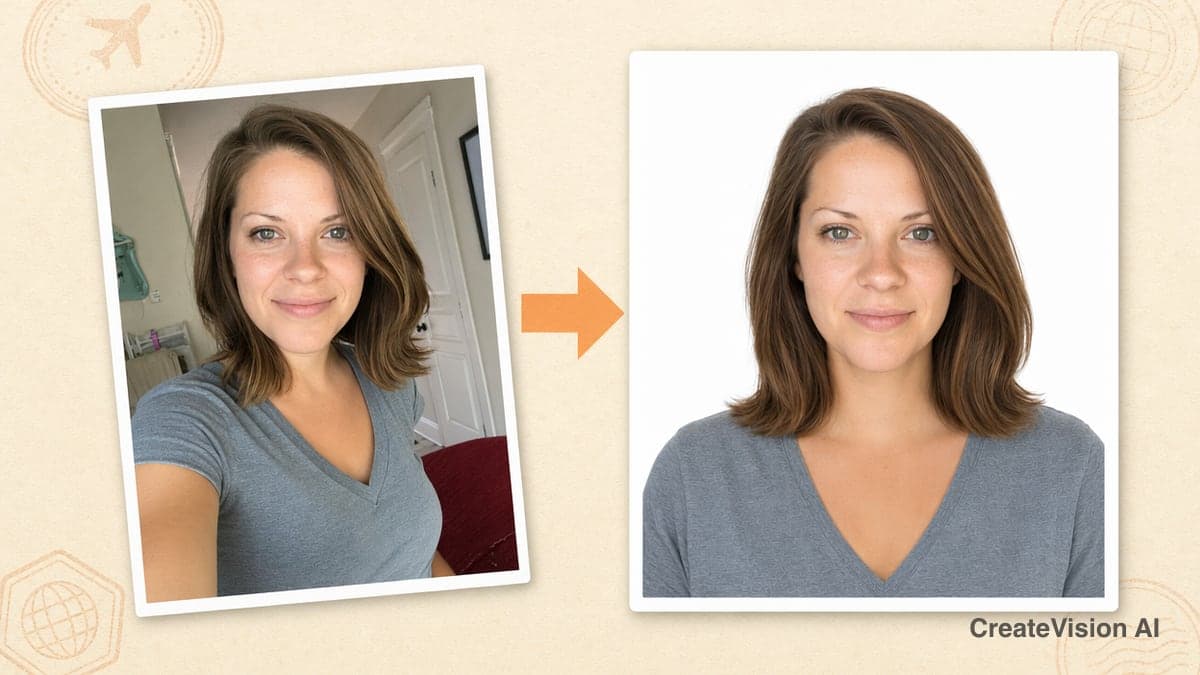
One Selfie In, a Compliant ID Photo Out
This guide shows you exactly how to take a passport photo at home — one phone selfie in, a passport, visa or ID photo that matches official specifications out — correct size, correct background, correct head position — without booking a studio. The AI ID Photo Maker carries 11 official document presets (US, UK, Schengen, China, India, Japan and more) plus fully custom millimeter sizes, and delivers files cropped to the exact pixel dimensions with print DPI embedded. A standard Digital photo costs 40 credits, and every new free account gets 200 welcome credits at sign-up — enough for five ID photos (up to two a day) without paying anything. Below you'll find the real workflow, an official size cheat sheet, genuine before-and-after outputs from the production pipeline, printing instructions, and an honest section on when you should not use an AI photo.
Why ID Photos Are Still Such a Hassle
An ID photo is the most standardized photograph in the world — and somehow still one of the most annoying to get right. Four problems come up again and again:
Studio prices keep climbing
A single photo-studio or pharmacy-counter session runs $15–30 in most countries — per person, per document type. A family of four renewing passports pays $60–120 for a few minutes of work, and if you also need a visa photo in a different size next month, you pay again.
Travel, queues and opening hours
The trip itself is the hidden cost: getting to the studio, waiting your turn, and doing it all inside business hours. Realistically that's 30–60 minutes per errand. Need a photo at 11 PM the night before a visa appointment? A physical counter can't help you.
One small spec error means rejection
Passport agencies reject photos for reasons most people never see coming: head a few percent too small in the frame, a faint shadow on the background, a background tint that isn't the required color, or the wrong print size entirely. A rejection can add weeks to an application — and sends you back to the studio to pay again.
Every document wants a different photo
A US passport wants 2 × 2 inches on pure white. A Schengen visa wants 35 × 45 mm on light gray. A Chinese resident ID wants 26 × 32 mm at 350 DPI. If your life spans more than one country — or you just need a passport and a driving-licence photo — the sizes never line up, and each one is a separate paid session.
How to Take Your Passport Photo at Home (4 Steps)
The whole flow takes about a minute. Here is exactly what happens, step by step — nothing more, nothing less:
Pick your document
Choose from 11 official presets — US, UK, Canada, Schengen, China, India, Japan, Korea, Australia passports and visas, China resident ID, or the international ICAO 35 × 45 mm biometric standard. A spec card shows you the official size, background color and head-position rules that will be applied. If your document isn't listed, the Custom option accepts any size from 15 to 100 mm, with quick picks for common formats like the Chinese one-inch (25 × 35 mm) and two-inch (35 × 49 mm) photos or the US 2 × 2.
Upload a clear, front-facing photo
A phone selfie is fine. What matters: face the camera straight on, in even light, with no heavy shadows across your face. You can optionally have the AI dress you in professional attire, and for documents whose rules allow it (Schengen, UK, custom sizes) you can pick the background color — for everything else the background is locked to the official requirement, so you can't accidentally break the rules.
Choose quality and generate
Three quality tiers: Digital (40 credits) for online submissions, Print HD (80 credits) with finer rendering for physical prints, and Pro (240 credits) for studio-grade sharpness. All three meet the same compliance rules — the difference is rendering depth only. Generation takes roughly 15–30 seconds, and the AI deliberately preserves your real face rather than beautifying it, because biometric systems compare the photo against you.
Download the exact-size file
The download button gives you two versions: a single photo cropped server-side to the exact official pixel dimensions with the print DPI written into the file, or a 4 × 6 inch print sheet that automatically tiles as many copies as fit, with light cutting guides. Files are standard JPEGs that any pharmacy print counter or home photo printer handles directly.
Input photo: quick dos and don'ts
- ✓Face the camera straight on, both eyes clearly visible
- ✓Use soft, even light — daylight from a window works well
- ✓Keep hair away from your eyebrows and ears where rules require it
- ✓Use a recent photo that actually looks like you today
- ✗No beauty filters or heavy edits on the input photo
- ✗No strong side light or shadows across the face
- ✗No sunglasses; regular glasses only where the document allows them
- ✗No extreme angles — a tilted selfie limits how well identity is preserved
Passport Photo Requirements: Official Sizes for 11 Documents
These are the exact specifications the tool applies — the same numbers the issuing authorities publish. Bookmark this table; it answers 90% of "what size is a passport photo" questions:
| Document | Print size | Pixels | DPI | Background |
|---|---|---|---|---|
| US Passport | 51 × 51 mm (2 × 2 in) | 600 × 600 | 300 | Pure white |
| Schengen Visa | 35 × 45 mm | 413 × 531 | 300 | Light gray (white accepted) |
| UK Passport | 35 × 45 mm | 413 × 531 | 300 | Light gray or cream |
| Canada Passport | 50 × 70 mm | 590 × 826 | 300 | Pure white |
| India Passport | 35 × 45 mm | 413 × 531 | 300 | Pure white |
| China Passport | 33 × 48 mm | 354 × 472 | 300 | Pure white |
| China Resident ID | 26 × 32 mm | 358 × 441 | 350 | Pure white |
| Japan Passport | 35 × 45 mm | 413 × 531 | 300 | Pure white |
| Korea Passport | 35 × 45 mm | 413 × 531 | 300 | Pure white |
| Australia Passport | 35 × 45 mm | 413 × 531 | 300 | White or light gray |
| ICAO Biometric (35×45) | 35 × 45 mm | 413 × 531 | 300 | Pure white |
Need something else? The Custom preset takes any size from 15–100 mm at 300 or 600 DPI, with one-tap presets for the Chinese one-inch (25 × 35 mm), small one-inch (22 × 32 mm), large one-inch (33 × 48 mm), two-inch (35 × 49 mm), small two-inch (35 × 45 mm) and US 2 × 2 formats.
Sizes aren't approximated: the final file is cropped server-side to these exact pixel dimensions and the DPI value is embedded in the JPEG metadata, so a print shop's software reproduces the physical size correctly.
Real Output: Same Pipeline, Four Documents
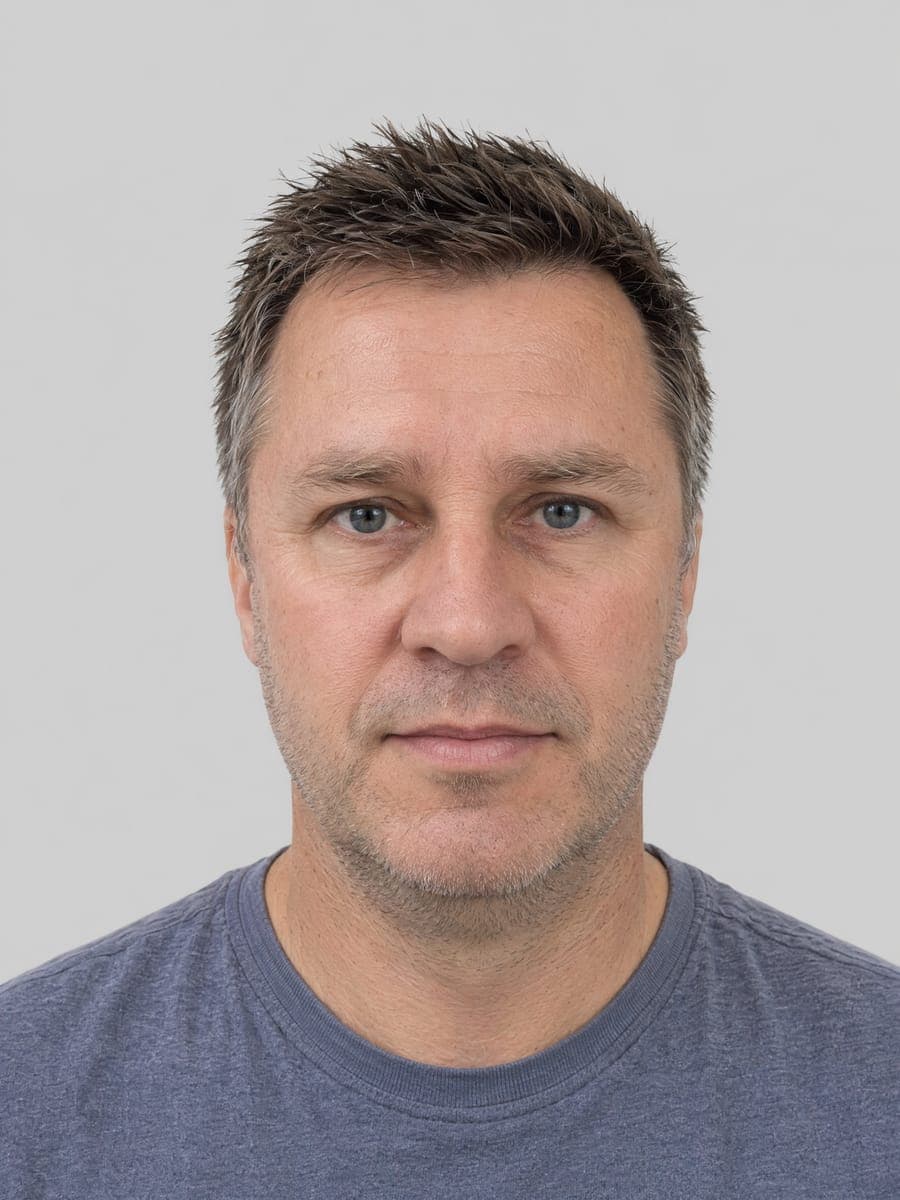
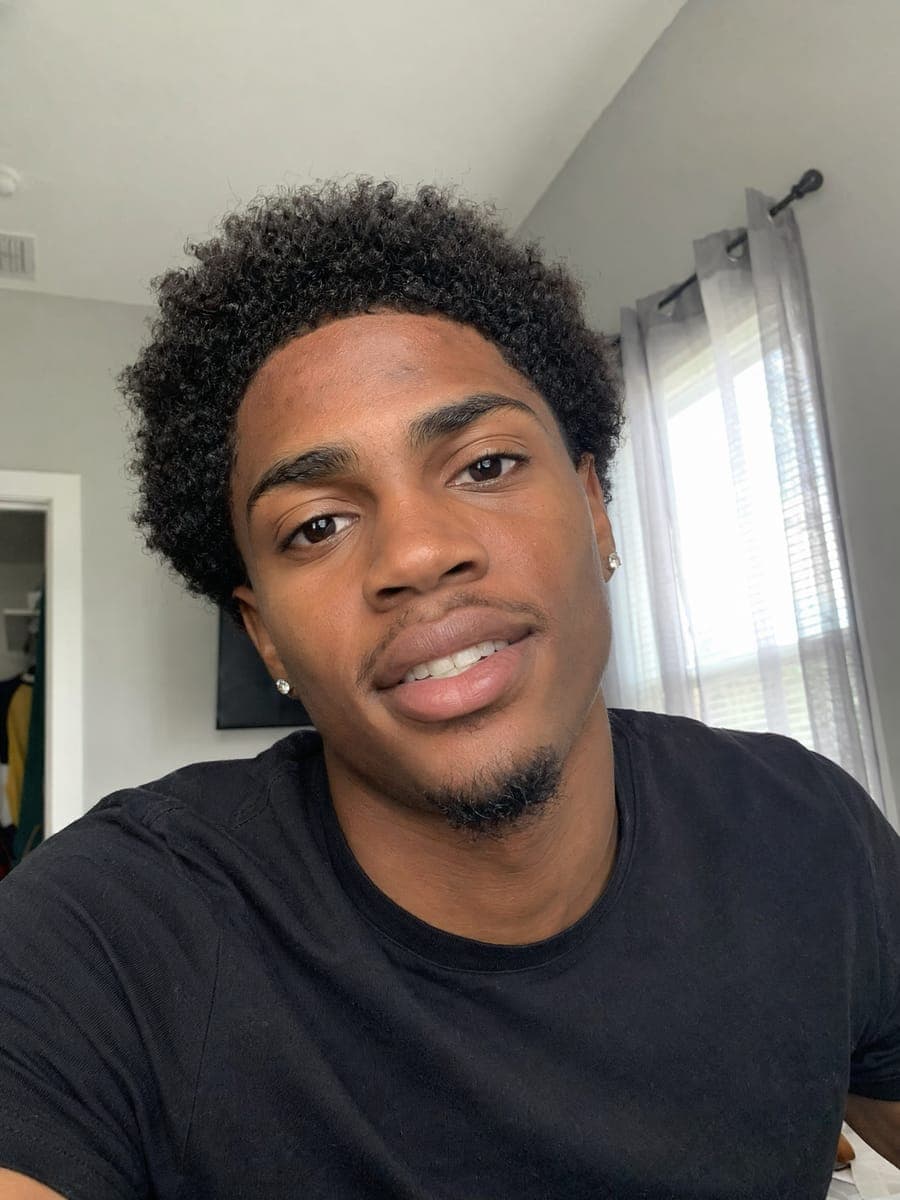
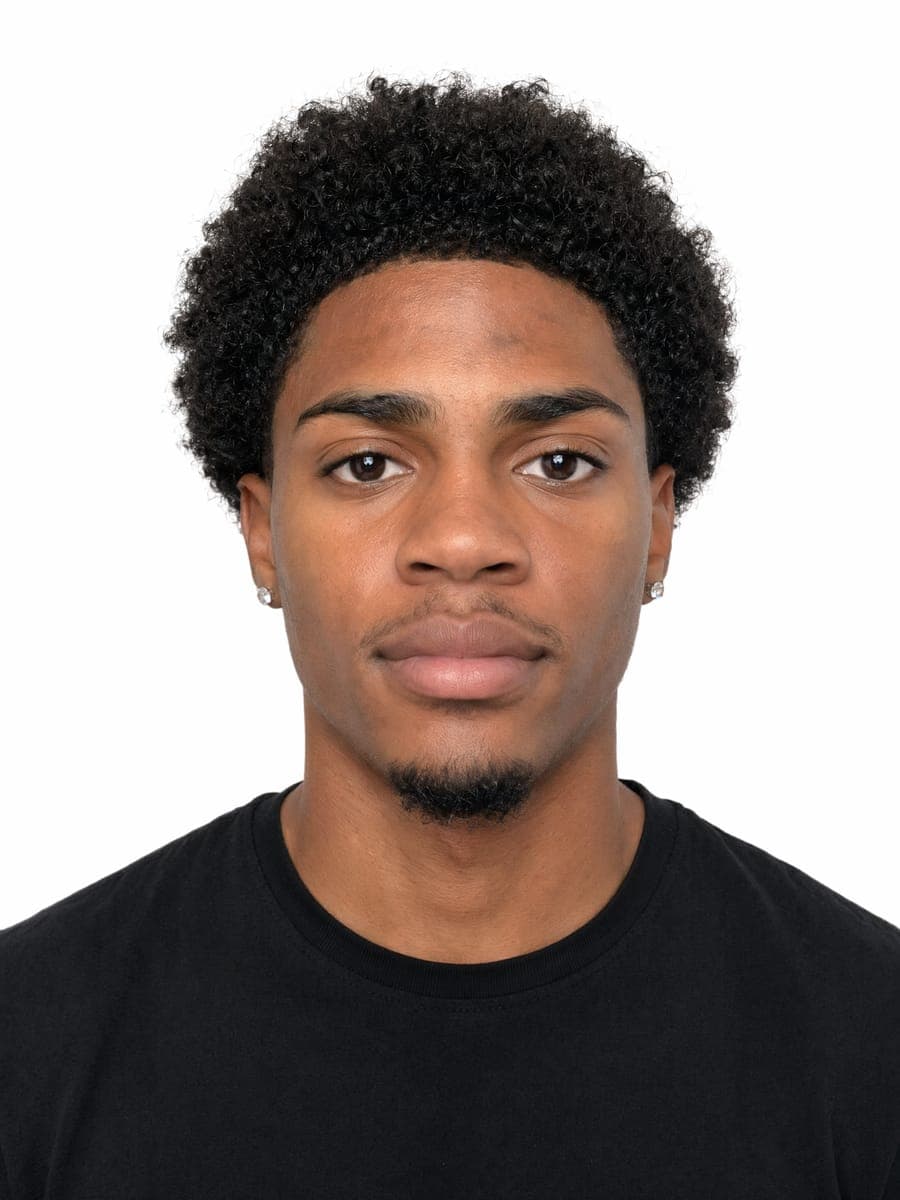
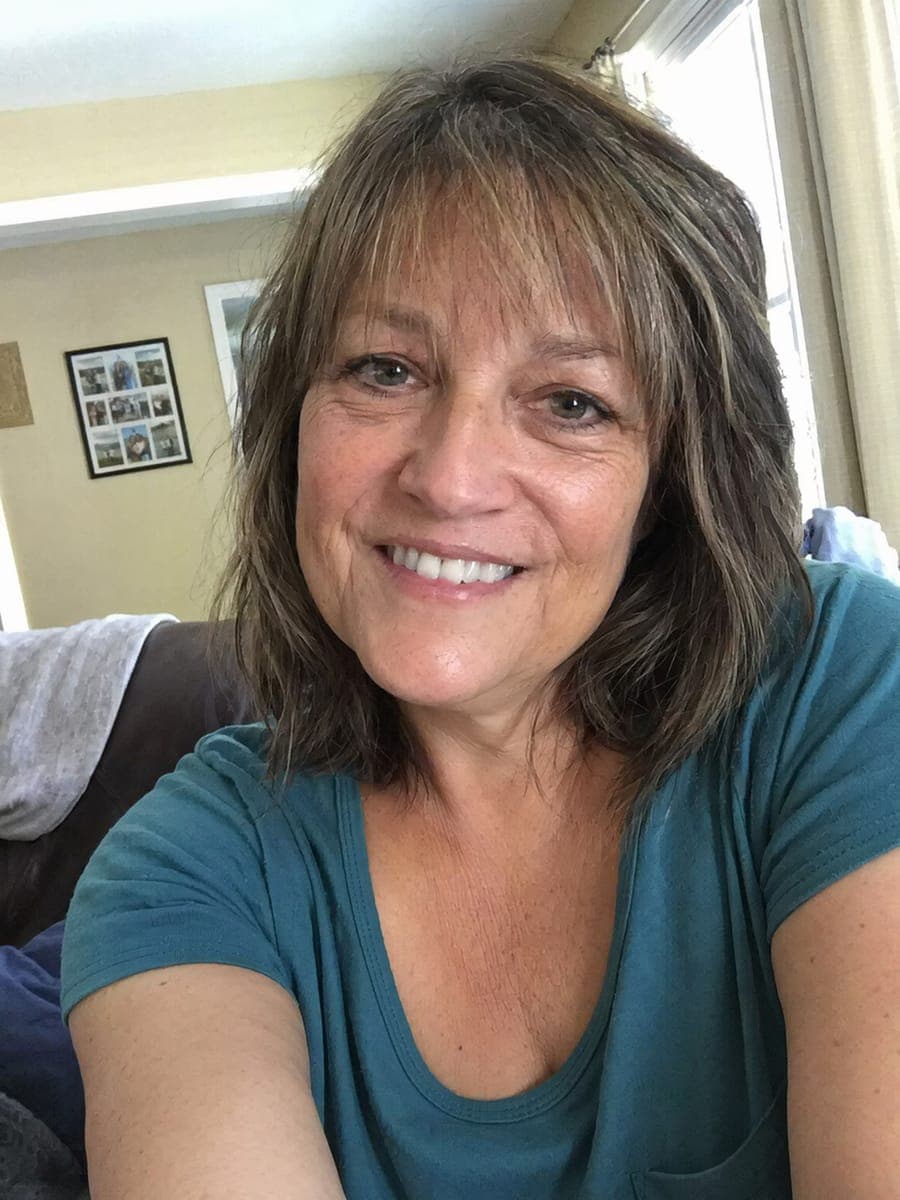
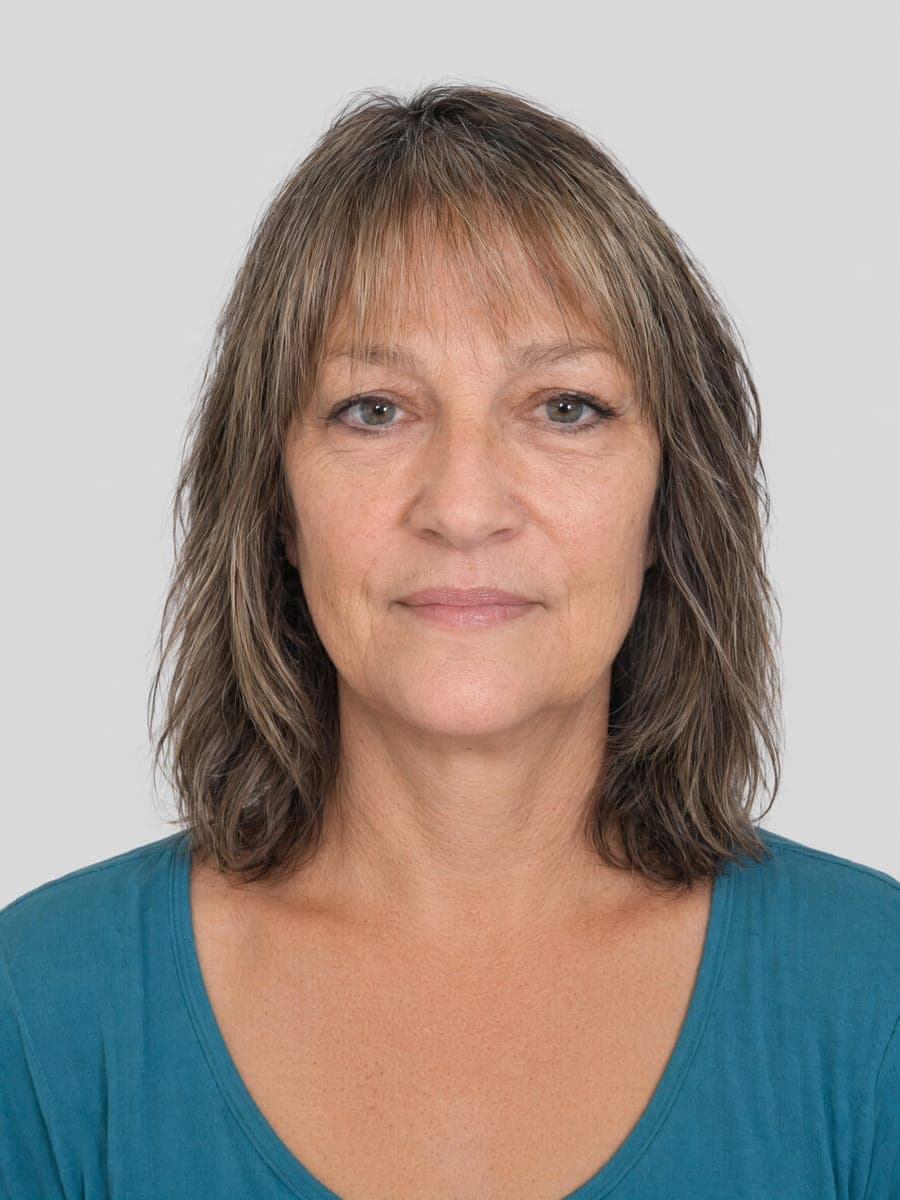
Below are unretouched before-and-after pairs straight from the production pipeline — the exact prompts, model (GPT Image 2) and server-side cropping the tool uses. To respect real users' privacy, the input "selfies" are AI-generated test portraits, but everything that happens to them is precisely what happens to your photo. Look for three things in the results: a perfectly even background, the head sized to the official ratio, and skin that still has real texture — no plastic beautification.
US Passport — 2 × 2 in, pure white
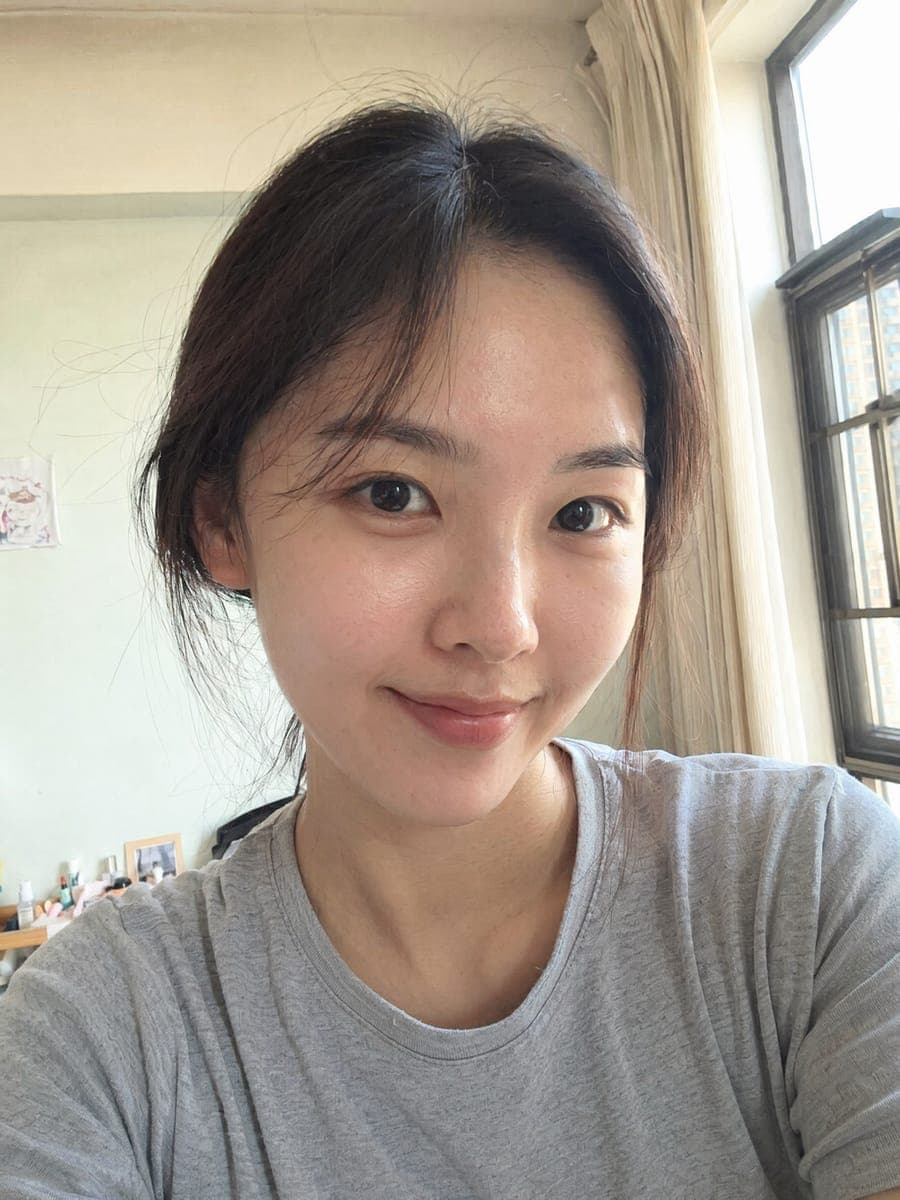
Input
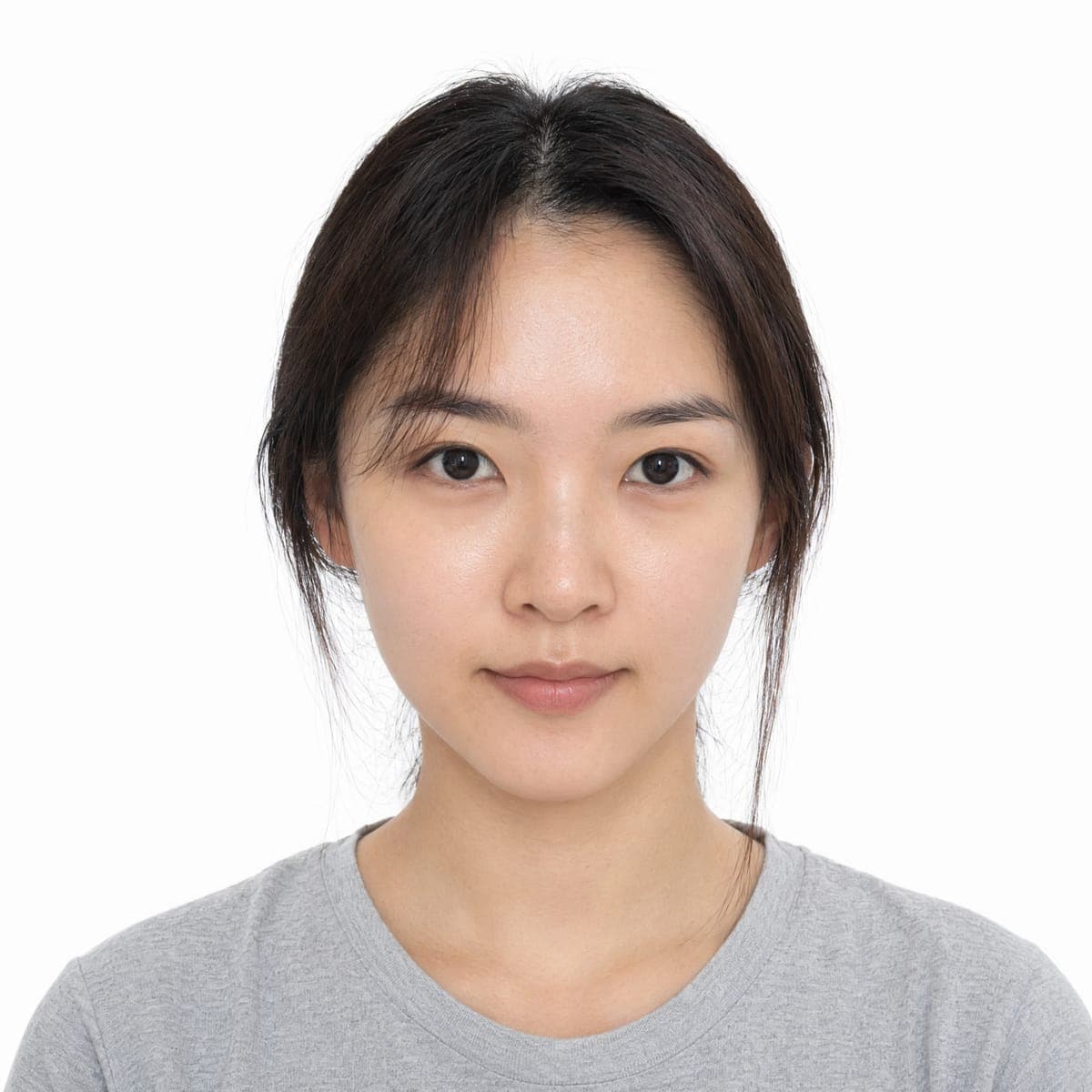
Result
Casual indoor selfie → 600 × 600 px on pure white. The US preset is the only one where a natural smile is allowed.
Schengen Visa — 35 × 45 mm, light gray
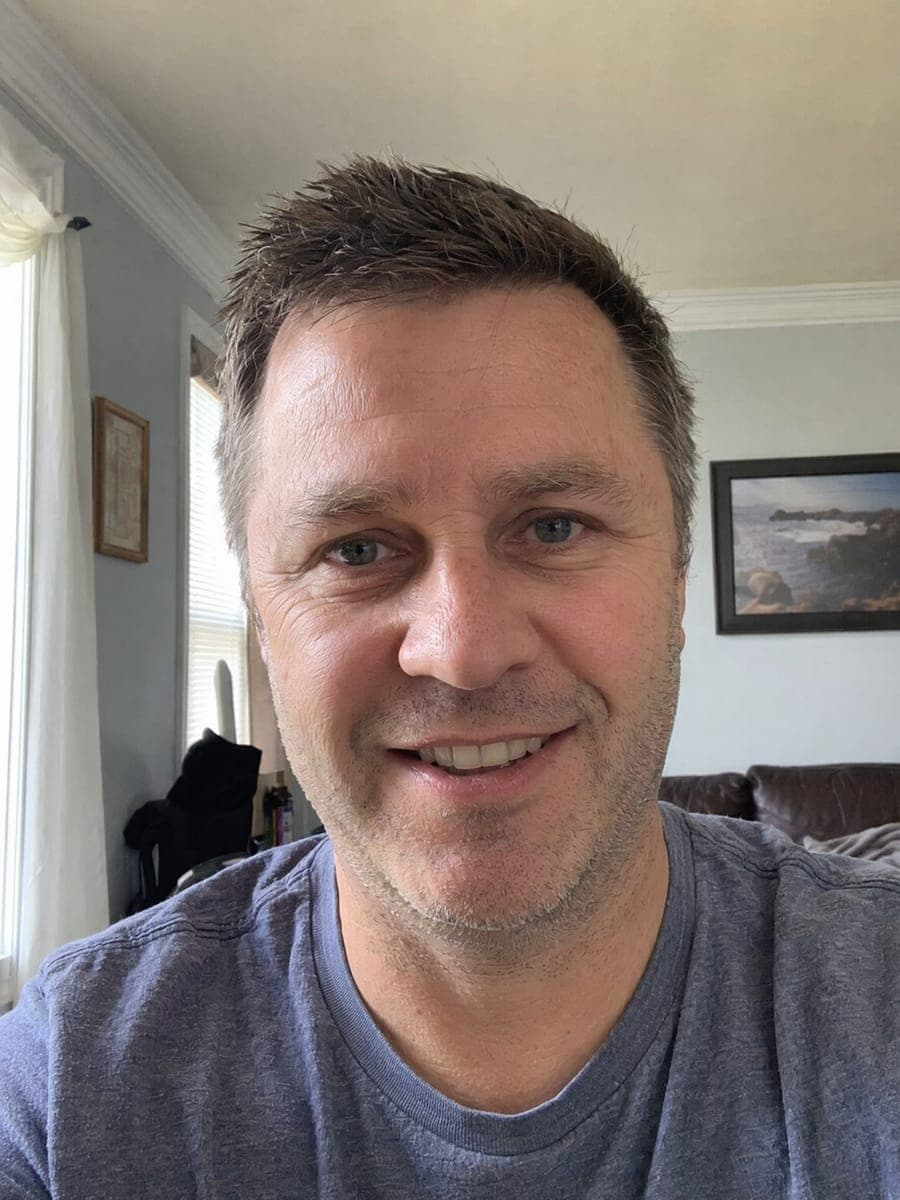
Input
Result
Outdoor photo with a busy background → neutral expression on even light gray, head ratio matched to Schengen guidance.
China Resident ID — 26 × 32 mm, white
Input
Result
The strictest small format: 358 × 441 px at 350 DPI, pure white, no uniform-style clothing.
UK Passport — 35 × 45 mm, light gray
Input
Result
The UK rule that trips people up: both ears visible. The preset enforces it automatically.
Identity preservation is deliberate: the generator keeps bone structure, eye shape, skin tone and hair exactly as they are in your input, and only standardizes pose, lighting, background and framing. An ID photo that doesn't look like you is worse than useless.
Printing: the 4 × 6 Sheet Trick
Most people still need physical prints, and this is where the tool quietly saves the most money. Alongside the single exact-size file, you can download a standard 4 × 6 inch (10 × 15 cm) print sheet — the default size every pharmacy photo counter and home photo printer supports. The tool automatically tiles as many photos as fit and adds light-gray cutting guides between them.
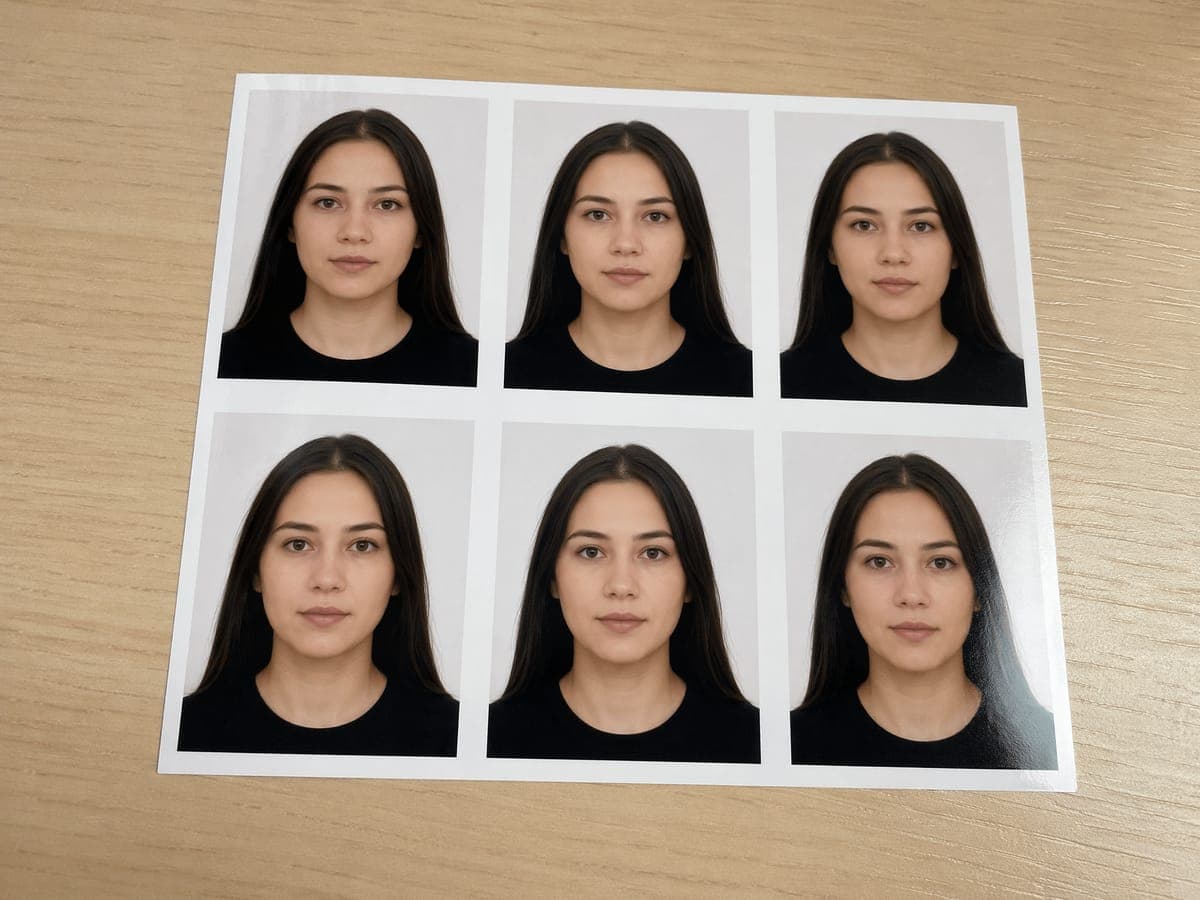
| US Passport (2 × 2 in) | 6 photos per sheet |
| 35 × 45 mm (Schengen, UK, Japan…) | 8 photos per sheet |
| China Passport (33 × 48 mm) | 10 photos per sheet |
| China Resident ID (26 × 32 mm) | 12 photos per sheet |
| Canada Passport (50 × 70 mm) | 4 photos per sheet |
A single 4 × 6 print costs roughly $0.35–0.75 at Walgreens, CVS or any local photo counter. That works out to pennies per ID photo — versus $15–30 for a studio session that gives you the same handful of prints.
What It Costs (Real Numbers)
Pricing is per generation, by quality tier — the credit cost is shown on the quality buttons before you generate, so there are no surprises:
Digital
40 credits
For online submissions and digital applications.
- ✓Exact official pixel dimensions
- ✓Meets the same compliance rules as every tier
- ✓Five fit inside the 200 free welcome credits
Print HD
80 credits
Finer rendering for physical prints.
- ✓300 DPI print-ready output
- ✓Best choice for pharmacy or home printing
- ✓4 × 6 print sheet included
Pro
240 credits
Ultra-sharp, studio-grade rendering.
- ✓Maximum rendering depth
- ✓For demanding or archival uses
- ✓Same compliance, highest detail
Every new free account receives 200 welcome credits once at sign-up with no card required — that's up to five Digital ID photos at zero cost (free accounts can spend up to 80 credits a day, so two per day). If you need more, Premium ($29/month) provides 8,000 credits per month and Ultimate ($49/month) provides 18,000 per month, with no daily cap, or one-time credit packs start at $30 for 3,000 credits. Re-takes simply cost another generation, so experimenting is cheap.
AI Maker vs Studio vs Photo Booth vs Free Croppers
Four realistic ways to get an ID photo today, compared on what actually matters:
| CreateVision AI | Photo studio | Photo booth | Free online croppers | |
|---|---|---|---|---|
| Cost per photo | From $0 (5 free Digital with sign-up credits) | $15–30 per session | $8–15 | $0 |
| Time needed | About 1 minute, from anywhere | 30–60 min incl. travel | 10–20 min | 2–5 min |
| Fixes background & lighting | Yes — rebuilt to spec | Studio-lit | Harsh flash, fixed backdrop | No — crops your photo as-is |
| Exact size + embedded DPI | Yes, server-side crop | Usually | Fixed formats only | Often approximate |
| Professional attire option | Yes | Wear it yourself | No | No |
| Multi-country sizes | 11 presets + custom mm | Depends on photographer | Very limited | Manual guesswork |
Free croppers are genuinely fine if your original photo already has perfect lighting and a plain background — all they do is cut. The AI maker earns its 40 credits when the starting photo is ordinary: it rebuilds the background, evens the light, frames the head to spec and delivers a file with the size baked in. And if a printed photo in hand matters more than anything, a studio still has its place — see the honest limits below.
Honest Limits: When Not to Use an AI Photo
An ID photo tool that overpromises gets your application rejected, so let's be precise about the boundaries:
Your input photo sets the ceiling
The generator preserves the face it sees. A sharp, front-facing, evenly lit input produces a result that looks exactly like you; an extreme angle, heavy filter or half-shadowed face forces the model to guess, and resemblance suffers. Thirty seconds spent taking one good selfie by a window is the highest-leverage step in the whole process.
No beautification — by design
The tool intentionally does not slim faces, smooth skin into plastic or enlarge eyes, because a photo that scores high on a beauty filter and low on a border-control face match is a liability. If what you actually want is a flattering professional portrait for LinkedIn or a resume, that's a different job — use the AI headshot generator instead, which is built for exactly that.
What Actually Makes This Tool Different
Plenty of sites resize photos. Four things here are genuinely uncommon:
A regulation table, not a filter
Every preset carries the official size, background color and head-position rules for that document, and the options are gated by those rules: a smile is only offered where it's actually allowed (US passport), glasses only where medical exceptions exist (UK, Canada, India, Korea), background choice only for documents that permit it. You cannot accidentally generate a non-compliant combination.
Exact-size engine with embedded DPI
The final crop happens server-side to the exact official pixel dimensions — 600 × 600 for a US passport, 358 × 441 for a Chinese resident ID — and the DPI value is written into the file itself. Print software reads it and reproduces the correct physical millimeters without you touching a settings dialog.
The photo still looks like you
Identity preservation is the core design constraint: bone structure, eye shape, skin tone and hair stay untouched while pose, light and background are standardized. That's the property that makes a photo usable for documents whose whole purpose is matching it against your face.
Print-sheet economics
The automatic 4 × 6 sheet turns one generation into 4–12 physical photos for the price of a single pharmacy print. For families or anyone juggling several applications, this is where the real savings compound.
Five Free Photos to Start — Try It on Your Next Renewal
The next time a form asks for a 35 × 45 mm photo on a light gray background, you don't need to book anything. Upload one good selfie to the AI ID Photo Maker, pick the document preset, and download an exact-size file a minute later — your first five Digital photos are covered by the free welcome credits. Print the 4 × 6 sheet for pennies, and keep your afternoons for something better than a photo-counter queue.


