מחולל וידאו Kling 4.0 AI

Kling 4.0 is Kuaishou's current flagship video model: 3 to 30 second single takes at 720p or 1080p, with audio on every clip. All four API modes run here — text or image to video, keyframes, reference to video and video edit — and every clip on this page was generated in this workspace, with its prompt, generation time and credit cost shown.

0 / 2,000
~960 cr

מה זה Kling 4.0?

Kling 4.0 is Kuaishou's current flagship video model, and its headline change is length: one continuous take of 3 to 30 seconds, double Kling 3.0's 15. It reached the Kling app on 15 October 2026 and went live here on 22 October, the day the API opened — every clip and number on this page comes from our own runs.

Length
3–30 s per take, any whole second
פלט
720p or 1080p · 24 fps · stereo audio
מצבים
Text / image · Keyframes · References · Edit
Price
From 360 credits (3 s at 720p)

Not in the API, so not offered here: 4K and HDR output, named-language voice, "elements" and 2-minute extension. For a bigger file, render 1080p and upscale; for a longer piece, chain 30-second takes with a keyframe handoff.

Model specifications are quoted from Kling AI's announcement and launch coverage; availability, limits, credit rates and generation times on this page describe our own API integration, not the Kling app: Kling AI announcement on X (27 Sep 2026)

מה אומר הסיקור של ההשקה

“המודל המלא מייצר קליפים של 3 עד 30 שניות ברזולוציה של עד 4K, בהנחיית 10 פריימי מפתח ו-15 ייחוסים מעורבים.”
— Morphic — Kling 4.0 model page
“תומך בהמשך וידאו מרובה שוטים עד 2 דקות, ומקבל עד 15 קלטי ייחוס מולטימודליים.”
— Pandaily — Kling 4.0 preview
“Kling 4.0 Flash עלה לגישה מוקדמת ב-28 בספטמבר, והגרסה המלאה מתוכננת להשקה רשמית באוקטובר.”
— PANews — Kling 4.0 closed beta

Every clip and number below comes from our own runs and integration code — what you see is what the generator will do.

One take, 30 seconds, no cuts

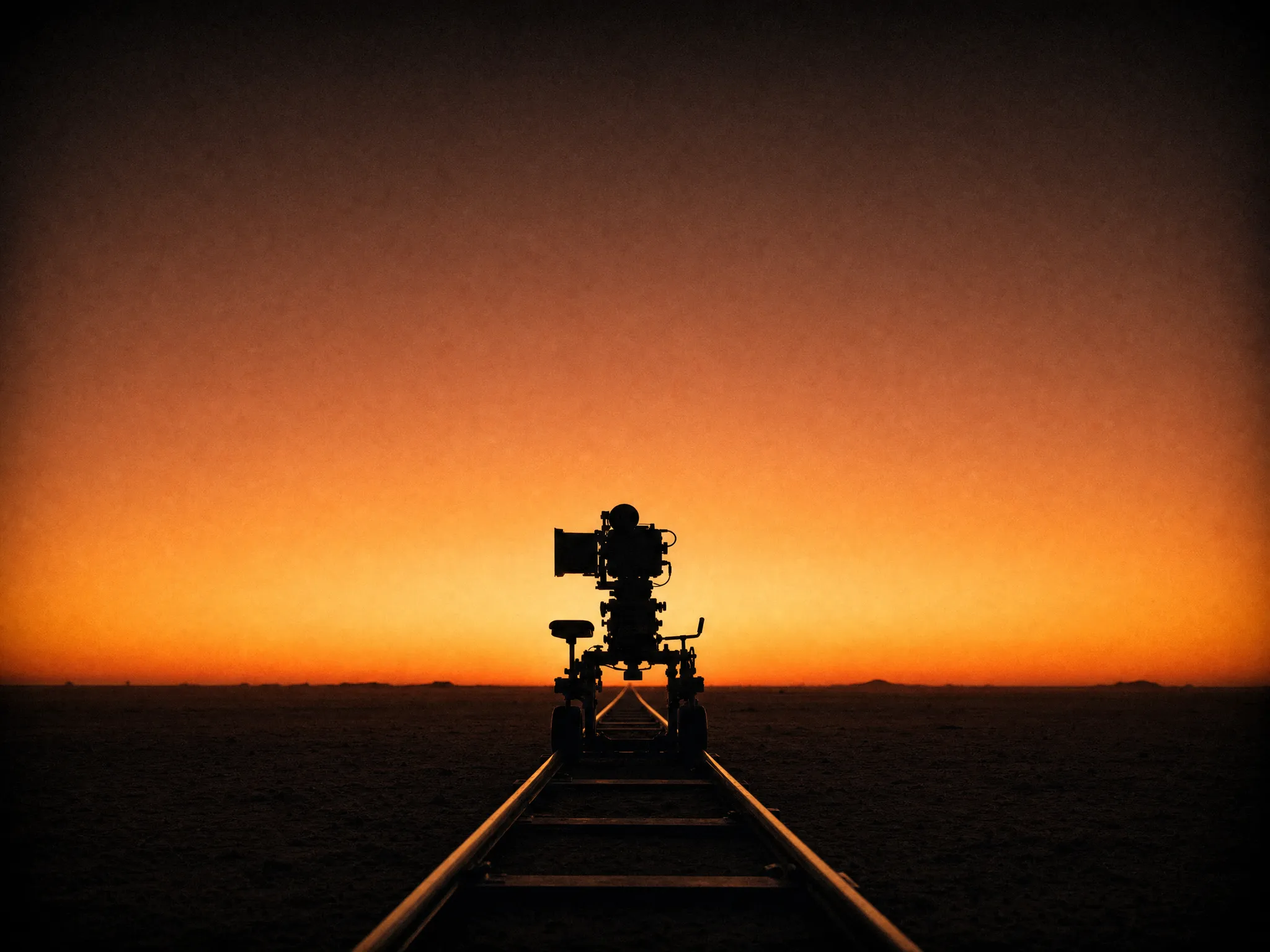
The clip below is one 30-second generation from one prompt: the shutter rolling up, the bread handed over, the laundry lines, the waterfront at sunrise, the stop at the quay — five beats in order, and the camera never cuts. It took 490 seconds and cost 3,600 credits at 720p. Short runs are quicker (our 3–6 second tests took 111 to 350 seconds), so prove the look on a 3-second pass before committing to the long one.
30 s · one take
720p · 490 s · 3,600 cr

Keyframes: set the start, the middle and the end

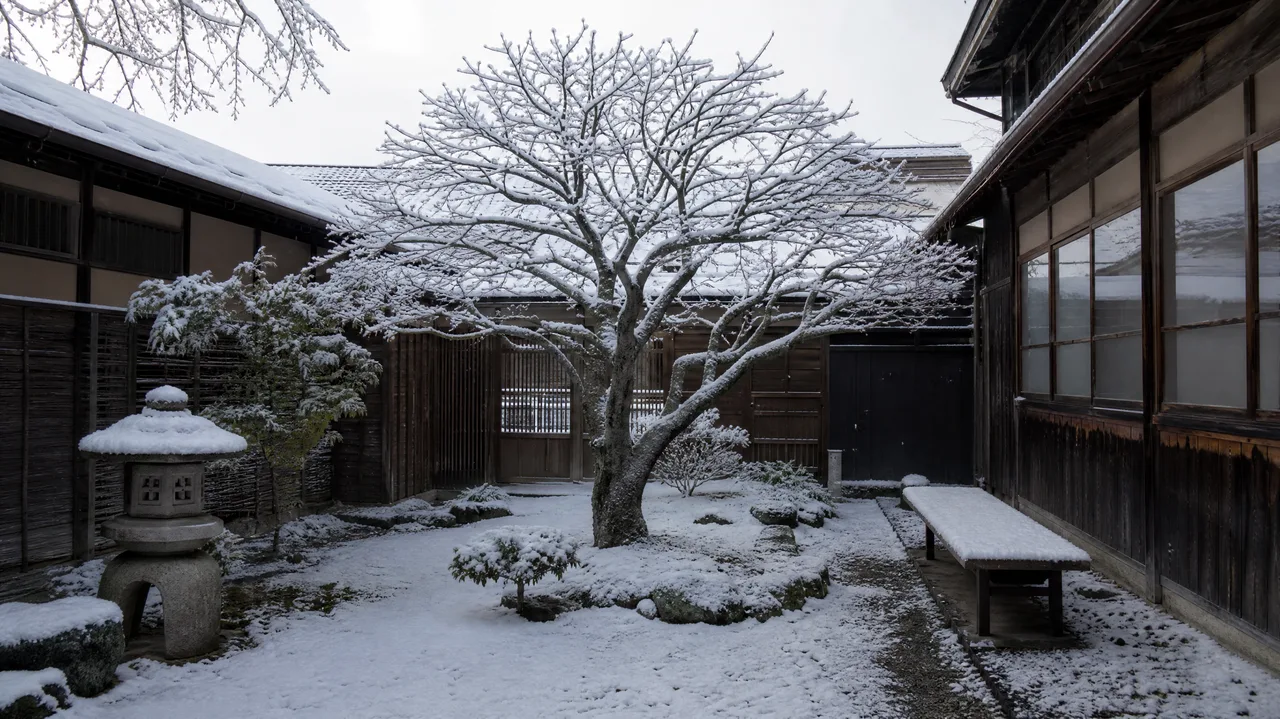
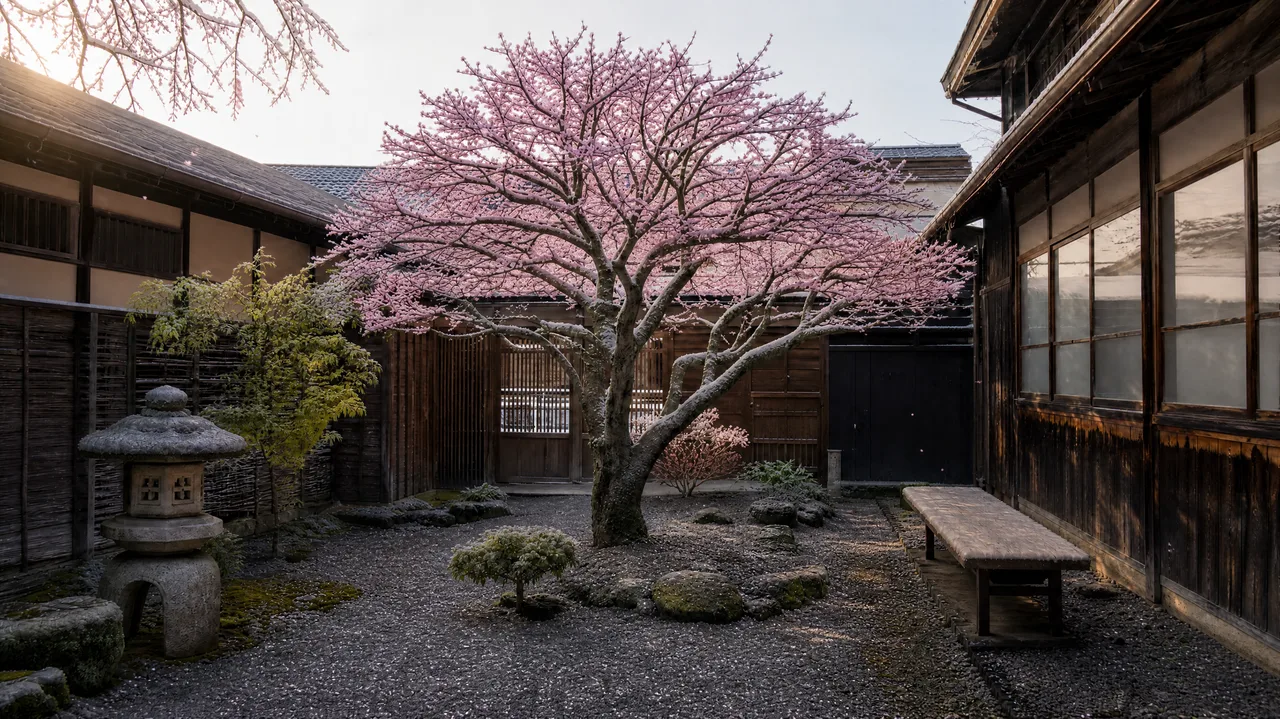
Give it a first frame, up to eight middle frames and an optional last frame. There are no timestamps: middle frames are spaced evenly, so in this 5-second clip the blossom frame lands at about 2.5 seconds. Frames may not outnumber the clip length plus one, and the output follows the first frame's aspect ratio — the generator checks both before you spend a credit.

First
First keyframe: a bare cherry tree in a snowy stone courtyard
Middle
Middle keyframe: the same cherry tree in full pink blossom
Last
Last keyframe: the same cherry tree in dense summer leaf
פלט
5 s · 191 s · 600 cr

The middle and last frames were made from the first frame as a reference, so the camera stays put and only the season changes.

References you cite by name in the prompt

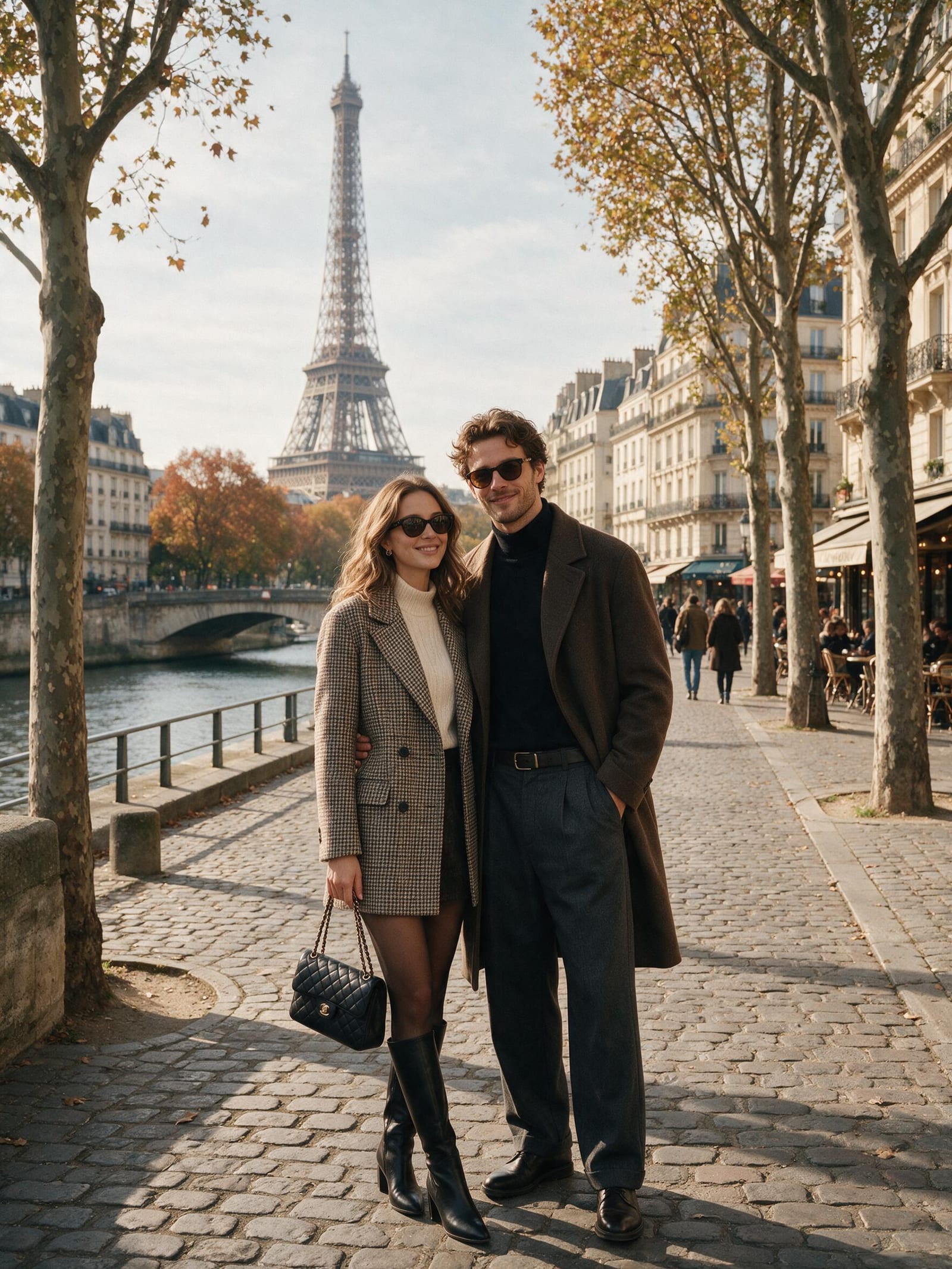
Up to 10 images and 5 reference videos per run, each cited in the prompt by its slot — "the couple from <<<image_1>>>". Images fix who and what; videos lend motion and camera. Here one portrait photo was enough to keep both faces and the Paris setting while the frame changed from 3:4 to 16:9. Image-only runs bill at the normal per-second rate; adding a video switches to 70 credits per billed second at 720p.

<<<image_1>>>
Reference image: a couple standing by the Seine with the Eiffel Tower behind them
פלט
3 s · 111 s · 360 cr

Edit a clip you already have, and keep its sound

Upload one 3–30 second clip and say what should change — a regrade, a time of day, a jacket from a reference image. It comes back at the same length and aspect ratio with its original sound: our 6-second test returned 6.04 seconds, audio intact. The input can come from any model; this one was a Kling 3.0 Turbo clip. Billing counts input and output seconds: 840 credits here, 4,200 for a 30-second 720p edit.

Original
Kling 3.0 Turbo · 6 s
Edited
6 s · audio kept · 840 cr

Prompt: "Regrade <<<video_1>>> to a warm golden-hour look with soft film grain, keep everything else unchanged."

One credit pool, and the exact price before you click

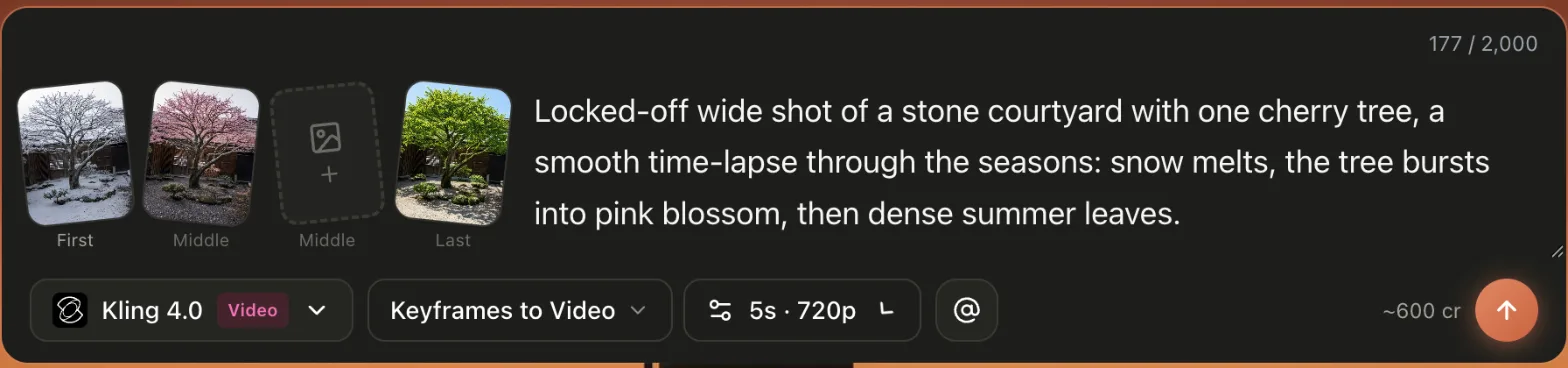
No Kling plan and no +86 phone number: Kling 4.0 shares one credit balance with Kling 3.0 Turbo, Seedance 2.5, Wan 3.0 and the rest, so you can draft on a cheaper model and render the keeper here. The price updates as you add frames or move the slider — 600 credits for the keyframe setup below — is held when the job starts and refunded if it fails. Ask Ava for a long continuous take and it will route here.

The CreateVision AI generator in Kling 4.0 Keyframes to Video mode with first, middle and last frames loaded, 5 s at 720p, about 600 credits

Six real clips, generated here

Every clip was produced through our Kling 4.0 integration on 22–23 October 2026, first take, with the exact prompt shown — no editing, no cherry-picking. 720p at 24 fps, each with a real stereo audio track (checked with ffmpeg). The credit figure is what the same run costs you today.

פרומפטText · 30 s · one take · 490 s · 3,600 cr

One continuous 30-second take, no cuts. Early morning on a steep cobbled street in an old harbour town: the camera follows a young woman on a pale-green vintage bicycle as she coasts downhill past a bakery whose metal shutter is rolling up. She slows, the baker hands her a paper bag of bread, she laughs and rides on beneath lines of drying laundry. The street opens onto the waterfront just as the sun clears the horizon; seagulls lift off the railings and she stops at the edge of the quay, looking out at the boats. Steady gimbal follow at shoulder height that rises slowly into a wide shot at the end, warm low sunlight, natural colour. Sound: tyres on cobbles, a bicycle bell, the shutter rattling, gulls and a light sea breeze.

פרומפטKeyframes · 3 frames · 5 s · 191 s · 600 cr

Locked-off wide shot of a stone courtyard with one cherry tree, shown as a smooth time-lapse through the seasons: the winter snow melts away, the tree bursts into pink blossom and petals drift down, then the blossom gives way to dense summer leaves under bright sun. The camera never moves. Sound: a cold wind at first, then birdsong and cicadas as summer arrives.

פרומפטText · 3 s · 720p · 350 s · 360 cr

A paper boat drifts down a rain-soaked street at dusk, neon reflections ripple across the water, slow tracking shot, cinematic detail.

פרומפטImage · 3:4 → 836×1116 · 250 s · 360 cr

The couple slowly turn toward each other and smile, a gentle breeze moves their hair, soft golden-hour light, subtle handheld camera.

פרומפטReference · 1 image · 3 s · 111 s · 360 cr

The couple from <<<image_1>>> walk hand in hand along a Paris street at golden hour, slow dolly follow, soft handheld feel.

פרומפטEdit · 6 s → 6 s · audio kept · 111 s · 840 cr

Regrade <<<video_1>>> to a warm golden-hour look with soft film grain, keep everything else unchanged.

Who Kling 4.0 is for

It is a length-and-control release, not a speed release — the people who gain most are the ones stitching shots together or regenerating whole clips today.

  • יוצרי סרטים קצרים וסיפורים

    A continuous 16–30 second take removes most of the stitching that multi-shot work needs with 5- and 10-second models. For anything longer, hand one take to the next through the keyframe mode: the last frame of take one becomes the first frame of take two.

  • צוותי מותג ומוצר

    Put the product and the talent in the reference slots and cite them by name, so the same campaign can be re-run for a new colourway without a new shoot. Draft the shot on Kling 3.0 Turbo for a fraction of the credits, then re-render the keeper on 4.0 at 1080p.

  • Editors with a clip they almost like

    Video Edit regrades, relights or re-dresses a 3–30 second clip from any model for 70 credits per billed second, keeping motion, timing and sound — usually cheaper than regenerating and hoping.

  • Anyone who needs a character to hold together on screen

    Kling's motion engine is the reason to choose this family, and 4.0 is its current best. Start from a first frame or a cited reference image of the person and let the take run.

  • לא מתאים ל: טיוטות מהירות לרשתות חברתיות

    A 5-second hook does not need a flagship. Kling 3.0 Turbo returns it for 55 credits a second, and Seedance Mini does it cheaper still; Ava will say the same.

Kling 4.0 מול Kling 3.0 Turbo מול Seedance 2.5

The three long-clip options in this workspace, as they bill and deliver today.

Kling 4.0Kling 3.0 TurboSeedance 2.5
אורך קליפ מרבי‏30 שנ׳‏15 שנ׳‏30 שנ׳
רזולוציה720p / 1080p (4K is Kling app only)720p / 1080p480p / 720p
מצביםText, image, keyframes (10 frames), references (10 images + 5 videos), video editText, first-frame imageText, image, reference-to-video (up to 30 images, 10 videos, 10 audio clips)
יחסי גובה-רוחב16:9, 9:16, 1:1, 21:916:9, 9:16, 1:1Per model settings
אודיוAlways on; edit mode keeps the original trackתמיד פעילאופציונלי, לכל קליפ
Generation time we measured111–490 s across six 3–30 s runs at 720p29 s fastest, 54 s average, six clipsNot measured on this page
קרדיטים120 / 180 per second (720p / 1080p); 70 / 110 per billed second with a video input‏55 / 70 לשנייה (720p / 1080p)‏110 / 230 לשנייה (480p / 720p)
זמין ב-CreateVisionLive, all four modes (22–23 Oct 2026)פעילפעיל

All figures are what this workspace bills and delivers on 23 October 2026. Generation times are from our own runs on the provider's standard queue, on the dates shown with each clip above. Kling 4.0 features that exist only in the Kling app (4K, HDR, voice languages, two-minute extension) are not listed.

The Kling family and the other 30-second models

Same workspace, one credit pool — switch models without re-uploading anything.

Kling 4.0 — specifications

מפתחKling AI (Kuaishou)
ReleaseKling app and website on 15 October 2026; API via our upstream provider on 22 October 2026
Modes hereText / image to video · Keyframes to video (first + up to 8 middle + last, 10 at most, never more than clip length + 1) · Reference to video (up to 10 images + 5 videos) · Video edit (one 3–30 s clip + up to 10 images)
אורך הקליפ3–30 seconds, any integer value; edit mode follows the input clip
Resolution and frame rate720p or 1080p at 24 fps; image modes apply the tier to the short side and follow the input aspect ratio
יחס תצוגה16:9, 9:16, 1:1, 21:9 for text and reference modes; keyframe and edit modes follow the upload
Image inputsJPG or PNG, up to 10 MB, at least 300 px per side, aspect between 1:2.5 and 2.5:1
Reference / edit video inputsMP4 or MOV; each at least 3 s, all together at most 30 s; 720–2160 px; 24–60 fps; up to 200 MB per file
פרומפטUp to 2,500 characters; references cited as <<<image_n>>> and <<<video_n>>>
אודיוStereo AAC 44.1 kHz on every clip (verified on all six test clips); edit mode keeps the original track; no switch, no surcharge
קרדיטים120 per output second at 720p, 180 at 1080p for text, image, keyframe and image-only reference runs; 70 / 110 per billed second when a video is uploaded, billed seconds = output + max(input, output)
Worked examples3 s 720p: 360 · 10 s 1080p: 1,800 · 30 s 1080p: 5,400 · 5 s 720p with a 10 s reference video: 1,050 · 6 s 720p edit: 840 · 30 s 720p edit: 4,200
Measured generation timeText 3 s: 350 s · Image 3 s: 250 s · Reference (1 image) 3 s: 111 s · Edit 6 s: 111 s · Keyframes 5 s: 191 s · Text 30 s: 490 s — our runs of 22–23 October 2026 at 720p
Not in the API4K / 10-bit HDR output, voice generation, elements, multi-shot extension to 2 minutes (Kling app only)
זמינות כאןLive since 22 October 2026; keyframes, reference-to-video and video edit since 23 October

How to generate with Kling 4.0

  1. 1

    Pick the mode from what you have

    Nothing but an idea, or one photo: Text / Image to Video. Stills of where the shot starts and ends: Keyframes to Video. A character, product or scene plus a clip whose motion you want: Reference to Video. A clip you like but want changed: Video Edit. The upload slots change with the mode.

  2. 2

    קבע אורך ורזולוציה

    Any integer from 3 to 30 seconds on the slider, at 720p or 1080p; in keyframe mode the minimum rises with the number of frames, and in edit mode the length is read from your clip. The credit line updates as you change anything, and shows the reference seconds separately when a video is involved.

  3. 3

    Generate, then check the first 3 seconds

    Credits are held when the job starts and released if it fails. Our 3-second 720p runs took 111 to 350 seconds and a 30-second 720p take took 490; 1080p waits longer. Prove the motion and the look on a short pass before committing to the long one.
  4. 4

    Or let Ava route it

    Ask the agent for a long continuous shot and it will choose Kling 4.0 when that is the best tool — and something cheaper when it is not. Keyframe, reference and edit runs are set up in the generator.

How to write a Kling 4.0 prompt

Thirty seconds is long enough for a prompt to fall apart. Write the take as beats, name your references by slot, and leave out what the model cannot do.

1

Subject and identity

Who or what is on screen, with the one detail that keeps them recognisable across 30 seconds — or the reference slot that does it for you.

the woman from <<<image_1>>>, red coat, hair tied back

2

Beats, in order

What happens, in the order it happens. Three to five beats for a 30-second take; one for 3–5 seconds.

she stops at the window, turns, then walks toward camera

3

מצלמה

One move per take — dolly, pan, handheld follow, static — and the framing.

slow dolly follow at waist height, 35mm feel

4

Light and look

Time of day, light source, palette, texture: the grade you would otherwise apply afterwards.

overcast dusk, neon reflections, light film grain

5

Sound cues

Audio renders with every clip, so say what should be heard — it is the only control you have over it.

rain on pavement, distant traffic, no music

מעורפל

cinematic 30 second video of a couple in Paris, 8k, masterpiece

ספציפי

The couple from <<<image_1>>> walk hand in hand along a Paris quay at golden hour; they pause at a café window, she points at something, they laugh and walk on. Slow dolly follow, soft handheld feel, warm backlight, street sounds and a faint accordion.

למה זה עובד

The vague prompt has no beats, so 30 seconds becomes one looped gesture. The specific one gives the model three things to do in order, a single camera move, a light source and a sound cue — and the reference slot carries the identity instead of adjectives.

מעורפל

product video, rotate the bottle, 4K HDR

ספציפי

Keyframes mode, first and last frame set. A matte black perfume bottle turns a slow half-circle on a stone plinth; a single rim light sweeps across the label as it turns; fine dust drifts in the beam. Static camera. Quiet room tone.

למה זה עובד

4K and HDR are not in the API, so the words do nothing. The keyframes carry the start and end pose, which leaves the prompt only the motion between them and the light that reveals the label.

מעורפל

make the video better and warmer

ספציפי

Regrade <<<video_1>>> to a warm golden-hour look with soft film grain, keep everything else unchanged.

למה זה עובד

Edit mode works best when the instruction names one change and explicitly fences off everything else. This is the exact prompt behind the edit clip above — framing, motion, timing and audio all survived.

Habits to drop

  • Timestamps ("at 0:05 she turns"): keyframes have no time field and are spaced evenly. Put the order in the prose, or add a middle frame.
  • "4K", "HDR", "8k", "masterpiece": the API renders 720p or 1080p and ignores quality words.
  • Reference clips under 3 seconds, or more than 30 seconds of them in total: the request is refused before anything is billed. Trim first.
  • Asking for silence: audio always renders. Describe the sound you want, or strip the track in an editor afterwards.
  • Two camera moves in one take: thirty seconds of dolly-then-crane usually comes back as neither. Use a keyframe handoff between two takes instead.
  • Prompts over 2,500 characters are cut off; a 30-second take rarely needs more than 120 words.

המשיכו לחקור את CreateVision AI

חשבון אחד, תהליך העבודה המלא של יצירת תמונות ווידאו.

קריאה נוספת

Kling 4.0 — Frequently Asked Questions

1

Is Kling 4.0 available on CreateVision AI now?

Yes, in all four API modes. Text-to-video and first-frame image-to-video went live on 22 October 2026, the day the API opened through our upstream provider; keyframes to video, reference to video and video edit followed on 23 October, each after a live test — the clips on this page come from those tests.

2

What is the latest version of Kling AI?

Kling 4.0, released in the Kling app and website on 15 October 2026 and through the API on 22 October. It replaces Kling 3.0 (June 2026) at the top of the family; Kling 3.0 Turbo remains the fast tier here for clips up to 15 seconds.

3

Is Kling 4.0 free to use?

Not on a free account: the shortest run, 3 seconds at 720p, is 360 credits, more than a free account starts with. The Basic plan's 3,000 monthly credits buy about 25 seconds of 720p or 16 seconds of 1080p Kling 4.0. On a free account you can try a cheaper Kling model instead — a 3-second 720p clip on Kling 3.0 Turbo is 165 credits. Kling's own app sells Kling 4.0 on a paid plan as well.

4

How many credits does Kling 4.0 cost?

For text, image, keyframe and image-only reference runs: 120 credits per second of output at 720p and 180 at 1080p — 360 for 3 seconds at 720p, 1,800 for 10 seconds at 1080p, 5,400 for the longest 30-second 1080p take. When a video is uploaded (a reference video or a clip to edit) the rate is 70 or 110 credits per billed second, and billed seconds are the output plus the longer of the input and the output: a 6-second edit bills 12 seconds, 840 credits. The exact total shows before you generate, and failed runs are refunded.

5

Which Kling 4.0 mode should I use?

Text / Image to Video when you have a prompt or a single photo to start from. Keyframes to Video when you know what the first and last frame look like, or have stills for the beats in between — product turns, storyboards, handing one take to the next. Reference to Video when a person, product or scene has to be recognisable, or when you want the motion of an existing clip; cite each asset in the prompt as <<<image_1>>> or <<<video_1>>>. Video Edit when you already have a 3–30 second clip and want a regrade, a time-of-day change or a wardrobe change without regenerating it.

6

How long does a Kling 4.0 generation take?

Our six 720p test runs, timed from submit to finished file on 22–23 October 2026: 350 seconds (text, 3 s), 250 seconds (image, 3 s), 111 seconds (reference with one image, 3 s), 111 seconds (edit, 6 s), 191 seconds (keyframes, 5 s) and 490 seconds (text, 30 s). Expect 1080p to wait longer, and check a short 720p pass before committing to a long take.

7

What are the limits for keyframes and reference videos?

Keyframes: one first frame (required), up to eight middle frames and an optional last frame, ten in total, and the frame count may not exceed the clip length plus one — ten frames need at least a 9-second clip. Reference videos: up to five, each at least 3 seconds, 30 seconds combined, 720–2160 px, 24–60 fps, 200 MB per file; reference images: up to ten. Video edit: exactly one clip of 3–30 seconds plus up to ten images. Images in every mode: JPG or PNG up to 10 MB, at least 300 px per side, aspect between 1:2.5 and 2.5:1.

8

Does Kling 4.0 generate audio here?

Yes. Every clip comes back with a stereo 44.1 kHz AAC track generated alongside the picture — we checked all six test clips with ffmpeg and each carries real sound (−20 to −28 dB mean volume). There is no switch to disable it and nothing is billed for it. Video Edit keeps the original track of the clip you upload. For a silent plate, strip the track in your editor.

9

Can I get 4K from Kling 4.0?

Not through the API. The provider route tops out at 1080p; 4K and 10-bit HDR are currently only in Kling's own app, and this page does not list them as available. For a larger file, run at 1080p and send the clip through the AI Video Upscaler.

10

Can Kling 4.0 edit a video I made with another model?

Yes. Video Edit accepts any MP4 or MOV between 3 and 30 seconds that meets the input limits; our test input was a Kling 3.0 Turbo clip, and the result kept its length, aspect ratio and original audio.

11

Kling 4.0 or Kling 3.0 Turbo — which should I use?

Turbo for anything up to 15 seconds where speed and cost matter: it bills 55 or 70 credits a second, averaged 54 seconds across our six test clips (29 at the fastest) and ships with audio. Kling 4.0 for continuous takes longer than 15 seconds, for keyframes, cited references or editing an existing clip, for 21:9 framing, or when motion and character stability are the point of the shot. Ava applies the same rule when it routes a request.

12

Do I need a Kling account or subscription?

No. Every model here runs on one CreateVision account and one credit pool; there is no Kling subscription, app install or phone-number registration involved.

Generate a 30-second take with Kling 4.0

Generate a 30-second take with Kling 4.0

התחילו ליצור סרטונים

גלו את כלי הווידאו שלנו בלחיצה אחת

כלים בלחיצה אחת לכל מה שסביב היצירה — ליטוש, שינוי סגנון ושיתוף.

מחירים וגישה — העובדות — Kling 4.0

מודל
Kling 4.0
מפתח
Kling
גישה
פועל בסביבת העבודה של CreateVision AI דרך API — מתחברים ויוצרים. בלי מפתח API, בלי פרויקט ענן, בלי התקנה.
מחיר לכל יצירה
החל מ-600 קרדיטים ≈ $2.18 לקליפ של 5 שניות במסלול Premium ‏($29/חודש עבור 8,000 קרדיטים).
פרטיות
פרטי כברירת מחדל — אף משתמש אחר לא יכול לראות את היצירות שלך, בשום מסלול. איננו מוכרים או עושים שימוש לרעה בנתוני חברים. מדיניות פרטיות

מה חדש — Kling 4.0

  1. Update

    Three more Kling 4.0 modes: Keyframes to Video (first, up to 8 middle and last frames), Reference to Video (up to 10 images + 5 videos, cited in the prompt) and Video Edit of a 3–30 s clip. Clip length now picked on a 3–30 s slider.

  2. New

    Kling 4.0 is live: text-to-video and first-frame image-to-video, 3–30 second clips at 720p or 1080p with audio on every clip, billed per second.