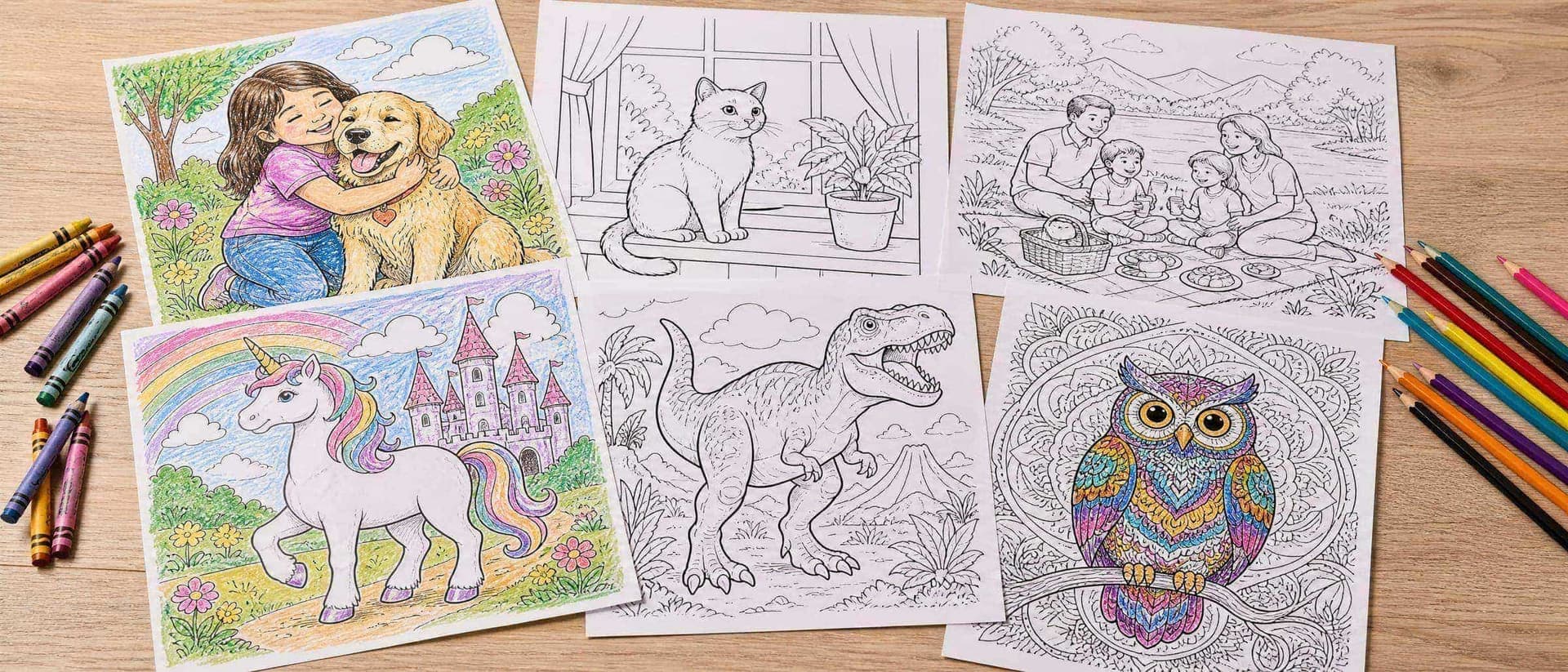
The short answer
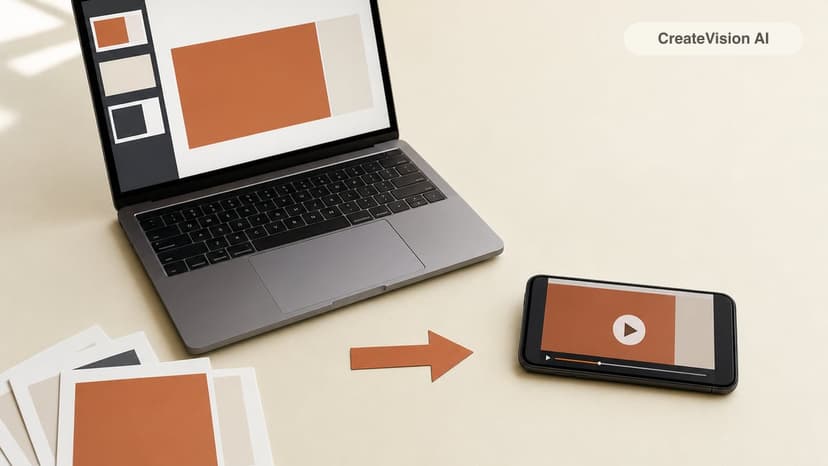
To turn a photo into a coloring page, you need to replace every color and shadow in the picture with clean black outlines on white paper, and close up the shapes so they can be filled in. There are three ways to do that:
- An AI coloring page generator redraws the photo as line art in about half a minute. This gives the cleanest, most "coloring book" result, but it usually costs something.
- A free converter or a photo editor filter (sketch, edge detect, threshold) traces the edges it finds in the photo. It is free and instant, but you often get gray patches, broken lines and background noise.
- Tracing by hand, on paper or on a tablet, gives you full control and costs nothing, but takes the longest.
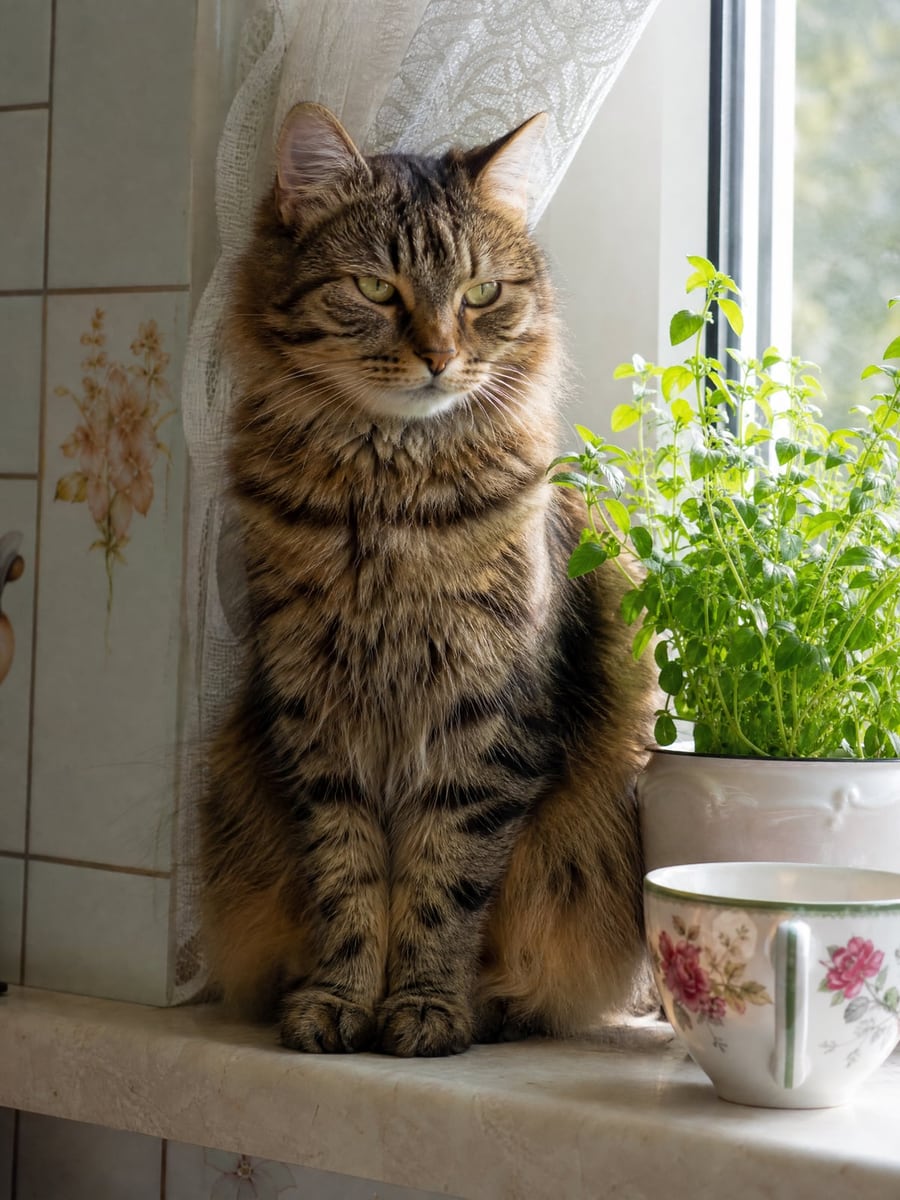
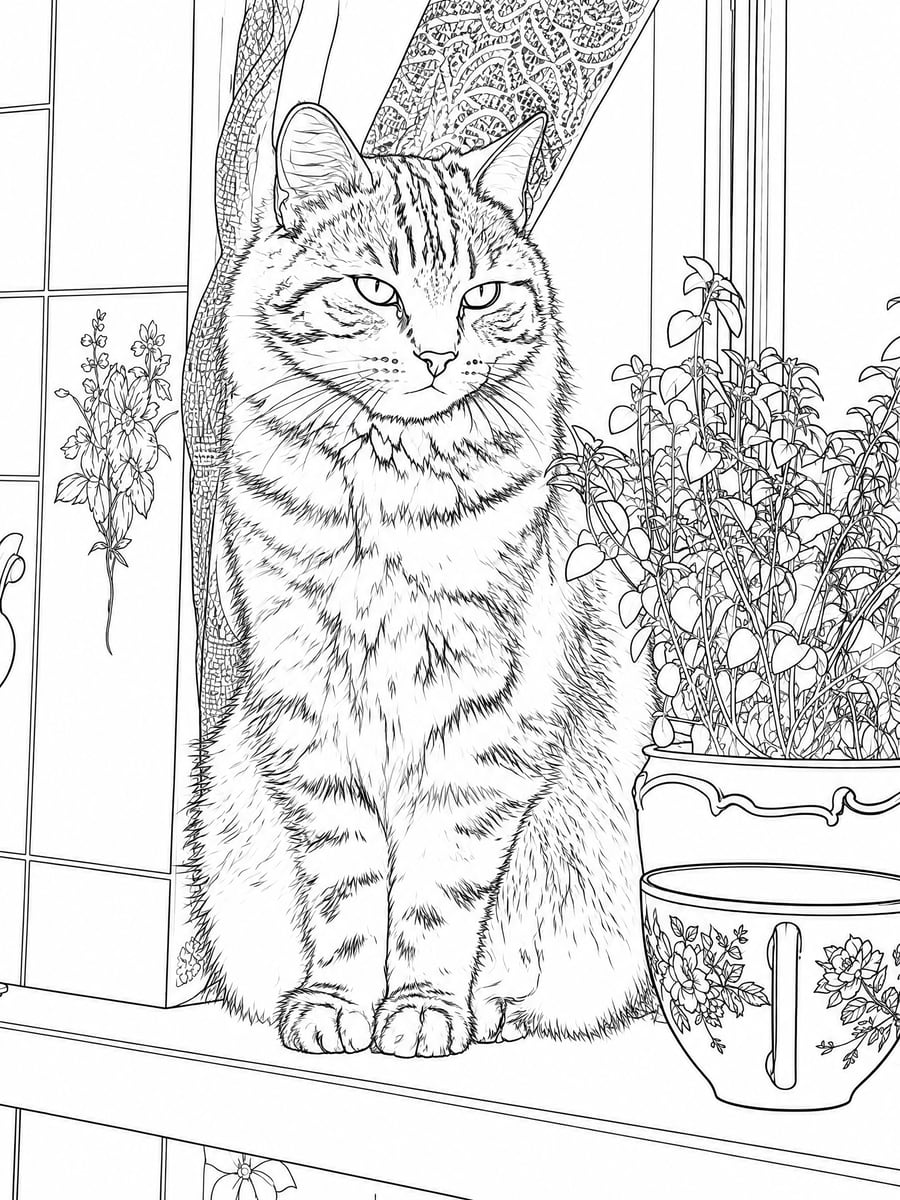
Three ways to turn a photo into a coloring page, compared
Here is what each method actually does, and where it falls short.
1. An AI coloring page generator
You upload the photo and the AI draws a new picture of the same scene as black outlines: same people or pets, same pose, but with shading removed and the background simplified. On CreateVision's AI Coloring Page Generator you also choose a line style, from thick, simple outlines for preschoolers to fine detail for adults.
- ✅ Clean, closed outlines with no gray, and the level of detail is adjustable. It also handles cluttered photos, because the background can be simplified or removed.
- ❌ It redraws the photo rather than tracing it, so small details can change. It isn't free: each page costs 20 credits.
2. Free converters and photo editor filters (no AI)
Free one-click converters, of which Crayola's custom coloring page tool is the best-known, and the "sketch", "edge detect" or "threshold" filters in photo editors all work from the photo itself. The classic do-it-yourself recipe in GIMP or Photoshop goes like this: desaturate the photo, duplicate the layer, invert it, set the blend mode to Color Dodge, blur it slightly, then use Threshold or Levels to push everything to black or white.
- ✅ Free, quick, and the result follows the original photo exactly, because nothing is redrawn.
- ❌ A filter can't tell an outline from a shadow. Hair, grass and textured backgrounds turn into speckles, dark areas become solid black blobs, and lines often have gaps, so the crayon doesn't know where to stop. It works best on simple, high-contrast photos.
3. Tracing by hand
Print the photo, tape tracing paper over it (or hold both against a sunny window) and go over the important edges with a fine black marker. On an iPad or drawing tablet, put the photo on a bottom layer at low opacity and trace on a new layer above it.
- ✅ You decide exactly which lines matter, it costs nothing, and the result can look genuinely hand-drawn. It also makes a nice project to do with older kids.
- ❌ It is slow: allow 20 minutes or more for a detailed photo. Clean, even lines also take some practice.
| AI generator | Free filter / converter | Tracing by hand | |
|---|---|---|---|
| Cost | 20 credits per page (free sign-up) | Free | Free |
| Time | About 30 seconds | Seconds to a few minutes | 20+ minutes |
| Line quality | Clean, closed, no gray | Depends on the photo; often gray or broken | Depends on your hand |
| Faithful to the photo | Same scene, redrawn; small details can change | Exact, including the noise | As faithful as you make it |
| Detail control | Five line styles, background options | Slider settings | Full |
If you need one page today and your photo is simple and high-contrast, try a free converter first. If the photo is busy, the subject is a child or a pet with fur, or you want a page that a 4-year-old can actually color, an AI generator gives a much more usable result. If the page is a gift or a keepsake and you have the time, tracing is worth it.
How to make a coloring page from a photo with AI, step by step
Here is the whole process on CreateVision. It takes about a minute, including printing.
- Open the AI Coloring Page Generator and upload a photo. If you don't have a photo, type a short description instead, such as "a unicorn in a castle garden".
- Pick a line style: Simple (ages 3–6), Classic, Detailed (adults), Cartoon or Mandala patterns.
- Optional: under advanced options, set the background (Simplified, None for the subject only, or Keep everything) and the page orientation (portrait, landscape or square).
- Click Create Coloring Page. Each page takes about 30 seconds and costs 20 credits.
- Download the page and print it on A4 or US Letter with "fit to page" turned on. If you don't like the result, generate it again.
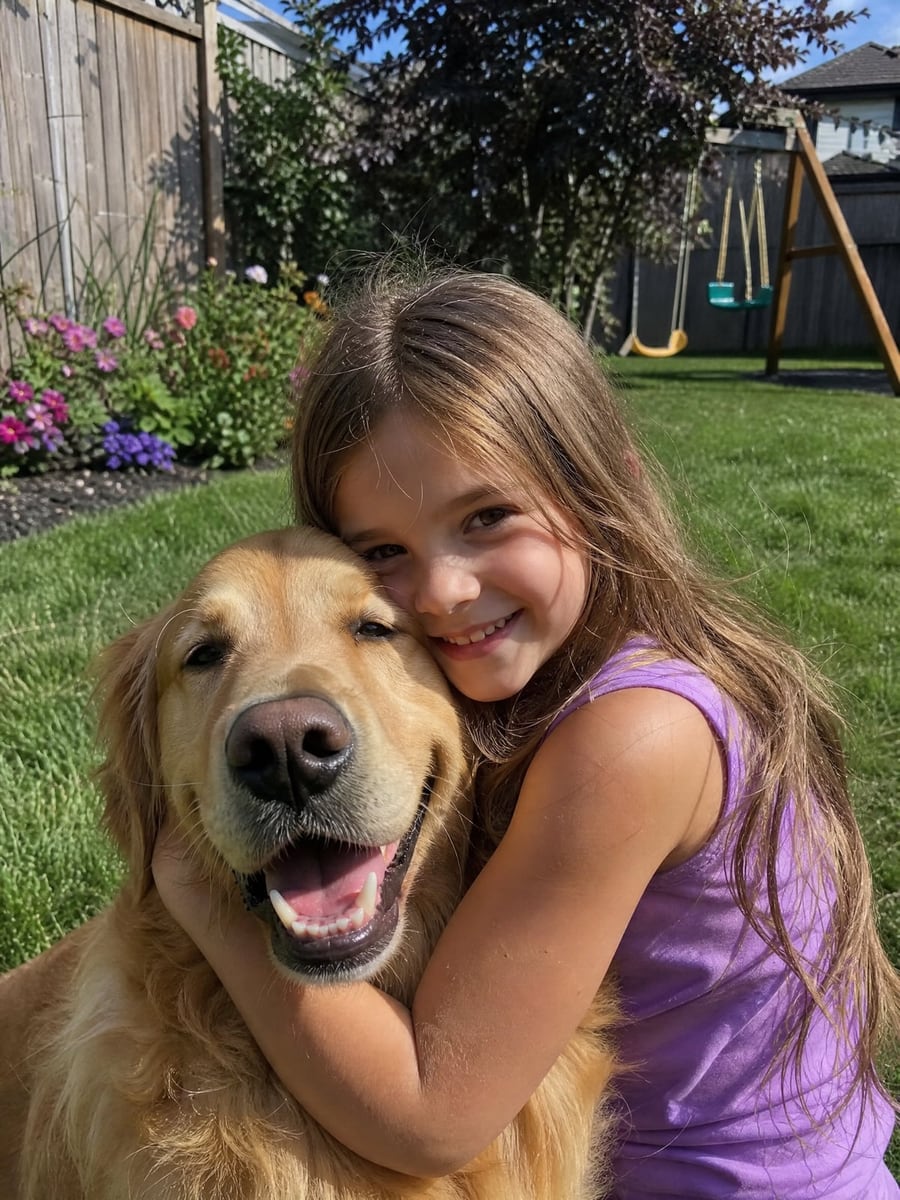
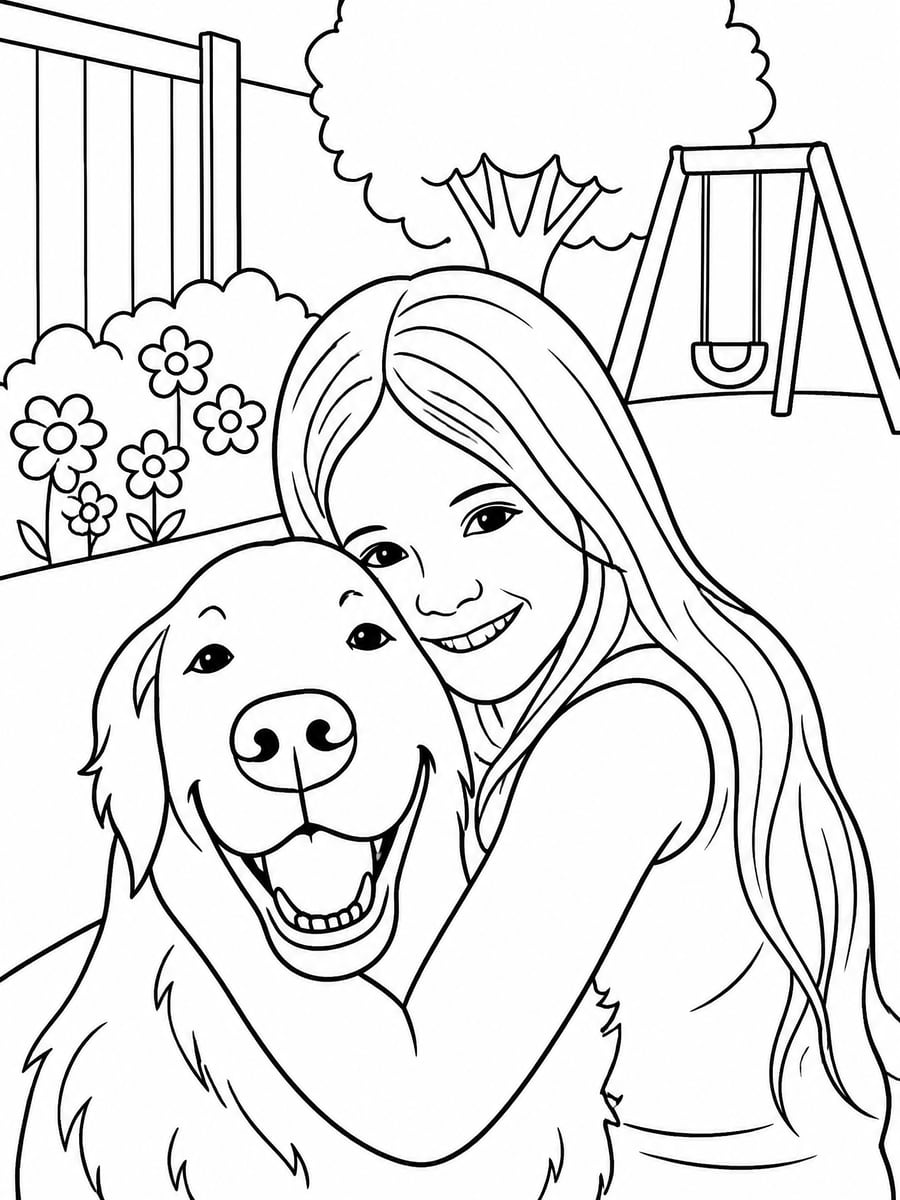
At 20 credits a page, it is cheap to run the same photo through every line style and see which one your child prefers.
Choosing a line style by age
The line style matters more than anything else on this page. If a page is too detailed, a 4-year-old will give up. If it is too simple, an adult will be bored. These are the five styles in our generator and who each one is for:
- Simple (ages 3–6): Very thick outlines, big shapes, almost no background. Made for crayons and small hands.
- Classic: Medium outlines and moderate detail, like a store-bought coloring book. Suits most kids from about 6 to 10.
- Detailed (adults): Fine lines with patterns in fur, hair, clothing and background. For older kids, teens and adults with colored pencils or fine markers.
- Cartoon: Redraws people and pets as friendly cartoon characters with big eyes and rounded shapes, while keeping them recognisable by hair, clothes and pose. Fun for party pages.
- Mandala patterns: Keeps the subject's outline and fills the shapes and background with decorative mandala and zentangle patterns. For adults who color to relax.
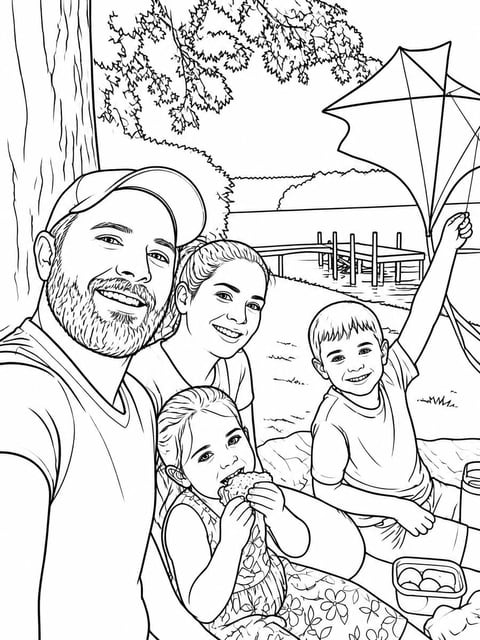
Classic
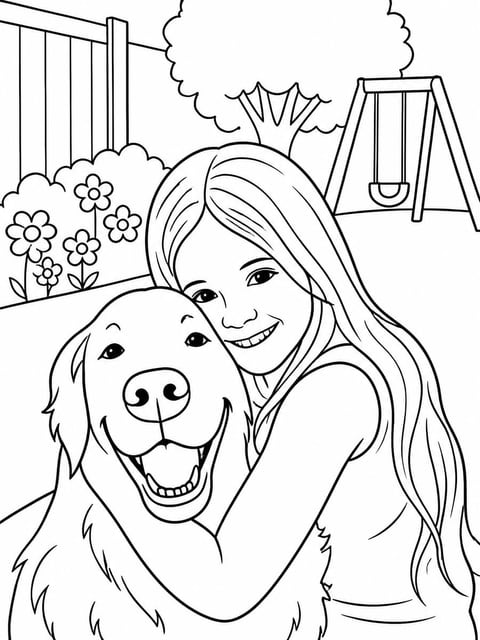
Simple (ages 3–6)
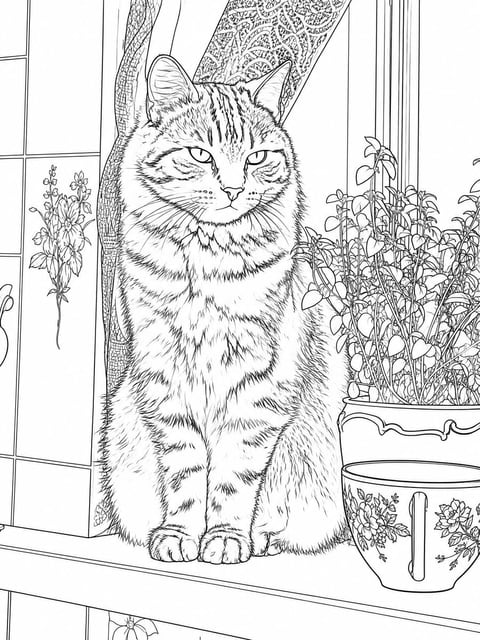
Detailed (adults)
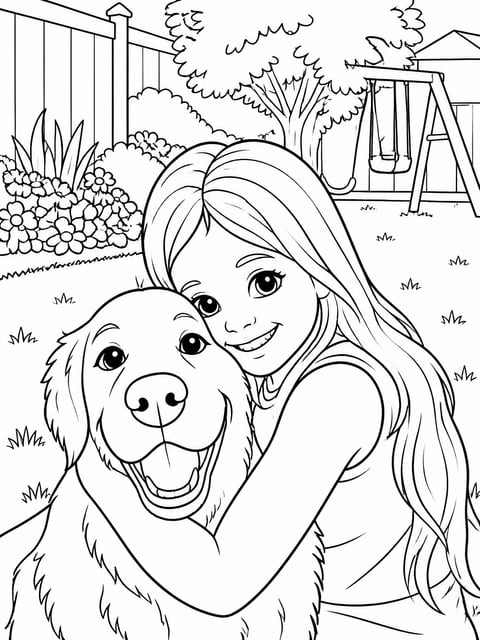
Cartoon
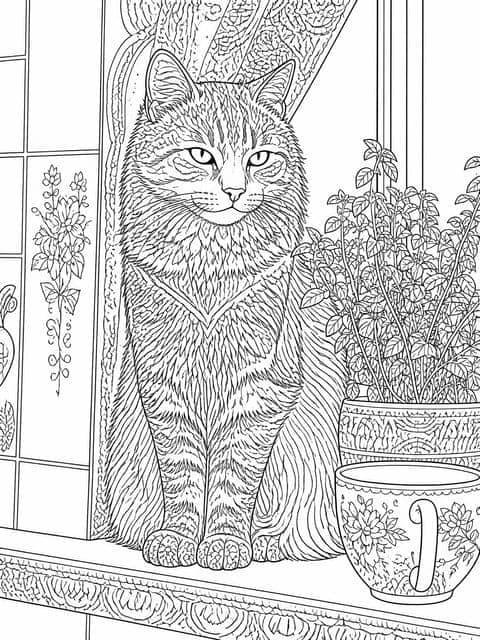
Mandala patterns
Background is the other thing worth changing. "None" puts only the subject on white paper, which works well for young kids and busy photos. "Keep everything" gives older colorers more to fill in.
Which photos work best
Any photo can be turned into a page, but some photos give much better results than others.
- ✅ Sharp photos where the main subject fills a good part of the frame: one to three people or pets.
- ✅ Close-ups and half-body shots. Faces stay recognisable because there is enough detail to redraw.
- ✅ Clear poses with arms and paws visible, such as hugging the dog, holding a cake or jumping on the beach.
- ✅ Pets with distinctive markings, which are kept as outlines you can color in.
- ❌ Big group photos and shots taken from far away. Small faces get simplified and stop looking like the real person.
- ❌ Very dark or blurry photos, where the AI has to guess at the edges.
- ❌ Photos where the important part is text, like a sign or a slogan T-shirt. Text is not kept on the page.
With a busy background, such as a playground or a crowded room, choose "Simplified" or "None" for the background rather than looking for a different photo.
How to print your coloring page
A coloring page is only useful once it is on paper. A few settings make the difference:
- Portrait pages are 1776×2368 pixels (3:4), which is about 210 dpi on A4 or US Letter. That is enough for the lines to print crisp rather than fuzzy.
- Turn on "fit to page" or "scale to fit" in the print dialog. 3:4 is close to, but not exactly, the shape of A4 and Letter paper, so a thin white margin on two sides is normal.
- Print in black and white or grayscale. The page is pure black on white, so you lose nothing and save color ink.
- Use a heavier paper (cardstock or 100–120 gsm) for markers or paint, so the colors don't bleed through. Plain printer paper is fine for crayons and pencils.
- Choose a landscape page for wide group or beach photos, and a square page if you plan to frame the result or post it.
Printing a class set or party favors? Download each page once and print as many copies as you need. There's no charge per copy.
Honest limitations
AI makes the cleanest pages, but you should know what it does before you print 30 copies:
- It redraws the photo rather than tracing it. The pose and composition stay the same, but this is a new drawing, not a filter applied to the photo.
- Small details can change. A hand may be redrawn slightly differently, and fingers or jewelry may be simplified.
- Text is not kept. Writing on T-shirts, signs or cakes is left out on purpose, so the page stays clean.
- Faces in far-away or group shots are simplified, so they look less like the real person.
- Very busy backgrounds can come out cluttered when set to "Keep everything". Choose "Simplified" or "None" instead.
- Pages made without a subscription carry a watermark. With a subscription, downloads are watermark-free.
If a face or a detail isn't right, generate the page again. Each attempt is a new drawing, so the next one is often better.
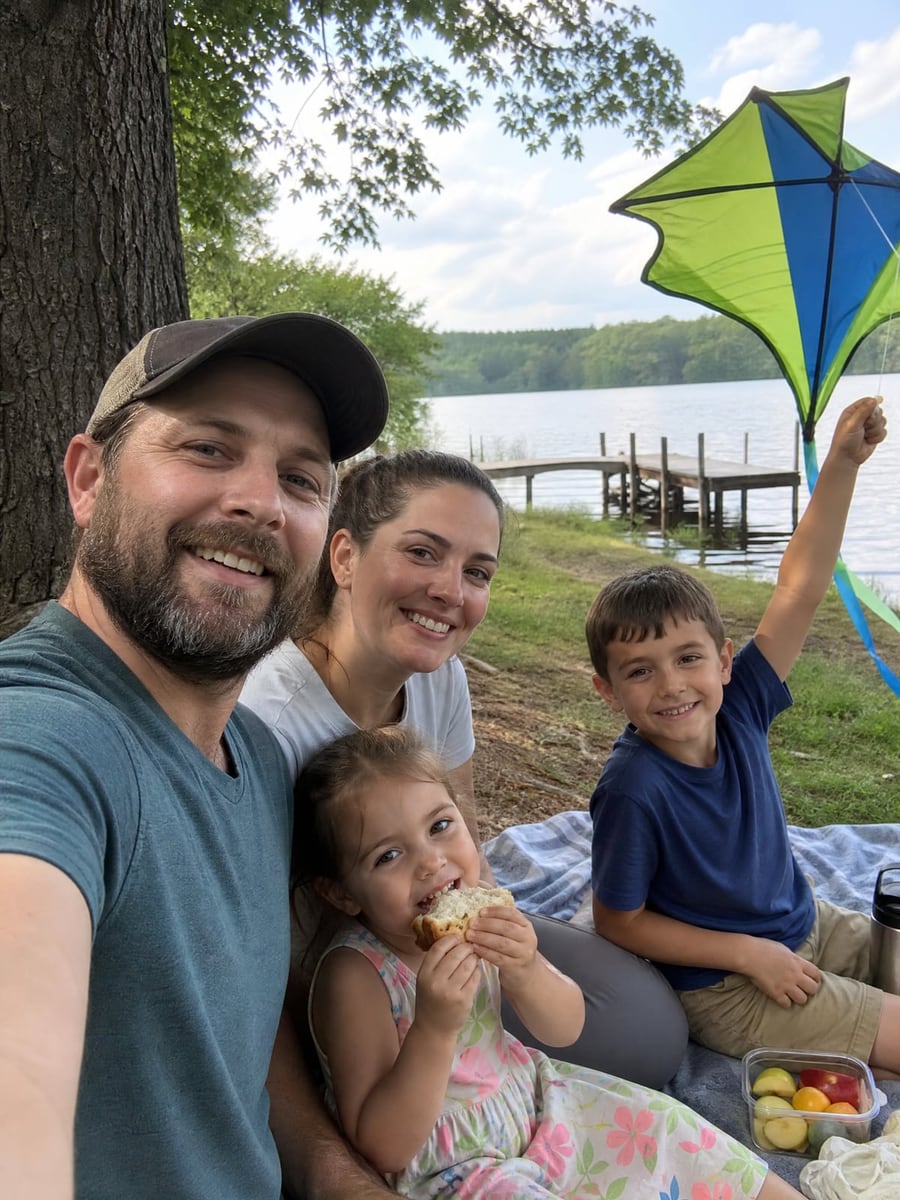
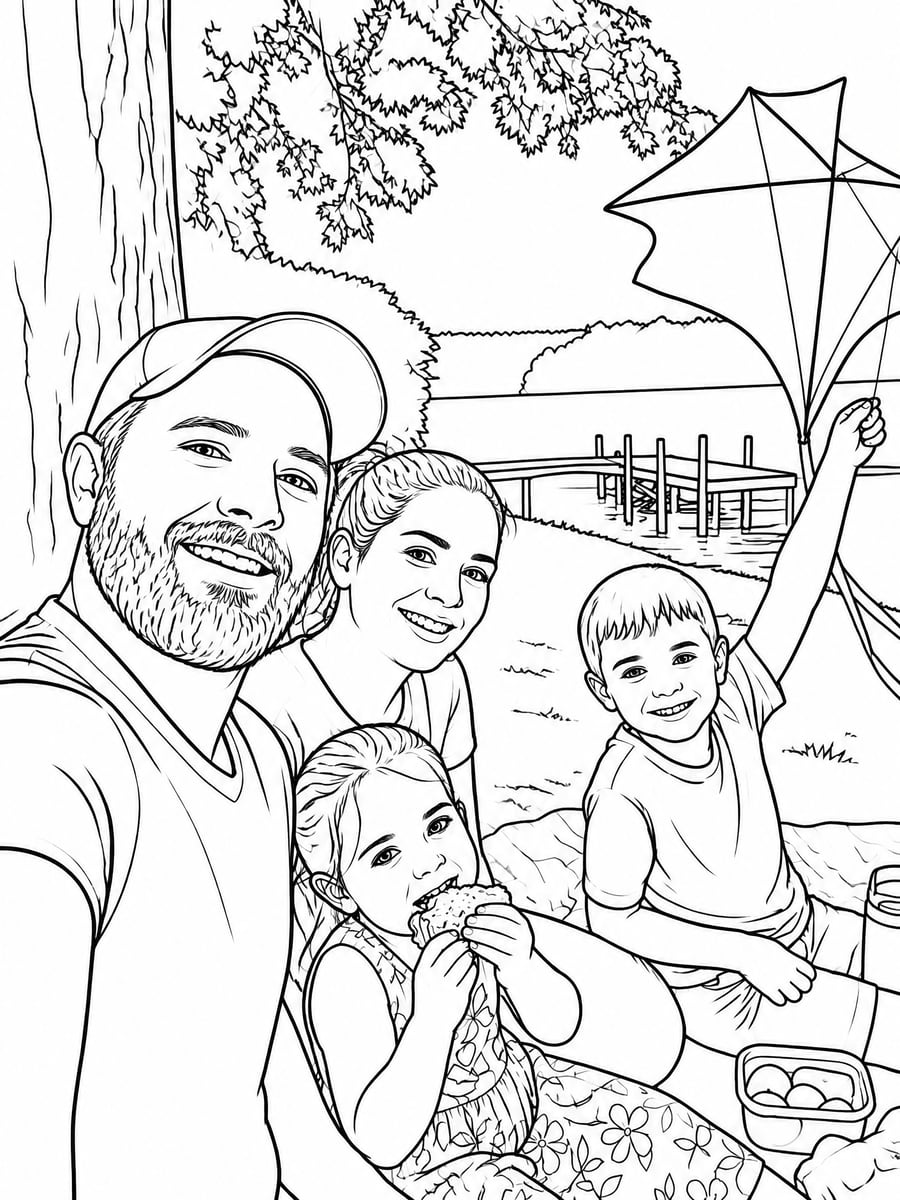
Ideas: parties, classrooms and gifts
A coloring page made from your own photo is worth more than a generic one, because the person coloring it is often in the picture.
Rainy-day activities
Kids color for longer when the page is about them. Turn last weekend's beach photo or a picture of them with the dog into a page and print a few for the afternoon.
Birthday parties
Make a page from a photo of the birthday child (the Cartoon style works well) and put a copy with crayons at every place setting, or send one home as a party favor.
Classrooms
Teachers can turn a class trip photo, the school pet or the topic of the week into a page. Use Simple for younger grades and Classic or Detailed for older students.
Gifts and keepsakes
Bind a small coloring book of family photos for grandparents, turn a pet portrait into a page for a fellow pet owner, or make a Mandala page from a wedding photo for an adult who colors.
Photo to coloring page FAQ
Can I turn any photo into a coloring page?
Almost any photo works with an AI generator, because it redraws the scene instead of tracing it. Results are best with sharp photos where one to three subjects are reasonably large in the frame. Far-away group shots and very dark photos work too, but faces get simplified. Free filters are pickier: they need simple, high-contrast photos.
How do I turn a photo into a coloring page for free?
Free options are a one-click converter (such as Crayola's custom coloring page tool), the sketch or threshold filters in a free editor like GIMP, or tracing the printed photo by hand. On CreateVision, signing up is free and each AI page costs 20 credits; credit packs start at $9 and never expire.
Can ChatGPT turn photos into coloring pages?
Yes. If you upload a photo to ChatGPT and ask for a black-and-white coloring page with clean outlines and no shading, its image generation can produce one. Free accounts have a limit on image generations. You also have to write the instructions yourself (line thickness, background, no gray), while a dedicated generator has those settings built in as styles.
Can Canva turn a photo into a coloring page?
Canva has an AI coloring page generator, but it works mainly from a text description: you describe a picture and it draws one. Turning a specific photo into line art in Canva depends on the photo effects and apps available in your account, and these change over time. If you want a page of your own child or pet, a photo-to-coloring-page tool is the more direct route.
How do I turn a photo into a coloring page without AI?
In GIMP or Photoshop: desaturate the photo, duplicate the layer, invert it, set the blend mode to Color Dodge, add a slight blur, then use Threshold or Levels to make the lines pure black. Or print the photo and trace it with a fine black marker on tracing paper or against a window.
Is there a free app to turn a photo into a coloring page with no sign-up?
Some browser-based converters work without an account, but they usually rely on edge-detection filters, so expect gray patches and broken lines on busy photos. CreateVision requires a free account, and you only need a browser.
What size should a coloring page be for printing?
Print on A4 or US Letter. Our portrait pages are 1776×2368 pixels, about 210 dpi at that size. Turn on "fit to page" in the print dialog. A thin white margin on two sides is normal.
Can I make a coloring page without a photo?
Yes. Leave the upload empty and describe the picture, for example "a dinosaur family having a picnic under a palm tree". The page is drawn in the line style you picked, for the same 20 credits.
Want a pencil-drawing look rather than outlines to color? Try the AI photo to sketch tool. For a pet portrait in full color, use the AI pet portrait generator.