What "AI Couple Photo Maker" Actually Means in 2026
If you want to skip straight to trying the winner, our AI Couple Photo Maker lets you merge two selfies into one photo free, without creating an account. For the full step-by-step workflow, see the complete AI couple photo guide.


The 7 Best AI Couple Photo Makers, Ranked
Scored on face similarity, single-photo realism, real free access, watermark policy and speed — not marketing budget
CreateVision AI Couple Photo Maker
Strengths
- ✓True merge: two single selfies become one natural photo of you both — shared lighting and perspective, not a collage or face swap
- ✓Keeps each face recognizably yours (identity-locked generation, no "generic pretty couple" drift)
- ✓10 ready-made scenes — romantic sunset, Paris, beach walk, cozy home, winter snow, garden, city night, café date, nature hike, anniversary
- ✓Try it without creating an account — one free generation before any signup
- ✓Full interface in 27 languages
Weaknesses
- ×Needs one clear, front-facing photo per person — heavy sunglasses or extreme side profiles reduce likeness
- ×After the free try, generation runs on a credit system (40 credits per photo) rather than an unlimited plan
- ×Web app only — no native iOS/Android app
Best For:
Couples who want a realistic photo of the two of them together — especially long-distance couples who have no photos together at all
Pricing:
Free to try without signup; then 40 credits per photo (signing up is free)
Unique Feature:
The most-searched-for and most-used dedicated couple photo tool in our category — built specifically for merging two people into one photograph, not adapted from a face-swap or filter app
YouCam Perfect (Perfect Corp)
Strengths
- ✓AI Group Photo feature genuinely merges two separate photos into one shot
- ✓Polished iOS and Android apps with a huge general editing toolkit
- ✓Can animate the finished couple photo into a short video clip
Weaknesses
- ×Free tier output carries a watermark and pushes hard toward the trial
- ×Subscription auto-renews via app stores; users report "unlimited" limits being changed under the existing policy
- ×Couple merging is one feature inside a big beauty-editor app — extra steps to reach it
Best For:
Mobile-first users who already live in photo-editing apps and want couple photos plus general retouching
Pricing:
Free with watermark; premium from about $6.67/month (billed annually)
Unique Feature:
The strongest native mobile app experience of any tool in this list
Media.io AI Couple Photo Generator
Strengths
- ✓Accepts two uploaded photos or a pure text prompt
- ✓Flexible backgrounds: keep your original, pick from a library, or describe one in text
- ✓Web-based, nothing to install
Weaknesses
- ×Freemium credits run out quickly and free exports are watermarked
- ×Identity drift on the more stylized presets — faces slide toward "generic attractive couple"
- ×Part of a sprawling Wondershare toolkit, so the couple tool gets shallow, general-purpose treatment
Best For:
Users who care more about background control than about perfect face likeness
Pricing:
Limited free credits with watermark; paid plans unlock HD and watermark-free export
Unique Feature:
The most flexible background system of the group, including text-described custom scenes
Fotor AI Couple Photo Generator
Strengths
- ✓Genuinely free to try in the browser with no install
- ✓Long-established editor, so you can retouch the result in the same tab
- ✓Low paid floor if you do upgrade
Weaknesses
- ×Free tier shows ads and watermarks every export
- ×Output often looks filter-like rather than photographic
- ×Weak identity preservation — in our test the generated couple only loosely resembled the source selfies
- ×Couple-specific templates are sparse
Best For:
Casual, zero-commitment experiments where exact likeness does not matter
Pricing:
Free with ads + watermark; Fotor Pro about $8.99/month
Unique Feature:
Lowest barrier to entry — but you get what the watermark implies
Pica AI
Strengths
- ✓Free credits refresh daily, so patient users can keep testing without paying
- ✓One subscription covers face swap, headshots, enhancement and restoration
- ✓Fast results
Weaknesses
- ×Couple photos are face swaps onto template images — the bodies, hands and clothes are not yours
- ×Free outputs are watermarked; full quality requires the subscription
- ×The platform quietly merged with ArtGuru in late 2025, and tools redirect between the two brands
Best For:
Quick fun swaps into themed couple templates rather than realistic photos of you two
Pricing:
Daily free credits with watermark; paid subscription for watermark-free HD
Unique Feature:
Daily-refreshing free credits — rare in this category
Vidnoz AI Couple Photo Maker
Strengths
- ✓Advertises free couple photo generation with no card required
- ✓Sits inside a large free AI suite (avatars, video, voice)
- ✓Simple three-step flow
Weaknesses
- ×Aggressive upsell into the wider Vidnoz video subscription at every step
- ×Queues at peak times on the free tier
- ×Resolution caps and watermarking on free exports
- ×Face likeness is mediocre — closer to "inspired by you" than "is you"
Best For:
Users already inside the Vidnoz ecosystem who want a free extra, not a dedicated couple tool
Pricing:
Free tier with caps and watermark; paid plans shared with the Vidnoz video suite
Unique Feature:
Bundled kissing/hugging video generators if you want animated results
Remaker AI
Strengths
- ✓Capable photo face swap on clear, front-facing sources
- ✓Purchased credits never expire
- ✓Historically generous: 30 signup credits plus 5 daily
Weaknesses
- ×Couple results are swaps into stock photos, not photos of you two
- ×Free tier was removed in January 2026 after a December 2025 outage
- ×Payments moved to cryptocurrency and Telegram channels in March 2026 — a serious trust signal
- ×Mobile credit packs cost markedly more than the same packs on the web
Best For:
Only for users who specifically want face-swap mechanics and accept the platform risk
Pricing:
Credit packs from $5.99/200 credits on web (more on mobile); free tier discontinued
Unique Feature:
Non-expiring credits — undermined by the platform instability around them


Side-by-Side: How the 7 Tools Compare
The four questions that decide whether a couple photo tool is worth your selfies
| Tool | Method | Free access | Watermark on free | Face similarity |
|---|---|---|---|---|
| CreateVision AI | True merge of 2 selfies | Yes — 1 try, no signup | No | High — identity-locked |
| YouCam Perfect | True merge (AI Group Photo) | Yes — app trial | Yes | Good |
| Media.io | Merge or text prompt | Yes — few credits | Yes | Medium, drifts on styles |
| Fotor | Prompt/template generation | Yes — with ads | Yes | Low |
| Pica AI | Face swap onto templates | Yes — daily credits | Yes | Face only; body is stock |
| Vidnoz | Template generation | Yes — capped + queue | Yes | Low–medium |
| Remaker AI | Face swap onto stock | No — removed Jan 2026 | N/A | Face only; body is stock |
Which Tool for Which Situation
Long-distance couple with zero photos together
This is the exact problem a true merge tool solves: one selfie from each side of the world becomes a single natural photo in a shared scene. Face-swap tools cannot do this honestly — the "couple" in the template is two strangers.
Anniversary or Valentine’s gift print
Prints magnify flaws. You want watermark-free output and faces that relatives will recognize — the romantic sunset, garden and anniversary scenes are designed for exactly this.
Quick funny swap for a group chat
When realism does not matter and speed does, a face swap into a silly template is the fastest laugh, and the daily free credits keep it costless.
Editing an existing couple photo, not creating one
If you already have photos together and want retouching, background cleanup and filters on mobile, a full editor beats a generator.
Wedding-style portraits before the wedding
A merged couple photo is the natural starting point, and the same two selfies can be reused across dedicated wedding scenes and outfits rather than one generic template.
More than two people — family or friend group
Couple tools are tuned for exactly two faces. For three or more people, use a dedicated group photo mixer that composes multiple uploads into one shot.
Two of these situations deserve their own dedicated tools: for engagement and wedding-style portraits, the AI Wedding Photo generator offers ceremony attire and settings a generic couple scene cannot match, and for three or more people the AI Group Photo Mixer composes whole families or friend groups into one shot.
The Bottom Line
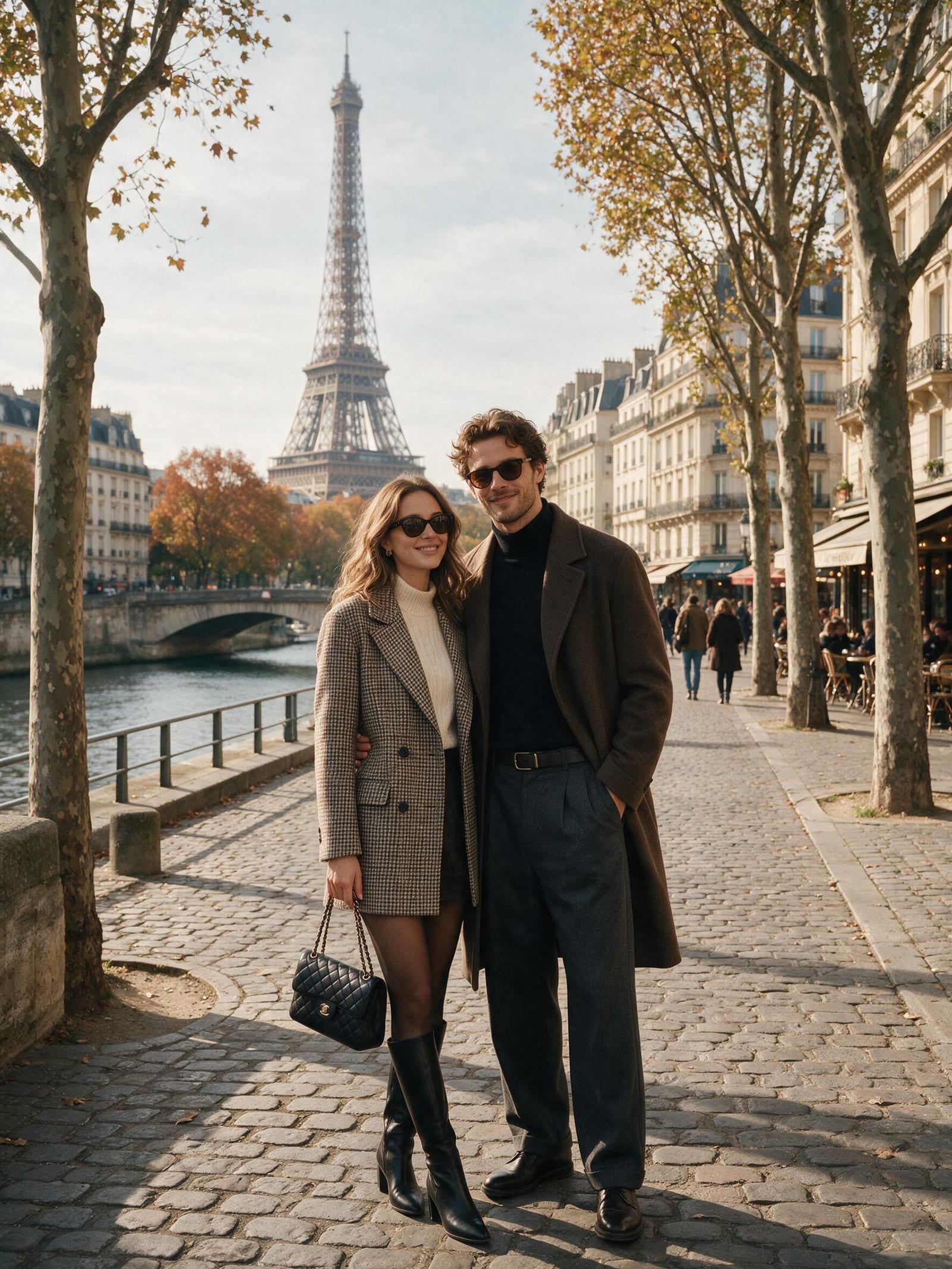
If you remember one thing from this comparison, make it the method question: a face swap puts your face on a stranger’s body, a prompt generator draws attractive strangers, and only a true merge tool produces a photo of the two of you. For that core job — two single photos in, one believable couple photo out — CreateVision AI’s Couple Photo Maker was the strongest tool we tested in 2026: highest face similarity, ten purpose-built scenes, no watermark, and a free try before any signup. YouCam Perfect is the best mobile-app alternative if you want editing tools in the same place, and Media.io wins if custom backgrounds matter more to you than likeness. The face-swap tools — Pica AI and Remaker — are fine for jokes, but know what you are getting: your face, someone else’s photo. The honest caveat for every tool here, ours included: results depend on your inputs. One clear, well-lit, front-facing photo per person beats ten blurry ones. Give any of the top three tools good selfies and you will get a photo worth printing; give them sunglasses and shadows and no AI in 2026 will save the likeness.
Frequently Asked Questions
How do AI couple photo makers work?
The best ones use identity-preserving image models: you upload one photo of each person, the AI extracts each face’s key features, then generates a brand-new photograph of both people together in a chosen scene — matching lighting, perspective and skin tones so it reads as one real photo. Cheaper tools skip this and either swap your faces onto an existing stock couple photo or simply generate fictional people from a text prompt.
Can AI really merge two separate photos into one couple photo?
Yes — this is the defining feature to check for. True merge tools (CreateVision AI, YouCam Perfect’s AI Group Photo, Media.io in upload mode) compose a single new image from two separate uploads. If a tool only asks for one photo, or asks you to pick a template first, it is a filter or face-swap tool, not a merge tool.
Is there a genuinely free AI couple photo maker with no watermark?
Mostly no — nearly every free tier in this category watermarks exports (YouCam, Media.io, Fotor, Pica AI, Vidnoz all do). CreateVision AI is the main exception in our test: the free no-signup try produces a clean, watermark-free image, with further generations on a credit system — signing up is free.
Will the AI photo actually look like me and my partner?
It depends on the tool and your inputs. Identity-locked merge tools scored highest in our likeness test; prompt-based generators scored lowest, drifting toward generic attractive faces. Your inputs matter as much as the model: use a sharp, front-facing, well-lit photo of each person with no sunglasses, and avoid group shots as source images.
Are AI couple photo generators safe to use with my photos?
Check three things before uploading: whether the service deletes source photos after processing, whether its terms grant it training rights over your uploads, and whether the company itself is stable. That last one is not hypothetical — one tool in this list removed its free tier and moved payments to crypto and Telegram within a few months. Prefer established platforms with a normal billing relationship.
Can I use AI couple photos for wedding invitations or save-the-dates?
Yes, and it is one of the most popular uses. Generate the merged photo first, choose a romantic or formal scene, and export at full resolution for print. For dedicated wedding attire and settings, a purpose-built AI wedding photo tool gives better results than a generic couple scene.
What photos should I upload for the best result?
One photo per person: front-facing, eyes visible, even lighting, no heavy sunglasses or hats, and ideally shot at eye level. Solo photos work better than crops from group shots. Higher resolution helps, but a sharp phone selfie in daylight is enough for every top-three tool in this list.
Can these tools handle more than two people?
Couple tools are tuned for exactly two faces, and quality drops if you try to sneak in a third. For families or friend groups, use a dedicated AI group photo mixer, which is designed to compose three or more uploads into a single shot.