

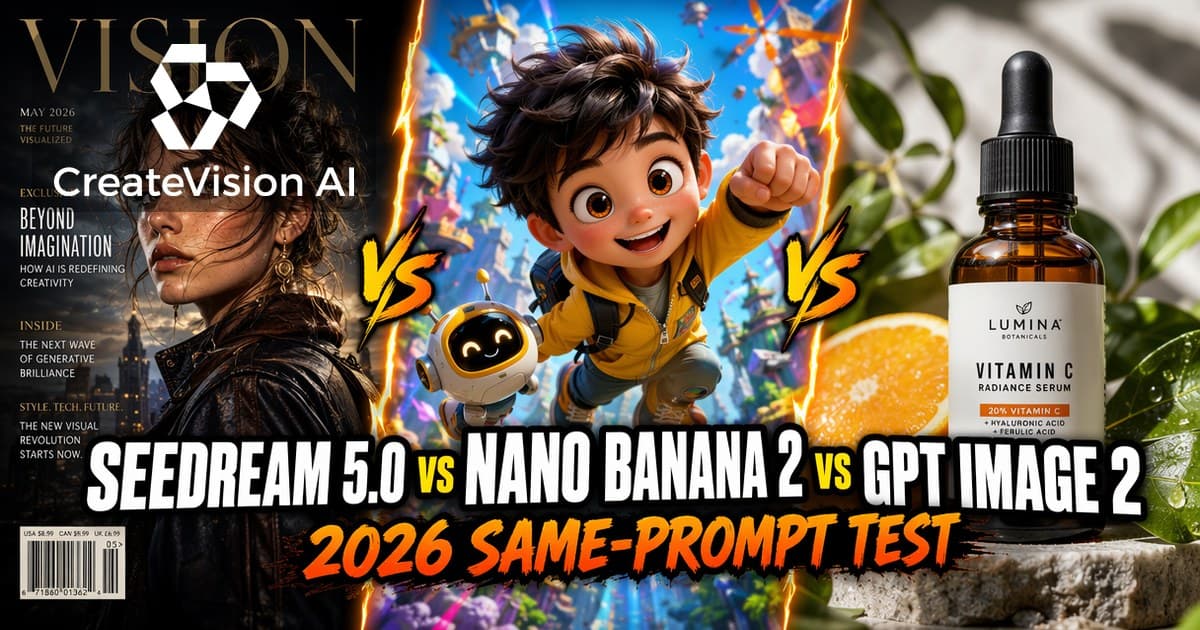
Why a Same-Prompt Test, Not Another Spec Sheet
By mid-2026 the "which image model should I use" question has collapsed to three names: ByteDance’s Seedream 5.0, Google’s Nano Banana 2 (Gemini 3.1 Flash Image), and OpenAI’s GPT Image 2. Most comparisons you will find are rewritten spec sheets — resolution numbers, launch dates, a pricing table copied from a press release. None of them tell you what happens when the same brief hits all three models.
Naming note: the Seedream 5.0 family ships in three tiers — 5.0, 5.0 Lite and 5 Pro. Every first-party render, timing and failure note in this article comes from Seedream 5 Pro, the flagship tier, run on our own workspace on July 13, 2026. Where a benchmark tested a specific tier, we say which one.
We are in an unusual position to test this: all three model families run inside the CreateVision AI workspace, side by side, on the same credits. That also means we have no incentive to crown one — whichever model you pick, you can run it here. So on July 13, 2026 we ran an 8-prompt production set (a magazine cover, an infographic, a bilingual poster, a portrait, an ultra-wide street scene, a food shot, a product shot and a vector illustration) through Seedream 5 Pro and timed every render. Every one of the 8 prompts completed on the first take — no cherry-picking, no rerolls — averaging about 86 seconds at 1K and 110 seconds at 2K.
One honesty rule for this article: numbers from our own workspace test are labeled as ours; numbers for Nano Banana 2 and GPT Image 2 that we did not measure ourselves are labeled as 2026 community consensus from public reviews. Where our own model lineup loses a round, we say so — you will see Seedream lose the small-text round below.
Round-by-Round: Five Things That Actually Break Workflows
Text, hands, layout, speed and price — scored per dimension, because no model wins all five.
Round 1: Text Rendering
This is the round with the clearest data. In Atlas Cloud’s 2026 API benchmark, GPT Image 2 hit 98.5% text accuracy against Seedream 5 Pro’s 89.5% — while AIReiter’s smaller 4-prompt test found both models render short titles flawlessly, meaning the gap lives in dense small type. If your image is a logo, a UI mockup, or anything where a single wrong letter kills the asset, GPT Image 2 is still the safest pick in 2026.
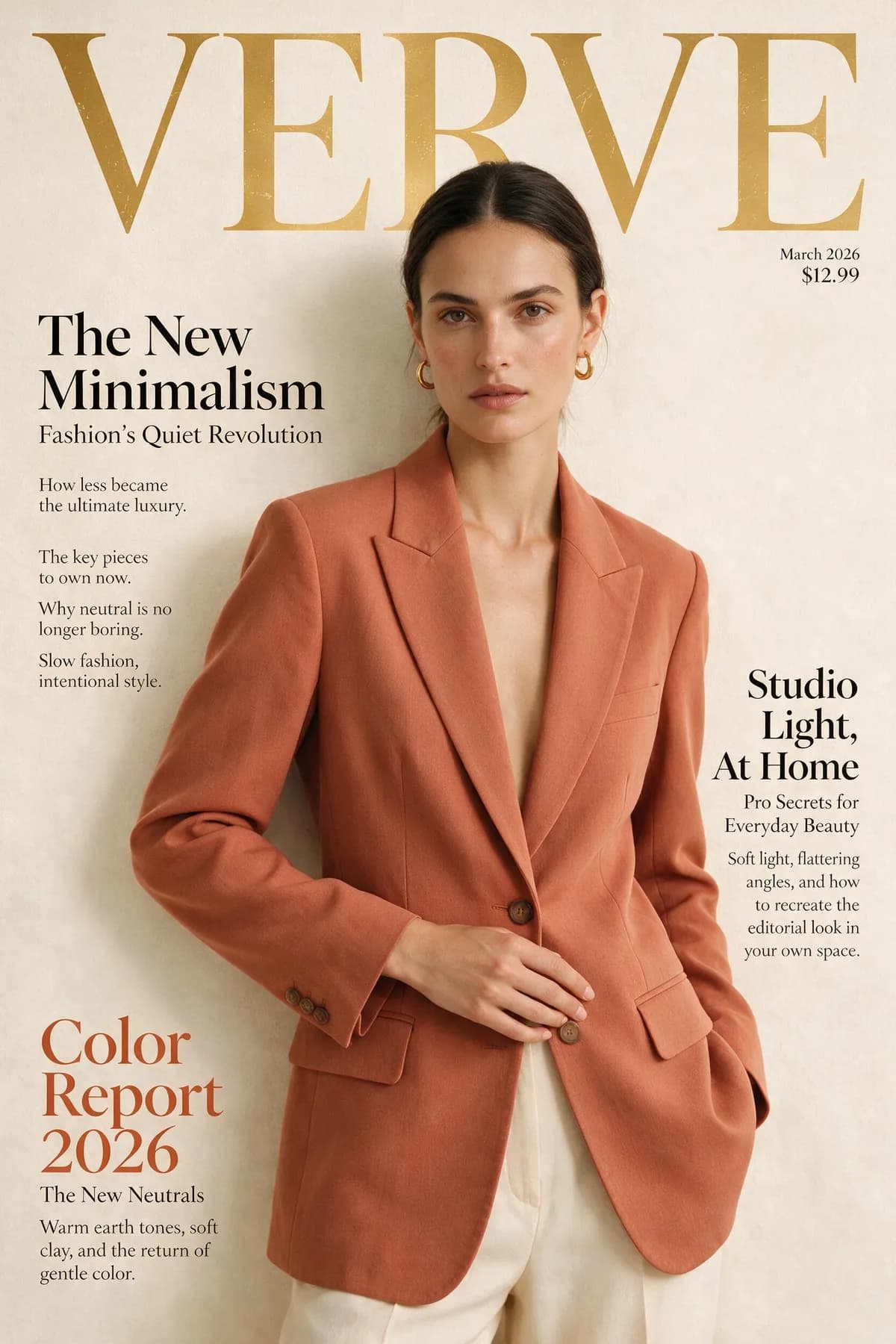
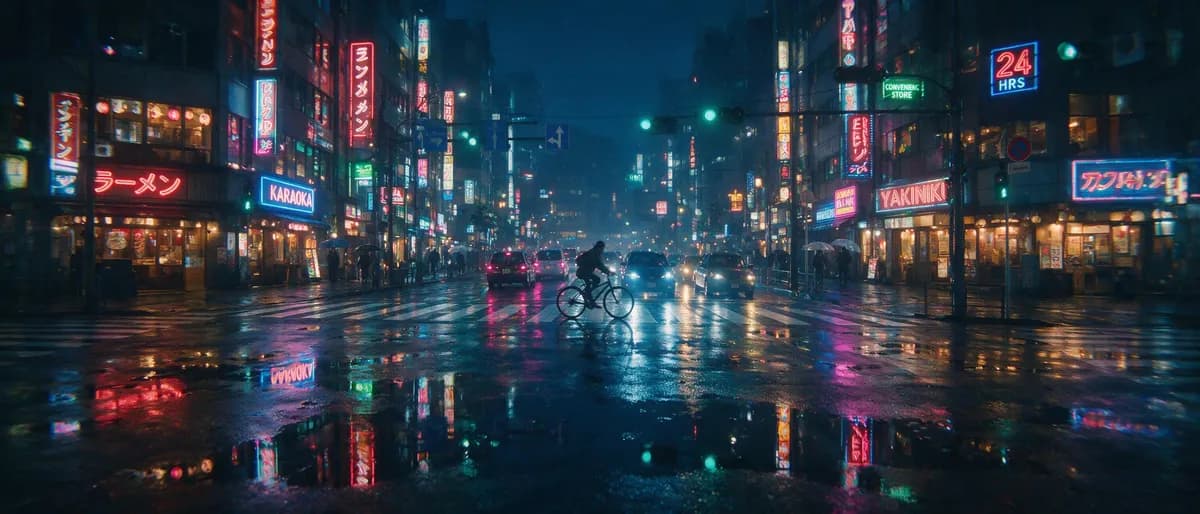
Seedream 5.0 loses on raw character accuracy but wins on something subtler: typography that looks typeset. In our test, the magazine-cover prompt came back first take with a serif masthead, cover lines and small supporting body copy that read like an art director placed them — the same behavior reviewers describe as covers that "appear richer". The honest catch from our own renders: very small and background text drifts. In our 21:9 Tokyo street test, the background neon signs came out as near-words.
Nano Banana 2 actually edges out Seedream on raw character accuracy — 91.2% in the same Atlas Cloud benchmark — but without Seedream’s typeset layout quality. In practice that makes it fine for a short headline on a greeting card or ad draft, and not fine for dense menus or paragraph copy.
Round 2: Portraits, Skin and Hands
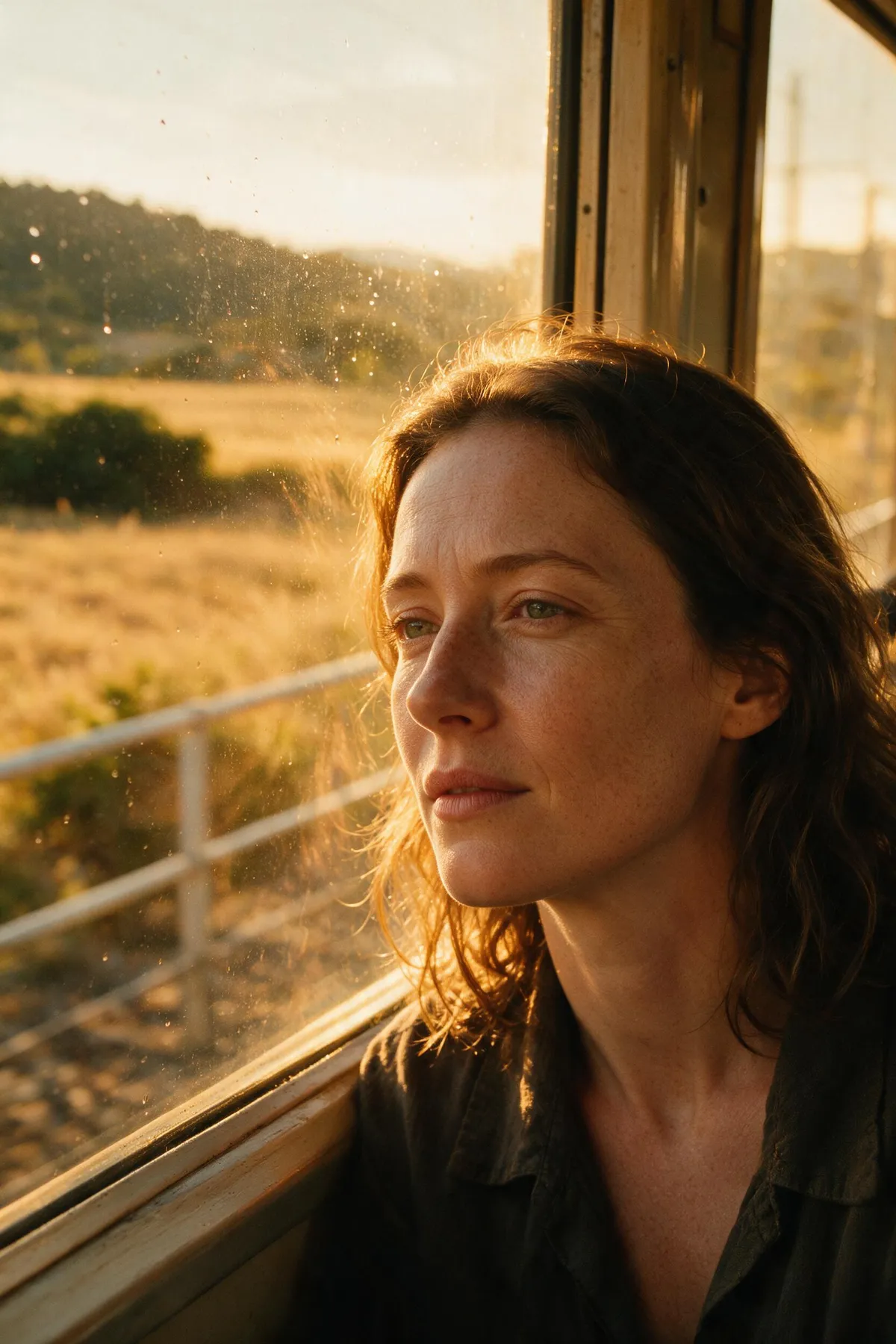
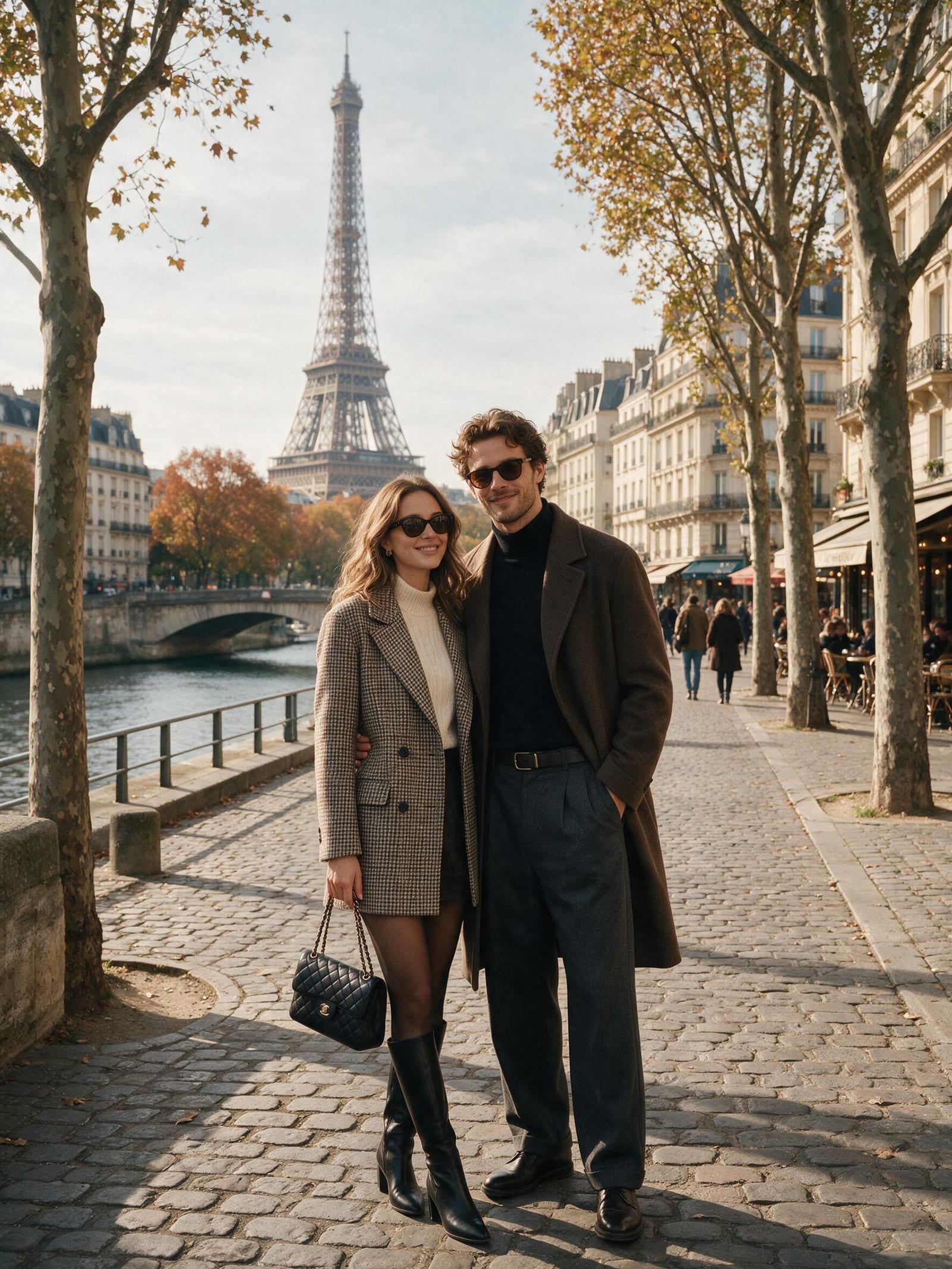
Our golden-hour portrait prompt is where Seedream 5 Pro earned its keep: visible skin pores, subtle facial lines, cinematic film grading — first take, 97 seconds at 2K. Reviewers agree, singling out its highlight-to-shadow transitions and environmental light handling as best in class.
Now the honest part, from our own testing: full-body figures can come out with a pasted-on, "sticker" look, and hands and jewelry stay inconsistent across renders. Our workaround is simple — frame tighter. Waist-up and closer, Seedream portraits are the most photographic of the three; full-body group shots are where you should expect retries.
Nano Banana 2’s community reputation is different: not the most textured skin, but the strongest character consistency — the same face staying the same face across edits and re-renders, which matters more than pore detail if you are building a series. GPT Image 2 delivers reliable anatomy and rarely botches a hand, but its people tend toward a polished, slightly airbrushed look that reads "AI-clean" next to a Seedream close-up.
Round 3: Layout, Posters and Infographics
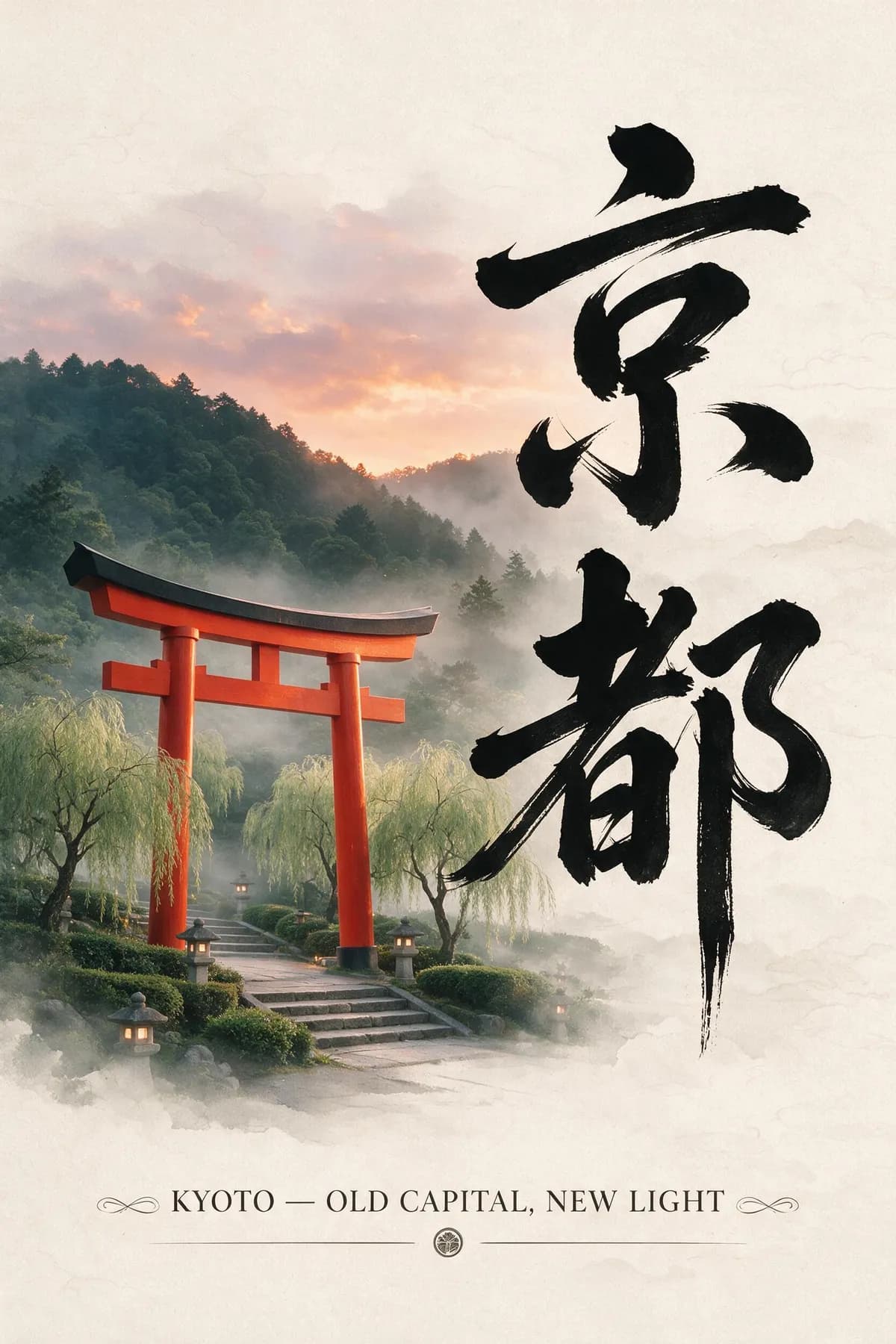
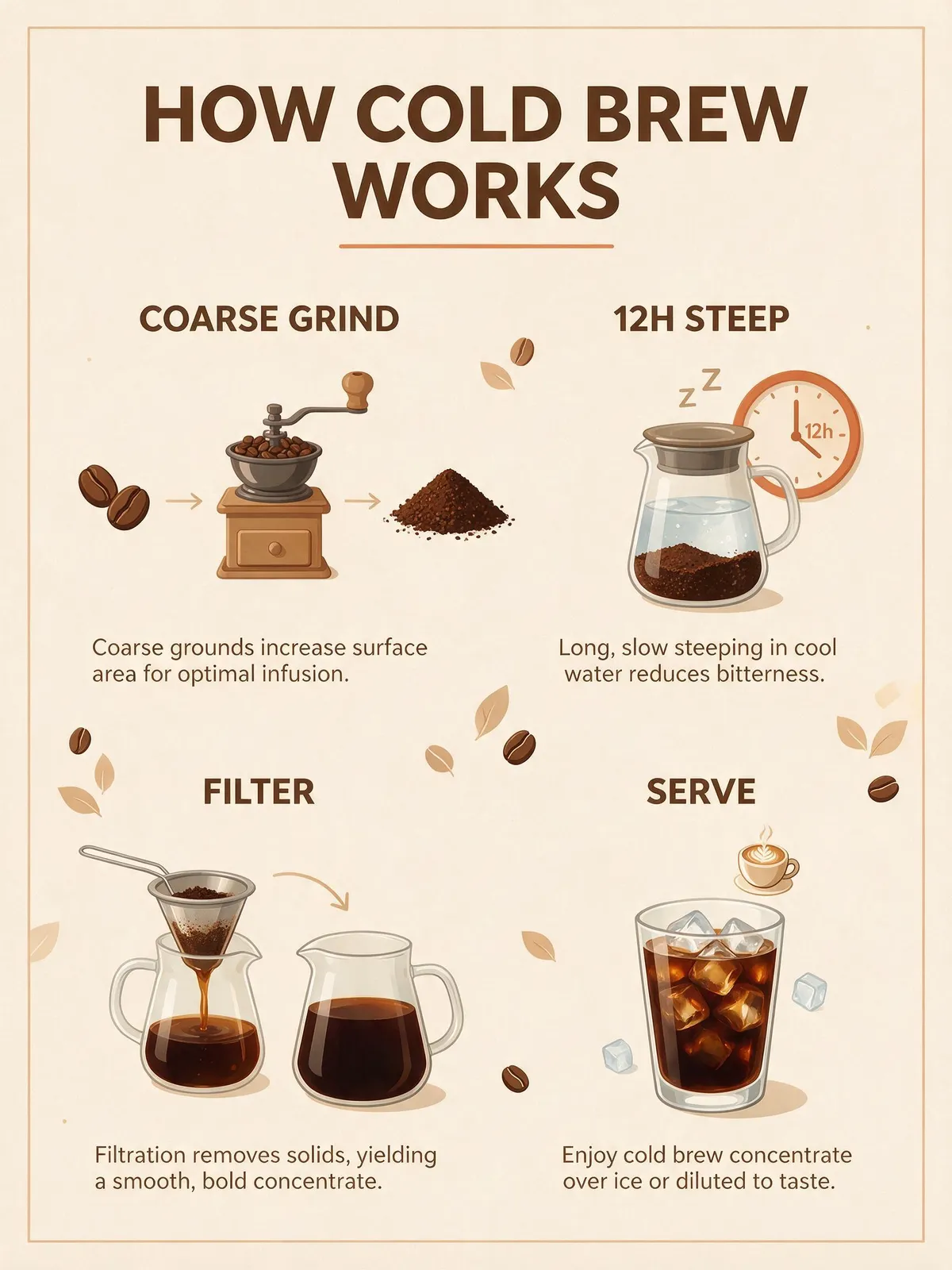
This is the round Seedream 5.0 was built for — ByteDance positions it as a model that "understands design", and our test backs that up. The four-step cold-brew infographic came back with labeled steps, flat icons and a balanced grid on the first take. The Kyoto poster prompt handled vertical Japanese calligraphy plus an English subtitle in one pass, with typography that follows each script’s conventions — Seedream renders native text in 10+ languages.
GPT Image 2 is a close second: its layouts are cleaner than ever and its small type is more accurate (see Round 1), but the result often looks assembled rather than designed — correct, less editorial. The practical split from independent reviews matches ours: cleanest type, GPT Image 2; a cover that looks written, Seedream.
Nano Banana 2 is the drafting tool here: community consensus is that it will give you a legible, well-composed poster draft in seconds, but material textures and dense multi-element layouts are where it visibly trails the other two.
Round 4: Speed
No contest, and we will not pretend otherwise. Community benchmarks in 2026 clock Nano Banana 2 at roughly 2–5 seconds per image — multiple reviews call it the fastest commercial image model available. GPT Image 2 lands around 8 seconds at 1024×1024 in public tests, slowed by the reasoning pass it runs before rendering.
Our own measured numbers for Seedream 5 Pro: about 86 seconds at 1K and 110 seconds at 2K, averaged over the 8-render test set. That is minutes-scale, not seconds-scale — the price of the dense, one-pass layouts it produces. Our workflow answer is to iterate on a fast cheap model and spend Seedream credits only on the brief that is already locked. If you bill by the hour, this round matters more than any leaderboard.
Round 5: Price and the Free Entry Point
Getting these models directly is three different headaches: Seedream’s official routes want a mainland +86 phone number or business verification, Nano Banana 2’s best tiers sit inside Google’s subscription stack, and GPT Image 2’s advanced modes are gated behind paid ChatGPT plans. On CreateVision AI all three are on one credit meter, which makes the comparison concrete.
Per image at 1K: Nano Banana 2 is 30 credits, Seedream 5.0 is 40 (plus an optional 10-credit web-search step), Seedream 5 Pro is 50 (100 at 2K), and GPT Image 2 spans a matrix from 5 credits (1K low) through 20 (1K medium) up to 560 (4K high) plus 10 per reference image. So GPT Image 2 is both the cheapest possible draft and by far the most expensive final — watch the quality tier you have selected.
On free access, Seedream wins in practice — the next section walks through the cheapest way to try it, because "how can I use Seedream for free" is one of the most-searched questions about this model family.




The Same-Prompt Scorecard
Our measurements are marked “ours”; the rest is 2026 community consensus.
| Seedream 5.0 | Nano Banana 2 | GPT Image 2 | |
|---|---|---|---|
| Made by | ByteDance Seed | Google (Gemini 3.1 Flash Image) | OpenAI |
| Best at | Posters, infographics, editorial layout, multilingual text | Speed, iteration, character consistency | Small-text accuracy, instruction following |
| Text accuracy | 89.5% (Atlas Cloud benchmark, 5 Pro) — typeset look, small type drifts (ours) | 91.2% (Atlas Cloud) | 98.5% (Atlas Cloud) — flawless short text in AIReiter’s test |
| Speed per image | ~86s at 1K / ~110s at 2K (ours, 5 Pro, 8 renders) | ~2–5s (community) | ~8s at 1024px (community) |
| Credits on CreateVision AI | 40 (5.0) · 50–100 (5 Pro) | 30 / 50 / 70 (1K/2K/4K) | 5–560 by size × quality |
| Weak spots (honest) | Full-body “pasted” look, hands and jewelry, tiny background text (ours) | Material textures, dense layouts (community) | Airbrushed people, strict content filter, slow at high tiers (community) |
Sources: our 2026-07-13 workspace test (8 first-take Seedream 5 Pro renders); Atlas Cloud’s 2026 image-API benchmark; AIReiter’s Seedream 5 Pro vs GPT Image 2 hands-on; 2026 public reviews of Nano Banana 2 and GPT Image 2.
How to Use Seedream 5.0 for Free
"How can I use Seedream for free" — including the older "how can I use Seedream 4.0 for free" — is a top search for this model family, and the official answer is unfriendly: ByteDance’s direct channels want a mainland Chinese phone number (Volcano Engine) or slow business verification (BytePlus). Here is the route that requires neither, using the free tier we actually operate.
Try it before creating an account
You can run a first generation on CreateVision AI as a guest — no signup, no API key, no phone number. That is enough to see how a Seedream-family model handles your own prompt rather than our demo prompts.
Sign up free
Creating an account is free, and your credit balance is shown in the app. Z Image Turbo costs 0 credits; every other model, Seedream included, is paid in credits.
Spend credits on the right Seedream tier
Seedream 5.0 costs 40 credits per image and Seedream 4.0 costs 20, which makes Seedream 4.0 the cheapest practical answer to the "Seedream 4.0 for free" question. Seedream 5 Pro at 50–100 credits is better saved for a locked brief. If you need more credits, packs start at $9 and never expire.
Draft at zero cost, finish on Seedream
Z Image Turbo costs 0 credits, so you can iterate composition and wording for free, then spend credits only on rendering the final on Seedream 5.0. That is how we ran our own test set without burning credits on exploration.
Want the full tier breakdown before spending credits? The Seedream 5 Pro page documents our complete 8-prompt test with every prompt and render time, and our Seedream 5 complete guide covers the whole model line in depth.
Verdict: Pick by Job, Not by Leaderboard
After running the same briefs across all three families, the honest summary is that 2026 has no all-purpose winner — each model owns a lane, and the expensive mistake is using the wrong one for the job. Here is how we route real briefs in our own workspace:
One-pass layouts that look typeset, native text in 10+ languages. Accept minute-scale renders and keep on-image type large.
98.5% text accuracy in Atlas Cloud’s benchmark is the best measured of the three. Start at the 1K medium tier (20 credits) before paying for 4K high.
Seconds-scale renders at 30 credits, with the strongest character consistency of the three by community consensus.
Draft free at 0 credits, then render only the keepers on Seedream 4.0 (20 credits) or Seedream 5.0 (40). Credit packs start at $9 and never expire.
All three families run side by side in one workspace here — start with Seedream 5, Nano Banana 2 or GPT Image 2, and switch models without switching accounts. For a deeper dive into Google's model, see the Nano Banana 2 complete guide.
Frequently Asked Questions
Is Seedream 5.0 better than Nano Banana 2?
For layout-heavy work — posters, infographics, editorial covers, multilingual text — yes, clearly. For speed, iteration and character consistency across a series, Nano Banana 2 wins: community benchmarks put it at 2–5 seconds per image versus the ~86–110 seconds we measured on Seedream 5 Pro. They are different tools, not ranked versions of the same tool.
Which model renders text most accurately in 2026?
GPT Image 2. Atlas Cloud’s 2026 benchmark measured it at 98.5%, ahead of Nano Banana 2 (91.2%) and Seedream 5 Pro (89.5%), and AIReiter’s short-text head-to-head found it error-free. Seedream counters with typography that looks professionally typeset — the gap shows in dense, small copy rather than headlines.
How can I use Seedream 5.0 for free?
Skip the official +86-phone and business-verification routes. On CreateVision AI you can try a generation as a guest, and signing up is free. Z Image Turbo costs 0 credits for drafts; Seedream 5.0 renders cost 40 credits and Seedream 4.0 renders 20, and credit packs start at $9 and never expire.
What is the difference between Seedream 5.0 and Seedream 5 Pro?
Pro is the design flagship: dense one-pass layouts, precision editing, 1K/2K output at 50–100 credits — it is the tier we ran our 8-prompt test on. Seedream 5.0 (the Lite line) renders at 2K/3K, supports an optional web-search step (+10 credits), and costs 40 credits — the better default for everyday generation.
Is GPT Image 2 free to use?
Natively, only in small doses — ChatGPT’s free cap is a few images per hour and the advanced modes are subscription-gated. On CreateVision AI, GPT Image 2 starts at 5 credits per 1K low-quality image, so even a small credit pack stretches to many drafts — but a 4K high render costs 560 credits, so watch the tier selector.
How long does each model take per image?
From our measurements and 2026 community tests: Nano Banana 2 about 2–5 seconds, GPT Image 2 about 8 seconds at 1024×1024, Seedream 5 Pro about 86 seconds at 1K and 110 at 2K (our timed average across 8 renders). Seedream trades speed for one-pass layout density.
What are the honest weaknesses of Seedream 5.0?
From our own renders: full-body figures can look composited ("sticker-like"), hands and jewelry stay inconsistent, and very small or background text drifts into near-words — our ultra-wide street test shows it. Workarounds: frame portraits tighter, keep on-image text large, and rerun — retries are cheap at 40–50 credits.
Can I use images from these models commercially?
Images you generate on CreateVision AI can be used in personal and commercial projects under our terms of service, regardless of which of the three models produced them. You remain responsible for prompt content, trademarks and likeness rights.


